
Selecting the right computer table for desktop use is the single most important decision for your home office or gaming setup. Unlike lightweight laptops, a complete desktop system demands robust physical support, smart spatial planning, and efficient cable routing. The ideal desk configuration depends entirely on your room dimensions, the total weight of your hardware, and your daily working habits.
To find your perfect match, you must weigh the distinct structural advantages of three primary configurations. L-shaped desks offer the ultimate surface area for heavy, multi-monitor setups and dedicated peripheral zones. Standing desks introduce dynamic height adjustability that promotes physical movement and ergonomic comfort during long working sessions. Foldable desks provide a highly flexible, space-saving alternative for compact rooms or multi-purpose living areas where a permanent workstation is not feasible. Understanding how these designs handle the physical weight, wiring, and spatial footprint of a desktop computer will ensure you invest in a workspace that enhances both your productivity and your physical well-being.
Critical Comparison Dimensions for a Computer Table for Desktop
Supporting a full desktop computer setup requires more than just a flat surface. You must evaluate how each desk type performs across critical physical and functional dimensions to ensure your expensive electronics remain safe, stable, and highly functional over years of daily use.
Products mentioned in this guide

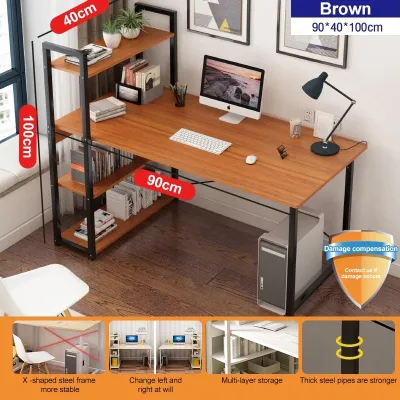
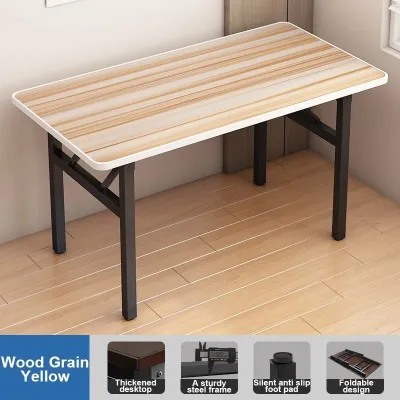
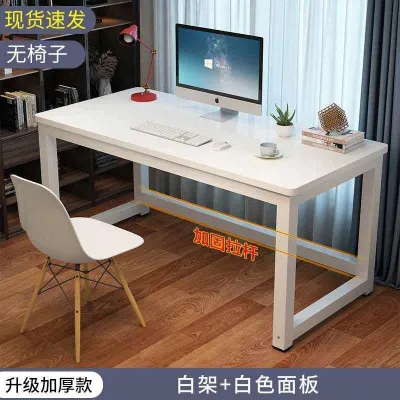
Prices are valid at publication and may change. Please refer to the product page for the latest price.
Space, Footprint, and Room Layout
Room layout and floor area are the first physical constraints you must address when selecting a computer table for desktop equipment. In typical residential layouts, especially in compact urban condominiums or shared apartments, every square meter of floor space must be carefully calculated.
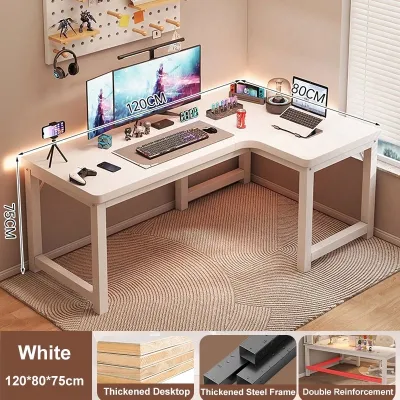
L-shaped desks utilize a corner-centric design that maximizes otherwise underutilized room corners. By wrapping around the user, they provide two distinct workspace wings within a single unit. However, this configuration requires a permanent, dedicated floor area. An L-shaped desk typically demands at least 1.2 to 1.8 meters of continuous wall space along both intersecting sides, making it difficult to reposition once assembled. It can also make a small room feel visually crowded if placed away from the walls.
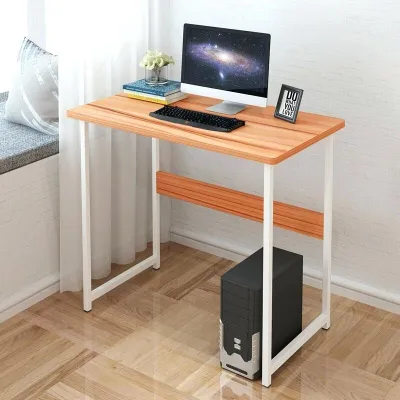
Foldable desks offer the absolute smallest footprint and the highest spatial flexibility. These tables can be set up in minutes and folded flat to a depth of just a few centimeters when your workday ends. This allows you to store the desk inside a closet, behind a wardrobe, or flat against a wall. While highly convenient for multi-purpose rooms, the trade-off is a severely limited depth—often only 40 to 50 centimeters—which forces your monitor, keyboard, and mouse into very close proximity.
Standing desks generally feature a standard rectangular footprint, typically ranging from 120 to 160 centimeters in width and 60 to 80 centimeters in depth. While they occupy a moderate amount of floor space, their primary spatial consideration is vertical clearance. A motorized standing desk requires completely unobstructed vertical travel up to 125 centimeters. You must ensure that wall-mounted air conditioning units, hanging light fixtures, floating shelves, or wall art do not obstruct the desk’s upward path, as collisions can damage both your furniture and your wall fixtures.
Stability, Weight Capacity, and Wobble
A complete desktop computer setup represents a significant financial and physical investment. A typical tower, dual monitors, an uninterruptible power supply (UPS), and heavy external peripherals can easily weigh between 20 and 40 kilograms. Ensuring structural stability is paramount to preventing catastrophic equipment failures.
Before purchasing any desk, you must locate and verify the manufacturer’s certified weight capacity label. Do not rely on material names alone to gauge durability; a table labeled as “solid wood” or “heavy-duty steel” can still fail if the structural joints, fastening hardware, or frame thickness are poorly engineered. High-quality desks will explicitly state their maximum weight limits in their user manuals or product specifications.
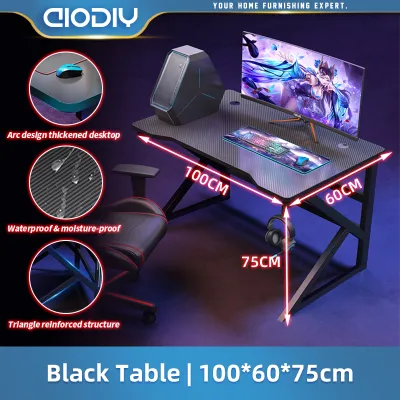
L-shaped desks and fixed-height rectangular desks inherently offer excellent stability and weight distribution. Because they distribute weight across multiple legs or wide corner panels, they can easily support heavy CPU towers and multiple clamp-on monitor arms without bowing or shaking. The wide base of an L-shaped desk makes it virtually immune to tipping, even when loaded to its maximum capacity.
Foldable desks sit at the opposite end of the stability spectrum. Because their frames rely on folding joints, hinges, and locking pins rather than rigid, bolted connections, they have significantly lower weight capacities. Placing a heavy ATX tower and multiple screens on a foldable desk can cause the center of the tabletop to sag, stress the folding joints, or create a top-heavy tipping hazard. Active typing or rapid mouse movements on a foldable table often translate into noticeable monitor shake.
Motorized standing desks introduce unique stability challenges, particularly when extended to their maximum heights. As the desk rises, its center of gravity shifts upward, making it more susceptible to lateral movement. To minimize monitor wobble while typing, look for standing desks engineered with thick steel lifting columns, wide footpads, and dual-motor lifting mechanisms. High-end models often feature an integrated crossbar between the legs to provide lateral rigidity at elevated heights.
Cable Management and Peripheral Layout
Desktop computers require a complex network of power cables, display cords, and peripheral wires. Managing this clutter is essential not only for aesthetics but also for electrical safety and equipment longevity, particularly in humid tropical environments where dust and moisture can accumulate around tangled wires.
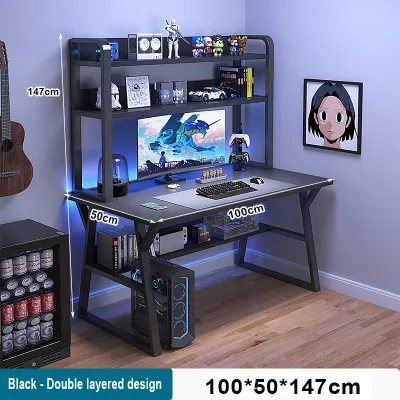
L-shaped desks provide an exceptional amount of under-desk real estate. The expansive underside allows you to easily mount heavy power strips, automatic voltage regulators (AVR), and large wire baskets directly to the desktop. You can route cables cleanly along the inner frame, keeping them completely hidden from view and safely off the floor, which simplifies floor cleaning and protects your wiring from accidental kicks.
Standing desks demand a highly specialized approach to cable management. Because the tabletop moves vertically, your cables must be long enough and flexible enough to accommodate the full range of motion without pulling, stretching, or disconnecting. You must install a flexible cable spine, drag chain, or under-desk mesh tray to gather your wires into a single, controlled bundle. Failing to plan for this movement can result in expensive display cables being ripped out of your GPU ports or power plugs being pulled from the wall socket when the desk is raised.
Foldable desks generally feature no built-in cable management solutions. Because these desks are designed to be packed away, any cable routing must be temporary. Running a desktop setup on a foldable desk means you will likely have loose wires hanging down to the floor. Furthermore, the process of folding and unfolding the desk increases the risk of pinching, crimping, or tangling your cables, requiring you to completely unplug and organize your peripherals every time you move the workstation.
Detailed Breakdown: Pros, Cons, and Ideal Use Cases
To make an informed decision, you must evaluate how each desk type fits into your daily routine, physical comfort requirements, and long-term work-from-home or gaming goals.

Standing Desks (Adjustable Height)
Adjustable-height standing desks have become a cornerstone of ergonomic workspace design, allowing users to transition seamlessly between sitting and standing throughout the day.
- Pros: The primary benefit of a standing desk is its profound impact on physical health. Alternating your posture helps reduce lumbar compression, improves blood circulation, and combats the physical fatigue associated with prolonged sitting. Modern motorized models feature programmable memory keypads, allowing you to save your exact preferred sitting and standing heights for quick, one-touch adjustments.
- Cons: These desks are mechanically complex and significantly heavier than traditional tables, making them difficult to assemble and relocate. Motorized versions require proximity to a dedicated electrical outlet and draw a small amount of standby power. In regions prone to power fluctuations, you must plug the desk's control box into a high-quality surge protector to prevent electrical damage to the motors.
- Ideal Use Case: A standing desk is ideal for professionals, writers, and digital creators who spend eight or more hours a day at their computers and prioritize long-term ergonomic wellness. It is best suited for permanent rooms where the user is willing to invest time in setting up dynamic cable management.
Foldable Desks
Foldable desks prioritize spatial economy and immediate utility, offering a functional workspace that can disappear at a moment’s notice.
- Pros: Foldable desks require virtually no complex assembly, often unfolding straight out of the box. They are lightweight, highly portable, and extremely budget-friendly, making them an accessible option for temporary living arrangements. By allowing you to pack your workspace away, they help maintain a clear boundary between work life and personal life in shared living spaces.
- Cons: The structural design limits both surface area and weight capacity. You cannot safely mount heavy dual-monitor arms to a foldable desk, as the clamping force can crush thin hollow-core tabletops or warp the folding frame. The shallow depth also limits your ability to position a large monitor at an ergonomically safe viewing distance, which can lead to eye strain.
- Ideal Use Case: Foldable desks are best suited for students, renters, or remote workers living in studio apartments, dorms, or shared bedrooms where space is at a premium. They work best with minimal, lightweight desktop setups—such as a mini-PC or a single lightweight monitor paired with a compact keyboard.
L-Shaped Desks
L-shaped desks are the traditional powerhouse of the home office, designed for users who require maximum surface area and zero compromise on structural stability.
- Pros: The massive tabletop surface allows you to establish distinct, organized work zones. You can dedicate one wing of the desk entirely to your desktop computer and multi-monitor array, leaving the other wing completely clear for writing, reviewing physical documents, or housing secondary equipment like printers and drawing tablets. They offer superior structural support for heavy clamp-on monitor arms and provide ample space to keep a large CPU tower safely on the desktop, protecting it from floor-level dust.
- Cons: These desks have a massive physical and visual footprint. They are incredibly heavy, highly complex to assemble, and often require two people to move safely. Once placed in a corner, they dictate the layout of the entire room, leaving very little flexibility for future furniture rearranging.
- Ideal Use Case: L-shaped desks are the premier choice for power users, software developers, video editors, and PC gamers who utilize multiple large monitors, heavy high-end CPU towers, and an extensive collection of desktop peripherals.
Decision Framework: Which Desk Should You Buy?
To finalize your purchase, systematically evaluate your setup requirements, room constraints, and physical needs against the specific characteristics of each desk type.
Choose an L-Shaped desk if:
- You use two or more large monitors, a heavy full-tower CPU, and substantial audio or streaming gear.
- You require separate physical zones for computer tasks and analog paperwork.
- You have a dedicated, permanent office space with an available, unobstructed corner.
- You want to mount heavy clamp-on monitor arms without risking tabletop warping.
Choose a Standing desk if:
- You suffer from back discomfort or fatigue during long, uninterrupted working sessions.
- You want the flexibility to adjust your monitor height dynamically to maintain perfect posture.
- You have a permanent workspace and are prepared to invest in specialized, flexible cable management tools.
- Your room has clear vertical travel space free of low shelves or wall fixtures.
- Your budget allows for a high-quality, stable frame with dual-motor lifting columns.
Choose a Foldable desk if:
- You live in a compact apartment or shared room where the desk must be stored away daily.
- Your desktop computer components are lightweight, compact, and minimal.
- You require a budget-friendly workspace solution that involves zero complex assembly.
- You do not plan to use heavy clamp-on monitor arms or multi-screen configurations.
Verify these critical factors before making your final purchase:
- Doorway and Access Dimensions: Measure your home's entryways, narrow corridors, stairwells, and elevator doors. Large L-shaped desks and heavy motorized standing desk frames are shipped in large, heavy boxes that may be difficult to navigate through tight spaces during delivery.
- Floor Evenness: Inspect your floor surface. If your floor is uneven, ensure the desk you choose features adjustable leveling glides or screw-in feet. An uneven floor will amplify monitor wobble on a standing desk and can cause structural stress on the joints of an L-shaped or foldable desk.
- Weight Capacity Labels: Calculate the total combined weight of your monitor, CPU tower, keyboard, mouse, UPS, and any desk accessories. Compare this total against the manufacturer's certified weight capacity label to guarantee you do not overload the frame.
- Assembly Conditions: Assess your tools and assembly confidence. L-shaped and motorized standing desks require significant assembly time, clear instruction manuals, and often specific tools. Ensure you have the physical space and assistance required to assemble these heavy pieces of furniture safely.
Frequently Asked Questions (FAQ)
Can a foldable desk hold a heavy desktop CPU and multiple monitors?
Generally, a foldable desk is not recommended for a heavy desktop CPU and multiple monitors. Most foldable desks are engineered with lightweight frames and thin tabletops designed primarily for laptops or minimal single-monitor setups. Placing heavy computer towers, multiple screens, and clamp-on monitor mounts on a foldable table can easily exceed its certified weight capacity. This structural overload can lead to tabletop sagging, joint failure, or a top-heavy imbalance that poses a serious tipping hazard. If you must use a foldable desk, strictly verify the manufacturer’s weight capacity label and keep your heaviest components, like the CPU tower, on the floor rather than the desktop.
Do standing desks wobble when typing or using a mouse?
Some standing desks can experience minor wobble, but this depends heavily on the desk’s engineering, its current height, and the evenness of your floor. When a standing desk is extended to its maximum height, its center of gravity shifts upward, making it more sensitive to lateral forces. To minimize monitor shake during active typing or rapid mouse movements, look for standing desks constructed with thick steel lifting columns, wide footpads, and dual-motor systems. Additionally, ensure the desk is equipped with adjustable leveling feet to compensate for any unevenness in your flooring, which is a common cause of structural instability.
Community discussion
Share your experience or ask a question. Comments are reviewed before publication.