
Quick Answer: Which Desk Configuration Is Right for You?
Selecting the ideal desk for your personal cubicle or home office depends on three core dimensions: your daily physical movement, your multitasking requirements, and the physical constraints of your room. Finding the right balance ensures your workspace remains highly productive without cluttering your living area.
Standing desks are best for active workers who want to transition between sitting and standing throughout the day to combat physical fatigue. These desks promote movement but require dedicated floor space and vertical clearance for height adjustments.
Foldable desks are the ultimate space-savers for compact apartments, shared rooms, or temporary setups. They allow you to reclaim your floor space entirely after office hours, making them ideal for professionals who do not have a dedicated study.
Products mentioned in this guide
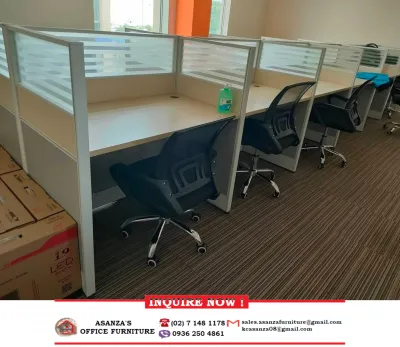
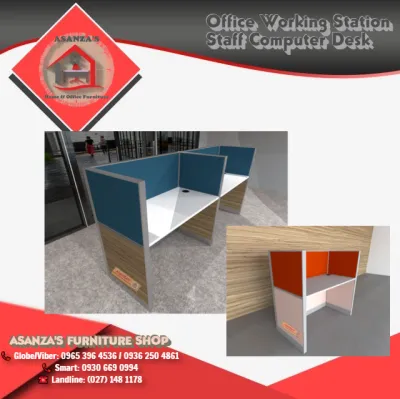
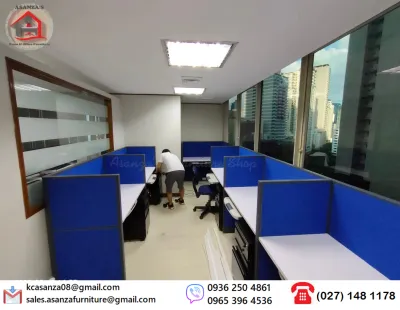
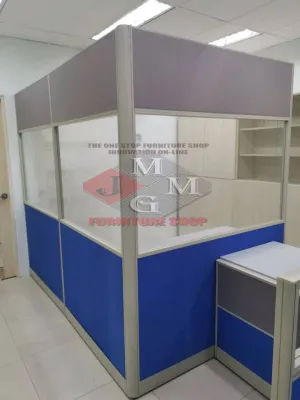
Prices are valid at publication and may change. Please refer to the product page for the latest price.
L-shaped desks serve heavy multitaskers who manage multiple monitors, physical paperwork, and specialized equipment. They require a dedicated corner and a larger room footprint but offer the most generous and organized surface area of the three options.
Ultimately, the best choice depends on your daily sitting and standing habits, how much gear you need to support, and whether your workspace must double as a living area when the workday ends.
Comparing the Three Main Cubicle Desk Types
Designing an efficient workspace requires understanding how different desk configurations support your body and your work tools. Each desk type addresses a specific set of spatial and physical challenges. By looking at their structural characteristics, you can determine how well they integrate into your daily routine.

Modern workspaces are no longer limited to static, rectangular tables. Instead, manufacturers design desks to accommodate dynamic movement, space conservation, or expansive multitasking. Choosing among them requires analyzing how their frames, adjustment mechanisms, and surface shapes match your workflow.
Standing Desks: For Active and Dynamic Workflows
Standing desks are designed to help you break the cycle of prolonged sitting by allowing you to transition between seated and standing postures. These desks generally come in two formats: manual hand-crank models or motorized electric frames. Electric models feature single or dual motors that raise and lower the desktop at the push of a button, often including programmable memory presets to save your preferred heights.
Alternating your posture throughout the day can significantly reduce physical strain on your lower back, neck, and shoulders. By standing for short periods during repetitive tasks or virtual meetings, you keep your circulation active and maintain higher energy levels. However, achieving these benefits requires a desk that remains completely stable at its maximum height.
Before purchasing, always verify the manufacturer’s specifications for motor noise levels, transition speed, and weight capacity. A high-quality motor should operate quietly—typically under 50 decibels—so it does not disrupt your household or video calls. Additionally, look for frames with crossbars or dual-motor systems if you plan to mount heavy multi-monitor arrays, as cheaper single-motor frames can wobble when fully extended.
Foldable Desks: For Compact Spaces and Flexible Use
Foldable desks provide a highly flexible solution for multi-purpose rooms where space is at a premium. These desks feature collapsible legs, drop-leaf surfaces, or wall-mounted designs that fold flat against the wall when not in use. They allow you to transform a bedroom, living room, or hallway corner into a functional workspace in seconds and then hide it away to restore your home’s original layout.
This ability to reclaim your floor space is particularly valuable in high-density urban housing or studio apartments where a permanent desk would block traffic paths. When folded, many of these desks are slim enough to slide under a bed, stand behind a door, or function as a shallow console table. This physical separation also helps establish a healthy work-life boundary, as folding the desk away signals the official end of your workday.
Because these desks rely on moving parts to collapse, you must carefully evaluate their build quality before buying. Check the durability of the hinges, the strength of the locking mechanisms, and the overall stability of the leg brackets. If you are considering a wall-mounted drop-leaf model, verify the wall-anchor requirements and ensure your wall structure can support both the weight of the desk and your office equipment.
L-Shaped Desks: For Multitasking and Dedicated Zones
L-shaped desks utilize a dual-surface configuration that fits perfectly into room corners, making excellent use of often-wasted space. This design provides two distinct, connected workspaces within arm’s reach. You can dedicate one side of the “L” to your primary computer setup and use the adjacent side for writing, reviewing physical documents, or housing secondary equipment like printers and tablets.
This clear separation of tasks helps streamline your workflow, allowing you to pivot from digital tasks to analog paperwork without clearing your keyboard or mouse out of the way. The expansive desktop also easily accommodates large dual-monitor or triple-monitor setups, external speakers, and desktop organizers. It creates a highly professional, immersive environment that mimics a corporate executive office.
However, this generous surface area comes with a substantial physical footprint. L-shaped desks require a dedicated room or a large, unobstructed corner to fit properly. You must measure your corner clearances carefully, accounting not just for the desk itself, but also for the wide turning radius required by your office chair. Ensure there is enough space to slide your chair back and turn around without hitting walls, shelves, or nearby furniture.
Core Comparison Dimensions to Evaluate
To make an informed decision, you must evaluate how each desk type performs across the practical realities of daily use. Comparing them side-by-side reveals clear trade-offs in layout compatibility, physical ergonomics, and organization. Weighing these dimensions against your home’s layout will guide you to the most sensible investment.
Space Efficiency and Room Layout
Room layout constraints are often the primary deciding factor when choosing office furniture. Foldable desks offer maximum floor space recovery, making them highly compatible with small rooms. They require virtually no permanent footprint, allowing you to use the same room for sleeping, exercising, or entertaining. However, you must have a designated storage spot or empty wall space where the desk can be folded down safely.
In contrast, L-shaped desks are physically dominant and cannot be easily moved once assembled. While they maximize corner efficiency, they can make a small room feel cramped and block natural light if positioned poorly. When planning for an L-shaped desk, you must map out the door swing paths, window locations, and electrical outlets to ensure the desk does not obstruct daily foot traffic or room ventilation.
Standing desks occupy a middle ground, requiring a permanent footprint similar to a standard rectangular desk. However, they introduce a vertical layout dimension. You must ensure there is adequate vertical clearance, keeping the desk away from low-hanging wall shelves, picture frames, or window sills that could obstruct the desktop as it rises. Additionally, you must provide extra cable slack; power cords for your computer, monitors, and accessories must be long enough to stretch safely to their highest position without pulling on wall outlets.
Ergonomics and Daily Physical Comfort
Your physical well-being during long working hours depends heavily on your desk’s ergonomic capabilities. Standing desks excel in this category by encouraging posture variation. Alternating between sitting and standing helps distribute physical stress across different muscle groups, reducing fatigue in your spine and hips. To maximize this benefit, look for a desk with a wide adjustability range—ideally from 65 cm to 125 cm—to ensure a perfect fit for both your seated and standing elbow heights.
L-shaped desks offer excellent seated ergonomics by providing ample forearm support. Because the desktop wraps around you, you can rest your elbows comfortably on both sides of the corner return, which helps relax your shoulders and neck. This configuration also allows you to position your primary monitor directly in front of you while placing secondary reference materials at an easy-to-read angle, minimizing repetitive neck turning.
Foldable desks often present the greatest ergonomic compromises. Because they prioritize portability and light weight, they rarely offer height adjustability. Some compact models may have limited legroom due to cross-bracing support bars, which can prevent you from pulling your chair in close enough to maintain a healthy typing posture. Additionally, their shallow desktop depth can force your monitor too close to your eyes, leading to potential eye strain. If you choose a foldable desk, verify that the desktop height aligns with your chair and that the surface is deep enough to maintain a comfortable viewing distance.
Workflow Organization and Surface Area
Your daily productivity is directly tied to how well your desk supports your work tools. L-shaped desks are the undisputed leaders in surface area and organization. They easily support multiple monitors, heavy reference books, desk pads, and charging stations. The corner design allows you to organize your tools into distinct functional zones, keeping your immediate workspace clean and clutter-free.
Standing desks can support multi-monitor setups, but their organization requires more planning. Because the entire desktop moves, every item on the surface must be secure. You will need to invest in robust cable management trays, zip ties, and cable spines to keep cords organized beneath the desk. Without these, dangling cables can easily snag on nearby objects or disconnect during height transitions. You must also ensure that your monitor arms and desktop organizers are compatible with the desk’s edge profile, as some standing desks feature beveled edges that make clamping difficult.
Foldable desks offer very limited surface area, which forces you to adopt a minimalist workflow. They are typically best suited for laptop-only users who do not rely on bulky external peripherals. Because you must clear the desktop completely before folding it away, using heavy monitor arms, desktop organizers, or complex cable routing systems is highly impractical. If you require a secondary monitor or external keyboard, you will need to choose lightweight, portable accessories that can be quickly packed into a drawer or storage bin at the end of the day.
Decision Framework: Match the Desk to Your Routine
To simplify your purchasing decision, use this structured framework to match each desk configuration to your specific work habits, living situation, and physical environment.
- Choose a Standing Desk if:
- You experience lower back pain, hip tightness, or physical fatigue from sitting for more than four hours a day.
- You want to stay active, alert, and energized during long virtual meetings or repetitive tasks.
- You have a dedicated workspace with ample vertical clearance and easy access to multiple grounded power outlets.
- You are willing to invest time and effort into setting up comprehensive cable management solutions to accommodate moving parts.
- Choose a Foldable Desk if:
- You live in a compact studio apartment, shared condominium, or a home where rooms must serve multiple purposes.
- You work from home occasionally or have a hybrid schedule that only requires a desk a few days a week.
- Your daily workflow is minimalist, relying primarily on a laptop, a notebook, and a smartphone rather than heavy external hardware.
- You want to maintain a strict work-life boundary by physically packing away and hiding your workspace when your shift ends.
- Choose an L-Shaped Desk if:
- You use a complex hardware setup, such as dual or triple monitors, a desktop PC tower, drawing tablets, or a printer.
- You manage a hybrid analog-digital workflow that requires separate physical zones for computer work and paperwork.
- You have a dedicated office room or a large, unused corner that can permanently accommodate a heavy, stationary piece of furniture.
- You prioritize maximum desktop surface area and built-in storage options over mobility and physical movement.
- Verify first if:
- You are renting your home: Check your lease agreement before purchasing a wall-mounted foldable desk, as installing heavy-duty wall anchors will damage drywall or concrete and may violate your security deposit terms.
- You have heavy equipment: Check the static and dynamic weight limits of any desk you consider. Motorized standing desks have strict weight capacities that include the weight of the desktop itself, while foldable desks can easily tip or sag if overloaded.
- You plan to relocate soon: Heavy L-shaped desks are difficult to disassemble, pack, and transport, whereas foldable desks can be moved with minimal effort.
Pre-Purchase Checks: Measurements, Stability, and Safety
Before finalizing your purchase, you must perform several practical checks to ensure your new desk fits your home, supports your equipment safely, and arrives without delivery complications.
First, measure your physical space with extreme precision. Do not rely on visual estimates. Use a tape measure to map out the desk’s footprint on your floor, and use painter’s tape to outline the dimensions. This visual guide helps you assess whether you will have enough room to move your office chair back comfortably and walk around the desk without restriction. Additionally, measure your doorways, narrow hallways, stairwells, and elevator doors to guarantee the delivery boxes can actually reach your room.
Second, evaluate the structural materials and build quality, especially if you live in a warm, humid climate. High humidity can cause low-grade particle board or MDF to absorb moisture, swell, and warp over time. If you choose engineered wood, verify that the manufacturer has applied a high-quality, water-resistant melamine or laminate finish to protect the core. For maximum longevity, look for desks supported by heavy-duty, powder-coated steel frames with robust joint welds.
Third, check the weight capacity ratings carefully. Distinguish between static weight capacity (how much the desk can hold when still) and dynamic weight capacity (how much a standing desk can safely lift while in motion). If you plan to clamp heavy dual-monitor arms to the back edge of your desk, ensure the desktop material is solid enough—such as solid wood, thick plywood, or high-density MDF—to withstand the concentrated clamping pressure without cracking.
Finally, prioritize safety and stability features. For standing desks, look for models equipped with anti-collision sensors that automatically stop the motor if the desk hits an obstacle like a chair armrest or a windowsill. For tall standing setups or heavily loaded L-shaped desks, ensure the frame features adjustable leveling feet to compensate for uneven floors, which prevents wobbling. If you are installing a wall-mounted foldable desk, always use a stud finder to locate wooden studs or use appropriate masonry anchors for concrete walls; never mount a folding desk solely into hollow drywall.
Frequently Asked Questions (FAQ)
Can I convert a standard desk into a standing cubicle setup?
Yes, you can convert a standard stationary desk using a desktop standing desk converter or riser. These units sit directly on top of your existing desk and feature a gas-spring or motorized lifting mechanism to raise your monitor and keyboard. While this is a cost-effective way to add standing capability, keep in mind that converters reduce your overall usable flat surface area, add significant weight to your existing desk, and can sometimes look bulky in a clean home office setup.
How do I manage cables on a moving or folding desk?
Managing cables on dynamic desks requires flexibility and adequate slack. For standing desks, install an under-desk cable management tray to hold your power strips and power bricks, ensuring only one main power cable travels down to the wall outlet. Encase this main cable in a flexible cable spine or sleeve, leaving enough slack loop so it does not pull or tension when the desk reaches its maximum height. For foldable desks, use hook-and-loop cable ties to bundle cords neatly along the desk legs, or use wireless peripherals to minimize the number of cables you must untangle and pack away each day.
Is an L-shaped desk suitable for a small room?
An L-shaped desk can work in a small room, but only if it is placed in a corner that does not block doorways, walkways, or built-in closets. Because they utilize corner space that often goes unused, they can sometimes free up the center of the room. However, they have a large visual and physical presence. Before purchasing, measure the exact corner clearances, ensure your office chair has at least 75 cm of unobstructed clearance behind the desk to roll back, and consider a model with a open frame design to keep the room feeling visually light.
Community discussion
Share your experience or ask a question. Comments are reviewed before publication.