
Quick Guide: Which Desk Type Should You Choose?
Setting up a highly productive work-from-home space starts with a fundamental decision: selecting the right office table. With many professionals transitioning to remote or hybrid work environments, the desk is no longer just a place to rest a laptop. It has become the focal point of daily productivity, physical comfort, and home organization. Finding a model that fits your specific workflow, room layout, and physical health needs is essential to building an effective workspace.
The ideal desk type depends entirely on your daily work habits, physical space constraints, and how you interact with your tools throughout the day. A standing desk is the premier choice for health-conscious professionals who want to reduce sedentary behavior and maintain high energy levels by alternating between sitting and standing. A foldable desk is the ultimate problem solver for those living in compact apartments, studio units, or shared spaces where a dedicated office cannot remain permanently set up. An L-shaped desk serves as the ultimate command center for heavy multitaskers, creative professionals, and remote workers who require expansive surface areas for multiple monitors, paperwork, and specialized equipment.
Ultimately, there is no single universal winner when shopping for a new home office table. The right choice is a balance of room dimensions, structural limitations, and personal workflow. By evaluating how you work and where the furniture will live, you can make an investment that enhances your daily comfort and long-term productivity.
Products mentioned in this guide
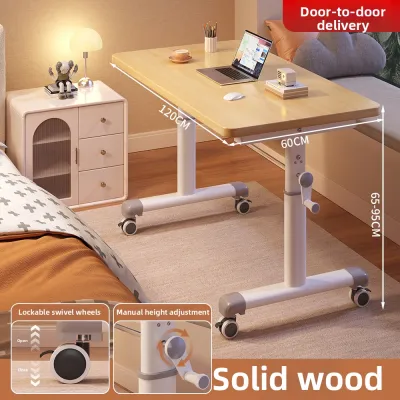
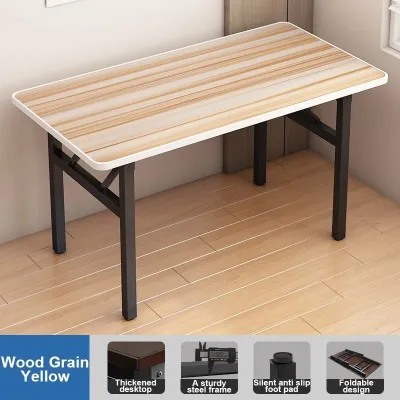
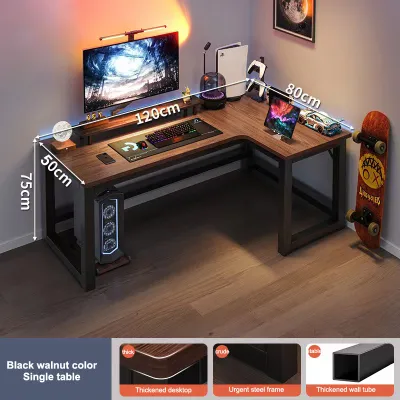
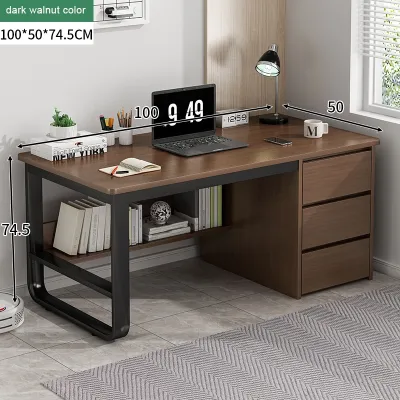

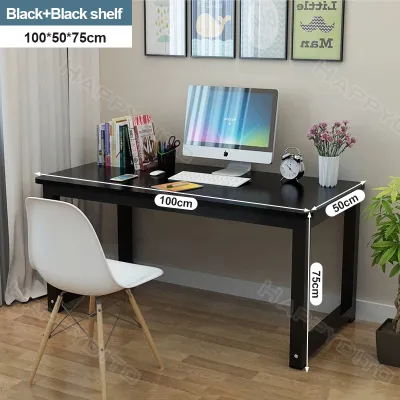

Prices are valid at publication and may change. Please refer to the product page for the latest price.
Assessing Your Space and Work Habits First
Before browsing online furniture catalogs or visiting local showrooms, you must thoroughly evaluate both your physical environment and your daily operational needs. Skipping this initial step often leads to frustrating assembly issues, restricted room movement, or the inconvenient process of returning heavy furniture. A systematic assessment ensures your new setup integrates seamlessly into your home.

Start by taking precise measurements of the designated floor area. Use a physical measuring tape rather than relying on visual estimates. Beyond the footprint of the desk itself, you must account for the clearance zone required for your office chair. A standard ergonomic chair requires at least 70 to 90 centimeters of space behind the desk to glide back and turn comfortably. Additionally, map out the pathway to your workspace. If you live in a high-rise condominium or a multi-story townhouse, measure the height and width of elevator doors, narrow stairwell turns, and residential entryways to guarantee the flat-pack boxes can actually reach your room.
Electrical infrastructure is another critical spatial constraint. Count the available wall outlets near your planned setup. If you choose an electric height-adjustable model or plan to run multiple monitors, a printer, and charging docks, proximity to power sources is vital. Relying on daisy-chained extension cords can create unsightly cable clutter and present tripping hazards.
Next, analyze your specific daily tasks and work habits. Consider the following questions to clarify your functional requirements:
- What devices do you use? A single lightweight laptop requires very little depth, whereas dual 27-inch monitors, a dedicated keyboard, and a graphic tablet demand a deep, rigid surface.
- How long do you sit? If you experience lower back stiffness or fatigue after a few hours of sitting, a desk that facilitates movement is crucial.
- Is your workspace shared? If your home office must revert to a dining room or living area at the end of the day, portability and quick storage become your highest priorities.
Aligning these baseline physical constraints and functional habits with the right desk category prevents costly purchasing mistakes and ensures your daily workflow remains smooth and comfortable.
Standing Desks: The Best Office Table for Active Workstyles
Standing desks have transformed the modern remote workspace by introducing movement into the traditional sedentary workday. The primary benefit of a height-adjustable office table is its ability to combat the physical strain associated with sitting for eight or more hours daily. Alternating between sitting and standing positions helps distribute physical stress across different muscle groups, improves blood circulation, and can alleviate chronic lower back pain. For active professionals, this dynamic transition keeps energy levels high and sharpens focus during long afternoon hours.
When planning for a standing desk, you must consider its unique spatial and structural requirements. While these desks generally occupy a standard rectangular footprint on the floor, they require ample vertical clearance. You must ensure that wall-mounted shelves, low-hanging light fixtures, or framed artwork do not obstruct the desk as it rises. Proximity to a reliable power outlet is also essential for electric models. The motor requires a dedicated plug, and you must route your computer power cables with enough slack to accommodate the desk’s full range of motion without pulling on ports or tangling in the frame.
Stability is a critical factor, particularly when the desk is extended to its maximum height. Cheaper or poorly constructed frames can exhibit significant wobbling when you type, which is amplified if you use heavy monitor arms. Before purchasing, check the manufacturer’s specified weight capacity. Standard electric models typically support between 70 and 120 kilograms. If you plan to mount multiple monitors, heavy studio speakers, or a desktop PC tower directly to the frame, you will need a heavy-duty dual-motor system rather than a budget single-motor option.
Long-term performance relies heavily on proper maintenance and initial setup checks. Ensure that the desk’s leveling feet are adjusted correctly to compensate for uneven flooring, which is common in tiled or older homes. In tropical climates with high humidity, check that the steel frame features a high-quality, rust-resistant powder coating. The desktop material should also be properly sealed—such as melamine-faced particleboard or solid wood—to prevent moisture absorption and warping over time. Finally, verify the manufacturer’s warranty on the motor and control box, as these electrical components are the most critical points of potential failure.
Foldable Desks: Best for Small or Shared Spaces
For remote workers operating in tight quarters, studio apartments, or multi-functional living areas, the foldable desk offers unmatched flexibility. The core advantage of this style is its ability to disappear when the workday ends. When folded, many of these tables compress to a thickness of under 10 centimeters, allowing you to slide them under a bed, tuck them behind a wardrobe, or store them flat inside a closet. This temporary nature helps maintain a healthy work-life boundary, allowing a shared living room or bedroom to return to a relaxing space in the evening.
However, prioritizing portability requires accepting several structural trade-offs. Foldable desks are generally engineered for lightweight setups, meaning they have significantly lower weight capacities than their fixed counterparts—often limited to 15 to 25 kilograms. The folding hinges and locking joints introduce slight physical play, which can translate into minor wobbling during vigorous typing. Furthermore, the usable surface area is typically compact, often measuring around 80 to 100 centimeters in width. This limited space makes it difficult to accommodate multiple large monitors, external audio gear, or extensive paperwork.
To ensure safety and durability, closely inspect the build quality before buying. Look for robust locking mechanisms, such as heavy-duty spring pins or structural metal latches that secure the legs firmly in place when open. Examine the hinge durability; steel hinges with reinforced rivets hold up much better to daily folding and unfolding than thin aluminum or plastic components. The frame should ideally feature floor-protecting rubber caps on the feet to prevent scratching tiled or wooden floors as you move the desk around your home.
Ergonomics also require extra attention when using a foldable table. Because these desks have a fixed, non-adjustable height—often set around 73 to 75 centimeters—you cannot adjust the table to match your body height. To maintain a healthy posture and prevent shoulder strain, you must pair the desk with a highly adjustable office chair. This allows you to position your elbows at a comfortable 90-degree angle, and you may want to use a portable laptop stand and external keyboard to keep your screen at eye level.
L-Shaped Desks: Best for Multitasking and Corner Setups
L-shaped desks are the definitive choice for professionals who require a spacious, dedicated command center. The defining spatial advantage of an L-shaped office table is its ability to turn underutilized corner areas into highly productive workspaces. By wrapping around the user, these desks maximize surface area within a relatively compact room footprint, keeping all your essential tools, reference documents, and devices within arm’s reach without requiring you to constantly stand up or stretch.
This configuration is exceptionally well-suited for creating distinct, task-oriented zones. For example, you can dedicate the longer side of the “L” to your computer setup, dual monitors, and keyboard, while utilizing the shorter return side for analog tasks like writing, sketching, reviewing physical documents, or housing secondary hardware like a printer or flatbed scanner. This physical separation of tasks helps organize your mental workflow, allowing you to transition smoothly between deep digital focus and creative hands-on work.
Despite their high utility, L-shaped desks present distinct physical and logistical challenges. They demand a permanent, relatively large floor area and are highly difficult to reconfigure or move once assembled. Many models feature a specific orientation—either left-handed or right-handed returns—though some modern designs offer reversible configurations. Delivery and assembly are also labor-intensive. The flat-pack boxes are exceptionally heavy and bulky, making it essential to verify that your home’s entryways, hallways, and stairwells can accommodate the packaging during delivery.
Managing a workspace of this scale also requires strategic organization. Because the desk covers a wide physical span, cable management can quickly get out of hand. Look for models that feature built-in grommet holes, under-desk tray channels, or wire management clips to route power and data cables cleanly along the frame. Additionally, pay close attention to the placement of the desk’s support legs. Some lower-end designs place a support pole directly in the inner corner of the “L,” which can severely restrict your legroom and prevent your office chair from gliding smoothly from one side of the desk to the other.
Feature Comparison: Standing vs. Foldable vs. L-Shaped
To help you visualize how these three popular desk configurations stack up against one another, the table below outlines their typical characteristics across key decision-making dimensions.
| Desk Type | Best For | Space Requirement | Typical Weight Capacity | Assembly Effort | Ergonomic Flexibility |
|---|---|---|---|---|---|
| Standing Desk | Health-conscious workers, dynamic posture changes | Moderate footprint; requires vertical clearance | 70 kg – 120 kg (electric models) | Moderate to High; involves motors and calibration | Excellent; seamless height adjustment |
| Foldable Desk | Ultra-compact spaces, temporary home offices | Minimal; folds flat for easy storage | 15 kg – 25 kg | Low to None; often pre-assembled | Limited; fixed height requires chair adjustment |
| L-Shaped Desk | Heavy multitaskers, multi-monitor setups | Large; requires dedicated corner space | 50 kg – 100+ kg | High; multiple panels and heavy frame pieces | Moderate; large surface area reduces reaching |
Note: The specifications listed above represent general category standards. Always verify the exact dimensions, weight limits, and material care instructions on the specific product label or manufacturer manual before making your purchase.
How to Make Your Final Desk Decision
Selecting your ideal office table comes down to matching your primary constraints—space, budget, and work style—to the strengths of each design. To finalize your decision, apply this straightforward framework to your current living and working situation:
- Choose a Standing Desk if you have a permanent workspace, prefer to stay active during the day, want to improve your posture, and have easy access to wall outlets. This option is a long-term investment in your physical well-being.
- Choose a Foldable Desk if your home office must share space with your bedroom or living area, you use a lightweight laptop setup, and you need the ability to quickly reclaim your living space at the end of the day or over the weekend.
- Choose an L-Shaped Desk if you have a dedicated corner in a spare room, use a multi-monitor setup, require separate zones for digital and analog tasks, and want a permanent, high-capacity workspace.
Once you have identified the right category, take a moment to double-check your physical measurements. Confirm that the desk height aligns with your seating, and check the shipping weight and delivery terms. For heavy items like standing or L-shaped desks, delivery fees in the Philippines can vary significantly depending on your location, especially if you live outside major urban centers or require delivery to upper floors without elevator access. Finally, read verified customer reviews to assess the real-world stability of the desk and the clarity of the assembly instructions before placing your order.
Frequently Asked Questions (FAQ)
Can I put a standing desk on a carpeted floor?
Yes, you can place a standing desk on a carpeted floor, but you must take stability and motor health into consideration. Thick, plush carpeting or uneven rugs can cause a standing desk to wobble slightly when extended to its taller heights. To ensure smooth motor operation and prevent the heavy metal feet from sinking deeply into the fibers—which can cause the desk to become unlevel—it is highly recommended to place a dense, hard office chair mat under the desk. Always check the manufacturer’s flooring guidelines, as operating an electric desk on an extremely unstable or highly tilted surface can strain the lifting columns and potentially void your warranty.
Are foldable desks sturdy enough for dual monitors?
Generally, standard foldable desks are not recommended for dual-monitor setups. Most foldable models are engineered for lightweight, portable use, such as a single laptop, a notepad, and a cup of coffee. Mounting dual monitors on a single stand puts concentrated stress on a small section of the desktop, which can cause thin wood panels to bend or crack. Additionally, the high center of gravity combined with the lightweight frame of a folding desk can create severe wobbling while typing and increases the risk of the desk tipping over. If you must use multiple screens, it is much safer to invest in a sturdy, fixed-leg desk or an L-shaped model with a verified weight capacity that comfortably exceeds your equipment’s total weight.
How do I manage cables on an L-shaped desk?
Managing cables on an L-shaped desk requires a systematic approach because the large surface area means wires must travel longer distances to reach power outlets. Start by mounting a heavy-duty wire basket or cable tray underneath the main desk surface to hold power strips and power bricks off the floor. Use adhesive cable clips and velcro ties to route cords tightly along the underside of the desktop and down the back of the desk legs, keeping them completely hidden from view. Grouping cables together not only creates a clean, professional aesthetic but also prevents cords from getting caught on your knees or vacuum cleaner, reducing tripping hazards in your workspace.
Community discussion
Share your experience or ask a question. Comments are reviewed before publication.