
Quick Answer: Which Desk Type Fits Your WFH Needs?
Setting up a productive work-from-home (WFH) space in the Philippines requires balancing physical comfort, available floor space, and daily work habits. The ideal study table is not a one-size-fits-all solution; instead, the best choice depends heavily on your specific spatial constraints, daily workflow, and long-term physical health goals.
For professionals prioritizing physical movement and ergonomic comfort, a standing desk offers the flexibility to transition between sitting and standing throughout the day. If you live in a compact condominium or rent a shared space, a foldable desk provides a highly flexible, space-saving option that can be tucked away when your shift ends. Meanwhile, those with dedicated home offices who manage multiple monitors, physical files, or heavy equipment will find that an L-shaped desk maximizes corner space and provides the ultimate multitasking surface. Before making a purchase, it is vital to measure your room dimensions, check your doorway clearances, and assess your daily work requirements to ensure a seamless integration.
Standing Desks: For Active Routines and Ergonomic Focus
Standing desks have gained immense popularity as remote workers seek to combat the sedentary lifestyle associated with long hours of computer work. These desks allow you to adjust the height of your workspace, enabling you to alternate between sitting and standing to improve posture, boost circulation, and reduce fatigue.
Products mentioned in this guide
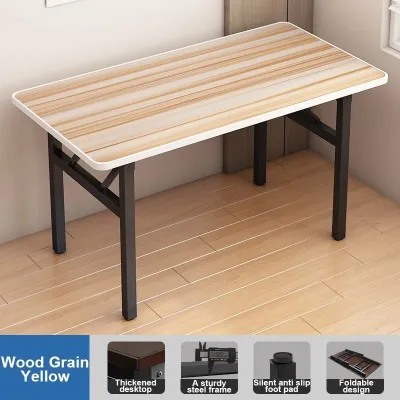


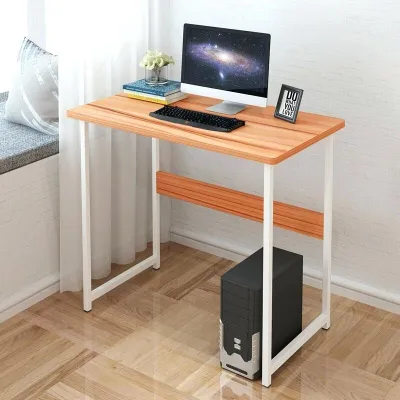
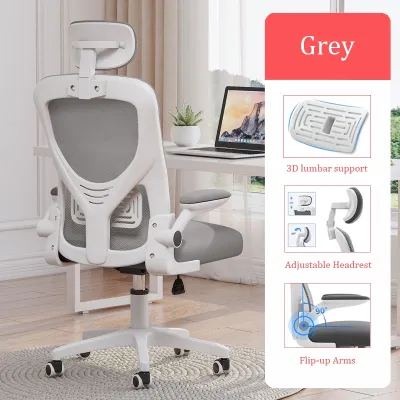
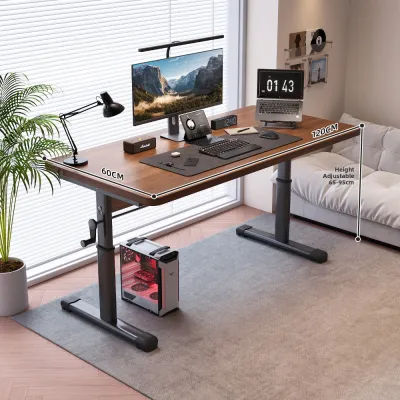
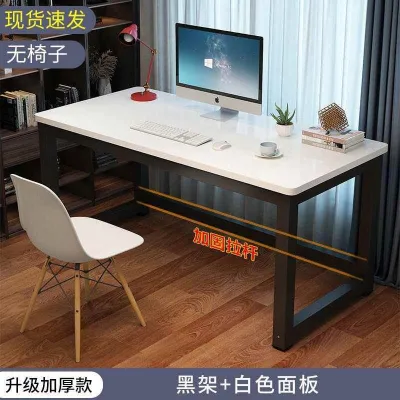
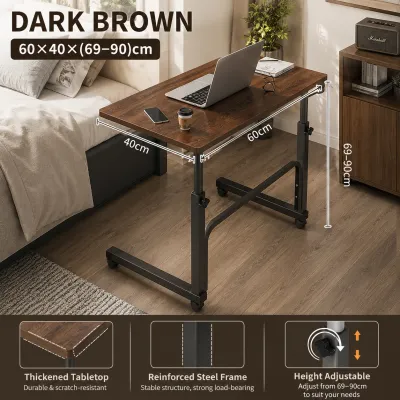
Prices are valid at publication and may change. Please refer to the product page for the latest price.

Key Features and Space Requirements
When evaluating a standing desk, the primary decision lies between a manual hand-crank mechanism and an electric motorized frame. Motorized models offer the convenience of push-button adjustments and programmable memory presets, but they require close proximity to a reliable power outlet. Given the occasional power fluctuations in some regions, using a high-quality surge protector is highly recommended to protect the electronic control box and motor.
Before purchasing, you must verify the manufacturer’s specified height range to ensure it accommodates both your seated and standing elbow heights. It is equally important to check the vertical clearance of your workspace, ensuring there are no low-hanging wall cabinets, floating shelves, or light fixtures that could obstruct the desk or items placed on it as it rises. Finally, check the product label for the maximum weight capacity; motorized desks have specific load limits, and overloading them with heavy dual monitors, studio speakers, or a desktop PC tower can strain or damage the motor.
Pros, Cons, and Ideal User Profile
Pros
- Encourages physical movement and helps reduce prolonged sitting fatigue.
- Offers highly customizable height settings that can be tailored to multiple users.
- Helps alleviate lower back discomfort by promoting better spinal alignment.
Cons
- Generally sits in a higher price bracket, requiring a larger initial budget.
- Requires a continuous and stable power source for motorized height adjustments.
- Can experience slight stability issues or wobble at maximum height if the frame lacks sturdy cross-supports.
Ideal User This configuration is perfect for full-time remote professionals, software developers, and writers who spend eight or more hours a day at their computers. If you experience chronic back or neck discomfort and have a permanent, dedicated workspace where the desk can remain stationary near a power source, a standing desk is an excellent investment in your long-term health.
Foldable Desks: For Small Spaces and Flexible Layouts
For many remote workers in dense urban areas like Metro Manila or Cebu, space is a premium commodity. Foldable desks offer a practical and highly adaptable solution, allowing you to establish a temporary workspace during business hours and reclaim your living space once the workday is done.
Key Features and Space Requirements
Foldable desks come in several distinct designs, including freestanding folding tables, wall-mounted drop-leaf desks, and roll-away models with lockable caster wheels. When choosing a foldable model, it is critical to inspect the quality of the hinge mechanisms, locking pins, and structural leg braces, as these components bear the brunt of daily folding and unfolding.
For wall-mounted drop-leaf options, proper installation is paramount. Because many homes and condominiums in the Philippines feature concrete or hollow-block walls, you must use heavy-duty masonry anchors and appropriate screws rather than standard drywall anchors to ensure the desk remains securely attached to the wall. Additionally, because these desks are frequently moved, adjusted, or folded, placing a small area rug or felt pads under the desk legs will help protect your tile, hardwood, or vinyl laminate flooring from unsightly scratches.
Pros, Cons, and Ideal User Profile
Pros
- Highly space-efficient and easy to store away when not in use.
- Generally very budget-friendly compared to motorized or large corner desks.
- Ideal for multi-purpose rooms, allowing a bedroom or living room to transition easily between work and leisure.
Cons
- Offers a significantly lower weight capacity, making it unsuitable for heavy equipment.
- Provides limited surface area, which can restrict your ability to spread out physical documents.
- Subject to mechanical wear and tear on the hinges and folding joints over time.
Ideal User This setup is highly suited for students, freelancers, renters, and remote workers living in compact studio apartments or shared living spaces. If you primarily work on a lightweight laptop, do not require multiple external monitors, and need your workspace to physically disappear at the end of the day to maintain a healthy work-life boundary, a foldable desk is the logical choice.
L-Shaped Desks: For Multitasking and Corner Optimization
If your daily work involves managing multiple projects, handling physical paperwork, or operating a complex array of hardware, a standard linear desk may feel restrictive. L-shaped desks are specifically engineered to maximize corner real estate, providing an expansive, wraparound workstation that keeps all your essential tools within arm’s reach.
Key Features and Space Requirements
An L-shaped desk occupies a substantial physical footprint, meaning it requires either a dedicated corner or a large, open room to avoid disrupting the flow of your home. Before buying, you must carefully measure both the main desk surface and the “return” side (the shorter section of the L) to ensure the configuration does not block walkways, doorways, or nearby cabinet drawers. Many models are reversible, allowing you to assemble the return on either the left or right side, which provides valuable flexibility when planning your room layout.
Because L-shaped desks are bulky and heavy, delivery and assembly logistics require careful planning. You must measure your stairwells, elevator doors, and door frames prior to ordering, as large desktop panels or solid metal frames may not easily navigate tight corners during delivery. Furthermore, because these desks naturally accommodate extensive hardware setups, integrated cable management features—such as built-in grommets, under-desk trays, or wire channels—are essential for keeping your power strips and cords organized and off the floor.
Pros, Cons, and Ideal User Profile
Pros
- Provides a massive, continuous surface area that easily accommodates multiple monitors.
- Excellent for separating distinct tasks, such as computer work on one side and physical paperwork on the other.
- Maximizes underutilized corner spaces that might otherwise go to waste.
Cons
- Heavy, bulky, and exceptionally difficult to disassemble and relocate once put together.
- Requires a large, permanent room footprint, making it unsuitable for small or flexible spaces.
- Typically sits at the higher end of the pricing spectrum due to the volume of materials used.
Ideal User This setup is designed for power users, including graphic designers, video editors, financial analysts, gamers, and administrative professionals who utilize dual or triple monitors. If you have a spacious, permanent home office and need to spread out physical blueprints, reference books, or multiple devices simultaneously, an L-shaped desk offers the surface area required to work efficiently.
Head-to-Head Comparison: Space, Workflow, and Setup Requirements
Choosing the right study table requires a clear understanding of how each option performs across key operational dimensions. The table below provides a direct, comparative look at how standing, foldable, and L-shaped desks stack up against one another.
| Desk Type | Space Footprint | Assembly & Mobility | Multitasking Capability | Typical Budget Tier |
|---|---|---|---|---|
| Standing Desk | Moderate; requires clear vertical space and proximity to power outlets | Moderate to High assembly; heavy frame makes relocation difficult | Moderate to High; depends on surface size and motor capacity | Mid-Range to Premium |
| Foldable Desk | Minimal; can be folded flat and stored against a wall or in a closet | Extremely Low assembly; highly mobile and easy to relocate | Low; best suited for single-laptop setups and minimal gear | Budget-Friendly |
| L-Shaped Desk | Large; occupies an entire corner or a significant portion of a room | High assembly; very heavy and highly difficult to relocate | Extremely High; accommodates multiple monitors and paperwork | Mid-Range to Premium |
Space Footprint
The spatial demands of these three desk types represent entirely different design philosophies. A foldable desk is built for temporary utility, allowing you to reclaim your physical environment at a moment’s notice, making it the ultimate choice for tight quarters. In contrast, an L-shaped desk demands a permanent, unyielding commitment of floor space, turning a corner of your home into a dedicated, high-productivity zone. Standing desks occupy a middle ground; while their horizontal footprint is comparable to a standard writing desk, they require a completely unobstructed vertical path to operate safely.
Workflow Compatibility
Your daily work habits should dictate the physical layout of your desk. Standing desks are optimized for physical health and active routines, making them ideal for professionals who want to transition seamlessly between typing, virtual meetings, and standing breaks. Foldable desks are tailored for minimalist, laptop-only workflows where external peripherals are kept to an absolute minimum. L-shaped desks are the gold standard for heavy multitasking, allowing you to organize a complex setup of screens, printers, document trays, and creative tools without feeling cluttered.
Setup and Maintenance
The complexity of getting your desk up and running varies widely across these categories. Motorized standing desks require precise mechanical assembly, careful routing of motor cables, and access to a stable power supply. Wall-mounted foldable desks require high-precision DIY skills to ensure they are anchored safely into concrete or wooden studs, while freestanding foldable models require virtually no assembly at all. Standard L-shaped desks do not involve complex electronics, but their sheer size and weight mean that assembly is often a two-person job that requires careful alignment of multiple large panels.
Before finalizing your purchase on any online marketplace or local furniture retailer website, always verify the exact dimensions, current stock availability, and user reviews regarding stability and material quality. This step ensures that the product you receive matches your expectations and fits your home environment perfectly.
How to Choose: The Final Decision Framework
To make your final decision as straightforward as possible, use this step-by-step conditional framework to match your WFH situation with the correct desk type.
- Choose a Standing Desk if: You prioritize ergonomic health, wish to reduce the physical strain of prolonged sitting, have a dedicated, permanent workspace with accessible power outlets, and are willing to invest in a high-quality motorized frame for smooth, daily transitions.
- Choose a Foldable Desk if: You live in a compact apartment or condominium, rent your home and move frequently, or need your workspace to fold away completely to maintain a clear boundary between your professional and personal life. Always verify your wall construction if opting for a mounted model.
- Choose an L-Shaped Desk if: You operate a multi-monitor setup, require extensive surface area to organize physical paperwork alongside your computer, have a dedicated room with wide doorways for delivery, and do not plan on moving your office setup anytime soon.
- Verify First if: You are concerned about uneven flooring (which can severely compromise the stability of a standing desk at its highest point), wall integrity (vital for securing a wall-mounted foldable desk safely), or the precise clearance of your doorways and elevators.
Regardless of which desk type you select, always review the manufacturer’s warranty terms and return policies before completing your purchase. Large, mechanical, or heavy furniture pieces bought online can be challenging to return, so confirming these details beforehand provides essential peace of mind.
Frequently Asked Questions (FAQ)
Can I convert my existing study table into a standing desk?
Yes, you can easily convert an existing study table by placing a standalone standing desk converter on top of it. Before doing so, you must verify the weight capacity and structural stability of your current table to ensure it can safely support the combined weight of the converter, your monitors, and your keyboard without tipping or bowing.
How do I protect a wooden desk from humidity in the Philippines?
To protect a wooden study table from high tropical humidity, place it away from direct sunlight and out of the direct path of air conditioning drafts, which can cause wood to warp or crack. Additionally, always use coasters for cold drinks, utilize desk mats to prevent moisture transfer, and apply an appropriate wood polish or sealant as directed by the manufacturer’s care instructions.
Community discussion
Share your experience or ask a question. Comments are reviewed before publication.