
Choosing the right electric table is one of the most significant decisions you will make for your work-from-home setup. The right choice directly impacts your daily comfort, physical health, and overall productivity. With standard standing, foldable, and L-shaped motorized desks all widely available on the market, finding the perfect match requires looking closely at your specific room layout, daily tasks, and hardware requirements.
Standard standing desks offer the most balanced ergonomic transition for dedicated workspaces, allowing you to switch between sitting and standing at the press of a button. Foldable electric desks solve the challenge of tight, multi-use rooms where the office must disappear after hours to reclaim valuable floor space. L-shaped electric desks cater to power users who manage multiple monitors, heavy hardware, and extensive physical paperwork. Your final decision should depend on your available floor area, the complexity of your daily workflow, and your long-term workspace goals.
Key Dimensions for Comparing WFH Electric Tables
Before focusing on aesthetics, you must evaluate how an electric table interacts with your physical environment and daily habits. Motorized furniture introduces unique spatial and mechanical requirements that manual desks do not share. Understanding these dimensions prevents common purchasing mistakes, such as buying a desk that is too large for your room or too weak for your equipment.
Products mentioned in this guide
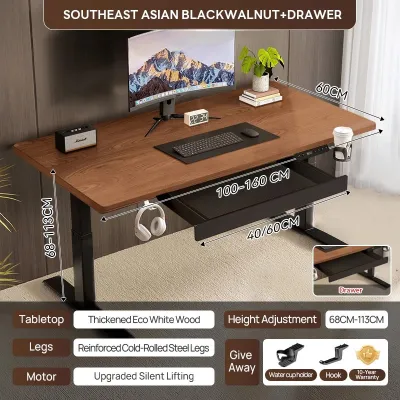
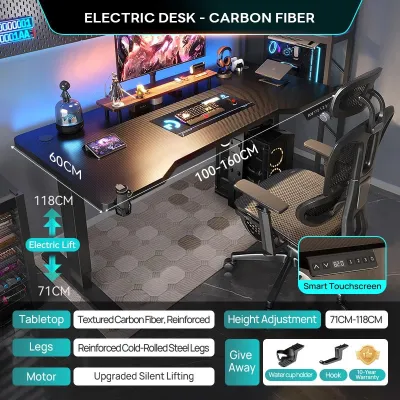
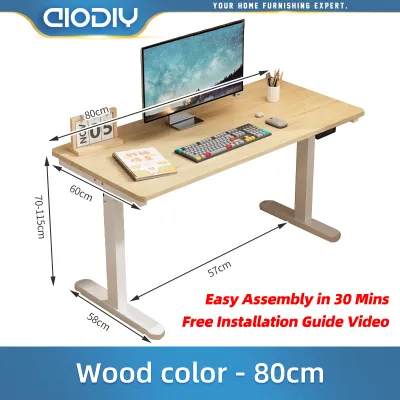
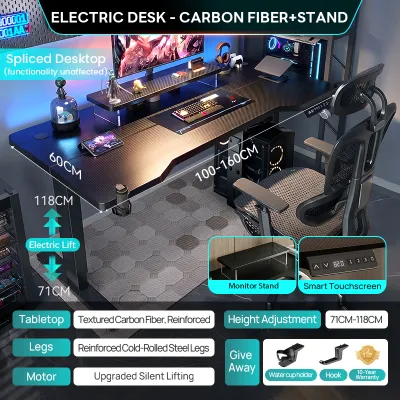
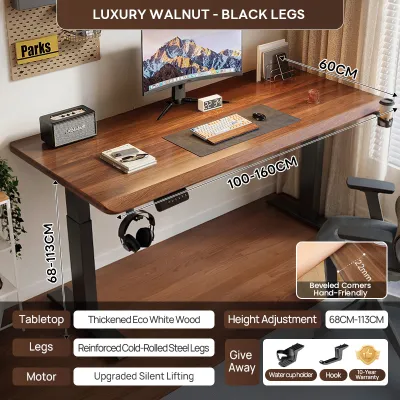
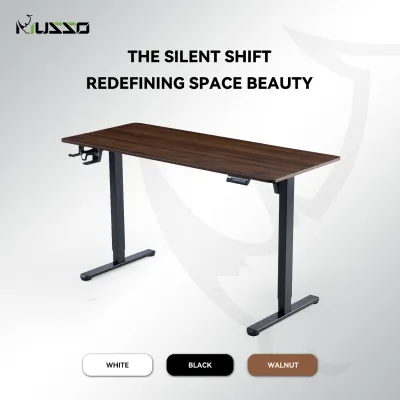
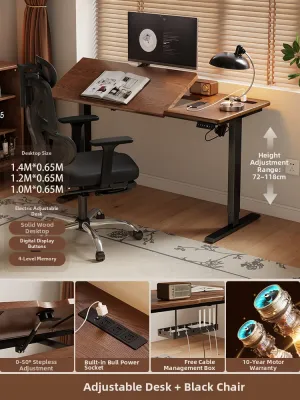
Prices are valid at publication and may change. Please refer to the product page for the latest price.
Space Footprint and Clearance
An electric table requires more than just enough floor space to sit on; it needs operational clearance. You must account for the space behind the desk where your ergonomic chair rolls back, as well as walking paths around the frame. In compact residential layouts, a desk that fits perfectly against a wall might still block a doorway or closet path when you pull your chair out. Furthermore, the desk must have vertical clearance, ensuring it does not hit window sills, wall-mounted shelves, or light fixtures when raised to its maximum height.
Workflow and Hardware Support
Your daily tasks dictate the ideal desktop surface area and shape. A professional who only uses a single slim laptop requires very little depth and width. Conversely, software developers, graphic designers, and financial analysts often require dual or triple monitors, external hard drives, and space to spread out physical documents. The desk shape must accommodate these items without forcing you to reach awkwardly or clutter your primary working zone.
Structural Stability and Weight Capacity
Motorized frames are inherently top-heavy, especially when extended to standing heights. You must check the manufacturer’s specified weight capacity to ensure the motors can lift your equipment safely. Cheaper frames with thin steel legs or single-motor systems may struggle under heavy loads, leading to slower lifting speeds, motor strain, and noticeable desktop wobble. High-quality dual-motor frames generally offer smoother transitions and greater stability, which is crucial if you use heavy monitor arms that amplify any frame movement.
Power and Cable Management
Because an electric table moves up and down, your cable management system must be dynamic. All power cords, monitor cables, and peripherals must have enough slack to reach their destinations at the desk’s highest point without pulling tight. If a cable is too short, raising the desk can damage your computer ports, tear cables, or even pull expensive equipment off the desktop. You will need to plan the routing of your power strips and consider investing in under-desk cable trays that move with the tabletop.
Standing Electric Tables: Pros, Cons, and Ideal Use Cases
The standard rectangular standing electric table is the most popular and widely available motorized desk on the market. It features a straightforward design with two lifting columns and a flat, rectangular desktop that fits neatly against most walls.

Pros of Standard Standing Tables
- Ergonomic Flexibility: These desks make it incredibly easy to transition between sitting and standing throughout the day, helping to reduce sedentary fatigue and improve posture.
- Wide Accessory Compatibility: Because of their standard rectangular shape, these desks easily accommodate aftermarket accessories such as under-desk keyboard trays, drawer units, CPU holders, and clamp-on monitor arms.
- Straightforward Assembly: Most standard rectangular models feature simple frame designs that are relatively easy to assemble with basic household tools.
Cons of Standard Standing Tables
- Wall-Centric Design: These desks are designed to sit flat against a wall, which can make them feel like they dominate the center of smaller rooms if placed elsewhere.
- Limited Corner Efficiency: A rectangular desk does not utilize corner spaces efficiently, often leaving dead space behind or beside the desk in tight room layouts.
- Potential Wobble: Depending on the frame's crossbar design and leg thickness, some rectangular desks can experience minor front-to-back or side-to-side wobble when fully extended to standing heights.
Ideal Use Cases
Standard standing desks are ideal for dedicated home offices or spare bedrooms where space is not severely limited. They are perfect for professionals who use standard single or dual-monitor setups and want a reliable, highly customizable ergonomic solution. If you prioritize a straightforward assembly process and want the freedom to add various third-party accessories over time, this traditional form factor is your best option.
Foldable Electric Tables: Pros, Cons, and Ideal Use Cases
Foldable or space-saving electric tables are specialized motorized desks designed specifically for multi-purpose rooms and tight living spaces. These desks often feature tabletops that can fold down flat against the frame or wall-mounted designs that minimize their physical footprint when not in use.
Pros of Foldable Electric Tables
- Maximum Floor Space Reclamation: The primary benefit is the ability to fold or tuck the desk away, instantly converting your workspace back into a living room, bedroom, or dining area.
- Ideal for Shared Spaces: These desks allow hybrid workers to maintain a professional setup during the day without permanently sacrificing the aesthetic or functionality of shared family spaces.
- Simplified Cable Routing: Many foldable models are designed with integrated, compact cable management systems that keep cords tidy and out of sight even when the desk is folded.
- Mobility Options: Some foldable models come equipped with lockable casters, allowing you to roll the desk into a closet or corner after your workday ends.
Cons of Foldable Electric Tables
- Lower Weight Capacity: The folding joints and compact frames typically support less weight than standard stationary frames, limiting the amount of heavy gear you can keep on the desk.
- Shallower Desktop Depth: To facilitate folding, these desktops are often shallower, which can place your monitor too close to your eyes and limit space for external keyboards and mouse pads.
- Mechanical Wear and Tear: The moving joints, hinges, and locking pins require regular inspection and maintenance to ensure they remain secure and operate smoothly over time.
Ideal Use Cases
Foldable electric tables are highly suited for small apartments, studio condos, or shared living areas where a permanent desk would clutter the room. They are excellent for laptop-focused professionals who do not use heavy desktop computers or multiple large monitors. If you need your home office to completely disappear at the end of the day to maintain a healthy work-life boundary, a foldable model is an excellent choice.
L-Shaped Electric Tables: Pros, Cons, and Ideal Use Cases
L-shaped electric tables, also known as corner standing desks, feature a dual-segment desktop that provides an expansive, wraparound working surface. These desks utilize specialized frames, often requiring three lifting columns and multiple synchronized motors to raise and lower the entire L-shaped surface evenly.
Pros of L-Shaped Electric Tables
- Excellent Corner Utilization: These desks fit perfectly into room corners, turning what is often wasted space into a highly productive and expansive workstation.
- Massive Surface Area: The wraparound design provides ample space for complex hardware setups, including three or more monitors, large drawing tablets, and studio equipment.
- Distinct Task Zoning: The L-shape naturally divides your workspace into two distinct zones, allowing you to use one side for computer work and the other side for writing, reviewing physical documents, or handling analog tasks.
Cons of L-Shaped Electric Tables
- Heavy and Difficult to Move: Due to their size, steel frames, and multiple motors, these desks are incredibly heavy and difficult to relocate once assembled.
- Complex Assembly and Synchronization: Assembly is a detailed, time-consuming process. The multiple motors must be carefully calibrated and synchronized to ensure the desk rises evenly without tilting or straining the frame.
- High Space Requirement: These desks require a significant amount of open floor space along two adjacent walls, making them impractical for small or highly crowded rooms.
Ideal Use Cases
L-shaped electric tables are designed for power users, creative professionals, and remote executives who have a dedicated home office with ample corner space. If your daily workflow requires constant multitasking across multiple screens, physical documents, and specialized hardware, the massive surface area and distinct zoning of an L-shaped desk will greatly enhance your efficiency.
Decision Framework: Match Your Space and Workflow
To finalize your decision, you must weigh your physical space constraints against your daily workflow demands. Investing thousands of pesos (₱) into a motorized frame requires careful planning to ensure the desk fits both your room and your working style.
To guide your choice, consider the following decision paths:
- Choose a standard standing table if: You have a dedicated room or a clear wall space, use one or two monitors, and prioritize a reliable, highly customizable ergonomic setup with straightforward assembly.
- Choose a foldable table if: Your workspace is located in a shared living area, bedroom, or small apartment, and your primary goal is to reclaim floor space and hide your work setup after hours.
- Choose an L-shaped table if: You have a spacious corner in a dedicated office, use three or more monitors, and need separate physical zones for computer work and analog tasks.
Beyond room size, you must also consider the physical logistics of getting the desk into your home. Large L-shaped desktops are often shipped in multiple heavy boxes or as a single massive piece. Before ordering, verify that your building’s elevator, stairwells, and doorways can comfortably accommodate the packaging dimensions. This is especially important for high-rise condominium residents, where tight elevator cabs and narrow hallways can make transporting large furniture pieces exceptionally challenging.
Pre-Purchase Verification Checklist for Your Room
Before placing your order on any online marketplace or specialty furniture store, perform these physical checks to ensure a seamless delivery and installation process:
- Measure the Footprint: Use painter's tape to outline the exact dimensions of the desk on your floor. Sit in your office chair within this taped area and roll back to ensure you have at least 80 to 100 centimeters of clear space behind the desk for comfortable movement.
- Locate Power Outlets: Ensure there is a grounded power outlet within reach of the desk's power cord at its maximum standing height. Avoid using light-duty extension cords; instead, plan to use a high-quality surge protector with a long, heavy-duty cable to protect the desk's sensitive electronic control box from local power fluctuations.
- Calculate Total Gear Weight: Add up the weight of your monitors, computer tower, monitor arms, keyboard, and any other accessories you plan to place on the desk. Compare this total against the manufacturer's specified weight capacity, leaving a safety margin of at least 15 to 20 percent to avoid straining the motors.
- Assess Tabletop Materials for Humidity: In tropical climates with high humidity, standard medium-density fiberboard (MDF) tabletops can absorb moisture over time if the protective laminate is damaged. If your workspace is not constantly air-conditioned, look for tabletops with high-pressure laminate (HPL) finishes, sealed edges, or solid wood tops that offer better resistance to moisture and warping.
- Review Assembly Requirements: Read the manufacturer's assembly manual online before purchasing. Note whether the desk requires specialized tools, how many motors need calibration, and whether the assembly process requires two people, which is highly recommended for heavy L-shaped models.
Community discussion
Share your experience or ask a question. Comments are reviewed before publication.