
Selecting the right laptop table is the foundation of a productive, pain-free work-from-home experience. The ideal choice depends on your available floor space, the complexity of your daily workflow, and your physical comfort requirements during long hours of screen time.
To find your ideal match immediately, consider this quick decision framework:
- Choose a standing laptop table if you experience persistent back or neck pain, prefer alternating between sitting and standing throughout the day, and have a dedicated, permanent floor space for your workstation.
- Choose a foldable laptop table if you live in a compact condominium, studio apartment, or shared room, need multi-purpose furniture that clears away after hours, or frequently move your workspace around the house.
- Choose an L-shaped laptop table if your daily tasks require dual monitors, heavy paperwork, or multiple devices, and you have an empty corner to maximize your usable surface area.
- Neither option may fit if you require heavy-duty drafting capabilities with tilting surfaces, built-in permanent filing cabinets, or if your home has severe floor unevenness that prevents stable, level assembly.
Assessing Your WFH Environment and Ergonomic Needs
Before browsing online marketplaces, you must evaluate the physical realities of your home workspace. Start by measuring your intended room, paying close attention to the distinction between a dedicated home office and a shared living area. In compact urban dwellings, a desk that footprint-wise fits on paper might block walkways or prevent doors and built-in cabinets from opening fully. Mark the floor area with masking tape to visualize how much physical space remains for walking and seating clearance.
Products mentioned in this guide
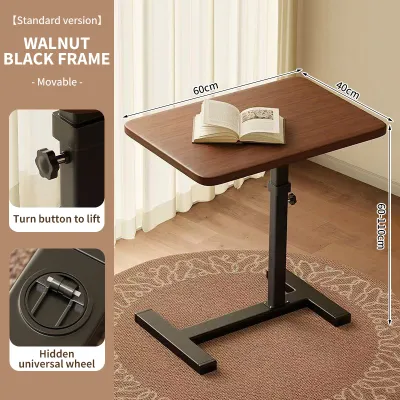
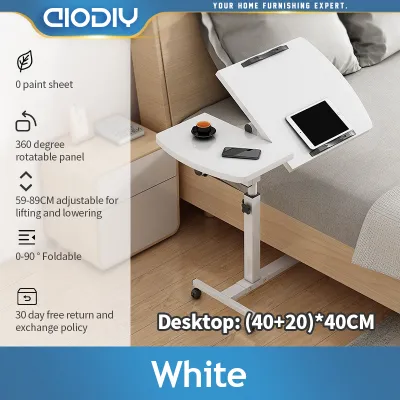
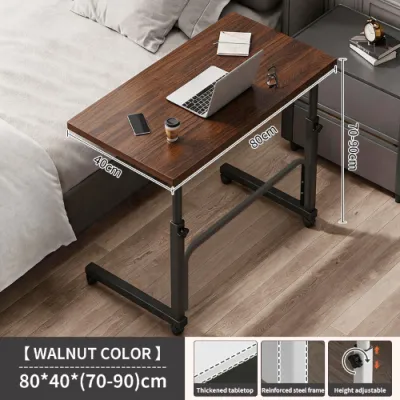
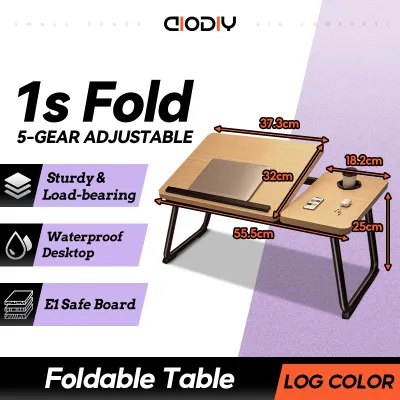
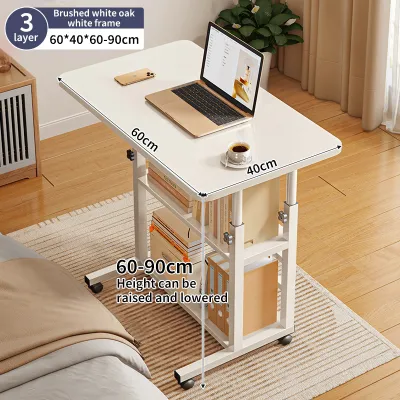


Prices are valid at publication and may change. Please refer to the product page for the latest price.
Next, take a detailed inventory of your daily work equipment. A single laptop requires minimal surface depth, but your needs change dramatically if you add external monitors, mechanical keyboards, document trays, or printers. Laptops generate heat, and adding peripherals increases the demand for organized power routing. Knowing exactly what will sit on your desk prevents you from buying a compact table that quickly becomes cluttered and unusable.
Finally, prioritize your ergonomic health. Prolonged sitting in poorly designed setups can lead to repetitive strain injuries, shoulder tension, and lower back fatigue. Your desk should allow your elbows to rest at a 90-degree angle while your wrists remain neutral, and the top of your laptop screen should align near eye level. Different table designs offer varying levels of support for posture variation, elbow rest, and screen height adjustment, directly impacting your physical stamina over a nine-hour workday.
Standing Laptop Tables: Active Work and Posture Relief
Standing desks have transitioned from corporate office luxuries to essential home office fixtures, offering a dynamic way to combat sedentary work habits.

Adjustability and Mechanisms
Adjustable standing tables rely on three primary mechanisms to change heights: manual crank, pneumatic lift, and electric motors. Manual crank models are budget-friendly and do not require proximity to a power outlet, but adjusting them takes physical effort and time. Pneumatic desks use gas cylinders to provide smooth, rapid height transitions with a simple lever pull, though they have stricter weight limits. Electric motor designs offer the highest convenience, allowing you to save precise height presets at the touch of a button, though they require a continuous power source and cost more.
When evaluating these mechanisms, verify the manufacturer’s specified height range. A high-quality standing desk must accommodate both your seated elbow height and your standing eye level. Frame design plays a critical role in stability; single-column pedestal frames save floor space but may introduce minor wobble at maximum height, whereas dual-leg T-style or C-style frames offer superior structural rigidity.
Pros, Limitations, and Ideal Users
Pros
- Encourages regular movement and helps reduce lower back strain by shifting spinal pressure.
- Provides a modern, minimalist aesthetic that keeps your home workspace looking clean and organized.
- Allows multiple family members of different heights to share the same workstation comfortably.
Limitations
- Significantly heavier and more difficult to relocate than foldable alternatives.
- Requires the use of an anti-fatigue floor mat to prevent foot and knee discomfort during long standing intervals.
- Demands careful cable management, as cords must have enough slack to stretch safely when the desk rises to its maximum height.
Ideal User This design is best suited for remote professionals who have a dedicated office corner, struggle with the physical toll of sedentary work, and want to seamlessly integrate active posture transitions into their daily routine.
Foldable Laptop Tables: Flexibility for Compact Spaces
For those managing multi-functional rooms or limited square footage, foldable tables offer a practical way to maintain a clear distinction between work hours and personal life.
Freestanding vs. Wall-Mounted Designs
Freestanding folding tables feature lightweight metal or wooden legs that collapse flat against the tabletop. These tables can be set up in seconds and stored under a bed, inside a closet, or behind a door when the workday ends. They provide excellent temporary utility but generally lack advanced ergonomic adjustments.
Wall-mounted drop-leaf tables are anchored directly to a wall, folding down flat when not in use to preserve precious floor space. While highly efficient, they require permanent installation. In the Philippines, residential walls are commonly constructed from concrete hollow blocks or drywall; you must verify your wall material and use the correct masonry anchors or stud-finders to ensure the table remains secure under load.
Bed and sofa trays represent the most compact sub-category. These low-profile stands are designed for casual browsing or quick email replies from a soft surface. However, because they lack back support and do not allow for proper elbow alignment, they are not recommended for full-time, eight-hour professional work.
Pros, Limitations, and Ideal Users
Pros
- Saves space, making them ideal for studio apartments and shared rooms.
- Highly portable, allowing you to work on the balcony, in the living room, or beside a window.
- Simplifies floor cleaning and room maintenance since the desk can be completely removed from the area.
Limitations
- Lower weight capacity compared to permanent wooden or steel-framed desks.
- Hinges, locking brackets, and folding joints can loosen over time, leading to minor wobbling if not regularly tightened.
- Extremely limited surface area, leaving little room for external monitors, full-sized keyboards, or desk organizers.
Ideal User This option is perfect for renters, students, and condo dwellers who need to reclaim their living space after log-out time and prefer a minimalist, clutter-free home environment.
L-Shaped Laptop Tables: Maximizing Corners and Workflows
If your job demands multiple screens, physical documents, and dedicated desk space, an L-shaped table turns empty corner areas into a high-functioning command center.
Corner Utilization and Workflow Zoning
L-shaped tables are engineered to fit snugly into room corners, transforming underutilized space into productive square footage. The wrap-around geometry keeps all your essential tools within arm’s reach, minimizing the need to stretch or stand up to reach files, reference books, or secondary devices.
This layout is highly effective for “workflow zoning.” You can dedicate one side of the desk entirely to digital tasks—housing your laptop, external monitors, and keyboard—while utilizing the return wing for analog work such as reading physical documents, sketching, or placing a printer.
When purchasing an L-shaped desk, pay close attention to its orientation. Some models feature a fixed left-hand or right-hand return, while others offer a reversible frame that can be assembled in either direction. Verify your room’s layout, window placement, and electrical outlet positions before choosing a configuration.
Pros, Limitations, and Ideal Users
Pros
- Provides massive surface area to accommodate dual monitors, desk pads, and office accessories.
- Maximizes corner space that would otherwise go unused in a standard room layout.
- Offers excellent structural stability, often supported by a heavy-duty steel frame with multiple contact points.
Limitations
- Heavy, bulky, and exceptionally difficult to disassemble and relocate once built.
- Requires a large, completely clear corner, which can make small rooms feel cramped if not styled carefully.
- Assembly is highly complex, often requiring multiple tools, clear floor space to build, and a second person to assist with lifting.
Ideal User This desk is ideal for data analysts, software developers, creative professionals, and gamers who rely on extensive hardware setups and require distinct zones for different daily tasks.
Direct Comparison: Standing vs. Foldable vs. L-Shaped
To help finalize your decision, this comparison table outlines how each desk type performs across key operational categories.
| Desk Type | Space Required | Adjustability | Typical Weight Capacity | Best For |
|---|---|---|---|---|
| Standing Laptop Table | Medium | High (Seated to standing heights) | Medium to High (Verify motor specs) | Active professionals seeking ergonomic posture relief |
| Foldable Laptop Table | Low | Low (Typically fixed height) | Low to Medium (Check hinge ratings) | Renters and compact condo dwellers prioritizing space |
| L-Shaped Laptop Table | High | Low (Typically fixed height) | High (Heavy-duty frame support) | Multi-monitor users and professionals with complex workflows |
Before making your purchase, apply this final decision matrix to your home environment:
- Verify first if your floor surface is uneven. Older tile floors or uneven concrete slabs can cause desks to wobble. In these environments, look for standing or L-shaped desks equipped with adjustable leveling feet to stabilize the frame.
- Reconsider if you move residences frequently. Heavy L-shaped desks and motorized standing desk frames require significant effort to disassemble, pack, and transport without causing structural damage to the joint connectors.
Pre-Purchase Checklist: Measuring Space and Verifying Specs
To ensure a smooth delivery, assembly, and long-term ownership experience, complete these verification steps before finalizing your order.
- Delivery and Access: Measure your front doorway, hallway turns, stairwells, and elevator dimensions. Large L-shaped desk panels or heavy steel standing desk frames may not clear tight corners in older apartment buildings or condominium elevators.
- Clearance and Ergonomics: Ensure the table top is deep enough to keep your laptop screen at least an arm's length away from your eyes. Additionally, measure the height of your office chair's armrests to confirm they will slide easily under the desk surface when not in use.
- Material and Climate Care: In the tropical climate of the Philippines, high humidity can cause low-grade particleboard to swell, warp, or peel at the edges. Raw metal frames can also rust if exposed to coastal air or high moisture. Check the manufacturer's care instructions to ensure the surfaces are sealed against humidity, and prioritize powder-coated steel frames and high-pressure laminate (HPL) tops. Always follow the brand's specific cleaning and maintenance guidelines to preserve the finish.
- Assembly and Safety Requirements: Determine if the desk requires wall anchoring. Tall, slim standing desks extended to their maximum height and wall-mounted foldable tables can pose tipping risks if overloaded. Read the assembly manual to confirm if anchoring hardware is included and matches your wall type.
Frequently Asked Questions (FAQ)
Can I use a standard laptop table for dual monitors?
While you can physically place two monitors on a standard laptop table, standard models often lack the depth required to maintain a safe and comfortable viewing distance. Additionally, dual monitors and their mounting arms exert concentrated downward pressure on the desk surface. Before setting up multiple screens, check the table’s weight capacity guidelines. For dual-monitor configurations, L-shaped desks or wide, heavy-duty standing desks with reinforced steel frames offer much better stability and cable management options.
How do I stabilize a foldable laptop table on uneven floors?
First, check if your foldable table legs feature built-in adjustable leveling feet, which can be screwed in or out to compensate for minor floor variances. If your table lacks these, placing a firm, thin, non-slip rubber mat or industrial rug beneath the workstation can bridge minor gaps in tile grout or uneven concrete. Avoid using thick, soft foam padding or makeshift cardboard shims, as these can shift over time, compromising the table’s structural balance and safety.
Are standing laptop tables safe for homes with young children?
Adjustable standing tables, particularly motorized models, present specific safety considerations in households with young children. The moving frame creates physical pinch points, and heavy equipment placed on an elevated surface can tip over if a child attempts to climb the frame. To minimize these risks, look for electric desks equipped with automatic anti-collision sensors and digital control panel locks. Additionally, ensure the desk is positioned away from low chairs or toys that children could use as steps, and anchor the frame to the wall if recommended by the manufacturer’s safety guidelines.
Community discussion
Share your experience or ask a question. Comments are reviewed before publication.