
When upgrading your home office, selecting the right ergonomic foundation is crucial for long-term comfort and productivity. As you browse through modern ergonomic solutions, you will frequently encounter the term mxtark dual motor standing desk. At its core, a dual-motor standing desk utilizes two independent electric motors—one housed inside each desk leg—to raise and lower the work surface. This design stands in contrast to single-motor alternatives, offering distinct advantages in lifting capacity, adjustment speed, and overall structural stability.
Understanding how these motorized systems function helps you look past marketing buzzwords and evaluate what actually happens beneath your desktop. By examining the mechanical differences and practical benefits of a dual-motor setup, you can make an informed decision that aligns with your daily work habits, equipment weight, and workspace requirements.
Single vs. Dual Motor: The Mechanical Difference
In a single-motor standing desk, a solitary motor is typically mounted under the desktop or integrated into one of the legs. To move both sides of the desk simultaneously, this motor relies on a physical transmission rod, often referred to as a hex shaft, that runs horizontally to the opposite leg. As the motor spins, it rotates this rod to drive the lifting mechanisms in both legs at the exact same pace.
Products mentioned in this guide
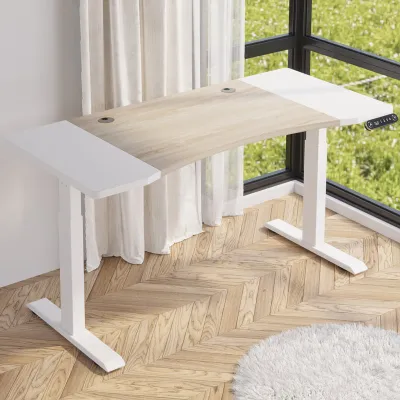
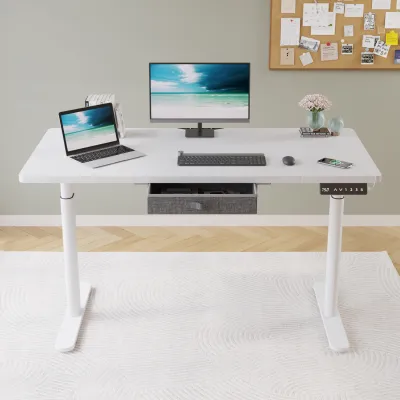
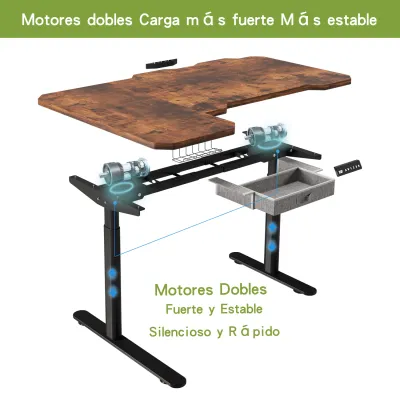
Prices are valid at publication and may change. Please refer to the product page for the latest price.
Conversely, a dual-motor system eliminates the physical connecting rod entirely. Instead, each leg contains its own dedicated motor. To ensure the desktop remains perfectly level during height adjustments, a central electronic control box monitors and synchronizes the rotation of both motors in real time. This digital synchronization prevents one side from rising faster than the other, providing a smoother transition and allowing for more complex engineering designs that can support heavier loads.
Because the mechanical workload is shared between two independent power sources, dual-motor systems generally operate with less physical strain. This structural separation of power allows manufacturers to design frames with higher performance envelopes, directly impacting how the desk handles weight, speed, and daily wear.
How a Dual Motor Impacts Your Daily WFH Routine
Lifting Capacity for Heavy Multi-Monitor Setups
The mechanical division of labor in a dual-motor desk naturally translates to a higher maximum lifting capacity. Because two motors share the physical workload, the system can handle significantly heavier desk setups without straining the internal gears. This extra power is particularly beneficial if your daily workflow requires multiple large monitors, heavy-duty monitor arms, or a dedicated desktop PC tower resting directly on the work surface.

In many home offices, equipment setups also include heavy uninterruptible power supplies (UPS) to protect electronics from local power fluctuations, adding extra weight to the desk. When planning your layout, it is essential to calculate the total weight of your tabletop, monitors, mounts, and accessories. Always check the specific Mxtark product manual or official specification sheet for the exact maximum load rating in kilograms, as the presence of two motors alone does not guarantee a universal weight limit across different brands or frame models.
Stability, Speed, and Noise During Adjustments
Stability is a critical factor when transitioning from a sitting to a standing posture, especially when the desk reaches its maximum height. Because dual-motor desks lack a mechanical transmission rod, their frames are often engineered with tighter tolerances, which can significantly reduce lateral wobble. This structural rigidity helps keep your monitors from shaking while you type, maintaining a focused work environment even on slightly uneven flooring.
Lifting speed and consistency also benefit from a dual-motor configuration. When loaded with equipment, a single-motor desk may slow down or struggle as it fights gravity, whereas dual motors distribute the mechanical effort to maintain a steady, predictable lifting speed. This consistent movement minimizes wear and tear on the motors over time.
Acoustically, dual-motor systems often produce a smoother, more balanced sound during operation. Because neither motor is forced to run at its absolute limit, the pitch of the motor hum is typically lower and less strained than that of a single motor working under heavy load. To understand the exact decibel levels and real-world acoustic performance of a specific model, consult verified user feedback or the manufacturer’s technical specifications.
Do You Actually Need a Mxtark Dual Motor for Your Workflow?
Investing in a mxtark dual motor standing desk is highly advantageous if your daily work routine demands frequent height transitions and involves a complex hardware setup. Taller users who need to extend the desk to its upper limits will appreciate the added stability, which prevents distracting desk sway during video calls or intensive typing sessions. If you find yourself switching between sitting and standing multiple times a day to combat the physical fatigue of long working hours, the faster and smoother transition of a dual-motor system offers a seamless experience.
On the other hand, a single-motor standing desk may be entirely sufficient if your setup is relatively lightweight and straightforward. If you primarily work on a single laptop, use minimal accessories, and only adjust the desk height once or twice a day, the extra lifting potential of a dual-motor system might go unused. For these lighter setups, a single-motor frame can deliver reliable performance while allowing you to allocate your budget to other home office essentials, such as an ergonomic chair or high-quality lighting.
Ultimately, more motors do not automatically make a desk better for your specific situation if your total equipment weight remains well below a single motor’s threshold. To avoid overpaying for capacity you do not need, take a realistic inventory of your current gear and potential future upgrades. Balancing your actual daily usage patterns against the mechanical specifications of the desk frame ensures you make a cost-effective decision.
Essential Specs to Verify on the Mxtark Product Page
Before finalizing your purchase on any online marketplace, it is important to verify several key specifications to ensure the desk frame aligns with your physical space and daily needs.
- Max Load Capacity: Look for the exact weight limit specified in kilograms. Ensure this limit comfortably accommodates your tabletop, all electronic devices, and a safe margin for future equipment upgrades.
- Height Range (Min/Max): Measure your seating height while using your preferred ergonomic chair, as well as your ideal standing height. Ensure the desk's minimum and maximum adjustment points accommodate these measurements comfortably.
- Desktop Size Compatibility: Check the frame's minimum and maximum width adjustments to confirm it can securely support your chosen tabletop size without compromising stability or overhang safety.
- Warranty and Support: Review the manufacturer's warranty terms, paying close attention to the coverage duration for the electronic components, specifically the motors and the central control box, which are critical to the desk's long-term operation.
Frequently Asked Questions (FAQ)
Does a dual motor standing desk use more electricity?
While a dual-motor desk draws more power during the brief seconds it takes to adjust the height, the active energy consumption is negligible over the course of a day. The standby power consumption, which occurs while the desk is idle, is the more relevant factor for your monthly electricity bill. To verify the exact standby power draw, consult the product manual’s electrical specifications.
Are dual motor desks more difficult to assemble?
The physical assembly of a dual-motor desk frame is very similar to that of a single-motor model, though it does require routing and connecting more cables. You will need to connect both motor cables to the central control box and secure the wiring neatly beneath the desktop. Always read the official assembly instructions carefully and prepare a clean, spacious work area before beginning the installation.
Community discussion
Share your experience or ask a question. Comments are reviewed before publication.