
Finding the right computer chair in the Philippines is a balance of comfort, ergonomics, and budget. If you are working or gaming from home, your chair is the most critical piece of furniture you interact with daily. The market is flooded with options ranging from ultra-budget models to premium ergonomic chairs. When navigating price points of ₱3,000, ₱7,000, and ₱15,000, the differences are not merely aesthetic; they directly affect your physical health, posture, and how long the chair will last in a tropical climate. Understanding what features actually exist at each price point prevents you from overpaying for marketing hype or underinvesting in your physical well-being.
At the ₱3,000 tier, you can expect basic height adjustability, fixed lumbar support, and lightweight mesh or PU leather materials designed for light, part-time use. Moving up to the ₱7,000 tier introduces targeted adjustments, including adjustable lumbar support, multi-position recline locks, and higher-density foam cushions that resist sagging. At the ₱15,000 level, you gain access to advanced ergonomics like synchronized tilt mechanisms, seat depth adjustments, 3D or 4D armrests, and high-tension elastomeric mesh designed to withstand long hours of daily use. Let’s look closer at what each tier offers so you can make an informed investment.
Setting Realistic Expectations for Computer Chair Budgets
When shopping for a computer chair in the Philippines, it is easy to get overwhelmed by product listings on online marketplaces. Many budget chairs are marketed with terms like “orthopedic” or “fully ergonomic,” but true ergonomics is defined by adjustability and structural support. A chair can only be ergonomic if it can be adjusted to fit your unique body dimensions. As you move from ₱3,000 to ₱15,000, you are essentially paying for more points of articulation, higher-quality materials, and superior mechanical durability.
Products mentioned in this guide
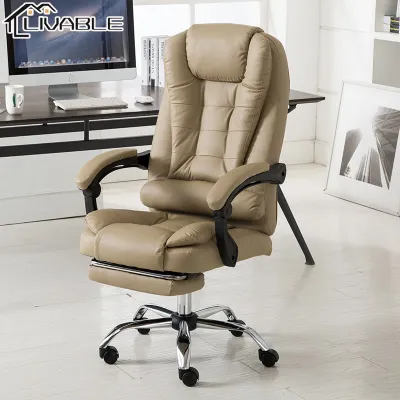
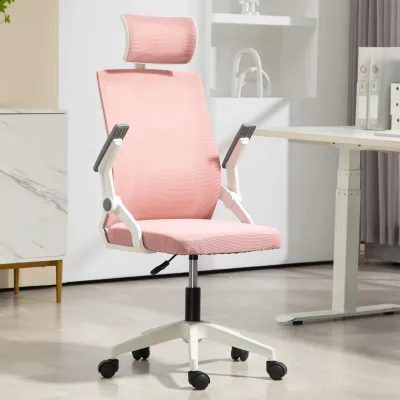
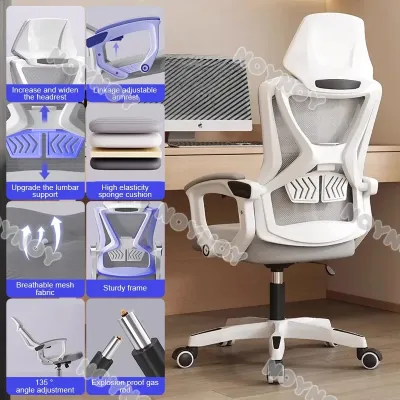
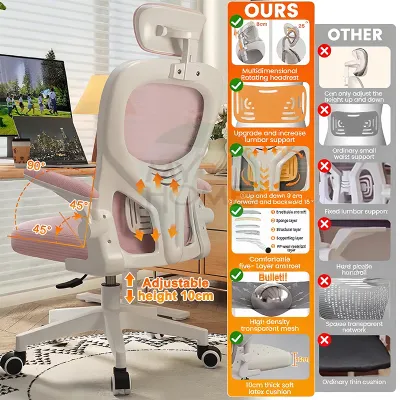
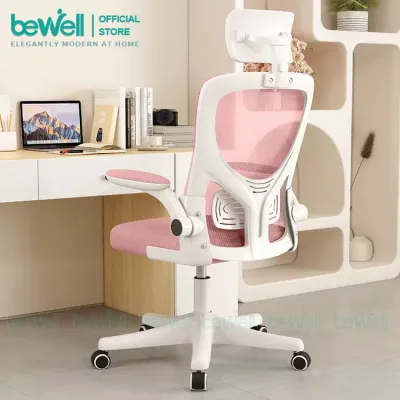
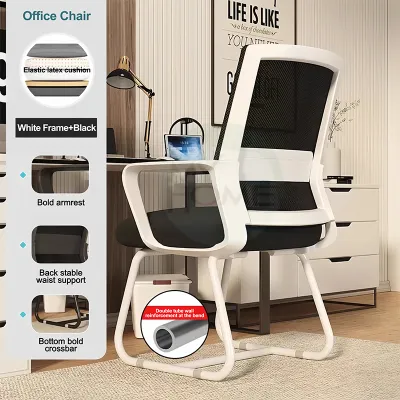
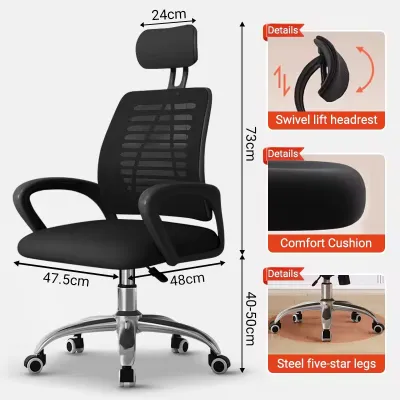
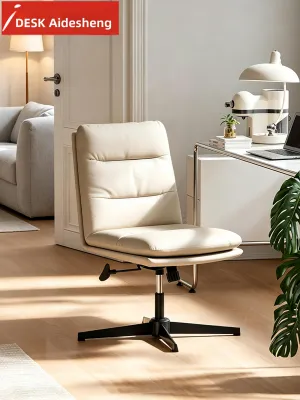
Prices are valid at publication and may change. Please refer to the product page for the latest price.
The core trade-off across these price points lies between basic, passive comfort and active, customizable support. A lower-priced chair might feel comfortable for the first thirty minutes, but a premium chair is designed to keep your spine aligned and reduce muscle fatigue over an eight-hour shift. Additionally, prices on local e-commerce platforms can fluctuate due to promotional campaigns, import costs, and seller discounts. Therefore, it is highly recommended to focus on the specific mechanical features and material specifications of a chair rather than relying solely on brand names or temporary price tags.
The ₱3,000 Tier: Basic Comfort and Essential Adjustments
At the ₱3,000 price point, you are looking at entry-level office furniture. These chairs are designed to provide a basic upgrade from a standard dining chair or plastic stool, but they offer limited customized support.

- Expected Features: In this budget tier, the primary adjustable feature is the pneumatic gas lift for seat height adjustment. You will also typically find a standard tilt tension knob under the seat, which allows you to adjust how easily the chair rocks backward, though it generally only locks in the upright position. Lumbar support at this level is passive, meaning it is built directly into the curve of the backrest frame or consists of a fixed, non-adjustable plastic band or cushion. Armrests are almost always fixed to the seat and backrest, though some models may feature basic flip-up armrests to help save space when sliding the chair under a desk.
- Materials and Build: The construction materials at this price point are budget-friendly. Backrests are usually made of basic nylon mesh, while seats are covered in standard fabric or polyurethane (PU) leather over thin, low-density foam. In a warm, humid Philippine climate, low-grade PU leather is highly susceptible to peeling and cracking over time, and basic mesh can stretch out and lose its tension. The base is typically made of lightweight nylon or thin steel with standard plastic casters that may scratch delicate flooring. Weight capacities in this tier are generally modest, often rated for users up to 90 to 100 kilograms, and the overall frame is best suited for light to moderate use.
- What You Must Compromise: Opting for a ₱3,000 chair means accepting significant compromises. You will not have seat depth adjustment, which is crucial for supporting your thighs without putting pressure on the back of your knees. The lack of an adjustable lumbar support means you cannot align the lower back curve to your specific spinal shape. Furthermore, the recline mechanism is basic, meaning you cannot lock the chair at a relaxed angle for resting or reading.
- Best For: This tier is ideal for students, casual gamers, or remote workers who spend fewer than four hours a day at their desks. It serves as a practical, low-cost solution for a secondary workspace or a temporary setup where long-term ergonomic intervention is not a strict necessity.
The ₱7,000 Tier: Upgraded Materials and Targeted Support
The ₱7,000 price point represents the mid-range sweet spot for many Filipino professionals. At this level, manufacturers transition from generic office seating to chairs designed with targeted ergonomic features that support full-time work.
- Expected Features: In this tier, adjustability becomes much more functional. You can expect adjustable lumbar support where you can alter either the height or the depth of the lumbar pad to target your lower back accurately. Armrests are typically "2D" or "3D," allowing you to adjust their height and sometimes slide them forward, backward, or rotate them inward to support your forearms while typing. You will also find multi-position recline locks, enabling you to secure the backrest at several different angles, and many models include an adjustable headrest that can be tuned for height and angle.
- Materials and Build: The build quality sees a noticeable upgrade. Cushions are typically made of high-density molded foam, which retains its shape and supportive properties much longer than the cut foam used in cheaper chairs. The mesh used on the backrest is thicker and more resilient, offering better airflow and durability in humid conditions. Bases are often constructed from reinforced nylon or heavy-duty steel, sometimes with a basic polished aluminum finish, paired with smoother polyurethane (PU) casters that glide quietly and are gentler on wooden or tiled floors.
- What You Gain: This tier provides a significantly higher level of customization, making it easier for users of varying heights and body types to find a comfortable posture. The improved materials distribute body weight more evenly, reducing pressure points on your hips and tailbone. The structural integrity is also superior, with many options rated for up to 120 kilograms, making them reliable choices for full-time work-from-home setups.
- What to Verify: While this tier offers great value, you must verify the exact range of adjustments in the product specifications. Some manufacturers use the term "adjustable lumbar support" to describe a mechanism that only moves by a couple of centimeters, which may not be enough if you are exceptionally tall or short. Similarly, check if the armrests lock into place or if they slide too easily when you push against them.
The ₱15,000 Tier: Advanced Ergonomics and Premium Build Quality
At the ₱15,000 level, you are investing in premium ergonomic engineering. These chairs are built for users who spend eight or more hours a day sitting and require a chair that actively adapts to their movements.
- Expected Features: This tier introduces advanced mechanical systems. You will find a synchronized tilt (synchro-tilt) mechanism, which allows the backrest to recline at a faster rate than the seat pan, keeping your feet flat on the floor and maintaining proper spinal alignment as you stretch. Seat depth adjustment (sliding the seat forward or backward) is standard, allowing you to customize the seat to your thigh length. Armrests are typically "4D," adjusting in height, depth, angle, and width. Lumbar support is often dynamic, automatically adjusting its tension and position as you shift your weight.
- Materials and Build: The materials are premium and highly durable. Instead of standard foam, many chairs in this range feature full-mesh construction using high-tension elastomeric mesh on both the backrest and the seat. This material provides exceptional breathability—a massive benefit in the tropical Philippine climate—while offering firm, suspension-like support that does not sag over years of use. The base is usually heavy-duty polished aluminum, and the gas lift is typically a Class 4 cylinder, offering smooth height adjustments and supporting weights up to 135 to 150 kilograms.
- What You Gain: A premium chair at this price point offers comprehensive ergonomic protection. The synchronized tilt and dynamic lumbar support reduce physical fatigue and muscle strain during long working hours. The materials and mechanical joints are engineered for longevity, meaning you are buying a chair designed to last for several years rather than one that needs replacement after twelve to eighteen months. Additionally, these chairs often come with extended manufacturer warranties that cover both the frame and the moving mechanical parts.
- What to Verify: Before purchasing, it is wise to read user reviews to ensure the advanced mechanisms operate smoothly without squeaking or sticking. You should also check the warranty terms closely; make sure the warranty explicitly covers the mesh tension and the hydraulic gas lift, as these are the components subjected to the most daily wear.
Matching Your Budget to Your Daily Sitting Needs
Choosing the right computer chair is not just about what you can afford; it is about matching the chair’s capabilities to your daily physical demands. Spending too little on a chair you sit in all day can lead to discomfort, while spending too much on a chair you rarely use may not be a practical use of your budget.
- Usage Duration: A helpful rule of thumb is to calculate your average daily sitting hours. If you sit for less than four hours a day, a ₱3,000 chair will likely meet your needs. If you work a standard eight-hour shift, investing at least ₱7,000 is highly recommended to protect your posture. If you sit for more than eight hours—such as professionals who work and game at the same desk—the ₱15,000 tier is a worthwhile investment in your long-term physical health.
- Physical Considerations: Your body dimensions and existing pain points should guide your choice. If you suffer from chronic lower back pain or neck strain, the adjustable lumbar support and customizable headrest of the ₱7,000 or ₱15,000 tiers are essential. Taller or shorter-than-average individuals will benefit greatly from the seat depth adjustment found in the ₱15,000 tier, which ensures the backrest actually aligns with the spine while keeping the thighs properly supported.
- The "Wait and Save" Rule: If you find yourself needing the advanced features of a higher tier but only have the budget for a basic model, it is often wiser to delay your purchase and save up. Buying a cheap chair that causes discomfort or breaks down quickly often ends up costing more in the long run when you have to replace it within a year. Investing in a higher-quality chair upfront is a direct investment in your productivity and health.
Hidden Costs and What to Verify Before Checkout
Before you click the buy button on your chosen computer chair, there are several practical details to consider that go beyond the sticker price.
- Shipping and Assembly: Ergonomic chairs are heavy, bulky items. If you live outside Metro Manila, shipping fees can add a significant amount to your total cost. Additionally, most chairs purchased online arrive flat-packed. While basic tools are usually included, assembling a complex chair with multiple adjustment mechanisms can be challenging. Verify if the seller offers pre-assembled delivery or if you will need to prepare your own tools, such as a high-quality hex key set, to ensure all bolts are tightened securely to prevent wobbling.
- Warranty and Returns: Always read the fine print regarding the warranty. A good warranty should specify different coverage periods for the frame, the gas lift cylinder, the wheels, and the mesh or fabric. Be sure to check the seller's return policy; because comfort is highly subjective, you want to know if you can return or exchange the chair if it does not fit your body shape comfortably after a few days of testing.
- Space and Clearance: Before finalizing your purchase, measure your workspace. Check the height of your desk from the floor to the underside of the tabletop, and compare it to the armrest height of the chair at both its lowest and highest settings. This ensures you can slide the chair fully under your desk when not in use, saving valuable floor space in your room. Additionally, verify that the diameter of the chair's five-star base has enough clearance to rotate freely without hitting nearby walls or furniture.
Community discussion
Share your experience or ask a question. Comments are reviewed before publication.