
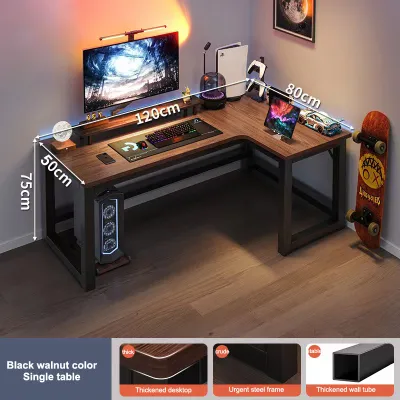
Choosing the right L-shaped gaming table for a multi-monitor setup requires balancing your screen sizes, peripheral footprint, and available room space. To accommodate two or three monitors comfortably, you generally need a primary wing with a length of at least 150 to 180 centimeters and a depth of 70 to 80 centimeters. The secondary wing should offer at least 120 centimeters of length to handle auxiliary gear, consoles, or a work laptop. By carefully measuring your equipment and understanding how desk depth affects your viewing comfort, you can select a desk that supports your gear safely while maintaining an ergonomic gaming environment.
Assessing Your Gear and Space Requirements
Before browsing online marketplaces or visiting local furniture showrooms, you must take a precise inventory of your gaming gear. Multi-monitor setups demand significant physical surface area, and the way you mount your screens dictates your space requirements. If you plan to use the stock stands that came with your monitors, measure their actual depth and width footprint. Many multi-monitor stands feature wide bases that can consume up to 30 centimeters of desk depth, leaving very little room for your keyboard and mouse.
If you prefer a cleaner look and plan to use monitor arms, you must check the clamp clearance instead. A typical C-clamp or grommet mount requires a flat, unobstructed lip under the desk edge, usually measuring between 5 to 10 centimeters deep. Ensure the desk design you choose does not have a support beam, metal frame, or decorative apron blocking this critical clamping zone.
Products mentioned in this guide
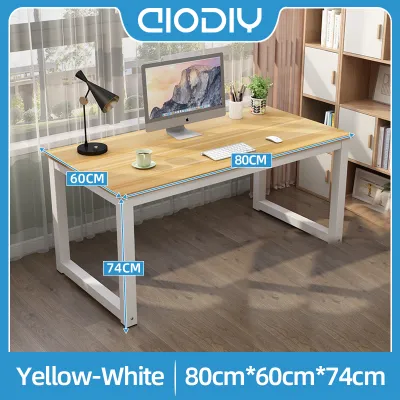
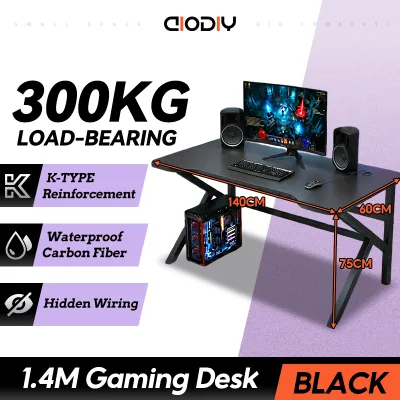
Prices are valid at publication and may change. Please refer to the product page for the latest price.
Your keyboard and mouse placement also dictates the required desk depth. For ergonomic comfort, you need enough space to rest your forearms on the desk surface or your chair’s armrests. This requires leaving at least 40 centimeters of depth in front of your monitors for a full-sized mechanical keyboard and a large gaming mousepad.
In the tropical climate of the Philippines, high humidity and heat mean your PC tower requires excellent airflow. If you plan to showcase your custom PC build on the desk surface, you must allocate an additional 25 to 30 centimeters of width on one of the wings. Placing a heavy, heat-generating PC tower on the desk also means verifying that the surface material can handle the localized weight without bowing over time.
Finally, account for other essential peripherals that complete your gaming station. Audio speakers, streaming decks, audio interfaces, headphone stands, and microphones all claim valuable surface area. Mapping out these items on a mock grid before purchasing your table helps prevent a cluttered, cramped workspace that hinders your gaming performance.
Calculating Ideal L-Shaped Gaming Table Dimensions
The primary wing of your L-shaped gaming table serves as your main active gaming zone. This is where your primary high-refresh-rate monitor sits directly in front of your line of sight. To calculate the ideal length of this wing, determine the combined width of your screens. For instance, two 27-inch monitors placed side-by-side span approximately 120 centimeters in width. To prevent the screens from hanging over the edges and risking accidental damage, the primary wing should extend at least 150 centimeters.

The secondary wing handles auxiliary tasks and storage. This side can hold a secondary vertical monitor, a work laptop, gaming consoles, or streaming gear. A length of 120 to 140 centimeters on this wing provides ample separation between your intense gaming zone and your daily productivity or study area. This division of space helps keep your main gaming area free of clutter.
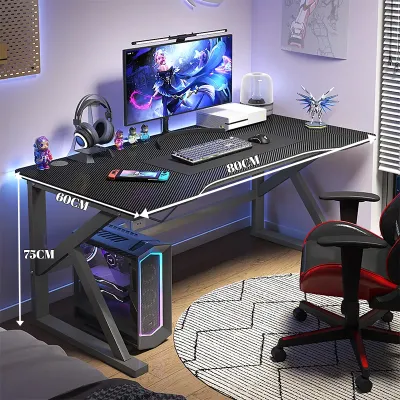
Desk depth directly influences your viewing distance and neck comfort. Placing large screens too close to your face causes eye strain and forces uncomfortable neck rotation. A depth of 75 to 80 centimeters on the primary wing allows you to maintain an optimal viewing distance of 50 to 75 centimeters from the screens. A shallower desk of 60 centimeters may feel cramped when using multiple large monitors.
The corner intersection is a critical zone that requires careful planning. While it seems like a natural spot for a monitor, placing a screen deep in the corner can create an unreachable ‘dead zone’ behind it. If you place your main monitor in the corner, ensure the desk has a curved inner corner rather than a sharp 90-degree angle, allowing you to sit closer to the intersection comfortably.
Measuring Your Room and Delivery Clearances
Before committing to a large L-shaped gaming table, measure your room’s physical boundaries. Account for baseboards, which can prevent the desk from sitting flush against the wall, leaving a gap where cables or small items might fall. Note the locations of wall outlets, light switches, and window sills that could interfere with the desk’s height or placement.
In many Philippine homes, navigating tight hallways, narrow doorways, and steep stairwells is a major challenge during delivery. Measure the width of every doorway and turn your new desk must pass through. If you live in a condominium, check the dimensions of the service elevator to ensure the packaging fits inside.
Verify whether the desk arrives as a single, fully welded frame or in modular, flat-packed sections. Modular desks are much easier to transport through tight spaces but require a clear, clean floor area in your room for on-site assembly. Ensure you have enough space to lay out the parts and safely assemble the frame.
Evaluating Stability for Multi-Monitor Setups
A multi-monitor setup with heavy stands, a PC tower, and accessories can easily weigh 30 to 50 kilograms. Check the manufacturer’s specified load capacity for the desk. Ensure this weight limit is distributed evenly across the frame rather than concentrated on a single point.
Desktop material and thickness are crucial when using C-clamp monitor arms. Avoid desks made of thin particleboard with hollow honeycomb cores, as the concentrated pressure of a monitor clamp can crush the surface. Look for solid wood, high-density fiberboard (HDF), or thick plywood with a protective laminate finish that resists moisture from humid tropical air.
Leg placement and frame design determine stability. L-shaped desks with a continuous under-desk steel frame and crossbars offer superior resistance to wobbling. During intense gaming sessions, rapid mouse movements can cause a flimsy desk to shake, which is amplified across multiple monitor arms. Look for desks with leveling feet to compensate for uneven tile or concrete floors.
Common Sizing Mistakes to Avoid
One frequent mistake is measuring only the screen width and ignoring the full sweep of the monitor stands. Curved monitors or multi-monitor mounts often curve inward, requiring more depth than a flat screen. Ensure your desk depth can accommodate this inward curve without pushing your keyboard off the edge.
Another oversight is neglecting the clearance required for your gaming chair. An ergonomic gaming chair needs space to roll back, swivel, and recline. Ensure there is at least 100 to 120 centimeters of open space behind the desk’s main seating area so you do not bump into walls, wardrobes, or beds.
Lastly, fail to plan for under-desk cable management. Multiple monitors, a PC, speakers, and consoles require a massive web of power strips and cables. Ensure the desk has built-in grommets, cable trays, or space to mount an aftermarket wire organizer beneath the surface to keep cords off the floor and away from dust.
Frequently Asked Questions (FAQ)
Can I use a monitor arm on any L-shaped gaming table?
Not all L-shaped desks are compatible with monitor arms. You must check the desktop’s edge thickness and shape; a bevelled or rounded edge might prevent the clamp from gripping securely. Avoid mounting heavy arms on glass, thin hollow-core boards, or fragile materials without using steel reinforcement plates to distribute the load. Always verify the manufacturer’s guidelines regarding edge-mounting to avoid voiding your warranty.
How much space should I leave behind the desk for my gaming chair?
You should aim for a clearance of at least 100 to 120 centimeters behind your desk. This distance allows your gaming chair to roll back smoothly when you stand up, swivel without hitting nearby furniture, and recline comfortably during breaks. When planning your room layout, add this clearance value to the desk’s physical depth to calculate the total floor footprint required for your setup.
Community discussion
Share your experience or ask a question. Comments are reviewed before publication.