
A Japan surplus table can be an exceptionally durable and cost-effective solution for a home office, but finding the right fit requires analyzing your daily work habits and physical space. Standing desks appeal to those prioritizing ergonomic movement, while foldable tables serve as excellent space-saving options for shared rooms. Meanwhile, L-shaped desks provide the expansive surface area necessary for multi-monitor setups and intensive paperwork. Selecting the ideal option involves balancing these distinct designs against the realities of second-hand wear, shipping constraints, and tropical environmental factors.
Assess Your Space and Work Habits Before Choosing
Before visiting a surplus warehouse or browsing online listings, measure your available floor area with precision. You must account for the physical footprint of the desk itself, but you also need to leave at least 80 to 90 centimeters of clearance behind it so your office chair can glide backward smoothly without hitting walls or other furniture.
Measure the narrowest points of your home’s entry path, including front doors, hallways, elevator doors, and tight stairwells. Many high-quality Japanese office desks are built with solid, heavy-duty frames that do not disassemble easily, meaning a delivery that cannot clear your entryway will quickly become an expensive logistical headache.
Products mentioned in this guide
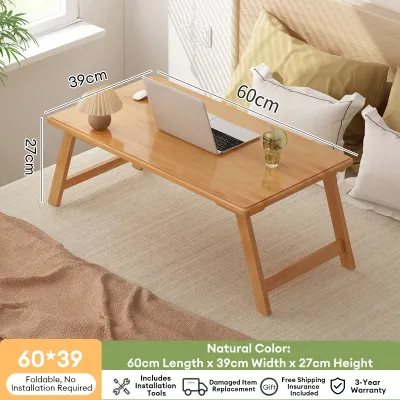
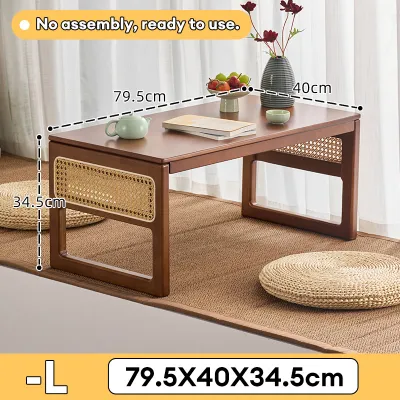
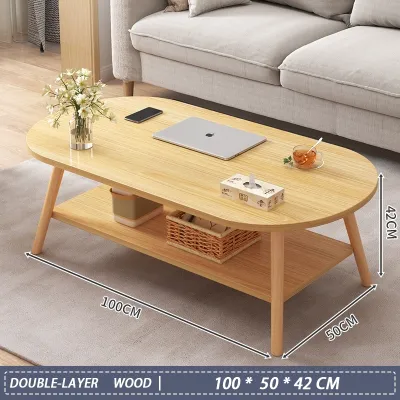
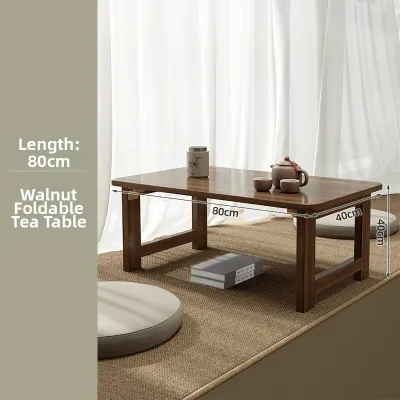
Prices are valid at publication and may change. Please refer to the product page for the latest price.
Inventory your entire work setup to determine your weight and surface area requirements. A professional using only a lightweight laptop needs very little depth, whereas a creative director or programmer with dual monitors, heavy external drives, a desktop tower, and a printer requires a thick, structurally reinforced desktop that will not sag under pressure.
Analyze the primary function of the room where the desk will sit. If your workspace is integrated into a multi-purpose living room or bedroom, you will want a desk that can be hidden or styled discreetly, whereas a dedicated home office room allows you to prioritize maximum utility and larger, permanent furniture pieces.
Standing Desks for Active Workflows and Posture Relief
Standing desks are highly suited for remote workers who experience physical fatigue, lower back pain, or stiffness from sitting for eight hours a day. If your daily tasks allow you to transition easily between typing and standing, and you have a dedicated corner where a taller piece of furniture will not obstruct room traffic, this style offers significant ergonomic advantages.

When inspecting a motorized japan surplus table, request that the seller plug the unit into a power source so you can test the electrical components directly. Listen closely to the motor during operation; any high-pitched whining, grinding, or stuttering indicates worn gears that may fail prematurely under the weight of your computer equipment.
For manual crank or pneumatic gas-spring desks, test the lifting mechanism under a realistic physical load by placing a heavy item on the surface or applying downward pressure with your hands. The desk must rise smoothly and, more importantly, hold its position securely without slowly sliding downward over several minutes of use.
Check the stability of the desk at its maximum height extension by gently shaking the frame from side to side. Because second-hand desks may have experienced years of prior use, worn leg joints or loose internal glides can create a distracting wobble that amplifies every keystroke when the desk is fully raised.
Verify that the desk’s lowest setting matches your seated ergonomic requirements. Your forearms should rest flat on the desktop at a comfortable 90-degree angle while your feet remain planted flat on the floor; if the desk is too high even at its lowest point, you may experience shoulder strain over long working sessions.
Foldable Tables for Compact Spaces and Flexible Layouts
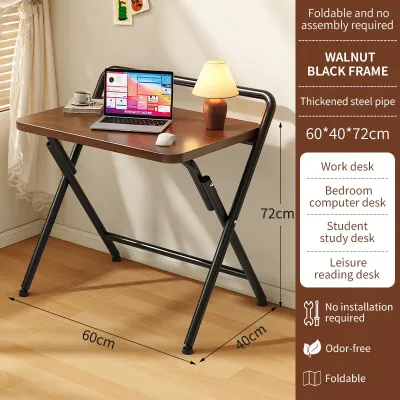
Foldable tables are the ultimate solution for remote workers living in compact condominiums, studio apartments, or shared family spaces where a permanent desk is impractical. This style allows you to set up a highly productive workspace during business hours and completely fold the unit away to reclaim your living space in the evening.
When evaluating a foldable japan surplus table, pay close attention to the structural integrity of the folding hinges, locking pins, and cross-braces. Look for signs of metal fatigue, rust, or loose rivets, as these components bear the brunt of daily folding cycles and can compromise the safety of your entire computer setup if they fail.
Test the stability of the table when it is fully opened on a flat surface by applying pressure to different areas of the desktop. A poorly constructed or worn folding table will slide, sway, or tip forward when you lean on it, which can lead to accidental spills or damage to expensive electronics.
Examine the desktop surface and the protective edge banding for deep scratches, cracks, or warping. In humid climates, damaged edge banding allows moisture from the air to penetrate the inner particleboard core, causing the wood to swell, warp, and lose its structural strength over time.
Keep in mind that foldable tables generally have much lower weight capacities than fixed-frame alternatives. You must calculate the combined weight of your monitor, keyboard, laptop, and desk accessories to ensure they do not exceed the table’s structural limits, preventing sudden collapses.
L-Shaped Desks for Multi-Monitor Setups and Heavy Workloads
L-shaped desks are the premier choice for professionals who manage complex workflows, multiple monitors, or a combination of digital and physical tasks. If you require separate dedicated zones—such as one side of the desk for computer inputs and the adjacent side for reviewing printed documents, sketching, or assembling physical models—this layout maximizes efficiency.
When inspecting a second-hand L-shaped desk, focus heavily on the corner joint and the connecting brackets underneath. These structural points must align perfectly and lock together tightly; any sagging, gaps, or loose brackets can cause the two desktop sections to shift independently, creating an uneven and unstable working surface.
Measure the exact dimensions of both wings of the desk to ensure they will fit neatly into your designated corner. A minor error in measurement can result in the desk protruding into walking paths, blocking electrical outlets, or preventing doors and drawers from opening fully in your workspace.
Carefully check the edge banding and surface laminate for signs of peeling, bubbling, or moisture damage. In tropical environments, humidity can cause cheap or aging adhesives to fail, leading to loose laminate edges that can snag your clothing or scratch your forearms during long typing sessions.
Remember that L-shaped desks are heavy, bulky, and difficult to move once assembled. Check that the desk features heavy-duty leveling feet to distribute the weight evenly, and confirm that your flooring material can handle the concentrated pressure of the desk’s support legs without sustaining permanent damage.
Quick Comparison: Matching the Desk to Your WFH Profile
To help you quickly identify which desk style aligns with your specific home office setup, use this comparative summary highlighting key features and critical inspection points:
| Desk Type | Best Suited For | Space Requirement | Key Surplus Inspection Point |
|---|---|---|---|
| Standing Desk | Active workers seeking posture relief | Moderate (requires vertical clearance) | Motor smoothness, grinding noises, and gas-spring resistance |
| Foldable Table | Small apartments and multi-purpose rooms | Minimal (easily folded and stored away) | Hinge wear, locking pins, and frame rust |
| L-Shaped Desk | Multi-monitor setups and heavy workloads | Large (requires open corner space) | Corner joint alignment, bracket tightness, and laminate peeling |
This comparison highlights that while each desk type excels in different environments, their long-term reliability depends heavily on the specific moving parts or joints identified during your physical inspection.
Essential Quality Checks for Japan Surplus Furniture
Before finalizing any purchase at a Japan surplus warehouse, conduct a comprehensive physical audit of the entire piece of furniture. Look closely at all metal frames, screw threads, and brackets for signs of rust, and inspect any solid wood or plywood components for tiny, clean exit holes that could indicate active woodworm infestations, which can quickly spread to other wooden items in your home.
Test every single moving mechanism multiple times to ensure smooth operation. Pull out drawers fully to check for worn glides, test keyboard trays for stability, and inspect plastic cable management grommets to ensure they are not cracked, brittle, or missing entirely.
Run your hands across the entire desktop surface to check for hidden defects. Look for severe water stains, deep scratches, or localized bubbling under the veneer, as these issues are often signs of deep-seated moisture damage that will eventually cause the wood fibers to rot or crumble.
Use your sense of smell to evaluate the storage history of the desk. A strong, persistent musty or sour odor is a clear indicator of mold or mildew growth from prolonged storage in damp shipping containers or humid warehouses, which can be incredibly difficult to sanitize and can trigger respiratory allergies.
Inquire with the seller about the desk’s disassembly history. Furniture constructed from particleboard or medium-density fiberboard (MDF) loses structural integrity every time screws are removed and reinserted, so a desk that has been repeatedly disassembled may have stripped screw holes that compromise its overall stability.
Frequently Asked Questions (FAQ)
How do I clean and sanitize a Japan surplus desk before use?
To clean your second-hand desk safely, wipe down all surfaces using a soft microfiber cloth slightly dampened with a mild solution of warm water and gentle dish soap. Avoid using harsh chemical disinfectants, bleach, or abrasive scrubbing pads, as these can easily strip away protective varnishes, laminates, or delicate wood veneers.
Immediately follow this step with a dry, clean microfiber cloth to remove all residual moisture, paying close attention to the raw edges, seams, and metal joints where standing water can cause wood swelling or rust.
What should I do if the surplus desk wobbles on an uneven floor?
If your desk wobbles due to minor floor irregularities, install adjustable screw-in leveling feet, commercial furniture shims, or a thick, non-slip desk mat under the legs to compensate for the height difference. Check all visible screws, bolts, and structural brackets underneath the desk frame and tighten them securely, as vibrations during shipping and warehouse handling often loosen these connections over time.
Avoid cutting, sanding, or permanently altering the wooden or metal legs of the desk, as these irreversible modifications can permanently compromise the structural integrity and safety of the frame.
Community discussion
Share your experience or ask a question. Comments are reviewed before publication.