
Finding the perfect balance between productivity and home comfort starts with your desk. If you are transitioning to a long-term work-from-home (WFH) arrangement, a standard table often falls short when it comes to organizing files, devices, and office supplies. Integrating a study table with cabinet storage is an efficient way to keep your workspace tidy, but choosing the wrong configuration can lead to a cramped room or an uncomfortable workflow. The ideal choice between a standing, foldable, or L-shaped desk depends on your available floor area, your physical comfort requirements, and the volume of items you need to store. By evaluating these factors, you can select a setup that enhances your daily productivity while maintaining the aesthetic harmony of your home.
Evaluating Your Room Layout and Daily Workflow
Before browsing online marketplaces or visiting local furniture showrooms, you must establish a clear picture of your physical space and daily habits. Start by measuring the exact footprint of the area where you plan to place the desk. Do not just measure the wall length; you must also account for the depth of the desk and the space required for your office chair to glide backward comfortably. If your chosen study table features swing-out cabinet doors or pull-out drawers, map out their full opening radius to ensure they will not strike nearby walls, beds, or doorways. Additionally, check the clearance of your room’s entryways and hallways to guarantee the furniture pieces can be safely delivered and maneuvered into place.
Your daily workflow dictates the physical shape of the desk you need. If your job requires multiple monitors, a large keyboard tray, and space for physical documents, a compact desk will quickly feel restrictive. Conversely, if you work solely on a lightweight laptop and occasionally take video calls, a massive desk might unnecessarily dominate your room. Consider how often you switch tasks throughout the day; for instance, do you need a dedicated area for sketching or reviewing printed blueprints alongside your computer setup?
Products mentioned in this guide
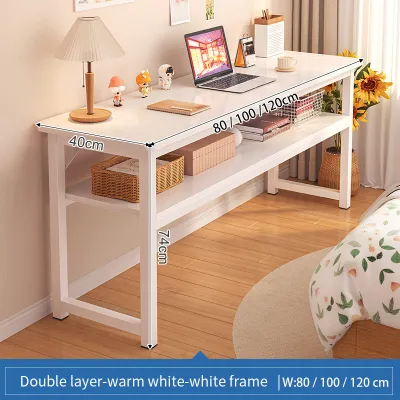
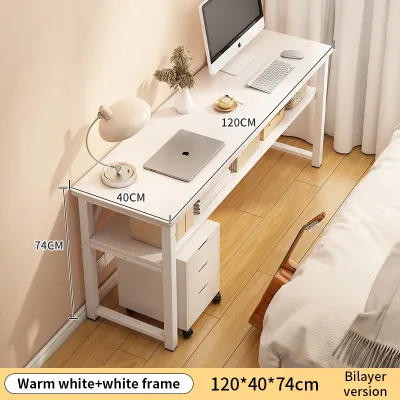
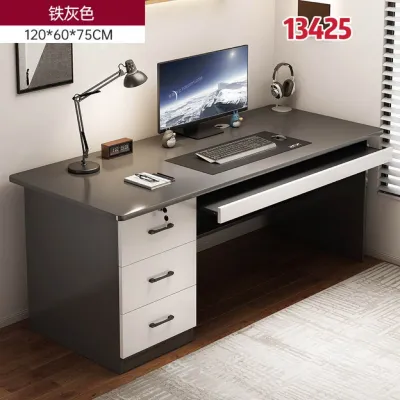
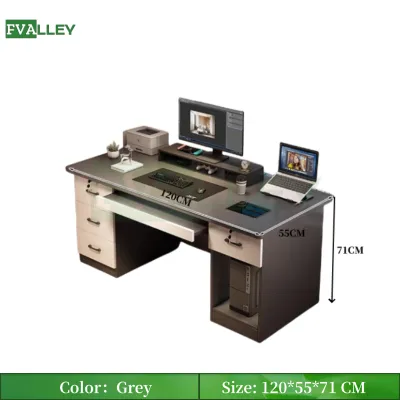
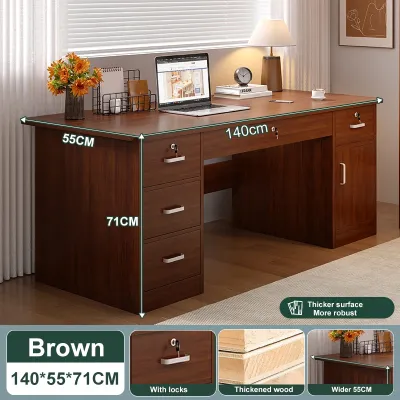
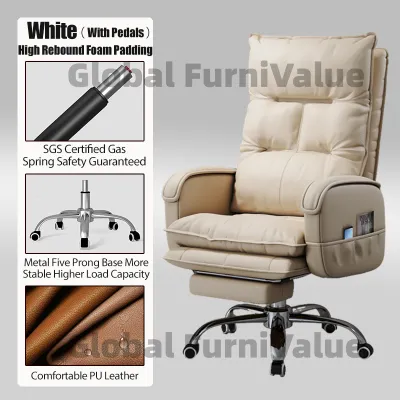
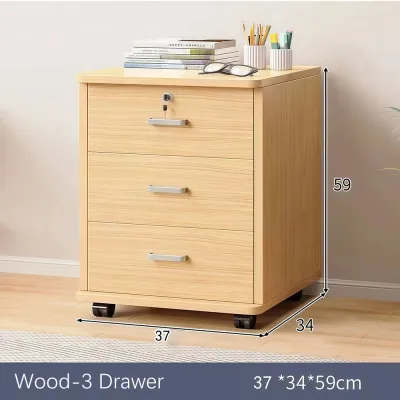
Prices are valid at publication and may change. Please refer to the product page for the latest price.
Storage volume is another critical factor that many remote workers underestimate. Take an inventory of everything you plan to store in the cabinet, including heavy reference books, external hard drives, printer paper, and personal stationery. In tropical climates like the Philippines, high humidity can cause paper documents to warp and electronic components to degrade if they are stored in poorly ventilated spaces. Choosing a cabinet with adjustable shelving or integrated cable routing holes allows you to store active electronics safely while keeping them shielded from dust and ambient moisture.
Standing Desks with Cabinets: Balancing Ergonomics and Storage
Standing desks have become a staple of modern WFH setups due to their ergonomic benefits, allowing you to alternate between sitting and standing throughout the day. However, combining a height-adjustable desk with built-in cabinet storage requires careful planning. The primary challenge lies in the weight distribution. Motorized standing desks rely on electric motors to lift the entire desktop, including any mounted monitors, accessories, and the contents of any attached storage. Before purchasing, you must verify the manufacturer’s maximum weight capacity and calculate the combined weight of your equipment and stored items to prevent motor burnout.

Vertical clearance is another crucial factor when integrating cabinets with a standing desk. If you opt for an under-desk cabinet, ensure that it does not obstruct the desk’s lowest height setting. A cabinet that is too tall will prevent the desk from lowering to an ergonomically correct sitting position, which can lead to shoulder and neck strain. If the cabinet is a separate, mobile unit that sits beneath the desk, verify that the desk’s crossbars or lifting columns do not collide with the cabinet when the desktop descends.
Cable management becomes significantly more complex when your desk moves vertically. Power cords for your computer, monitors, and desk motor must have enough slack to stretch to their maximum height without pulling on wall outlets or tangling with stored items inside the cabinet. If you store active electronics like routers or charging docks inside the desk’s cabinet, you must route the cables through flexible sleeves or spine organizers. This prevents wires from getting pinched in the lifting mechanism, reducing the risk of electrical shorts or equipment damage.
Foldable Desks with Cabinets: Maximizing Floor Space Safely
For those living in compact urban condominiums or shared apartments, preserving floor space is a top priority. A foldable study table with an integrated cabinet offers an ingenious solution, serving as a fully functional workspace during office hours and folding away flat against the wall when the workday ends. This configuration typically features a wall-mounted cabinet where the door folds down to become the desktop surface, revealing storage shelves inside.
Safety is the paramount concern when installing a wall-mounted foldable desk. Because these desks rely entirely on the wall for structural support, you must inspect your wall type before installation. In many local homes, walls are constructed from concrete hollow blocks (CHB) or drywall over light metal studs. Mounting a heavy wooden cabinet loaded with books and a laptop onto drywall without locating the studs can result in catastrophic structural failure. Always use heavy-duty masonry anchors for concrete walls, or secure the mounting brackets directly into wooden or metal studs for drywall installations.
The ease of operating the folding mechanism is directly influenced by how you organize the cabinet. If the shelves inside the cabinet are packed with loose items, they may shift or fall when you fold the desktop upward. Look for designs that feature secure latches, magnetic closures, or built-in retaining bars to keep your items in place. Additionally, recognize the trade-off inherent in this design: while you reclaim valuable floor space when the desk is folded, your actual workspace surface area is limited, meaning you must clear your laptop and accessories off the desk at the end of every single day.
L-Shaped Desks with Cabinets: Expanding Workspace in Corners
If you have a dedicated spare room or a spacious corner in your living area, an L-shaped study table with cabinet storage provides the ultimate setup for productivity. This configuration offers two distinct, expansive work surfaces joined at a right angle, allowing you to dedicate one side to your computer setup and the other to physical paperwork, crafting, or secondary devices. The corner design naturally maximizes unused room corners, turning what is often dead space into a highly functional workstation.
When planning an L-shaped setup, precise measurements of the corner walls are essential. You must ensure there is adequate legroom and chair clearance on both sides of the inner curve, allowing you to swivel and slide your office chair freely without bumping into the desk legs or the cabinet structure. Pay close attention to the placement of the cabinet towers or drawers. If the storage units are positioned directly in the corner under the desk, they will severely restrict your legroom and make sitting comfortably impossible.
Assembly and structural support are also major considerations for L-shaped desks. Because of their size and the weight of the extended wing, these desks require robust joints and stable support legs. If the cabinet serves as one of the supporting pillars for the desk, ensure that the floor is perfectly level to prevent the desk from wobbling. In tropical regions, concrete floors can sometimes have slight unevenness; using desks with adjustable leveling feet can help stabilize the entire structure and prevent long-term warping of the wooden joints.
Choosing the Right Configuration for Your Setup
To finalize your decision, you must match your specific spatial constraints and work habits to the strengths of each desk type. A standing desk with integrated storage is the ideal choice if you prioritize physical movement, suffer from back discomfort during long sitting sessions, and have a room layout that accommodates vertical movement and extensive cable routing. This setup works best when you have a moderate amount of equipment and can keep the overall weight within the desk motor’s specified limits.
A foldable desk with a cabinet is the most practical option if you live in a studio unit or a multi-purpose room where the desk must disappear after hours to maintain a relaxing home environment. This choice requires a solid wall structure for safe mounting and a disciplined approach to storage, as you will have limited surface area and must pack away your primary work tools daily.
An L-shaped desk with cabinet storage is the ultimate solution for power users, creative professionals, or anyone who utilizes multiple monitors and requires distinct zones for different tasks. It demands a larger, dedicated floor area but rewards you with unparalleled storage capacity and workspace. Before committing to any of these configurations, always cross-reference your room’s physical dimensions, wall construction, and electrical outlet locations to ensure a seamless integration.
Final Verification Before You Buy
Before placing your order on any online marketplace or signing a delivery receipt at a local furniture store, perform a final round of checks to avoid costly return hassles. Double-check the exact product dimensions provided by the manufacturer against your initial room measurements, paying special attention to the height of the desk relative to your existing office chair. When planning your budget in ₱, remember to account for potential delivery and assembly fees that may apply to heavy furniture items. If the desk requires assembly, review the instruction manual online to determine if you have the necessary tools, such as a drill or a level, or if you need to hire a professional assembly service.
Verify the weight limits specified for individual shelves and drawers within the cabinet. Overloading a fiberboard shelf can cause it to sag permanently, especially in humid environments where the material absorbs moisture from the air. Finally, carefully read the seller’s return policy and warranty terms, particularly regarding motorized parts for standing desks or hydraulic hinges for foldable models, ensuring you are covered in the event of a manufacturing defect.
Frequently Asked Questions (FAQ)
Can I add aftermarket cabinets to a standard standing desk?
Adding aftermarket cabinets or drawers to an existing standing desk is possible, but you must proceed with caution. First, check the lifting capacity of your desk’s motor to ensure the added weight of the cabinet and its contents will not overload the system. You must also mount the cabinet in a position that does not interfere with the desk’s support frame, crossbars, or lifting columns. Always consult the desk manufacturer’s guidelines before drilling new holes into the desktop, as unauthorized modifications can void your warranty.
How do I manage cables in a study table with built-in cabinets?
Effective cable management in a desk with built-in cabinets requires a combination of routing accessories and strategic planning. Use adhesive cable clips, hook-and-loop straps, and under-desk cable trays to keep power strips and cords tucked neatly out of sight. If you are routing cables through or behind a cabinet, use pre-drilled grommet holes to prevent the wires from being pinched when cabinet doors are closed. For standing or foldable desks, ensure you leave enough slack in the main power cables so they can move freely without tension during transitions.
Community discussion
Share your experience or ask a question. Comments are reviewed before publication.