
Finding the right mini table for PC setups in a tight room requires balancing physical footprint with structural stability. The best compact desk types—foldable, standing, and L-shaped—each solve specific spatial challenges, but the ideal choice depends on your hardware weight, room layout, and daily workflow. By focusing on structural checks and precise spatial planning, you can establish a highly productive workstation even in a limited corner of a bedroom or studio apartment.
How to Measure Your Space and PC Requirements
In tropical climates like the Philippines, where rooms may rely on natural ventilation or compact air conditioning units, desk placement must not block airflow. Begin by measuring the exact floor area where the desk will sit. Use a physical tape measure rather than estimating, and mark the footprint on the floor using masking tape to visualize the physical space. Ensure you account for the clearance needed for your office chair, leaving at least 75 to 90 centimeters of open space behind the desk so you can push back and stand up comfortably without hitting walls or wardrobes.
Next, analyze the swing paths of nearby doors, built-in closet doors, and cabinet drawers. A desk that fits perfectly on paper can easily block a closet door from opening fully, creating daily frustration. Check the wall clearance as well, especially if you plan to use monitor mounts that clamp onto the back of the desk. These clamps often require a gap of 5 to 10 centimeters between the desk edge and the wall to prevent the monitor arms from scraping or damaging the paint.
Products mentioned in this guide
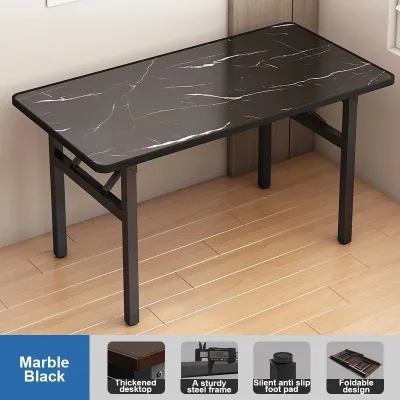
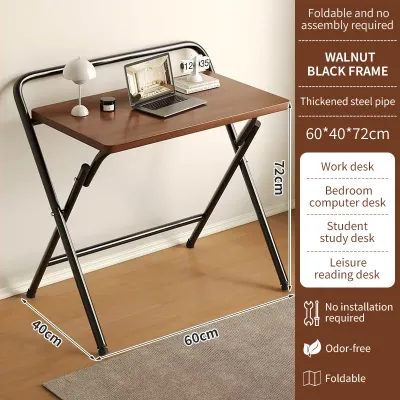
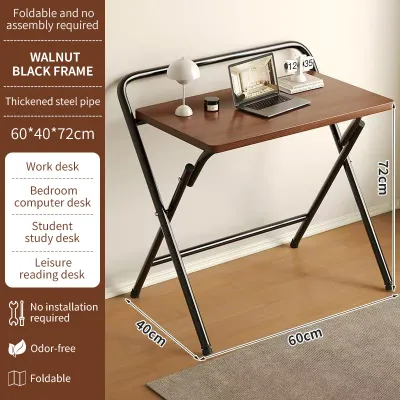
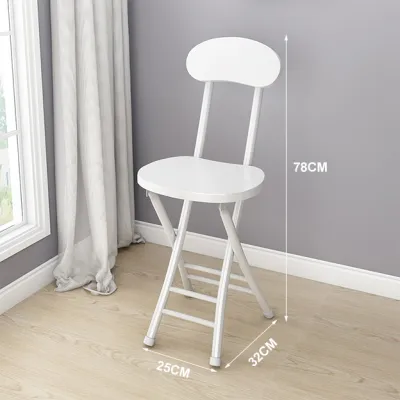
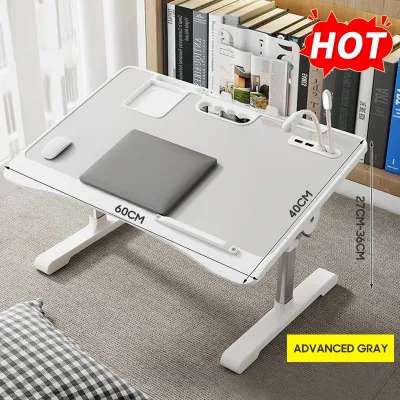
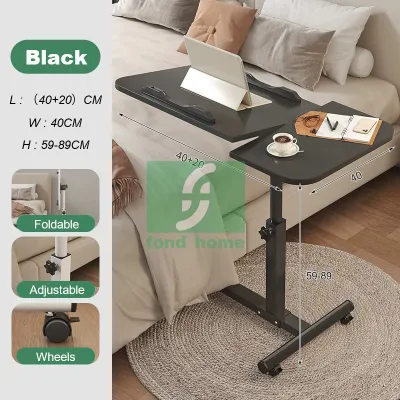

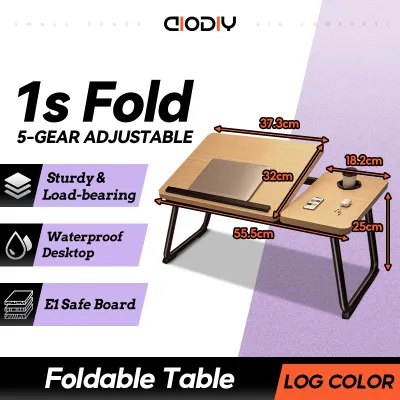
Prices are valid at publication and may change. Please refer to the product page for the latest price.
Your PC hardware footprint dictates the minimum surface area you need. Measure the base of your monitor stand, the width of your keyboard and mouse pad, and the dimensions of your PC tower if you plan to keep it on the desk. If you use a multi-monitor setup, calculate the total combined width of the screens to ensure they do not overhang the desk edges into high-traffic walkways where they could easily be bumped.
Finally, calculate the total weight of your equipment. A standard setup with a mid-tower PC, a 27-inch monitor, a keyboard, and accessories can easily weigh 15 to 25 kilograms. If you add heavy studio monitors or a secondary screen, the load increases significantly. Compare this total weight against the manufacturer’s rated weight capacity, ensuring you leave a safe margin of error to prevent the desk surface from bowing or sagging over time.
Comparing Compact Desk Styles for Small Spaces
Choosing between different compact desk styles is a matter of matching the physical limitations of your room with your daily work habits. Foldable and wall-mounted desks excel in multi-functional spaces where the room must transition from an office to a living area or bedroom at the end of the day. They minimize visual clutter by disappearing when not in use, though they require a disciplined approach to storage since you must clear your setup regularly.

Compact standing desks introduce dynamic movement into small spaces, allowing you to transition between sitting and standing throughout the day. This style is highly beneficial for those who spend long hours at their computer, though it demands careful cable management to accommodate the moving parts. L-shaped and corner desks, on the other hand, are designed to reclaim underutilized corner areas, offering maximum surface area without protruding deeply into the center of the room.
Foldable and Wall-Mounted Desks
Wall-mounted or floating desks are highly effective for saving floor space, but their safety depends entirely on proper installation. In many residential structures, walls may consist of concrete, hollow blocks, or drywall with wooden or metal studs. You must identify the wall material and use the correct heavy-duty anchors or lag screws. Mounting a floating desk directly into drywall without securing it to studs will inevitably lead to structural failure under the weight of a PC setup.
When evaluating foldable desks, pay close attention to the hinge mechanisms and locking systems. Look for heavy-duty steel brackets that click securely into place when fully extended. The folding joints must operate smoothly without grinding or sticking, which can indicate poor manufacturing tolerances.
Surface wobble is a common issue with collapsible furniture. To check for stability, look for models that feature diagonal bracing or cross-tension bars beneath the main surface. A desk that sways or vibrates while you type will not only disrupt your focus but can also cause your monitor to shake, leading to eye strain over extended working sessions.
Compact Standing Desks
Compact standing desks bring ergonomic benefits to small rooms, but their motorized or manual lifting columns require specific spatial considerations. Before placing a motorized desk, verify the proximity of your nearest power outlet. Because the desk moves vertically, you must ensure the power cable has enough slack to reach the outlet at maximum height without tension, while also avoiding loose loops on the floor that could present a tripping hazard.
Cable management is critical for any height-adjustable desk. You will need a flexible cable spine or a spacious under-desk tray to house power strips and brick adapters. This ensures that all cables move safely with the desk frame, preventing cords from snagging on nearby furniture or pulling out of your PC ports during transition.
Additionally, measure the vertical clearance of your room. Check if the desk will sit beneath low-hanging shelves, window sills, or wall-mounted air conditioning units. Ensure that when the desk is raised to its maximum height, your monitors will not collide with these fixtures or block essential ventilation pathways.
L-Shaped and Corner Desks
L-shaped desks are excellent for maximizing corner space, but their dual-sided design requires careful planning to avoid overcrowding a small room. Measure both the main desk surface and the return side carefully. Ensure that neither side extends into high-traffic walkways or blocks access to nearby doors, windows, or electrical outlets.
The inner corner of an L-shaped desk is the most critical area for PC users. This corner must have sufficient depth to accommodate your monitor and keyboard comfortably. If the corner is too shallow, you will find yourself sitting too close to the screen, which can cause eye strain and limit your arm movement.
Look for L-shaped designs that offer reversible configurations. This flexibility allows you to assemble the longer return side on either the left or right, making it much easier to adapt the desk to different room layouts if you decide to rearrange your furniture or move to a new home in the future.
Essential Features to Check on a Mini Table for PC
When shopping for a mini table for PC use, focusing on structural details will ensure you select a durable and stable product. In humid tropical environments, moisture resistance is a primary concern for desk surfaces. Inspect the surface material and the quality of the edge banding. Poorly sealed particle board or medium-density fiberboard (MDF) can absorb moisture from high humidity or spilled drinks, causing the edges to swell, peel, or warp over time. Look for high-pressure laminates or sealed solid wood surfaces with seamless edge banding to ensure long-term durability.
Frame stability is paramount for a compact desk, as smaller footprints naturally have a higher center of gravity. Examine the metal frame for structural reinforcements such as welded corner gussets, horizontal crossbars, or diagonal stability struts. These features distribute lateral forces and prevent the desk from swaying side-to-side when you are typing or gaming.
Adjustable leveling feet or foot pads are essential, especially on uneven tiled or wooden floors. These screw-in pads allow you to micro-adjust the height of each leg individually, eliminating any wobbling and ensuring the desk remains perfectly level.
Finally, prioritize desks that include built-in cable management features. A small desk surface can quickly become cluttered with cables from your monitor, PC tower, keyboard, and mouse. Look for integrated grommet holes, under-desk wire baskets, or magnetic cable channels that allow you to route wires cleanly beneath the surface, keeping your limited workspace organized and functional.
Smart Setup and Placement Tips for Tight Rooms
Optimizing a compact workspace goes beyond choosing the right desk; it also involves how you arrange your equipment within the limited space. To maximize your available desk surface, consider using a clamp-on monitor arm instead of the bulky stand that comes with your screen. A monitor arm lifts the display off the desk entirely, freeing up valuable space underneath for your keyboard, notebook, or external audio interface.
Cable organization is vital for maintaining a clean, distraction-free environment in a small room. Use adhesive cable clips, hook-and-loop straps, or neoprene sleeves to bundle your cords together. Route these bundles along the desk legs or baseboards to keep them out of sight and prevent them from tangling around your feet.
Position your desk strategically relative to natural light sources and electrical outlets. Placing your desk perpendicular to windows helps reduce screen glare while still allowing you to benefit from natural daylight. Additionally, keeping the desk close to a wall outlet minimizes the need for long, unsightly extension cords running across the floor, which can be both a safety hazard and a visual clutter in a compact room.
Frequently Asked Questions (FAQ)
Can a foldable desk support a heavy gaming PC tower?
While some high-quality foldable desks feature robust steel frames, they are generally not designed to support the concentrated weight of a heavy gaming PC tower alongside multiple monitors. To ensure safety and prevent structural failure, always check the manufacturer’s specified weight limits before setting up your equipment. If you have a heavy desktop tower, it is highly recommended to place it on a dedicated floor stand or a small rolling cart next to the desk rather than on the folding surface itself. This keeps the center of gravity low, reduces the risk of the desk tipping or bowing, and frees up valuable surface area for your keyboard, mouse, and monitor.
Is an L-shaped desk suitable for a very small bedroom?
An L-shaped desk can be highly suitable for a small bedroom, provided you measure the space carefully before purchasing. Because these desks are designed to fit into corners, they can utilize dead space that might otherwise go unused. However, you must measure both the main surface and the return side to ensure they do not block closet doors, walkways, or the swing path of your bedroom door. Additionally, ensure there is enough clearance for your office chair to slide in and out comfortably without hitting your bed or other furniture. Opting for a compact, symmetrical L-shaped model can provide the benefits of a dual-surface workspace without overwhelming the room’s layout.

Community discussion
Share your experience or ask a question. Comments are reviewed before publication.