
Finding a reliable workspace that fits seamlessly into your bedroom can be a challenge, especially when you want to avoid a cluttered mess of charging cables. A high-quality laptop side table with integrated USB ports offers the perfect solution, bringing power directly to your bedside or couch. The ideal table combines adjustable ergonomic heights, a stable base clearance that slides under your furniture, and a reliable power delivery system to keep your devices charged.
For buyers in the Philippines, selecting the right table requires looking beyond basic aesthetics. High local humidity and intense rainy seasons mean you must prioritize rust-resistant surface treatments, such as electrostatic powder-coated steel frames, and robust structural connections. Selecting a table with sealed electronic components and sturdy joint construction ensures your bedside workspace remains safe, functional, and durable over years of daily use.
Why a Built-In USB Side Table Solves Bedroom Pain Points
Standard bedroom layouts often place wall outlets in highly inconvenient locations. Heavy wooden bed frames, headboards, and bedside drawers frequently block these outlets, forcing you to stretch charging cables to their absolute limits or leave devices charging across the room. This setup creates a messy tangle of cords, increases the risk of tripping in the dark, and can damage your device’s charging ports over time.
Products mentioned in this guide
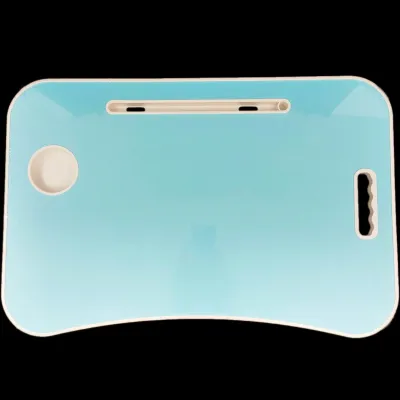
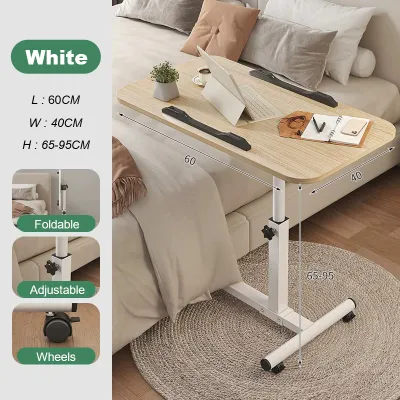
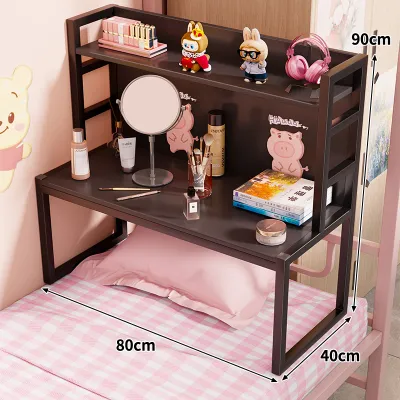
Prices are valid at publication and may change. Please refer to the product page for the latest price.
An integrated charging hub built directly into a laptop side table eliminates these frustrations by consolidating your power sources. Instead of running multiple long cables from the wall to your bed, you only need to plug the table’s single main power cord into the nearest outlet. This single-cable system keeps your sleeping area clean, organized, and free of hazardous tripping obstacles.
This convenience is especially valuable in compact urban apartments and condominiums across major Philippine cities, where space optimization is essential. When square footage is limited, multi-functional furniture that doubles as a workspace and a storage unit helps maximize your living area. A mobile side table allows you to transition from a cozy sleeping space to an active workstation without needing a dedicated, bulky desk.
During the rainy season, when spending long hours indoors is common, having a comfortable and fully powered bedside setup makes working or studying from home much more manageable. You can easily attend online meetings, write documents, or stream media without worrying about your laptop battery dying mid-task. The convenience of having high-speed USB ports within arm’s reach transforms your bed or sofa into a highly efficient, ergonomic hub.
Crucial Buying Criteria for USB Laptop Side Tables
When shopping for a laptop side table on online marketplaces, it is easy to be swayed by stylish product photos. However, ensuring long-term satisfaction requires a close look at the technical specifications, physical dimensions, and material standards. Evaluating these key metrics before making a purchase helps you avoid unstable, slow-charging furniture that does not fit your space.

USB Port Configuration and Power Output
Not all USB ports are created equal, and understanding their power delivery capabilities is crucial for keeping your devices running efficiently. Standard USB-A ports, which are common on budget-friendly side tables, typically output 5V/2A (approximately 10 watts of power). While this is perfectly adequate for charging smartwatches, e-readers, or older smartphones overnight, it is far too slow for modern tablets and completely insufficient for laptops.
To charge modern devices at optimal speeds, look for tables equipped with USB-C Power Delivery (PD) ports. A dedicated USB-C PD port can deliver 18W, 30W, or even up to 65W of power, which is the standard requirement for charging thin-and-light ultrabooks and modern smartphones rapidly. If the table does not feature a high-wattage USB-C port, ensure it includes at least one integrated standard AC outlet (220V) so you can plug in your laptop’s original power brick directly.
Always check the manufacturer’s spec sheet for the total power budget of the built-in hub. Many multi-port hubs share their total wattage across all active ports; for example, a hub labeled “30W Max” might drop to slow 5W charging on each port if you plug in three devices simultaneously. Prioritize tables that clearly state the independent power output of each port to ensure consistent, reliable charging speeds.
Base Clearance and Table Height
Before finalizing your purchase, you must measure the physical clearance of your bed frame or sofa to guarantee a proper fit. For a C-shaped side table to slide smoothly underneath, the height of the table’s bottom frame—including any wheels or casters—must be lower than the gap between the floor and the bottom of your bed or couch. Many platform beds and divans have very low clearances of less than 5 centimeters, which may block tables with thick bases or large wheels.
Height adjustability is another critical factor for maintaining proper ergonomics while working. Manual adjustment systems using tightening knobs are highly durable and cost-effective, but they require you to manually align and lock both sides of the frame. Gas lift or pneumatic spring mechanisms offer seamless, one-handed height adjustments, allowing you to transition from sitting to lying down with minimal effort.
If you plan to use your laptop for extended typing sessions, consider a table with a tilting desktop mechanism. A tilting surface allows you to position your keyboard at a comfortable angle, reducing strain on your wrists and neck. When choosing a tilting model, verify that the tabletop features a secure, raised stopper or lip along the bottom edge to prevent your laptop and mouse from sliding off when the surface is angled.
Material Durability and Weight Capacity
In the tropical climate of the Philippines, high relative humidity can quickly degrade low-quality materials. Bare steel or poorly plated iron frames are highly susceptible to rust, particularly around welded joints and adjustment screws. To prevent corrosion, look for frames constructed from heavy-duty steel finished with an electrostatic powder coating, which provides a thick, moisture-resistant barrier.
Similarly, evaluate the construction of the tabletop itself. Medium-Density Fibreboard (MDF) and particle board are commonly used, but they must be completely sealed to prevent moisture damage. Check that the tabletop features high-quality PVC edge banding or a vacuum-sealed laminate finish; unsealed edges can absorb airborne humidity, causing the wood fibers to swell, warp, and split over time. Solid wood tops, such as treated rubberwood or acacia, offer excellent longevity if they are finished with a protective polyurethane sealant.
Finally, verify the manufacturer’s stated maximum weight capacity and inspect the base design for stability. Cantilevered C-shaped tables naturally experience more flex than traditional four-legged tables. Ensure the table is rated to hold at least 10 to 15 kilograms, which safely covers the weight of a heavy laptop, a cup of coffee, and the natural downward pressure of your forearms while typing. A wider, heavier metal base plate helps lower the center of gravity, preventing the table from tipping forward during use.
Top Styles of Laptop Side Tables to Consider
Understanding the structural differences between the common styles of laptop side tables helps you select the best design for your specific room layout and working habits. Each style offers unique trade-offs in terms of mobility, storage, and space-saving efficiency.
C-Shaped Slide-Under Tables
C-shaped tables are the ultimate space-saving solution for compact bedrooms and living rooms. Their unique asymmetrical frame features a single vertical support post on one side, allowing the flat bottom base to slide directly under your bed or sofa. This design brings the tabletop surface right over your lap, eliminating the need to lean forward or stretch to reach your computer.
- Pros: Extremely compact footprint; positions the workspace directly over your seating area; easy to tuck away when not in use.
- Cons: Cantilever design can have slight structural flex; requires clear floor space under your bed or sofa; limited storage capacity.
- Ideal User: Anyone living in a compact studio condo or small bedroom who wants a temporary, highly mobile workspace that does not take up permanent floor space.
When choosing a C-shaped model, verify that your flooring is flat and hard. While these tables slide easily on tiles, vinyl, or polished hardwood, they can be difficult to maneuver on thick rugs or carpets unless equipped with larger, high-quality caster wheels.
Adjustable Overbed Tables
Adjustable overbed tables are designed with heavy-duty utility and ergonomic flexibility in mind. Typically featuring an H-shaped or U-shaped base with dual vertical columns, these tables offer superior stability compared to C-shaped designs. They often come with advanced features such as split-top surfaces, where one section tilts for your laptop while the other remains flat for a drink or notebook.
- Pros: Exceptional stability with minimal wobble; wide range of height and tilt adjustments; larger desktop surface area.
- Cons: Bulky aesthetic; larger physical footprint; harder to blend into minimalist bedroom decor.
- Ideal User: Remote professionals, students, or individuals who spend long hours typing, writing, or reading in bed and require a highly stable, ergonomic setup.
Because these tables are heavier, look for models equipped with high-quality, 360-degree swiveling casters that feature reliable locking brakes. This ensures you can easily roll the heavy table out of the way when getting out of bed, while keeping it securely anchored in place while you work.
Nightstand-Style Tables With Integrated Hubs
If you prefer a permanent bedside fixture that blends seamlessly with traditional bedroom furniture, a nightstand-style table with an integrated power hub is an excellent choice. These are stationary bedside cabinets or open shelving units that feature built-in USB ports and AC outlets recessed into the top panel or hidden within a back compartment.
- Pros: Plentiful storage space with drawers or shelves; highly stable and sturdy; serves as a permanent, attractive furniture piece.
- Cons: Stationary design cannot slide over your lap; requires you to sit on the edge of the bed or use a separate chair to work comfortably.
- Ideal User: Those who want a dedicated bedside charging station for multiple devices and prefer storage drawers over a mobile, slide-under laptop desk.
When evaluating nightstand-style tables, prioritize models that feature built-in surge protection. This safety feature safeguards your expensive laptops, tablets, and smartphones from sudden electrical spikes, which can occur during heavy tropical storms and power fluctuations.
Safety, Setup, and Maintenance Tips
To ensure your electronic side table operates safely and lasts for years, proper installation and ongoing maintenance are essential. Because these tables combine structural furniture with live electrical currents, taking a few simple precautions prevents accidents and protects your devices.
- Implement Smart Cable Management: Secure the table's main power cord along the vertical support legs using zip ties or Velcro straps. Leaving loose cords hanging increases the risk of your feet, pets, or vacuum cleaners snagging the cable, which can violently pull the table over and damage your laptop.
- Avoid Overloading the Power Hub: Do not exceed the manufacturer's rated electrical capacity. While the built-in AC outlets are perfect for laptops and phone chargers, never plug high-draw appliances like hair dryers, hair straighteners, or portable space heaters into the table's power strip, as this can cause overheating and pose a fire hazard.
- Protect Against Moisture and Condensation: During hot, humid months or when running your air conditioner, condensation can form quickly on cold drink glasses. Always use a coaster with a non-slip bottom, and keep all liquids on the opposite side of the table away from the USB ports and electrical outlets.
- Verify Power Compatibility and Grounding: Ensure the table's power plug is compatible with standard Philippine wall outlets (typically Type A or Type B flat two-pin configurations operating at 220V/60Hz). If you must use an adapter, choose a high-quality, safety-certified adapter to ensure a secure, stable electrical connection.
- Inspect the Power Cord Regularly: Periodically check the main power cable for any signs of wear, pinching, or fraying. This is especially important for rolling tables, as the wheels can accidentally roll over and damage the power cord over time. If you notice any exposed wires or damaged insulation, unplug the table immediately and replace the power strip component.
Frequently Asked Questions (FAQ)
Can I charge my laptop directly from the side table's USB port?
Standard USB-A ports on side tables do not provide enough wattage to charge a laptop. To charge your laptop directly without its bulky power brick, the table must feature a high-wattage USB-C Power Delivery (PD) port rated for at least 45W to 65W. If the table only has standard USB-A ports, you will need to plug your laptop’s original charger into one of the table’s built-in AC outlets.
Are rolling laptop side tables safe to use on carpets?
Rolling tables can be used on carpets, but small, low-quality plastic casters tend to sink into thick carpet fibers, making the table unstable and difficult to move. If your bedroom is carpeted, look for a table equipped with larger, heavy-duty polyurethane wheels or flat, smooth gliding pads. Always ensure the wheels are locked once the table is in position to maintain a stable, wobble-free workspace.
How do I clean a side table with built-in electronics?
Always unplug the side table’s power cord from the wall outlet before cleaning to prevent any risk of electrical shock. Wipe down the wooden or metal surfaces using a slightly damp microfiber cloth, and immediately dry the area with a soft towel. Never spray liquid cleaners, aerosol polishes, or wet wipes directly onto or near the USB ports and AC outlets, as moisture can cause short circuits and internal corrosion.

Community discussion
Share your experience or ask a question. Comments are reviewed before publication.