
Working with a limited depth of 50cm presents unique spatial challenges, but it is entirely possible to build a highly productive work-from-home setup within this footprint. When floor space is limited, the ideal desk style depends on how you intend to use your room throughout the day. Foldable, wall-mounted, and compact standing desks each offer distinct advantages for tight spaces, provided you select the right mechanism and configure your hardware to maintain proper ergonomics. By understanding the physical limits of a shallow surface, you can avoid a cluttered workspace and ensure your setup supports your daily workflow without causing physical strain.
Assessing Your Workspace Needs for a 50cm Depth
Before purchasing a 50cm table, you must evaluate your daily workflow and the physical dimensions of your hardware. A standard laptop typically has a depth of 20cm to 25cm, leaving another 25cm of space for your wrists or an external keyboard. However, if you plan to use an external monitor, its stock stand can easily consume 15cm to 20cm of depth, pushing the screen too close to your face. This short viewing distance can lead to eye fatigue and neck strain over long working hours.
Beyond the screen, consider your input devices. A standard full-sized keyboard requires about 15cm of depth, leaving almost no room for a mouse pad or wrist rest on a shallow surface. If you frequently refer to physical notebooks, you will find yourself constantly shuffling items around.
Products mentioned in this guide
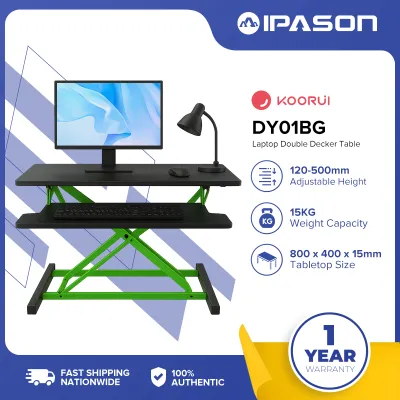
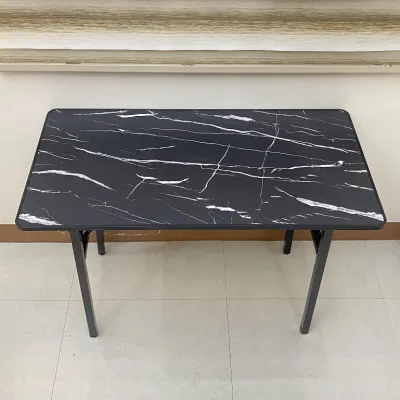
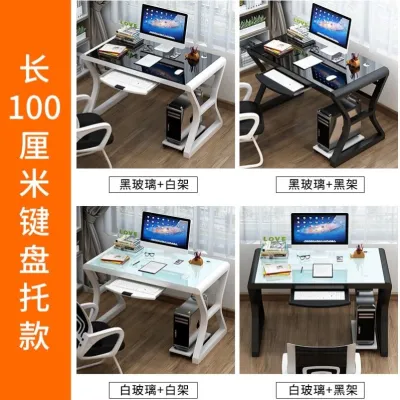
Prices are valid at publication and may change. Please refer to the product page for the latest price.
Legroom and chair clearance are equally critical. Because a 50cm table sits very close to the wall, your knees will be positioned near the back of the desk frame. You must measure the height and depth of your office chair, ensuring that the armrests can slide completely under the tabletop when not in use. If your chair cannot tuck in, it will protrude into your living space, defeating the purpose of a compact desk.
Foldable and Drop-Leaf Tables for Flexible Layouts
For multi-use rooms, such as a shared bedroom or a compact living area in a high-rise condominium, foldable and drop-leaf tables offer an excellent way to reclaim floor space when the workday ends. These designs allow you to fold the desktop flat against the wall or collapse the legs so the entire unit can be tucked away.

When shopping for a foldable 50cm table, the hinge mechanism is the most critical component to inspect. Look for heavy-duty steel hinges with secure locking pins that prevent the table from accidentally collapsing under pressure. Drop-leaf models, which feature a hinged section that swings downward, require clear space beneath the table to fold properly. Ensure that no storage bins or chair legs block this downward path.
Stability is another common concern with lightweight folding frames. Because these tables are designed to be portable, they often lack the heavy, solid bases of traditional desks. To prevent your screen from shaking every time you type, look for frames with cross-bracing or wide, non-slip feet. Additionally, check the manufacturer’s rated weight capacity; while a folding table can easily support a laptop, it may struggle with heavier setups or if you tend to lean heavily on the front edge of the desk.
Wall-Mounted and Floating Tables for Maximum Floor Space
Wall-mounted or floating desks are highly effective for preserving floor space because they eliminate the need for traditional desk legs. This open space beneath the desk makes a small room feel significantly larger and allows you to slide your office chair completely out of the way when you are not working.
However, installing a floating desk requires careful structural planning. In many homes, particularly in tropical climates like the Philippines, walls are constructed from solid concrete, hollow concrete blocks, or drywall. Mounting a desk to a concrete wall requires high-quality masonry anchors and a hammer drill to ensure a secure hold. If you are mounting to drywall, you must locate the wooden or metal studs behind the wall; never rely solely on plastic drywall anchors to support a floating desk, as the downward leverage from typing and leaning can easily pull the screws out of the plaster.
Pay close attention to the bracket weight capacities and how the load is distributed across the wall. Heavy-duty L-brackets should be rated for at least double the weight of your actual equipment to account for the physical force of your hands resting on the desk. Finally, ensure that the mounting height allows for comfortable knee clearance and a proper seated posture, keeping your elbows at a 90-degree angle.
Standing Desks and Converters in Shallow Depths
Incorporating movement into your workday is highly beneficial, but finding a standing desk that fits a 50cm depth constraint requires careful selection. While standard standing desks often have depths of 60cm to 80cm, compact models designed specifically for tight spaces are available.
The primary concern with a narrow standing desk is stability and the risk of tipping. As a desk rises to standing height, its center of gravity shifts upward. If the desk frame has a shallow base footprint, it becomes much more susceptible to wobbling or tipping forward if bumped. Before purchasing, verify the dimensions of the desk’s feet; they should extend close to the full 50cm depth of the tabletop to provide a stable foundation.
If you already own a shallow table, you might consider using a desktop standing desk converter. However, you must exercise caution. Many converters are bulky and have a deep footprint that may overhang a 50cm surface, creating a severe tipping hazard. Ensure the converter’s base fits entirely within your table’s dimensions and check that your existing table can handle the combined weight of the converter, your monitor, and your laptop.
Cable management also becomes more complex with a compact standing desk. Because the desk moves vertically, you must ensure that all power and display cables have enough slack to reach their highest point without pulling on your devices. In a shallow setup, dangling cables are highly visible and can easily snag on nearby furniture.
Ergonomic Adjustments for Shallow WFH Tables
To maintain comfort and prevent physical strain when working on a 50cm table, you will need to make a few strategic ergonomic adjustments. The goal is to maximize the usable surface area while keeping your screen at a safe viewing distance.
One of the most effective upgrades is a clamp-on monitor arm or a wall-mounted monitor bracket. By lifting your screen off the desk surface, you eliminate the bulky stock monitor stand, freeing up valuable space directly underneath the screen for your keyboard or documents. A monitor arm also allows you to push the screen further back, sometimes even slightly past the rear edge of the desk if space permits, which helps maintain an optimal viewing distance of about an arm’s length.
Your choice of peripherals also plays a major role in a shallow setup. Swapping a standard full-sized keyboard for a compact, tenkeyless (TKL) or 60% wireless keyboard can save a significant amount of space. These smaller keyboards omit the numeric keypad, allowing your mouse to sit closer to your center, which reduces shoulder strain.
Finally, keep the under-desk area completely clear of clutter. In a tropical climate where humidity can make small spaces feel stuffy, maintaining good airflow around your legs is essential for comfort. Use adhesive cable clips or an under-desk cable management tray to route all power cords along the underside of the tabletop, keeping them off the floor and away from your feet.
Common Measurement and Installation Mistakes
When planning a compact WFH setup, minor measurement errors can lead to major installation headaches. One common mistake is forgetting to account for baseboards or skirting boards along the bottom of the wall. If your desk has legs that extend to the floor, a thick baseboard will prevent the desk from sitting flush against the wall, creating a gap where pens, cables, and papers can easily fall.
Another frequent oversight is ignoring the location of wall outlets. If your desk is pushed tightly against a wall, it can block access to power outlets or force you to bend your power plugs at sharp, damaging angles. Using flat-profile extension cords can help resolve this issue.
For foldable and drop-leaf designs, always measure the swing radius of the moving parts. Ensure that the table leaf can fold down completely without hitting nearby furniture, doors, or the armrests of your office chair. Lastly, never overload wall-mounted brackets. Always verify the weight ratings of your wall anchors and brackets before placing your expensive equipment on the desk.
Frequently Asked Questions (FAQ)
Can I use a dual monitor setup on a 50cm table?
Using a dual monitor setup on a 50cm table is challenging due to the limited viewing distance. Placing two monitors on their original stands will occupy almost the entire depth of the desk, forcing the screens too close to your eyes and causing significant neck strain as you turn your head from side to side. If you must use two screens, it is highly recommended to mount them on a dual-arm wall bracket or a sturdy desk clamp. This keeps the screens elevated and allows you to push them as far back as possible, preserving your desk space for your keyboard and mouse.
Are wall-mounted tables safe for heavy equipment?
Wall-mounted tables can safely support heavy equipment, but their safety depends entirely on the wall structure and the quality of the installation hardware. Anchoring the desk brackets directly into solid concrete or wooden wall studs is essential for stability. Drywall alone cannot support the downward leverage of a loaded desk. Always check the manufacturer’s weight limits for both the brackets and the tabletop material, and ensure that the load is distributed evenly across multiple mounting points to prevent structural failure.

Community discussion
Share your experience or ask a question. Comments are reviewed before publication.