
Living in a compact condominium, studio apartment, or shared family home in the Philippines often requires creative spatial planning, especially when setting up a functional home office. Traditional floor-standing desks, while sturdy, consume valuable floor area that can make a small room feel cramped and restricted. Transitioning to a vertical setup with a hanging table wall desk allows you to reclaim that floor space, creating a more open, breathable living environment while still providing a dedicated zone for productivity.
Selecting the right wall-mounted desk involves more than just picking an appealing design from an online marketplace. Because these desks rely entirely on your wall’s structural integrity, you must carefully evaluate your room’s layout, wall composition, and daily workflow requirements before making a purchase. This guide provides a comprehensive framework to help you assess your space, compare different desk designs, verify critical safety and installation requirements, and optimize your setup for long-term comfort and productivity.
Key Factors to Consider Before Buying a Wall-Mounted Desk
Before browsing e-commerce platforms or visiting local furniture showrooms, you must establish a clear set of physical parameters for your workspace. The first step is to measure the precise wall area where you plan to mount the desk. Take note of nearby light switches, electrical outlets, and the swing path of doors or wardrobe panels to ensure the desk will not obstruct daily movement. Additionally, measure the floor clearance below the intended mounting site, ensuring there is sufficient room for your legs and your office chair to slide in comfortably when the desk is in use.
Products mentioned in this guide
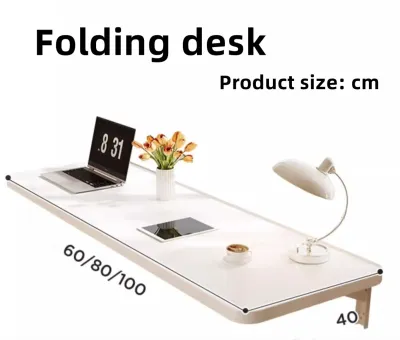
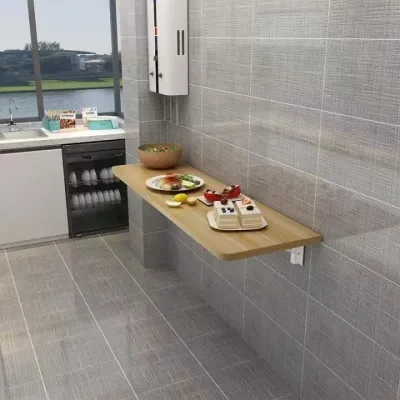
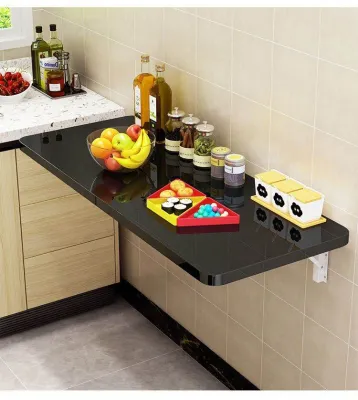
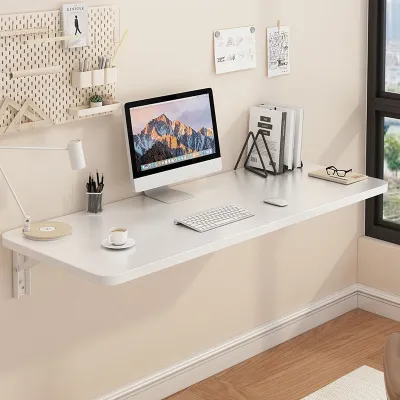
Prices are valid at publication and may change. Please refer to the product page for the latest price.
Delivery and assembly logistics are equally important when planning your purchase. Even though wall-mounted desks are generally more compact than traditional desks, they often arrive in flat-packed boxes that require careful handling. Measure your building’s doorway, hallway, and elevator or stairway dimensions to confirm that the package can be easily transported to your unit. If you live in a high-rise condominium, check your building administration’s guidelines regarding delivery schedules and noise restrictions for drilling during installation.
Your daily workflow dictates the size and structural strength required for your hanging table wall desk. If your work is limited to a lightweight laptop, a compact smartphone, and a single notebook, a minimalist floating shelf or a slim fold-down desk will likely suffice. However, if your setup includes a heavy desktop monitor, an external keyboard, reference books, and other office accessories, you will need a deeper surface with robust, heavy-duty support brackets. Accurately listing the items you plan to place on the desk prevents you from overloading a lightweight unit.
The structural composition of your wall is the most critical factor determining which desk you can safely install. In many Philippine homes, walls are constructed from solid concrete, hollow concrete blocks, or lightweight partition materials like drywall and fiber cement boards. Solid concrete walls offer high load-bearing capacity, allowing for a wider variety of desk designs and heavier equipment. Hollow blocks and drywall partitions require specialized mounting techniques and have lower weight thresholds, which may limit your choice to lighter, smaller desk models.
Finally, establish a realistic budget while understanding how material choices affect the desk’s longevity. Budget-friendly options often utilize engineered wood, such as medium-density fiberboard (MDF) or particle board, finished with a laminate veneer. While these are highly affordable, they require careful monitoring in humid tropical climates, as moisture can cause untreated engineered wood to swell or warp over time. Premium tiers often feature solid wood or metal-reinforced frames, which generally offer better structural stability at joints and hinge points, provided they are treated with moisture-resistant finishes.
Types of Wall-Mounted Desks for Compact Rooms
Wall-mounted desks come in several distinct configurations, each designed to address specific spatial challenges and user preferences. Understanding these design variations allows you to choose a model that aligns with your room’s layout and your daily routine.

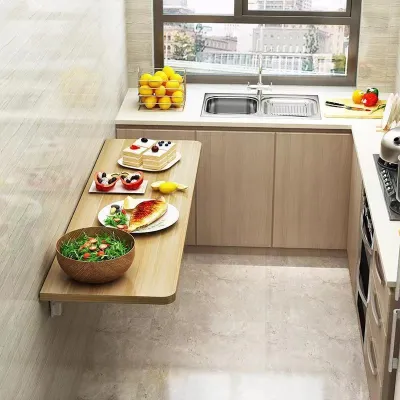
Fold-down desks, also known as wall-mounted drop-leaf tables, are highly popular for multi-purpose rooms where space is at a premium. These desks feature a hinged surface supported by folding brackets or a swing-out leg mechanism. When you are working, the surface locks into a horizontal position; when your workday ends, you simply fold the desk flat against the wall. This folding capability makes them suitable for small bedrooms or living areas where you want to completely hide your workspace and reclaim floor space for evening relaxation.
Fixed floating desks offer a permanent, minimalist workspace without any legs touching the floor. Unlike fold-down models, these desks remain in a fixed horizontal position, providing a constant surface for your computer and office essentials. They are well-suited for dedicated work alcoves or corners where the desk does not interfere with foot traffic. The absence of legs creates a clean, modern aesthetic and leaves the floor space underneath completely open for small storage bins, a wastebasket, or simply a clean, uncluttered look.
Cabinet desks with drop-down fronts, often referred to as wall-mounted secretary desks, combine a compact storage cabinet with a functional work surface. The front panel of the wall cabinet is secured by hinges and chains or hydraulic struts; when opened, this panel drops down to serve as your desktop. Inside the cabinet, you will find small shelves, cubbies, and compartments to organize stationery, chargers, and documents. This design is highly beneficial for users who want to keep their workspace organized and completely concealed from view when not in use, preventing visual clutter in a small room.
Corner wall-mounted desks are specifically engineered to fit into 90-degree corners, transforming awkward, underutilized areas into productive workspaces. Because they span the corner of a room, these desks often provide a deeper work surface than standard rectangular wall desks, allowing you to position your monitor further back for better eye comfort. The corner configuration also provides natural structural support along two walls, which can enhance the overall stability of the desk when installed correctly with appropriate brackets.
Installation and Safety Checks for Hanging Table Wall Setups
Installing a hanging table wall desk requires careful preparation and strict adherence to safety protocols to prevent structural failure, wall damage, or damage to your valuable electronics. Never rush the installation process, and always prioritize structural stability over aesthetic placement.
The first safety check is to verify the manufacturer’s stated weight capacity and compare it to your actual load requirements. Keep in mind that the weight capacity specified in product manuals is typically based on ideal installation conditions on solid walls. This capacity must support not only the static weight of your computer, monitor, and desk accessories, but also the dynamic downward force applied when you lean your forearms on the desk while typing. If your combined equipment and physical pressure approach the manufacturer’s limit, you should look for a more robust desk or reinforce the mounting brackets.
Matching your mounting hardware to your specific wall material is essential for a secure installation. The standard plastic wall plugs and screws included in most flat-packed furniture kits are generally designed for solid concrete or brick walls and are unsafe for hollow concrete blocks or drywall. For hollow block walls, you must use specialized sleeve anchors or masonry toggle bolts that expand inside the hollow cavity to grip the block securely. If you are mounting a desk to a drywall partition, the brackets must be screwed directly into the wooden or metal studs behind the drywall; relying solely on drywall anchors for a cantilevered desk is a major safety hazard. If you do not have the tools or experience to identify studs and select the correct fasteners, stop and hire a qualified local carpenter or professional handyman.
Before drilling any holes into your wall, you must verify that the area is clear of hidden hazards. Use a reliable stud finder with live wire detection to scan the wall for electrical conduits, internet cables, and plumbing pipes. In many Philippine homes, electrical wiring and water pipes are embedded directly within concrete or run behind partition walls, and accidental drilling can lead to costly repairs, power outages, or severe safety hazards. If you do not have access to a detector, consult your building’s structural layout or seek assistance from your condominium’s maintenance staff.
Once the installation is complete, perform a thorough stability test before placing any equipment on the desk. Gradually apply downward pressure with your hands to check for any flexing, sagging, or movement in the brackets. Inspect the wall joints closely; if you notice any plaster cracking, drywall bowing, or the brackets pulling away from the wall even slightly, immediately unload the desk and reinforce the mounting system. Periodically re-inspect the mounting hardware over time, as daily use and vibrations can gradually loosen screws and anchors, especially in softer wall materials.
Ergonomics and Workspace Optimization
A well-positioned wall-mounted desk should not only save space but also support a healthy, comfortable posture during long hours of work. Because these desks are fixed permanently to the wall, you must plan your ergonomic setup carefully before drilling the first hole.
To determine the optimal mounting height, sit comfortably in your office chair with your shoulders relaxed and your feet flat on the floor. Bend your elbows at a 90-degree angle and measure the distance from the floor to the underside of your forearms; this measurement represents the ideal height for your desk surface. Mounting the desk too high can cause shoulder tension and wrist strain, while mounting it too low can lead to slouching and back discomfort. If multiple people of different heights will use the desk, consider installing it at a standard height and using an adjustable office chair and footrest to accommodate everyone comfortably.
Cable management is crucial for maintaining a clean, organized, and visually appealing workspace, especially when floor space is clear. Dangling power cords and charger cables can quickly ruin the minimalist aesthetic of a floating desk and create a tripping hazard. Use adhesive cable clips, J-channels, or flexible sleeve wraps to bundle your cords and route them neatly along the underside of the desk and down the wall to the nearest power outlet. Installing a power strip directly to the underside of the desk can also minimize the number of cables running down to the floor.
To maximize the limited surface area of a compact wall desk, look for ways to elevate your equipment off the desktop. If your desk is mounted to a solid wall, you can install a separate wall mount for your computer monitor, allowing you to adjust its height and angle while keeping the desk surface completely clear. Alternatively, use clamp-on monitor arms, provided the desk material is strong enough to withstand the concentrated pressure. Wall-mounted shelves, pegboards, or task lighting can also keep essential items within arm’s reach without cluttering your primary work surface.
Finally, consider the visual impact of your desk’s material and color within the room. In small spaces, dark, bulky furniture can absorb light and make the room feel smaller and more enclosed. Opting for light wood tones, white laminates, or desks with slim metal frames can help reflect light and create an illusion of spaciousness. Choosing a desk color that closely matches your wall paint can also help the unit blend seamlessly into the background when folded or closed, keeping your small room feeling open, bright, and uncluttered.
Frequently Asked Questions (FAQ)
Can I install a wall-mounted desk on drywall or hollow blocks?
Yes, but it requires specialized hardware and careful planning. Standard plastic wall plugs are not safe for these materials. For drywall, you must locate the vertical wooden or metal studs behind the wall and screw the desk brackets directly into them. If the studs do not align with your desk’s mounting points, you may need to install a wooden backing board first. For hollow concrete blocks, you must use heavy-duty toggle bolts or sleeve anchors designed to expand inside the block’s hollow core. Always refer to the manufacturer’s installation manual for specific wall compatibility, and consult a professional installer if you are unsure about your wall’s structural capacity.
How do I determine the weight capacity I need for my setup?
To calculate your required weight capacity, start by listing the weights of all the items you plan to keep on the desk, including your laptop or monitor, keyboard, mouse, desk lamp, and any storage organizers. Add these weights together to find your static load. Next, you must account for dynamic load, which is the downward force you apply when typing, resting your arms, or leaning on the desk. As a general safety guideline, add at least 5 to 10 kilograms to your static load to cover this dynamic pressure. Compare this total weight against the manufacturer’s certified weight capacity, and ensure your wall type and mounting hardware can fully support that rating.

Community discussion
Share your experience or ask a question. Comments are reviewed before publication.