
Selecting a Sihoo ergonomic chair within a ₱3,000 to ₱15,000 budget requires balancing essential postural support with premium adjustability. Since prices and available models fluctuate across different online storefronts, the key to a successful purchase lies in identifying your non-negotiable ergonomic needs, understanding how build quality scales with price, and verifying the total checkout cost—including shipping and warranty terms—before committing. This guide provides a structured approach to evaluating specifications and making a confident decision within your financial limits.
To find the right model for your workspace, you must weigh how many hours you spend at your desk against the specific mechanical adjustments each chair offers. While entry-level options focus on basic posture correction with fixed frames, mid-tier models closer to the ₱15,000 limit introduce synchronized tilting, adjustable lumbar depth, and multi-directional armrests. By analyzing build materials, verifying gas lift safety ratings, and calculating the total cost of delivery and assembly, you can select a chair that protects both your spine and your budget.
Defining Ergonomic Priorities for Your Workflow
Every office setup serves a different purpose, meaning the ergonomic features you prioritize should directly align with how many hours you spend at your desk. If your daily routine involves sitting for eight hours or more, dynamic movement becomes a necessity rather than a luxury. For these extended sessions, look for chairs that offer a synchronized tilt mechanism, which allows the backrest and seat to recline at a complementary ratio. This movement keeps your pelvis supported and encourages micro-movements that prevent stiffness throughout the day.
Products mentioned in this guide
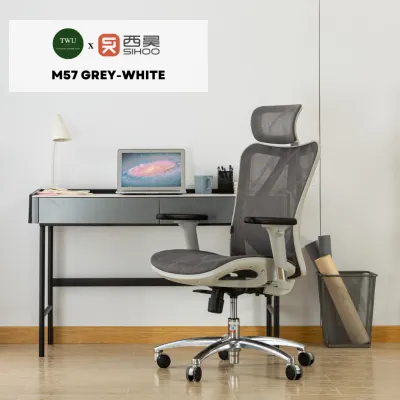
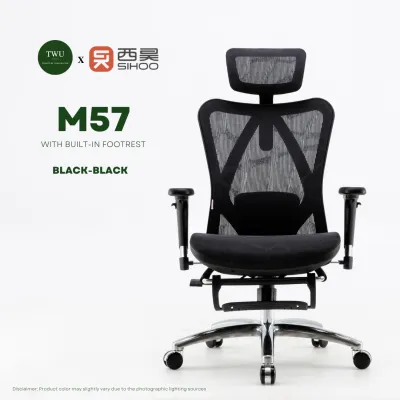
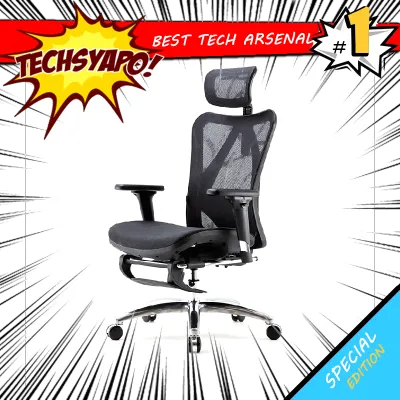
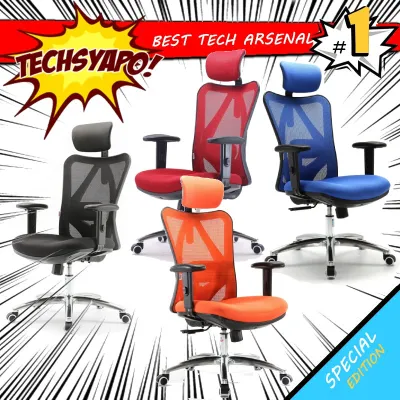
![SIHOO M56 PRO [Latest Version] Ergonomic Office Computer Gaming Desk Chair 2 Year Warranty | Adjustable Height Adjustable Headrest Adjustable Armrest and Lumbar Support Recline-lock feature | Sihoo Official](https://img.lazcdn.com/g/p/c7c856d009b331ac1be45f448a7059b9.jpg_400x400q80.jpg_.webp)
Prices are valid at publication and may change. Please refer to the product page for the latest price.
For shorter tasks or part-time use, static support is often sufficient to maintain a healthy posture. Entry-level models in the ₱3,000 to ₱5,000 range typically focus on these fundamental corrections, offering a fixed backrest with a basic height-adjustable seat. While these models lack the fluid recline of premium options, they still provide a significant upgrade over standard dining chairs or basic stool seating by encouraging an upright spinal alignment.
When evaluating features, distinguish between must-have supports and premium adjustments. A height-adjustable lumbar support pad and a basic headrest are essential for preventing lower back strain and neck fatigue. On the other hand, multi-dimensional armrests—such as 3D armrests that adjust for height, angle, and depth—are premium additions. While highly beneficial for aligning your elbows with your keyboard, these advanced components drive up the price and may be compromised if you are working strictly toward the lower end of your budget.
Ultimately, your budget allocation should reflect your primary tasks. Creative professionals who frequently shift postures may benefit from investing more in a mid-tier model with adjustable tilt tension and lockable recline angles. If your work is highly structured and requires a consistent upright posture, you can comfortably save money by choosing a simpler model that excels at basic lumbar and pelvic support without the added cost of complex mechanical joints.
Evaluating Build Quality and Material Specifications
In a tropical climate characterized by high temperatures and humidity, the materials used in your ergonomic chair directly impact your daily comfort and the product’s lifespan. Mesh backrests are highly recommended for local workspaces, as the open weave allows air to circulate freely, preventing heat buildup and sweat accumulation during long afternoons. However, you must carefully evaluate the seat material. While a full mesh seat offers maximum breathability, it requires high-tension mesh to prevent your thighs from pressing against the hard plastic frame.

For many users, a high-density molded foam seat cushion provides a more reliable balance of pressure distribution and long-term durability. Molded foam contours to your body, reducing pressure points on your tailbone and hips. If you select a foam seat, check the product specifications to ensure the fabric cover is breathable and easy to clean, as humid conditions can make low-quality synthetic fabrics feel sticky and uncomfortable over time.
Beyond comfort materials, structural safety must be verified through the chair’s mechanical specifications. The gas lift cylinder is the most critical safety component of any office chair, responsible for height adjustment and weight bearing. Look for listings that explicitly state a Class 3 or Class 4 gas lift certification. These classes indicate that the cylinder has undergone rigorous pressure testing and features thicker steel walls, ensuring stable height retention and preventing sudden sinking or mechanical failure.
Physical compatibility is another crucial factor that cannot be overlooked. Always compare the manufacturer’s stated weight capacity, seat width, and backrest height against your own physical measurements. An ergonomic chair that is too narrow will compress your hips, while a backrest that is too short will place the lumbar support in the wrong position, causing discomfort rather than relief. Ensure the chair’s dimensions accommodate your body type comfortably, leaving a gap of about two to three fingers between the edge of the seat and the back of your knees.
Calculating True Costs to Protect Your Budget
Navigating the ₱3,000 to ₱15,000 price range requires a realistic understanding of how features scale with cost, allowing you to identify genuine value rather than falling for superficial marketing. Models on the lower end of this spectrum generally utilize nylon bases and fixed plastic armrests, which are perfectly functional but offer limited customization. As you move toward the ₱10,000 to ₱15,000 range, you can expect heavier aluminum alloy bases, sturdier steel frames, and advanced adjustment mechanisms that provide a highly tailored seating experience.
When shopping on online marketplaces, the price displayed on the search results page rarely represents the final cost of ownership. Shipping fees for bulky furniture items can be substantial, especially if you live outside major metropolitan hubs. Always add the item to your cart and input your delivery address to view the actual shipping cost before finalizing your budget. Additionally, check if there are any local taxes or handling fees associated with large deliveries that could push your total expenditure past the ₱15,000 threshold.
Assembly is another factor that can introduce hidden costs or require extra effort. While most Sihoo chairs are designed for self-assembly and include basic tools, some users prefer professional installation. If you are not comfortable assembling mechanical parts, research whether the seller offers an optional assembly service and factor this fee into your total budget. Alternatively, ensure you have the necessary space and basic household tools on hand to complete the setup yourself.
Finally, protect your investment by carefully reviewing the seller’s return policy and the manufacturer’s warranty terms. A low upfront price can quickly become expensive if the chair arrives damaged and you are forced to pay for return shipping. Look for sellers who offer clear warranty coverage on critical moving parts, such as the gas lift, tilt mechanism, and caster wheels. Verify whether the warranty covers the cost of replacement parts, labor, or shipping, as robust warranty support is a strong indicator of a manufacturer’s confidence in their product’s durability.
Pre-Purchase Verification Checklist
Before clicking the purchase button on your chosen Sihoo chair, completing a final verification checklist will help you avoid counterfeit products, shipping headaches, and assembly frustrations. First, confirm the seller’s credentials. To ensure you receive an authentic product with a valid warranty, purchase exclusively from authorized distributors, brand flagship stores, or highly rated official outlets on your chosen ecommerce platform. Avoid third-party sellers with minimal feedback or unusually low prices, as these listings may feature older, non-ergonomic models or counterfeit components.
Next, verify the package contents listed in the product description. A reliable listing should explicitly state that all necessary assembly hardware, hex keys, and step-by-step instructions are included in the box. If the description is vague, send a direct message to the seller to confirm that you will not need to purchase specialized tools separately to complete the assembly.
Finally, spend time reading recent user reviews, focusing specifically on feedback from buyers who have used the chair for several months. Ignore superficial five-star reviews that only praise the fast shipping or the initial unboxing appearance. Instead, look for detailed comments regarding the long-term durability of the mesh, the stability of the gas lift over time, and how responsive the seller’s customer service team is when handling replacement parts or warranty claims. This real-world feedback is invaluable for identifying potential mechanical weaknesses before you commit your hard-earned budget.
Frequently Asked Questions (FAQ)
How do I assemble a Sihoo ergonomic chair safely?
Assembling your new chair safely begins with preparation. Before unpacking any parts, read the manufacturer’s instruction manual completely to understand the sequence of steps and identify each component. Clear a spacious work area and lay down a soft blanket, large towel, or the flattened cardboard shipping box to protect both your flooring and the chair’s plastic and mesh parts from scratches during assembly.
When it comes to attaching the heavy backrest to the seat mechanism, proceed with caution. This step requires precise alignment of screw holes while supporting a significant amount of weight. If possible, ask a family member or friend to assist you by holding the backrest steady while you insert and tighten the bolts. Tighten all screws in a cross-pattern to ensure even pressure distribution, and recheck the tightness of all connections after a week of daily use to ensure everything remains secure.
What should I do if the lumbar support feels uncomfortable?
If the lumbar support feels uncomfortable, it is usually a sign that the mechanism is not aligned correctly with the natural curve of your spine. Refer to your model’s instruction manual to locate the adjustment knobs or levers. Most Sihoo chairs allow you to adjust the lumbar pad vertically; slide it up or down until it sits directly in the small of your lower back, just above your beltline. If your model features depth adjustment, turn the dial to reduce the forward pressure until it provides gentle support without pushing your lower back unnaturally forward.
If adjusting the pad does not resolve the discomfort, examine your overall sitting posture. Ensure the backrest angle is not locked in an excessively reclined or overly upright position, and adjust the tilt tension so the chair supports your weight without forcing you to strain. If the adjustment controls are completely stuck, unresponsive, or appear physically damaged upon arrival, stop using the chair and contact the seller or manufacturer immediately to arrange for a replacement part under your warranty.

Community discussion
Share your experience or ask a question. Comments are reviewed before publication.