
Choosing the right desk is the foundation of a productive work-from-home setup. As remote work becomes a permanent fixture for many professionals in the Philippines, the struggle to balance comfort, space, and functionality has intensified. Two modern solutions have emerged to address these challenges: the electric standing desk and the automatic foldable desk.
An electric standing desk is designed primarily for dedicated workspaces where ergonomic health and posture variation are the top priorities. It allows you to transition smoothly between sitting and standing throughout your workday with the push of a button. This type of desk remains a permanent fixture in your room, offering a stable platform for heavy equipment.
In contrast, an automatic foldable desk is engineered for multi-purpose rooms and homes with strict space limitations. It features motorized components that allow the tabletop to fold down or the legs to collapse, making it easy to store the desk away when your shift ends. This flexibility is ideal for shared living areas where a permanent office setup would disrupt daily household traffic.
Products mentioned in this guide
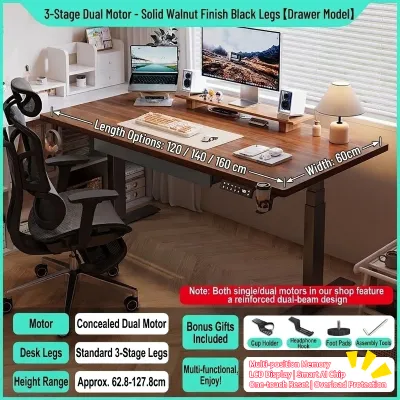
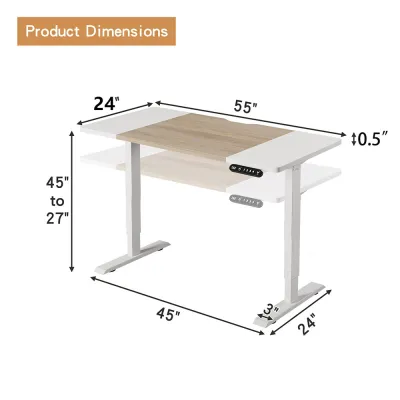
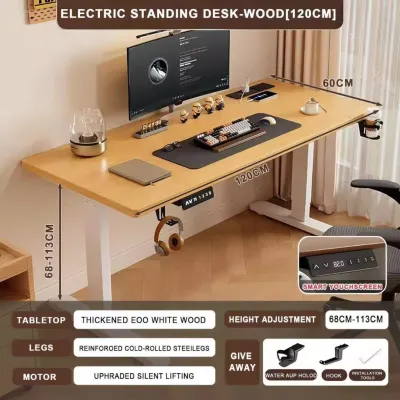
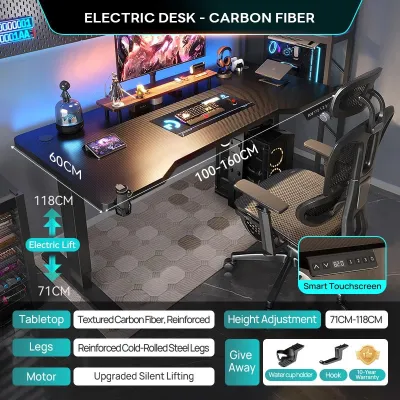
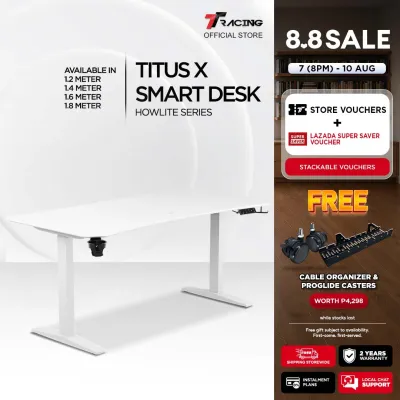
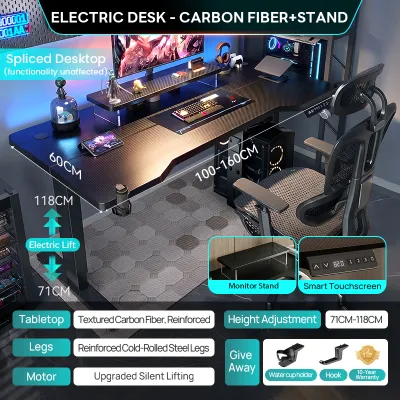
![[NEW] TTRacing Tacto Portable Standing Desk Ergonomic Height Adjustable Table](https://img.lazcdn.com/g/p/297a1a6f9728bbd2b5585122c894aea7.jpg_400x400q80.jpg_.webp)
Prices are valid at publication and may change. Please refer to the product page for the latest price.
Ultimately, the right choice for your home office depends on verifying your specific room dimensions, power outlet availability, and the total weight of your work equipment. By understanding the unique advantages and limitations of each desk type, you can make an informed investment that supports both your productivity and your living space.
Space Efficiency and Room Layout
Evaluating your available floor space is the first step in determining which desk type fits your home. In many homes, especially urban condominiums or multi-generational households, space is a premium commodity. A desk that dominates a room can make a shared living area feel cramped and cluttered, affecting both work focus and family life.
An electric standing desk occupies a permanent footprint. Even when lowered to its minimum height, the desk frame and tabletop remain fully extended. This requires a dedicated area of at least 120 to 160 centimeters in width, depending on the model you choose. If you have a spare room or a quiet corner that can be permanently set aside for work, this permanent footprint is rarely an issue.
An automatic foldable desk, often searched for online as a table automatic or motorized folding desk, offers a highly adaptable alternative. When fully deployed, it provides a functional workspace, but its true value lies in its stowed footprint. Once folded, many models compress to a fraction of their original depth, allowing you to roll them into a closet, slide them behind a door, or park them against a wall.
To ensure a proper fit, you must measure the clearance around your proposed workspace. For height-adjustable standing desks, check the vertical clearance to ensure the desktop will not hit low-hanging shelves, window sills, or wall-mounted air conditioning units when raised. For foldable desks, measure the folding arc to confirm the tabletop can transition from vertical to horizontal without striking nearby furniture or walls.
Additionally, consider the space required for your office chair and daily movement. You should allow at least 80 centimeters of clear space behind the desk to push your chair back comfortably. If your desk is placed in a high-traffic hallway or a shared bedroom, a foldable model allows you to reclaim this floor space in the evening, restoring the room’s original flow and purpose.
Ergonomics and Daily Workflow
Your daily workflow and physical comfort should heavily influence your desk selection. Long hours of sitting can lead to fatigue, poor posture, and back pain, which is why ergonomic adaptability is crucial. However, how you interact with your desk throughout the day depends on the specific mechanism and design of the furniture.

Electric standing desks excel in precise ergonomic customization. They feature continuous height adjustment, allowing you to raise or lower the surface by single millimeters. This precision ensures that whether you are sitting or standing, your elbows remain at a comfortable 90-degree angle and your eyes align perfectly with the top of your monitor. Many models include memory presets, enabling you to save your preferred heights for quick, seamless transitions.
Automatic foldable desks, while highly convenient, often compromise on ergonomic adjustability. Many folding models are designed with a fixed working height or offer only a few pre-set height levels. If you are exceptionally tall or short, a fixed-height folding desk may not provide the optimal alignment needed to prevent neck and shoulder strain during long working sessions.
Equipment setup is another critical factor in your daily routine. If you use a heavy desktop computer, dual monitors, or a complex array of peripherals, an electric standing desk is highly suitable. You can mount monitor arms, attach under-desk cable trays, and keep your entire setup permanently plugged in and ready to go.
Conversely, a foldable desk requires a minimalist approach. Because the desk must fold and store away, you cannot leave heavy, loose items on the surface. At the end of every workday, you must shut down your laptop, unplug your cables, and store your equipment elsewhere before activating the folding mechanism. This daily setup and teardown routine can introduce minor workflow interruptions and add extra steps to your morning and evening transitions.
Cable management also differs significantly between the two types. Standing desks allow you to route cables through integrated channels or flexible spines that move with the desk. Foldable desks require highly flexible, easily detachable cabling. If you frequently fold the desk, constant plugging and unplugging can cause wear and tear on your device ports and power cords over time.
Installation, Power, and Maintenance Requirements
Before purchasing, it is essential to understand the physical demands of installing and maintaining these motorized desks. Both types rely on electrical components to function, meaning they require more care and preparation than a traditional wooden table.
Assembly complexity is a major consideration for electric standing desks. These units are heavy, often weighing between 30 and 50 kilograms due to their steel frames and motorized lifting columns. Assembling them typically requires two people, a clear floor space, and careful attention to detail to ensure the lifting legs are perfectly parallel. Incorrect assembly can strain the motors and cause uneven lifting.
Automatic foldable desks often arrive partially or fully assembled, reducing the initial setup hassle. However, because they are designed to move and fold frequently, their joints, hinges, and locking pins must be engineered to high standards. While they are lighter and often feature lockable casters for easy mobility, this lightweight design can sometimes result in slight wobbling when typing heavily, especially on uneven floors.
Power requirements must also be verified. Both desk types require access to a reliable power outlet. In the Philippines, where tropical storms can cause sudden power surges or brownouts, protecting your desk’s control panel is vital. Always plug the desk’s power cord into a high-quality surge protector rather than directly into the wall. Some foldable models feature rechargeable battery packs, allowing you to fold and unfold the desk without being tethered to an outlet, though these batteries require regular charging.
Routine maintenance is necessary to ensure longevity. For electric standing desks, you should periodically wipe down the lifting columns to remove dust and debris that could clog the internal gears. For automatic foldable desks, regularly inspect the folding hinges and lubricate them according to the manufacturer’s instructions. Additionally, always verify the weight limits on both types to prevent motor strain and structural failure.
Budget and Value Verification
Investing in a motorized desk is a significant financial decision, and understanding what drives the cost can help you verify the value of your purchase. Prices vary widely based on materials, motor quality, and additional features.
The primary cost drivers for electric standing desks are the motor configuration and the desktop material. Dual-motor desks are more expensive than single-motor models because they offer higher weight capacities, faster adjustment speeds, and smoother, quieter transitions. Premium desktop finishes, such as moisture-resistant laminates or solid hardwoods designed to withstand high tropical humidity, also increase the overall price.
For automatic foldable desks, the cost is driven by the complexity of the folding engineering and the integration of space-saving features. High-quality motorized hinges, compact frames, and built-in storage compartments require precise manufacturing. While they may not offer the high weight capacity of a dual-motor standing desk, you are paying for the convenience of rapid space reclamation.
To ensure you get the best value, always verify the manufacturer’s warranty before buying. Look for brands that offer dedicated coverage for the motorized components and control panels, ideally for at least two to five years. Check if the seller has a local service center or offers replacement parts, as shipping a heavy desk frame back for repairs can be incredibly expensive and inconvenient.
Final Decision Framework
To finalize your decision, evaluate your daily work habits, room layout, and equipment needs against this practical framework.
Choose an Electric Standing Desk if:
- You have a dedicated home office room or a permanent corner that does not need to serve other household purposes.
- Your primary goal is ergonomic health, and you plan to alternate between sitting and standing multiple times a day.
- You use a heavy desktop computer, multiple monitors, or clamp-on accessories that must remain set up permanently.
- You have a stable, grounded power outlet nearby and do not plan to move your desk frequently.
Choose an Automatic Foldable Desk if:
- Your workspace is located in a shared living room, dining area, or bedroom that must be cleared of work clutter in the evening.
- You work primarily on a laptop, tablet, or lightweight setup that is easy to pack away in a drawer or closet.
- You value mobility and need a desk that can be rolled away easily when hosting guests or cleaning the room.
- You are comfortable with a fixed or limited height adjustment in exchange for maximum floor space recovery.
Verify First if:
- Your floor surface is level and strong enough to support the concentrated weight of a heavy motorized desk without sinking or scratching.
- The desk frame has a rust-resistant coating and the desktop is sealed against moisture to handle local humidity levels.
- The manufacturer's specified weight limit comfortably exceeds the combined weight of your monitors, computer, and desk accessories.
Frequently Asked Questions (FAQ)
Can I convert a regular desk into an automatic standing or folding desk?
Converting a standard desk using aftermarket motorized legs or folding hinges is possible, but it requires careful structural verification. The existing desktop must be thick and sturdy enough to hold heavy wood screws securely without splitting or warping under the weight of the motor.
Adding electric lift columns to a desktop that was not designed for them can compromise overall stability, leading to dangerous wobbling or tipping. Furthermore, DIY modifications almost always void the manufacturer’s warranty on both the original desk surface and the aftermarket motor kit. Always check the manufacturer’s structural guidelines and weight ratings before attempting any motorized conversions.
Do automatic foldable desks support heavy dual-monitor setups?
Most automatic foldable desks are designed for lightweight, mobile setups and may not safely support heavy dual-monitor configurations. You must check the manufacturer’s dynamic and static weight limits printed on the product label before mounting any heavy equipment.
Mounting heavy monitors on folding leaves or edges increases the risk of tipping, especially when the desk is transitioning or being folded. If you plan to use monitor arms, verify that the desk’s clamping area is reinforced and explicitly rated for torsional stress to prevent the desktop from cracking or bending.

Community discussion
Share your experience or ask a question. Comments are reviewed before publication.