
Finding a reliable chair for study in the Philippines within the ₱3,000 to ₱15,000 range requires separating marketing hype from physical reality. At the lower end of this budget, you can expect basic seating with minimal adjustments, while the higher end introduces dynamic support systems that adapt to your movements. Understanding what features are realistic at each price point helps you set proper expectations and avoid costly purchasing mistakes.
The term ergonomic is frequently used as a generic marketing label rather than a certified standard. True ergonomics is not about a specific look; it is about how well a chair can be adjusted to support your unique body dimensions. When shopping, look past flashy designs and focus on verifiable physical mechanisms that allow you to customize your seating posture.
Every reliable study chair must meet basic structural requirements regardless of its price. A stable five-star base, smooth-rolling casters, and a certified gas lift cylinder are non-negotiable for safety and durability. Always check the product label or manufacturer specifications to verify the maximum weight capacity before making a decision.
Products mentioned in this guide
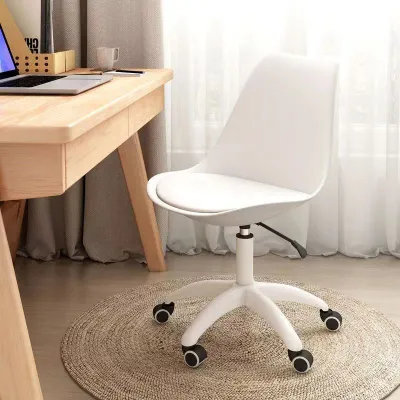
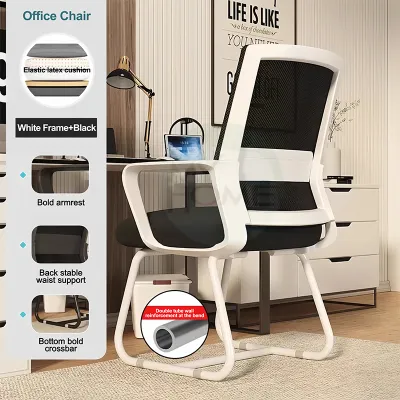
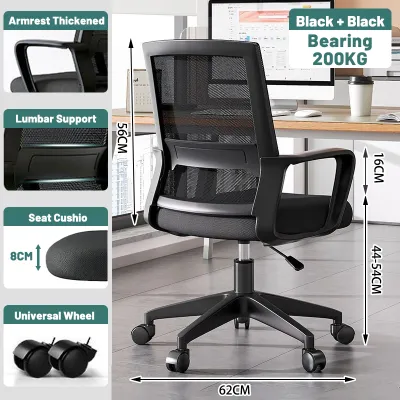
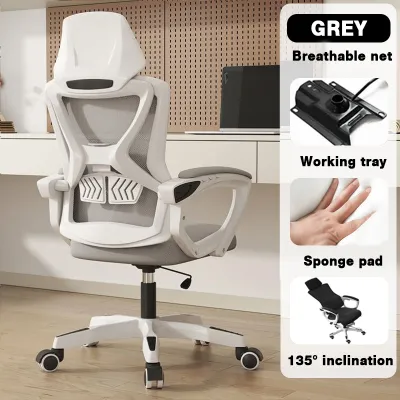
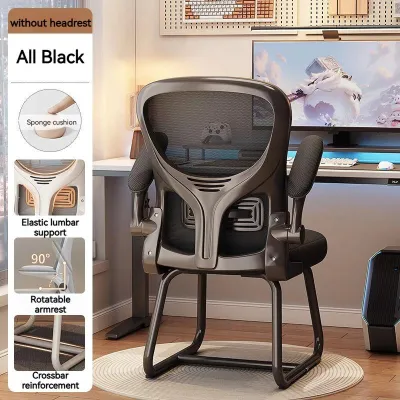
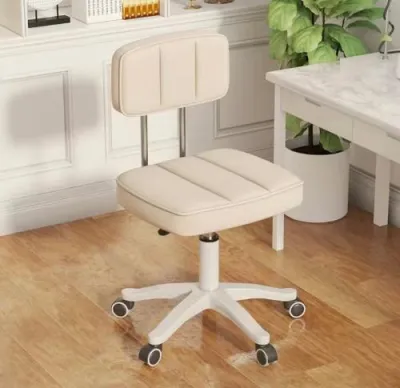
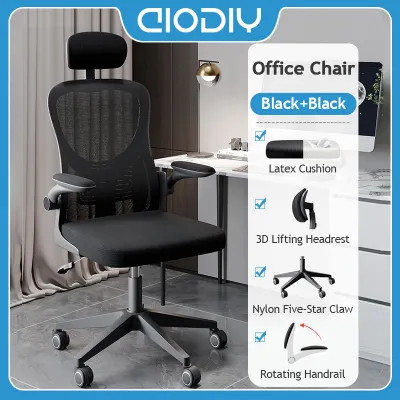
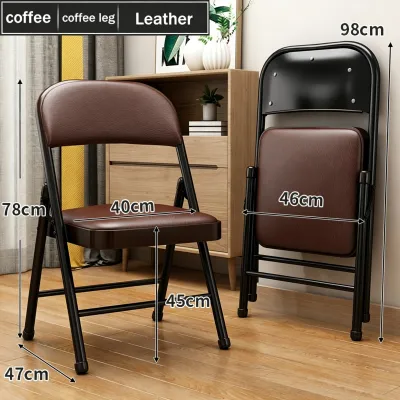
Prices are valid at publication and may change. Please refer to the product page for the latest price.
At lower price points, manufacturers often face a direct trade-off between aesthetic design and functional adjustability. A chair that looks like a high-end gaming seat or a minimalist designer piece may sacrifice structural integrity or cushion quality to keep costs down. Prioritizing mechanical adjustability over visual appeal ensures better long-term comfort during long study sessions.
The ₱3,000 to ₱5,000 Tier: Basic Comfort and Essential Adjustments
In the entry-level price range of ₱3,000 to ₱5,000, ergonomic features are highly simplified. You can expect a standard pneumatic gas lift for basic height adjustment, allowing you to align your feet flat on the floor. The tilt mechanism is usually a basic upright lock, meaning you can either lock the chair in a fully upright position or enable a free-rocking mode with a manual tension knob underneath the seat.
Armrests in this tier are typically fixed to either the backrest or the seat frame. While some models might offer basic height-adjustable armrests, they are usually made of hard plastic without cushioning. If your desk height does not align perfectly with these fixed armrests, you may find yourself shrugging your shoulders or straining your neck during long study sessions.
Lumbar support at this price point is rarely adjustable. Instead, the support is integrated directly into the curve of the backrest frame or consists of a fixed plastic band behind the mesh. Because you cannot adjust the height or depth of this support, it is critical to verify that the built-in curve aligns comfortably with your lower back before committing to a purchase.
The materials used in this tier are functional but basic. Backrests are typically upholstered in standard polyester mesh, which provides essential breathability in hot and humid tropical climates. The seat cushions are usually made of standard cut foam covered in fabric, which may begin to compress and lose its shape after several months of continuous daily use.
When shopping in this budget range, pay close attention to the build quality of the base and casters. Most models feature a standard nylon base, which is lightweight but must be handled with care. Always check the manufacturer’s printed weight capacity on the product label to ensure the chair can safely support your body weight over time.
The ₱6,000 to ₱10,000 Tier: Enhanced Support and Material Upgrades
Stepping up to the ₱6,000 to ₱10,000 mid-range tier introduces a noticeable upgrade in both material quality and mechanical adjustability. Armrests transition from fixed designs to 2D or 3D adjustable configurations. This means you can adjust the armrest height and slide them forward or backward, and sometimes pivot them inward to support your forearms while typing or writing.

A significant ergonomic addition in this tier is the introduction of adjustable lumbar support. Instead of a fixed frame curve, these chairs feature dedicated lumbar pads that can be adjusted vertically to target your specific lumbar vertebrae. Some models also allow you to adjust the depth of the pad, letting you control how firmly the support presses against your lower back.
Seat depth adjustment, which allows you to slide the seat pan forward or backward, occasionally appears at the upper end of this price range. This feature is highly beneficial for maintaining proper circulation in your legs. It ensures that taller users get adequate thigh support while shorter users can sit fully back against the lumbar support without the seat cutting into the back of their knees.
Material durability receives a substantial boost in this mid-range category. The mesh used on the backrest features a tighter, more resilient weave that maintains its tension over years of use. Seat cushions often utilize high-density foam that resists sagging, providing consistent support during extended study sessions.
The structural base of the chair is also upgraded in this tier. You will find reinforced nylon or heavy-duty aluminum alloy bases that offer superior stability and a higher weight capacity. The casters are typically coated with polyurethane, allowing them to roll smoothly and quietly across hard tile or wood laminate floors without leaving scratches.
The ₱11,000 to ₱15,000 Tier: Advanced Ergonomics and Long-Term Durability
At the top of our budget range, from ₱11,000 to ₱15,000, you gain access to advanced ergonomic mechanisms designed for maximum adjustability and long-term durability. The most notable upgrade is the synchronized tilt mechanism. Unlike basic tilt systems, a synchronized tilt allows the backrest to recline at a faster rate than the seat pan, maintaining a supportive angle for your pelvis and keeping your feet flat on the floor.
Armrests in this premium tier are typically 4D adjustable, allowing you to customize the height, depth, angle, and width. This level of customization ensures that your elbows are always supported at a comfortable 90-degree angle, reducing strain on your shoulders and neck regardless of your desk setup.
Lumbar support becomes dynamic in this price range, often featuring split-back or dual-back designs. These systems use a flexible lower back section that automatically pivots and adapts to your micro-movements as you shift positions. This continuous, active support is highly effective at reducing lower back fatigue during long hours of intense study.
The materials used in this tier are engineered for comfort and longevity. You will find premium, highly breathable mesh that feels soft against the skin while providing firm, elastic support. Seat cushions are made of high-density molded foam, which retains its shape and supportive properties far longer than standard cut foam.
Structural components are robust, featuring reinforced steel frames and heavy-duty aluminum bases. Manufacturers in this price range often provide comprehensive warranties covering the mechanical parts, such as the gas lift cylinder and tilt mechanism, for several years. This warranty coverage offers peace of mind and ensures your investment is protected against premature wear.
How to Prioritize Features Based on Your Study Habits
To get the most value out of your budget, you must prioritize ergonomic features based on your daily study habits and physical needs. If you spend more than four hours a day sitting at your desk, prioritize seat depth adjustment and adjustable lumbar support. These two features have the greatest impact on preventing lower back strain and maintaining healthy blood circulation in your legs.
Aesthetic extras, such as colorful frames, gaming-style racing stripes, or integrated footrests, should be secondary to mechanical adjustability. While these features may look appealing online, they often add to the cost without providing any real ergonomic benefit. Focus your budget on the quality of the mesh, the density of the seat foam, and the stability of the base.
Your study environment also dictates which features are non-negotiable. If you work on a hard tile or wood laminate floor, soft polyurethane casters are essential to prevent floor damage and reduce rolling noise. If your study desk has a low drawer or a decorative apron, measure the clearance carefully to ensure the chair’s armrests can lower sufficiently to slide underneath when not in use.
If you must compromise due to budget constraints, identify areas where fixed components are acceptable. For example, if a chair’s built-in lumbar curve fits your back perfectly, you can safely opt for a model without adjustable lumbar support. Similarly, if you do not recline often, a basic tilt lock mechanism is a reasonable compromise that allows you to invest more in a high-quality seat cushion.
Pre-Purchase Checks and Hidden Costs to Avoid
Before finalizing your purchase, perform a few essential checks to ensure the chair fits your physical space and your budget. Start by measuring your study desk height and comparing it to the chair’s armrest and seat height specifications. Additionally, check the width of your doorways, hallways, and elevator doors to ensure the delivery box or fully assembled chair can easily pass through.
Many budget ergonomic chairs are shipped flat-packed and require self-assembly. Verify whether the package includes all necessary assembly tools, clear instructions, and hardware. If you are not comfortable with DIY assembly, check if the seller offers an assembly service, though this may come with an additional fee.
Review the manufacturer’s warranty terms carefully before buying. A reliable warranty should clearly distinguish between structural components, mechanical parts like the gas lift, and wear-and-tear items like the mesh or fabric upholstery. Understanding these terms beforehand prevents unexpected repair costs if a component fails prematurely.
Finally, watch out for hidden costs at checkout. Bulky furniture items often incur high shipping fees, especially if you live outside major metropolitan areas. Confirm the seller’s return policy, paying close attention to who covers the return shipping costs if the chair proves uncomfortable during your initial home testing period.
Frequently Asked Questions (FAQ)
Is a headrest necessary for a study chair?
A headrest is not strictly necessary for active study tasks, as most people naturally lean slightly forward while writing, reading, or typing. Headrests are primarily designed to support your neck and head when you recline to rest, watch videos, or take a break. If you choose a chair with a headrest, ensure it is highly adjustable so you can align it with your cervical spine; a poorly positioned headrest can push your head forward and cause neck strain.
Can I upgrade the casters on a budget study chair?
Yes, you can upgrade the casters on most budget study chairs, as they typically use a standard grip stem design. However, you must verify the exact stem diameter and length on the manufacturer’s specifications before purchasing aftermarket wheels. Additionally, ensure the chair’s base material is sturdy enough to handle the stress of different caster types, as cheap plastic bases can crack under uneven pressure.

Community discussion
Share your experience or ask a question. Comments are reviewed before publication.