
Finding a computer chair ergonomic enough to support an eight-hour workday is a critical decision for anyone spending long hours at a desk. In the ₱5,000 to ₱15,000 price range, buyers transition from basic utility seating to highly adjustable, specialized furniture designed to mitigate physical fatigue. At this mid-to-high-tier budget, the priority shifts from simple aesthetics to advanced mechanical features like synchro-tilt mechanisms, multi-directional armrests, and dedicated lumbar support systems that adapt to your body’s unique proportions.
Quick Guide: Adjustability Needs for 8-Hour Workdays
Sitting statically for eight hours a day places continuous mechanical stress on the human body. Without proper support, the spine loses its natural curve, leading to muscle fatigue, restricted blood circulation, and localized discomfort in the lower back, neck, and shoulders. A standard office chair with a fixed backrest forces the user into a rigid posture, which inevitably leads to slouching as muscles tire over the course of the day.
In the ₱5,000 to ₱15,000 price range, ergonomic chairs introduce dynamic movement. Instead of keeping your body locked in a single position, these chairs feature mechanisms that allow you to recline, tilt, and shift your weight while maintaining continuous support. This movement is essential for keeping the spinal discs hydrated and promoting healthy blood flow during long working sessions.
Products mentioned in this guide
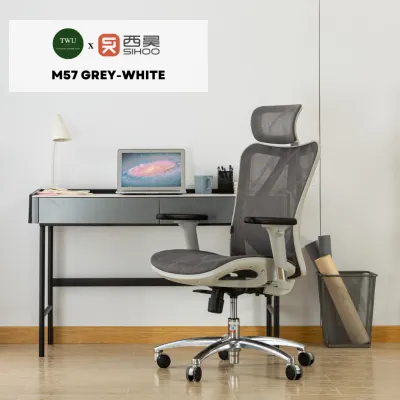
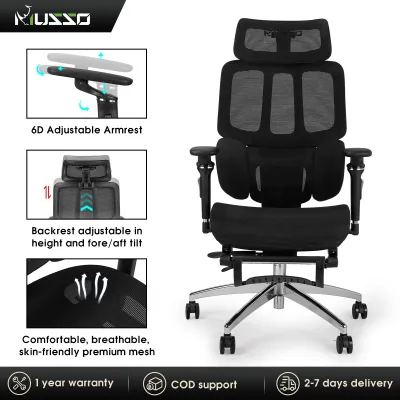
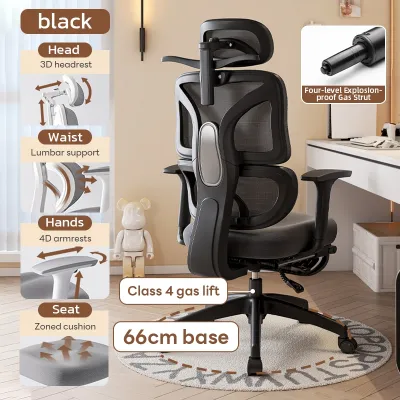
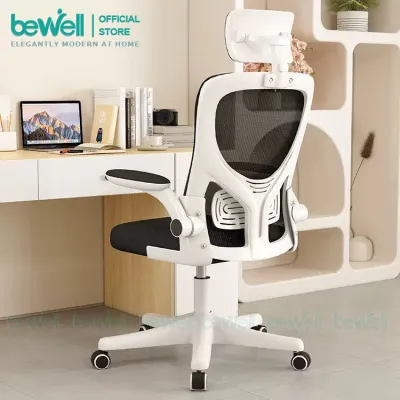
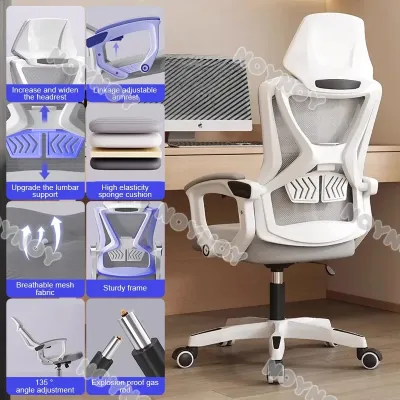
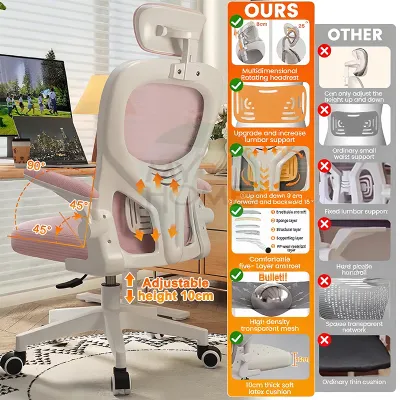
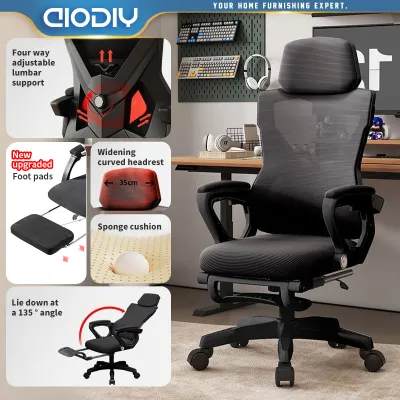
Prices are valid at publication and may change. Please refer to the product page for the latest price.
When shopping in this budget tier, you can realistically expect advanced features such as adjustable seat depth, multi-angle tilt locks, and highly customizable armrests. However, because physical comfort is highly subjective, online specifications can only tell part of the story. It is highly recommended to verify the seller’s return policies, trial periods, and restocking fees before purchasing, allowing you to test the chair’s fit in your actual workspace.
Essential Adjustability Features to Look For
To ensure a chair can truly support an eight-hour workday, you must look beyond basic height adjustments and evaluate the specific mechanical components that facilitate healthy posture.

Multi-Tilt and Synchro-Tilt Mechanisms
The tilt mechanism is the mechanical heart of any ergonomic chair. In budget models, the backrest and seat tilt together at a fixed angle, which can lift your feet off the floor and put pressure on the back of your thighs. In contrast, a high-quality computer chair ergonomic design in the mid-tier range should feature a synchro-tilt mechanism.
- Synchro-Tilt Ratio: This mechanism allows the backrest to recline at a larger angle than the seat pan (typically a 2:1 ratio). As you lean back, your feet remain flat on the floor, and your knees stay at a comfortable angle, reducing pressure on your lower body.
- Tilt-Lock Positions: Look for chairs that offer at least three to four lockable tilt angles. This allows you to lock the chair in an upright position for focused typing, a slight recline for reading, or a deeper recline for rest breaks.
- Tension Control: A tension adjustment knob beneath the seat is essential. It allows you to adjust the resistance of the recline to match your body weight, ensuring the chair neither resists your movement too stiffly nor drops backward too quickly.
3D or 4D Armrests
Fixed armrests often force your shoulders to shrug or your elbows to flare outward, leading to chronic tension in the neck and upper back. Adjustable armrests are crucial for maintaining a relaxed, neutral shoulder position.
- Height Adjustment (1D): Allows you to align the armrests with your desk surface, keeping your elbows at a 90-degree angle.
- Depth Adjustment (2D): Slides the armrest pads forward or backward, ensuring they support your forearms without hitting the edge of your desk.
- Pivot Adjustment (3D): Angles the armrest pads inward or outward. Pivoting the armrests inward is highly beneficial when typing on a keyboard, while pivoting them outward supports wider postures when reading or using a tablet.
- Width Adjustment (4D): Moves the armrests closer to or further from your torso, accommodating different shoulder widths.
Seat Depth Sliders and Adjustable Lumbar Supports
A chair cannot be truly ergonomic if the seat pan does not match the length of your thighs. A seat depth slider allows you to slide the seat pan forward or backward independently of the backrest. This adjustment ensures that taller users receive adequate thigh support, while shorter users can sit fully back against the lumbar support without the front edge of the seat pressing into the back of their knees.
Simultaneously, the lumbar support must target the natural inward curve of your lower spine (the lumbar lordosis). Look for lumbar supports that offer independent height adjustment so you can position the support pad precisely against your lower back. Some chairs in this price range also offer depth-adjustable lumbar support, allowing you to control how firmly the pad presses against your spine.
Evaluating Build Quality and Support in the ₱5,000–₱15,000 Range
While adjustability is vital, the materials and construction of the chair determine whether those adjustments will continue to function reliably over years of daily use.
Frame and Base Materials
The base of the chair bears your entire weight and must be structurally sound. In the ₱5,000 to ₱15,000 range, bases are typically constructed from heavy-duty nylon (often reinforced with fiberglass) or polished aluminum alloy. Aluminum bases offer superior durability and a premium aesthetic, but high-quality reinforced nylon bases are equally capable of supporting daily use.
Caster selection is also critical for mobility and floor protection. If your home office has hard tile, polished concrete, or wooden floors—common in many homes in the Philippines—look for soft polyurethane (PU) coated casters. These roll quietly and prevent scratching. Hard nylon casters are better suited for carpeted areas or heavy rugs.
Upholstery Choices
The choice between mesh and foam upholstery significantly impacts comfort, especially in tropical climates.
- Elastomeric Mesh: Full-mesh chairs (both seat and backrest) offer exceptional breathability, allowing air to circulate freely. This is highly advantageous in warm, humid environments, as it prevents heat and moisture buildup. However, low-quality mesh can stretch and sag over time. When evaluating a mesh chair, check that the mesh feels taut and resilient, and look for double-woven or elastomeric fibers that retain their shape.
- High-Density Molded Foam: Foam seats provide a plush, cushioned feel that distributes weight evenly. However, you must avoid cheap cut foam, which flattens quickly. Look for high-density molded foam (ideally 50kg/m³ or higher), which retains its supportive shape for years. To combat heat, some foam seats are upholstered in breathable 3D spacer fabrics.
Certification and Capacity
Reliable manufacturers verify their structural claims through independent testing. Look for product listings that mention BIFMA (Business and Institutional Furniture Manufacturers Association) or SGS certifications. A BIFMA X5.1 certification indicates that the chair has passed rigorous safety, durability, and structural integrity tests. Additionally, verify the maximum weight capacity; most high-quality chairs in this price tier are rated to support between 120kg and 150kg.
Warranty Terms
A warranty is a strong indicator of a manufacturer’s confidence in their product. Be sure to read the warranty details carefully, as coverage often varies by component. A manufacturer might offer a five-year warranty on the structural steel frame, but only a one-to-two-year warranty on the gas lift cylinder, tilt mechanism, and upholstery. Ensure you understand how to claim replacement parts and whether the seller provides local customer support.
Feature Comparison Matrix for Extended Use
When comparing different models on local online marketplaces or in retail stores, mapping their specifications against a standardized framework will help you identify the best value for your budget. Use the template below to evaluate your shortlisted options:
| Ergonomic Dimension | Standard Specification | Mid-Tier Expectation (₱5,000–₱15,000) | Your Candidate Chair |
|---|---|---|---|
| Tilt Mechanism | Basic upright lock | Synchro-tilt with 3+ lock positions & tension control | |
| Armrest Adjustability | Fixed or 1D (Height only) | 3D (Height, Depth, Pivot) or 4D adjustment | |
| Lumbar Support | Fixed plastic bar | Height-adjustable or dynamic pressure-sensitive pad | |
| Seat Depth | Fixed seat pan | Adjustable seat slider (5cm to 6cm range) | |
| Upholstery Material | Standard fabric / PU leather | Breathable elastomeric mesh or high-density molded foam | |
| Base & Casters | Thin plastic base | Reinforced nylon or aluminum base with PU-coated casters | |
| Warranty Period | 6 months or none | 1 to 3 years covering mechanical parts and gas lift |
If an online listing omits any of these specifications, do not hesitate to contact the seller directly. Ask specifically about the gas lift class (Class 4 is the industry standard for durability) and the exact adjustability ranges of the seat and armrests before making your decision.
Pre-Purchase Checklist and Fit Verification
Before finalizing your purchase, perform these practical checks to ensure the chair will integrate seamlessly into your physical body dimensions and your home office setup.
- Verify Your Physical Dimensions: Compare your height and weight against the chair's recommended user profile. If you are exceptionally tall or short, standard gas lift ranges may not allow your feet to rest flat on the floor. Check the minimum and maximum seat height specifications.
- Measure Desk Clearance: Measure the height of your desk from the floor to the underside of the tabletop. Compare this with the maximum height of the chair's armrests. To maintain a healthy posture, your armrests should slide easily under your desk so you can sit close to your keyboard without reaching forward.
- Check Base Diameter: Most ergonomic chairs have a base diameter of 65cm to 70cm. Ensure your workspace has enough floor clearance to accommodate this footprint, especially if you work in a compact room or have desk legs that restrict movement.
- Confirm Assembly Requirements: Most chairs in this price range are delivered flat-packed to save on shipping costs. Check if the package includes all necessary tools (such as Allen keys) and clear instructions. If you prefer not to assemble the chair yourself, check if the seller offers a pre-assembled delivery option for a small fee.
- Review Return and Refund Policies: Because you cannot truly evaluate a chair's comfort until you sit in it for several hours, clarify the seller's return policy. Ensure you can return or exchange the chair if it does not fit your body, and note who covers the return shipping costs for heavy furniture.
Frequently Asked Questions (FAQ)
Is a headrest necessary for an 8-hour workday?
A headrest is not strictly necessary for active working postures, such as typing or writing, because your head should naturally align over your spine without leaning back. However, a headrest becomes highly beneficial during passive tasks, such as reading documents, attending virtual meetings, or taking short rest breaks, as it relieves pressure on the neck muscles when reclining.
If you choose a chair with a headrest, ensure it is fully adjustable. A fixed headrest can push your head forward into an unnatural position, causing neck strain. Look for a headrest that offers both height and angle adjustments so you can position it to support the natural curve of your neck when you recline.
How do I maintain the tilt mechanism and moving parts?
Regular maintenance is essential to keep the mechanical parts of your chair operating smoothly and to extend its overall lifespan. For mesh upholstery, vacuum the seat and backrest weekly using a soft brush attachment to remove dust and skin cells. If you have a molded foam seat, clean spills immediately with a damp microfiber cloth and mild soap, avoiding harsh chemical cleaners that can degrade the foam structure.
For the mechanical components, perform a visual inspection every six months. Check for loose screws under the seat pan and tighten them using the assembly tools. Clean the caster wheels regularly by removing tangled hair and dust, which can restrict rolling and scratch your floors. If the tilt mechanism or gas lift begins to squeak, apply a small amount of silicone-based lubricant to the moving joints, avoiding WD-40 as it can strip away the factory grease.

Community discussion
Share your experience or ask a question. Comments are reviewed before publication.