
When shopping for an ergonomic office chair in the Philippines, the headrest is often one of the most debated features. Within the ₱3,000 to ₱15,000 price range, the functionality, materials, and adjustability of a headrest for office chair models vary significantly. Understanding what features are realistic at each price point helps you avoid overpaying for marketing hype or settling for a headrest that causes more neck strain than support.
At the entry-level budget of ₱3,000 to ₱5,000, headrests are typically basic, offering either a fixed position or simple height adjustments. Moving into the mid-range of ₱5,000 to ₱10,000, you will find more dynamic adjustments, including angle tilt and improved mesh materials that handle tropical humidity well. At the premium end of this spectrum, from ₱10,000 to ₱15,000, headrests transition into highly adjustable, multi-dimensional components featuring robust metal connectors and specialized ergonomic contours designed to cradle the cervical spine during both active work and deep recline.
Evaluating Headrest Adjustability Within Your Budget
To find the right headrest for office chair setups, you must first understand the tiers of adjustability. The most basic tier is the fixed headrest, which is molded directly into the backrest frame. While structurally stable, fixed headrests offer no customization, meaning they only fit a narrow range of body heights. If your height does not align closely with the manufacturer’s design, a fixed headrest can push your head forward or press uncomfortably into your shoulders.
Products mentioned in this guide
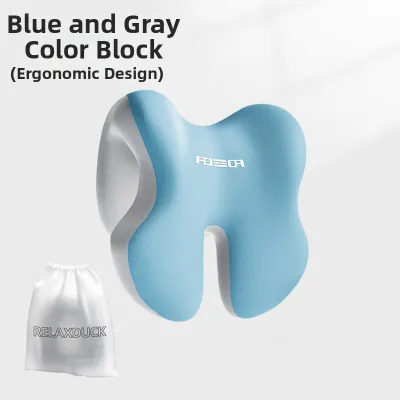
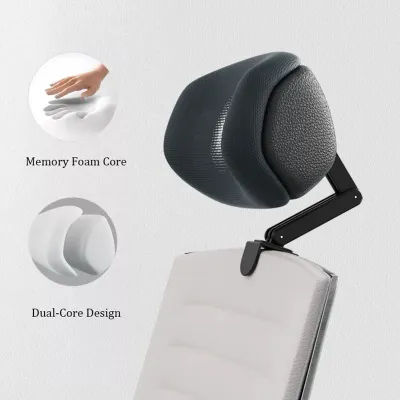
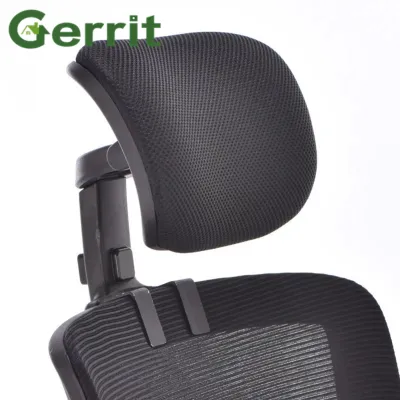
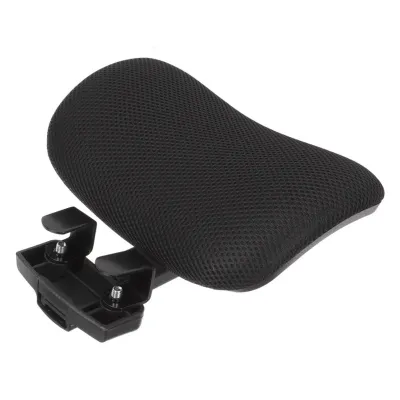
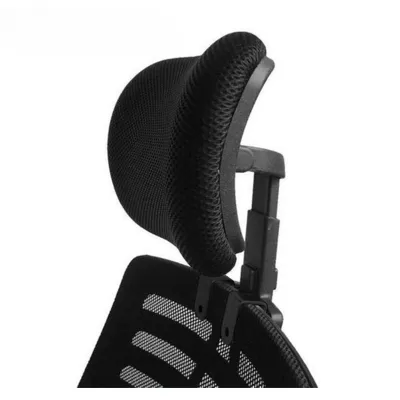
Prices are valid at publication and may change. Please refer to the product page for the latest price.
The next tier is one-dimensional (1D) adjustability, which allows you to slide the headrest up and down to match your torso length. This is common in the lower-middle price bracket. Two-dimensional (2D) headrests add angle adjustment, allowing the support pad to tilt forward or backward. This tilt is crucial for maintaining eye contact with your monitor while slightly reclining. Multi-dimensional (3D or 4D) headrests, typically found closer to the ₱15,000 mark, allow you to adjust height, tilt, and depth—moving the headrest closer to or further from the back of your neck.
When evaluating these options, do not rely solely on marketing terms like “fully adjustable.” Instead, carefully read the manufacturer’s specification sheets. Look for the exact travel distance, usually measured in millimeters or centimeters, for both height and depth. A quality specification sheet will detail the range of motion, such as “50 mm of height adjustment and 45 degrees of tilt.” If these measurements are missing, the adjustment range may be too limited to accommodate taller or shorter users.
Your primary working posture should dictate the level of adjustability you choose. If you spend most of your day in an upright typing posture, your head naturally balances over your spine, meaning you will rarely touch the headrest. In this case, a basic 1D or 2D headrest is sufficient for occasional rest breaks. However, if your work involves frequent reclined reading, video conferencing, or monitoring tasks, a 3D or 4D headrest is highly beneficial. It allows you to bring the support forward to cradle your neck while your torso is angled backward, preventing neck strain.
Assessing Material and Build Quality
The materials used in a headrest directly impact your daily comfort, especially in a warm and humid tropical climate. Mesh is the most popular choice for office chairs in the Philippines because it allows maximum airflow, preventing heat and sweat buildup at the back of the neck. However, not all mesh is created equal. Lower-end mesh can stretch and sag over time, losing its supportive tension, while high-quality elastomeric mesh retains its shape and springiness even after years of use.

Molded foam covered in fabric or polyurethane (PU) leather is another common option. Foam provides a plush, cushioned feel that some users prefer over the firm suspension of mesh. However, foam and PU leather trap heat, which can become uncomfortable during long working hours without air conditioning. If you opt for foam, check if the fabric cover is removable and washable, as sweat and hair oils will inevitably accumulate on the surface. PU leather is easier to wipe clean but is highly susceptible to cracking and peeling when exposed to humidity and sweat over time.
Beyond the surface material, you must inspect the structural connection mechanisms that attach the headrest to the backrest. Budget-friendly chairs often use all-plastic brackets and friction-fit sliders. Over time, these plastic joints can wear down, leading to a loose, wobbling headrest that slips out of position whenever you lean back. Look for connection points reinforced with metal brackets, steel screws, or aluminum tracks. These materials provide a secure anchor, ensuring the headrest remains locked at your preferred height and angle.
Remember that material names alone do not guarantee long-term durability. A manufacturer labeling a component as “industrial-grade nylon” or “premium mesh” is not a substitute for structural integrity. To verify durability, check the manufacturer’s care instructions and the specific terms of the structural warranty. A warranty that covers the headrest mechanism for several years is a much stronger indicator of build quality than promotional adjectives.
Verifying Headrest Compatibility and Physical Fit
A common mistake when buying an ergonomic chair online is assuming a headrest will fit your body naturally. To avoid discomfort, you should measure your seated cervical height before making a purchase. Sit up straight in your current chair, or against a wall, and have someone measure the distance from the seat pan to the curve of your neck. Compare this measurement to the maximum and minimum height limits of the chair’s backrest and headrest assembly to ensure your neck falls within the adjustable range.
When testing a chair, pay close attention to negative fit signals. A poorly positioned headrest will push your head forward, forcing your chin down toward your chest. This unnatural posture strains the cervical spine and can lead to chronic neck pain. The headrest should cradle the natural curve of your neck, just below the base of the skull, without applying forward pressure. Additionally, ensure the lower edge of the headrest does not press against your shoulder blades, which restricts shoulder movement and causes discomfort.
Because physical fit is highly subjective, it is essential to review the retailer’s return policy and trial period conditions. This is particularly important in the ₱3,000 to ₱15,000 price range, where minor design variations can make a chair uncomfortable for your specific body shape. Ensure the retailer allows returns or exchanges if the headrest does not fit your neck alignment during actual daily use. Check if there are restocking fees or if you are responsible for return shipping costs, as shipping a fully assembled or heavy chair can be expensive.
Setting Budget Priorities and Navigating Trade-offs
When allocating a budget of ₱3,000 to ₱15,000, it is crucial to establish a clear priority framework. The primary job of an ergonomic chair is to support your pelvis and lumbar spine. You should never sacrifice the quality of the seat cushion, lumbar support, or overall frame stability just to get a chair with a highly adjustable headrest. If a ₱5,000 chair offers excellent lumbar support but a basic headrest, it is a far better investment than a ₱5,000 chair with a complex headrest but a hard, unsupportive seat pan.
If your budget is tight, consider buying a high-quality chair without a headrest, provided the frame allows for aftermarket upgrades. Many standard ergonomic chairs feature modular designs where a headrest can be bolted on later. However, before planning this upgrade, verify that the backrest frame has pre-drilled mounting holes or a compatible, flat structural rim that can support a clamp-on aftermarket headrest. Attempting to clamp a headrest onto a thin, curved plastic frame can crack the backrest or cause the headrest to slip constantly.
Finally, beware of common quality traps in the mid-range market. Some manufacturers attempt to attract buyers by offering complex, multi-jointed headrests at a very low price point. These complex designs require high-quality manufacturing to remain stable. At lower price points, these multi-jointed systems often use cheap plastic gears and weak locking pins that fail quickly under pressure. A simpler, well-built 1D or 2D headrest with a solid locking screw is almost always more reliable than a fragile, loose 3D headrest that constantly slips out of alignment.
Frequently Asked Questions (FAQ)
Can I add a headrest to an office chair that didn't come with one?
Yes, you can often add an aftermarket headrest, but only if the chair’s frame is structurally compatible. Before purchasing an aftermarket attachment, inspect the top of your chair’s backrest for pre-drilled mounting holes or a flat, solid section of the frame where a universal clamp can securely grip. Avoid drilling new holes into a plastic or nylon frame yourself, as this compromises the structural integrity of the backrest and will void any existing manufacturer warranties. If you are unsure, consult the original manufacturer’s guidelines or customer support to see if they offer an official add-on headrest designed specifically for your chair model.
Is a headrest necessary for short periods of desk work?
For short periods of active desk work, a headrest is generally not necessary. When you are actively typing, writing, or leaning forward to look at documents, your neck muscles naturally support your head, and your back rarely makes contact with the upper portion of the chair. If your daily routine consists of short, high-intensity tasks, you will get better value by focusing your budget on a chair with superior lumbar support and a comfortable seat cushion. A headrest becomes essential only if you spend extended hours in a reclined position, such as during long virtual meetings, reading sessions, or when taking short rest breaks throughout the workday.

Community discussion
Share your experience or ask a question. Comments are reviewed before publication.