
Selecting the right ergonomic study chair within a ₱3,000 to ₱15,000 budget requires a careful balance between physical comfort, material durability, and financial practicality. For students spending long hours reading, writing, or attending online classes, a chair is a critical tool for maintaining focus and preventing long-term physical strain. In the tropical climate of the Philippines, where high humidity and warm temperatures are daily realities, making an informed choice involves looking beyond aesthetic appeal to evaluate how a chair performs under continuous use.
To make the most of this budget, you must distinguish between essential ergonomic adjustments that protect your posture and luxury add-ons that inflate the price without adding functional value. By understanding what features are realistic at each price point, verifying technical specifications before purchasing, and accounting for hidden logistical costs, you can secure a supportive study chair that lasts throughout your academic journey.
Prioritizing Ergonomic Features for Long Study Sessions
An effective ergonomic study chair must support the natural S-curve of your spine to minimize muscle fatigue and spinal pressure during extended study sessions. The most critical, non-negotiable feature is adjustable seat height, which allows your feet to rest flat on the floor while keeping your thighs parallel to the ground and your knees at a 90-degree angle. Proper height adjustment prevents pressure on the back of your thighs, ensuring healthy blood circulation during long hours of desk work.
Products mentioned in this guide
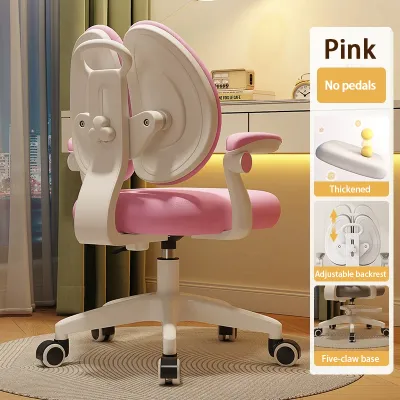
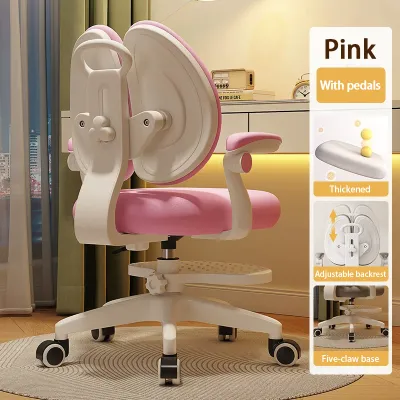
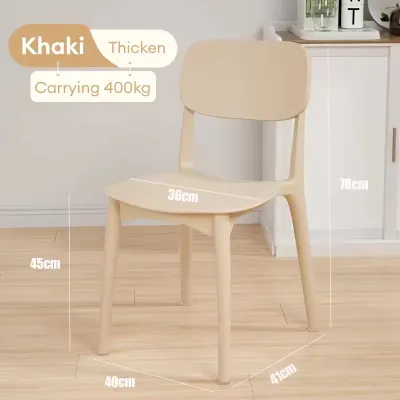
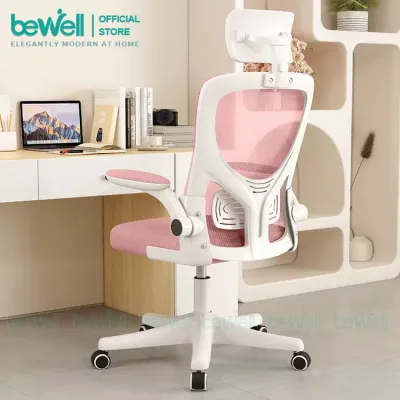
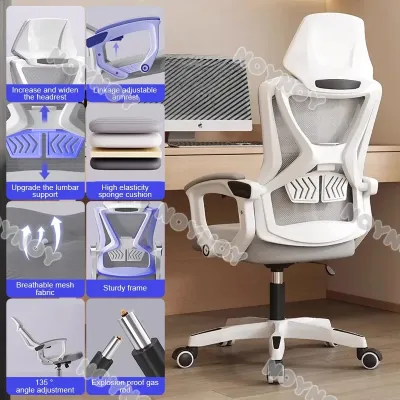
Prices are valid at publication and may change. Please refer to the product page for the latest price.
Lumbar support is equally vital, as it fills the gap between the lower back and the backrest to prevent slouching. Look for chairs that offer either height-adjustable lumbar support or a dynamic tension system that adapts to your movements. Adjustable seat depth is another highly beneficial feature, allowing you to slide the seat pan forward or backward so that the back of your knees does not press against the edge of the seat, which can restrict blood flow.
While premium upgrades like 4D armrests, multi-angle headrests, and advanced synchro-tilt mechanisms offer enhanced comfort, they are often optional luxuries rather than absolute necessities. If you are working with a tighter budget, prioritizing a sturdy backrest and reliable lumbar support over highly adjustable armrests is a smarter compromise. Fixed or simple height-adjustable armrests are usually sufficient for maintaining a relaxed shoulder posture during typing or writing.
In a tropical environment, the choice of materials significantly impacts both comfort and durability. Mesh backrests are highly recommended for students because they allow air to circulate freely, keeping you cool and preventing sweat buildup during warm afternoons. However, for the seat cushion, high-density molded foam covered in breathable fabric often provides better long-term support and durability than full-mesh seats, which can stretch out and lose tension over time if constructed from lower-grade materials.
Mapping Features to Your ₱3,000–₱15,000 Budget
Navigating the ₱3,000 to ₱15,000 price range requires realistic expectations of what build quality and adjustability each tier can deliver. At the lower end of the budget, closer to ₱3,000, chairs typically feature basic pneumatic height adjustment, fixed or simple flip-up armrests, and standard cut-foam seating. While these entry-level options provide a significant upgrade over standard plastic or wooden dining chairs, you must carefully check the manufacturer’s stated weight limits and foam density, as budget models may use softer foam that sags quickly under daily use.

Stepping up to the mid-range tier of ₱6,000 to ₱10,000 introduces more robust ergonomic adjustments and improved material quality. In this bracket, you can expect to find dedicated adjustable lumbar support, tilt tension controls that let you adjust the resistance of the backrest recline, and high-density molded foam cushions that retain their shape for years. The mesh used in these chairs is generally more resilient, offering better tension and resistance to tearing or sagging under continuous pressure.
At the upper end of the budget, approaching ₱15,000, the focus shifts toward premium mechanical components, superior build materials, and comprehensive adjustability. Chairs in this category often feature synchro-tilt mechanisms where the backrest and seat tilt at a synchronized ratio, keeping your feet flat on the floor even when reclining. You will also find heavy-duty aluminum or reinforced nylon bases, Class 4 gas lifts, multi-directional armrests, and extended manufacturer warranties that protect your investment against premature wear.
If your budget is constrained, establishing a clear hierarchy of features helps you make the best compromise without sacrificing physical health. For instance, it is highly advisable to sacrifice a headrest or 4D armrests in favor of a chair with a more robust lumbar support system or a higher-quality seat cushion. Investing in structural integrity and core postural support always yields better long-term health benefits than choosing a chair loaded with cheap, poorly constructed adjustable parts that may break within a few months.
Verifying Build Quality and Specifications Online
When shopping on online marketplaces or browsing digital catalogs, verifying technical specifications is crucial to ensure the chair is safe, stable, and built to last. The most critical safety component to check is the gas lift cylinder, which regulates the chair’s height. Look for chairs that explicitly specify a Class 3 or Class 4 gas lift certified by international safety standards such as BIFMA or SGS. These classes indicate thicker steel walls and higher pressure resistance, reducing the risk of sudden sinking or mechanical failure.
The base material and caster design are also key indicators of overall stability and floor compatibility. Reinforced nylon and heavy-duty steel or aluminum bases offer the best structural support, whereas cheap, thin plastic bases are prone to cracking under sudden shifts in weight. Additionally, ensure the casters are suitable for your study room’s flooring; soft polyurethane (PU) casters are ideal for protecting hardwood or tile floors from scratches, while harder nylon casters are better suited for carpeted areas.
Always compare the manufacturer’s stated maximum weight capacity against your own weight, leaving a generous safety margin of at least 20 to 30 percent. A chair rated for a higher weight capacity generally features stronger joints, a more durable frame, and more resilient cushioning, ensuring it can withstand daily shifts in posture without squeaking or wobbling. Relying on a chair pushed to its absolute weight limit accelerates wear on the gas cylinder and structural joints.
Finally, carefully review the detailed physical dimensions provided on the product page, including seat width, seat depth, backrest height, and armrest height range. Compare these measurements with your own body proportions and the height of your study desk. A chair with a backrest that is too short will fail to support your shoulders, while a seat pan that is too wide or deep may prevent you from utilizing the lumbar support effectively, rendering the ergonomic design useless.
Factoring in Hidden Costs and Return Policies
To keep your total expenditure strictly within the ₱15,000 limit, you must account for additional expenses that are often excluded from the initial product price. Shipping fees for bulky furniture can be substantial, particularly for provincial deliveries outside major metropolitan areas in the Philippines. Before finalizing your purchase on an ecommerce platform, calculate the total shipping cost to ensure it does not push your total transaction beyond your designated budget.
Assembly is another practical consideration that can incur unexpected costs or effort. Many ergonomic chairs are shipped flat-packed to reduce shipping volume, requiring self-assembly upon arrival. Verify whether the package includes all necessary tools, such as Allen wrenches, and clear, step-by-step instructions. If you are uncomfortable with DIY assembly, you may need to budget extra for professional assembly services, which some retailers offer for an additional fee.
Because ergonomic comfort is highly subjective, a chair that looks perfect online may not feel comfortable to your specific body shape. Review the seller’s return policy carefully, paying close attention to whether they allow returns for comfort dissatisfaction or change-of-mind. Many online retailers only accept returns for factory defects, meaning you could be stuck with an uncomfortable chair if you do not test it beforehand or verify a flexible return window.
Lastly, examine the warranty terms in detail to understand what parts are covered and for how long. A reliable warranty should cover critical moving parts, such as the gas lift mechanism, tilt control, and casters, for at least one to three years. Be aware that general wear and tear on fabrics, mesh, and foam cushioning is often excluded from standard warranties, making proper care and regular cleaning essential to prolonging the life of your study chair.
Frequently Asked Questions (FAQ)
Is a headrest necessary for a student study chair?
A headrest is not strictly necessary for active study sessions, as students typically sit in an upright or slightly forward-leaning posture while reading, writing, or typing. Headrests are primarily designed to support the neck and head when you recline to rest, watch videos, or take a break. If you are on a tight budget, it is highly recommended to prioritize adjustable lumbar support and high-quality seat cushioning over a headrest, as these features directly support your posture during active work.
How do I know if the chair will fit under my study desk?
To ensure your new chair fits seamlessly with your existing setup, measure the distance from the floor to the underside of your study desk, taking into account any low-hanging drawers, keyboard trays, or support beams. Next, check the chair’s specifications for its minimum seat height and the maximum height of its armrests. To slide the chair completely under the desk when not in use, the top of the armrests must be lower than the clearance height of your desk frame.

Community discussion
Share your experience or ask a question. Comments are reviewed before publication.