
Choosing between a foldable desk and a standing desk for a compact condo depends entirely on how you balance space reclamation with ergonomic needs. Foldable desks excel at hiding your workspace after hours, making them ideal for multi-purpose rooms, while standing desks provide dedicated, adjustable ergonomics for full-time remote work but require a permanent footprint. Finding the right office table—whether it folds flat against the wall or rises at the touch of a button—requires balancing your daily physical comfort with the physical realities of your floor plan.
In the high-density residential developments of the Philippines, where studio and one-bedroom units often range from 22 to 35 square meters, every square inch of floor space must earn its keep. The tropical climate also introduces factors like high humidity, which can affect wood composites and metal joints over time. Selecting a workspace solution is not just about aesthetics; it is about choosing a durable, functional piece of furniture that fits your daily routine without overcrowding your living area.
Understanding the Core Design Differences
To make an informed choice, you must first understand the fundamental structural and functional differences between these two categories of office tables. A foldable desk is engineered primarily for space reclamation and multi-use flexibility. Its design allows the user to collapse the tabletop, legs, or the entire frame so that the unit can be tucked away into a closet, slid under a bed, or folded flat against a wall when the workday ends.
Products mentioned in this guide
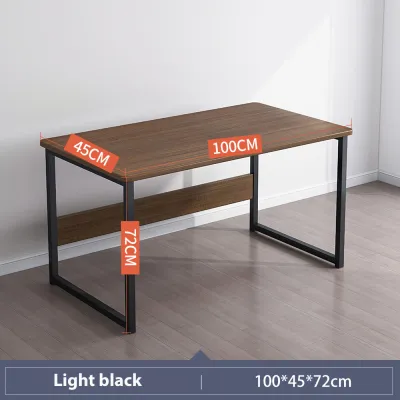
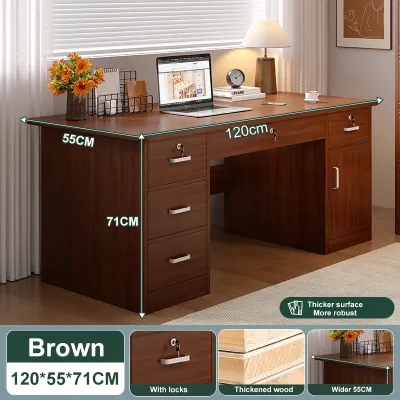
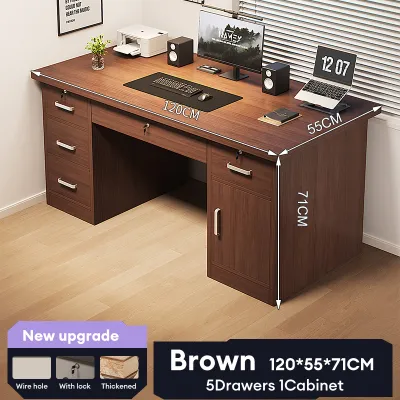
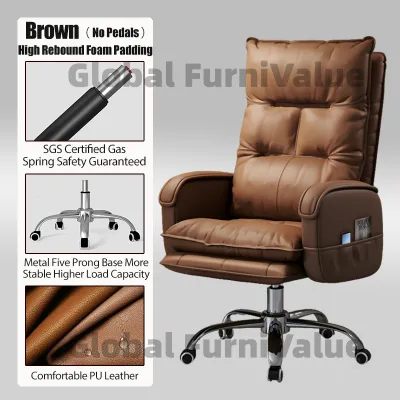
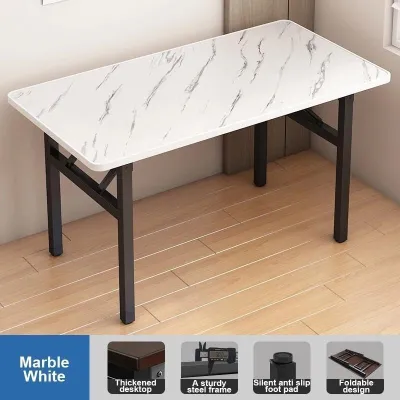
Prices are valid at publication and may change. Please refer to the product page for the latest price.
In contrast, a standing desk is designed around postural adjustment and dedicated zoning. Whether manual or motorized, its primary goal is to allow you to transition between sitting and standing positions throughout the day to reduce physical fatigue. This means the desk maintains a permanent footprint in your condo, serving as a constant, dedicated work zone.
When deployed in compact environments, a typical compact foldable desk might feature a footprint of roughly 80 to 100 centimeters in width and 40 to 50 centimeters in depth. Because they are designed to be portable or easily moved, they generally feature lightweight metal frames or engineered wood tops, keeping their overall weight profile low. Standing desks, however, require heavy-duty steel columns and motorized lifting columns to ensure stability when raised. A small standing desk usually starts at 100 to 120 centimeters in width and 60 centimeters in depth, carrying a much heavier weight profile that makes frequent relocation difficult.
These structural differences define the ideal user profile for each option. Foldable desks are highly suited for occasional remote workers, freelancers with flexible schedules, or students who only need a dedicated surface for a few hours at a time. Standing desks are tailored for full-time remote professionals, software engineers, and digital creators who spend eight or more hours a day at their computers and require precise ergonomic support to maintain productivity and physical comfort.
Maximizing Space Efficiency and Daily Flexibility
Managing limited floor space in a compact condo requires a realistic look at how you use your home outside of working hours. Foldable desks offer two main configurations: wall-mounted (floating) designs and freestanding folding models. Wall-mounted versions fold down or up against the wall, completely freeing up floor space when closed. However, they require a permanent wall location and cannot be moved around. Freestanding folding desks can be set up anywhere, but they require you to manually clear the surface, fold the legs, and find a storage spot every single day. This daily setup and teardown routine can become tedious, sometimes leading users to leave the desk permanently open, which defeats its primary purpose.

Standing desks occupy a fixed footprint, meaning that once you assemble the desk, that portion of your floor space is permanently dedicated to work. In a small living room or bedroom, this can restrict your layout options. However, standing desks maximize vertical space. When raised, they open up the area directly beneath the tabletop, though this space must remain clear of permanent storage to allow the desk to lower back down to sitting height. Under-desk storage in tight areas is therefore limited to low-profile, mobile pedestal drawers or small storage bins that can be easily rolled out of the way.
Visual clutter is another critical factor in small-space aesthetics. A foldable desk allows you to completely hide your work life at the end of the day, helping you mentally transition from “office mode” to “home mode.” This is particularly beneficial in studio condos where your bed is in direct line of sight of your workspace. A standing desk, with its monitors, keyboard, and cables, remains visible at all times. To keep your condo looking tidy, choosing a standing desk means you must invest extra effort into cable management and choose finishes that blend seamlessly with your existing living room or bedroom decor.
Evaluating Ergonomics and Long-Hour Comfort
Physical comfort during extended work sessions is where these two desk types diverge significantly. Standing desks offer superior ergonomic benefits by allowing you to adjust the tabletop height to your exact physical proportions. Motorized models let you transition from sitting to standing at the press of a button, encouraging movement and reducing the strain on your lower back and neck. However, in a small condo, you must ensure you have enough vertical clearance for your monitors and that cables are long enough to stretch from the floor to the maximum raised height without pulling on wall outlets.
Foldable desks typically come at a fixed standard height, usually around 73 to 75 centimeters. This height may not be ergonomically ideal for every user, especially when paired with a standard dining chair or a non-adjustable stool. Because foldable desks prioritize portability and lightweight construction, they often lack the surface stability required for heavy typing or dual-monitor setups. You may experience noticeable surface flex or wobble, which can be distracting during long hours of work. To achieve a comfortable posture on a foldable desk, you will often need to supplement your setup with external accessories, such as an adjustable laptop stand, a separate keyboard, and an ergonomic seat cushion.
Before purchasing either option, it is essential to check the manufacturer’s specified weight limits. Foldable desks often have lower weight capacities, sometimes limited to 15 to 25 kilograms, which can easily be exceeded by a heavy laptop, an external monitor, a desk lamp, and your forearms resting on the surface. Standing desks generally support much higher loads, often ranging from 70 to over 100 kilograms. When choosing a standing desk, you must also weigh the trade-offs between motorized and manual adjustment mechanisms; manual crank models are more budget-friendly, often saving you several thousand ₱, but require physical effort and clearance to turn the handle, while motorized models offer effortless transitions but require proximity to a power outlet.
Navigating Installation, Stability, and Floor Protection
The practicalities of setting up and maintaining your desk can significantly impact your condo living experience. Wall-mounted foldable desks require secure anchoring into your condo’s walls. In the Philippines, condo walls are typically made of concrete or heavy drywall, requiring masonry drill bits, wall anchors, and robust mounting brackets. Before undertaking this installation, you must consult your condo’s Property Management Office (PMO) to obtain written approval, as drilling into structural walls or common partitions is often restricted or requires a work permit. Freestanding foldable desks, on the other hand, usually arrive fully assembled or require minimal tool-free setup, making them highly convenient for renters.
Standing desks feature heavy steel frames that require careful assembly. The weight of these frames is necessary to prevent the desk from wobbling when extended to its maximum height. However, cheaper or poorly constructed standing desks can still experience significant lateral wobble when raised, especially on uneven floors. When assembling a standing desk, you must ensure all bolts are tightened securely and the leveling feet are adjusted to match your floor’s surface.
Floor protection is a critical consideration for both renters and condo owners. Heavy standing desks can leave permanent indentations on vinyl planks, laminate flooring, or engineered wood, especially under the tropical heat and humidity of the Philippines, which can soften certain flooring materials over time. Using wide, non-marking felt pads under the desk feet can help distribute the weight. If you choose a standing desk with caster wheels for easy mobility, ensure the wheels are made of soft polyurethane rather than hard plastic to prevent scratching your floors. For foldable desks, frequent folding and moving can cause the legs to drag across the floor; checking that the rubber or plastic floor caps on the desk legs are intact and clean is vital to prevent unsightly scuff marks.
Decision Framework: Which Desk Fits Your Condo?
To finalize your decision, evaluate your daily work habits, spatial limitations, and condo rules against this structured framework.
Choose a foldable desk if:
- Your workspace must double as a dining table, living area, or passage way, requiring you to reclaim floor space daily.
- You work part-time, have flexible hours, or primarily use a lightweight laptop without heavy external peripherals.
- You are renting a condo where permanent furniture additions are impractical, or you prefer a highly portable setup that is easy to pack and move without investing ₱10,000 or more in a heavy motorized frame.
Choose a standing desk if:
- You have a dedicated nook, corner, or wall section that can accommodate a permanent furniture footprint without blocking pathways.
- You work full-time remote hours (8+ hours a day) and require precise, adjustable ergonomics to prevent physical strain.
- Your work setup includes heavy equipment, such as dual monitors, a desktop tower, or professional studio gear, that exceeds typical folding desk weight limits.
Before making any purchase, verify your condo’s specific constraints. Check if your PMO restricts wall drilling if you plan to buy a wall-mounted model. If you opt for a standing desk, measure your available space carefully, ensuring there is enough clearance for the desk to rise without hitting window sills, air conditioning units, or wall-mounted shelving. Additionally, verify that the tabletop material is compatible with standard clamp-on monitor arms if you plan to mount your screens to save surface space.
Frequently Asked Questions (FAQ)
Can I use a monitor arm with a foldable desk?
Using a monitor arm with a foldable desk requires careful verification of the desk’s construction. Many lightweight foldable desks use hollow-core tabletops or thin MDF (medium-density fiberboard) with a laminate finish. Clamping a heavy monitor arm to these materials can cause the tabletop to crack, warp, or crush under the concentrated pressure. Before installing a clamp-on arm, check the manufacturer’s specifications for edge thickness and material density. If the tabletop is solid wood or reinforced metal, ensure the combined weight of the monitor and the arm does not exceed the desk’s overall weight capacity, and always position the clamp close to a structural support leg to minimize surface flex.
Are manual or motorized standing desks better for small spaces?
For small condo spaces, motorized standing desks are generally more convenient but require careful planning around power outlets. A motorized desk needs to be positioned near a wall outlet, and you must manage the power cables so they do not get caught or unplugged when the desk moves up and down. Manual crank standing desks do not require electricity, giving you more freedom in desk placement. However, manual models require physical clearance on the side or front of the desk to turn the hand crank. In a tight corner, this clearance may not exist, making the crank difficult or impossible to operate. Additionally, motorized desks tend to have sturdier, heavier frames, which offer better stability in compact footprints compared to lighter manual alternatives.

Community discussion
Share your experience or ask a question. Comments are reviewed before publication.