
Choosing between a folding table and a standing desk for a compact condominium in the Philippines depends on your daily work duration, spatial limits, and layout flexibility. A folding table offers unmatched space-saving potential because it can be completely tucked away when not in use, making it ideal for multi-purpose rooms or studio units. Conversely, a standing desk provides superior ergonomic support by allowing active height adjustments throughout the day, which is essential for long working hours but requires a permanent, dedicated floor footprint.
To make the right investment, you must weigh the physical constraints of your condo against your physical comfort requirements. While a folding table is highly budget-friendly and mobile, a standing desk is a long-term investment in your physical well-being. Evaluating your specific work habits, equipment weight, and room layout will guide you to the most practical solution for your home office.
Assessing Space and Layout Constraints
Living in a compact condominium in urban centers like Metro Manila requires careful spatial planning. Before purchasing any furniture, you must measure the exact floor area where you intend to work. A folding table is highly advantageous because its operational footprint exists only during working hours. When folded, many models compress to a depth of just a few inches, allowing them to be stored behind a door, under a bed, or inside a utility closet.
Products mentioned in this guide
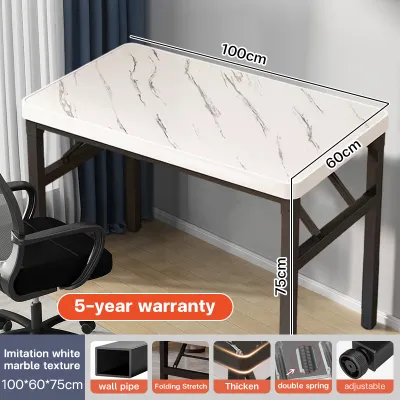
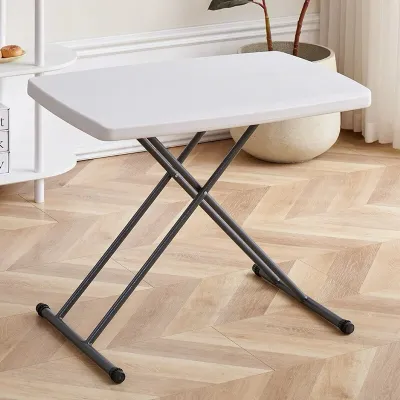

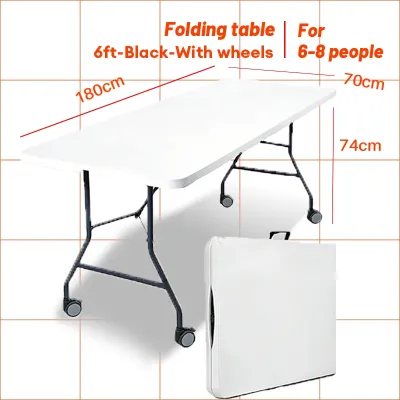
Prices are valid at publication and may change. Please refer to the product page for the latest price.
A standing desk, whether manual or motorized, requires a fixed operational footprint. Once assembled, it remains a permanent fixture in your room. You must ensure that this permanent footprint does not block essential pathways. Measure the clearance around the desk to guarantee that walkways remain open, wardrobe doors can swing fully, and access to your balcony or kitchen is not obstructed.
Consider the vertical space and wall clearance as well. A standing desk moves up and down, meaning the area directly above and around it must remain clear of wall-mounted shelves, picture frames, or low-hanging light fixtures. If your desk is placed near a window, ensure the rising monitor will not interfere with window blinds or curtains.
Another critical factor often overlooked in condo living is the delivery and assembly pathway. Before ordering a heavy standing desk, check the dimensions of your building’s service elevator, stairwells, and narrow hallway corners. Some standing desk frames are shipped in large, heavy boxes that may be difficult to maneuver through tight condo corridors. In contrast, a folding table usually arrives fully assembled in a flat box, making it exceptionally easy to transport up to any high-rise unit.
Evaluating Ergonomics and Daily Work Habits
Your daily work schedule is the primary driver of your ergonomic needs. If you spend eight or more hours a day at your computer, a fixed-height desk can contribute to physical fatigue, back strain, and poor posture. A standing desk allows you to transition between sitting and standing positions throughout the day, promoting better circulation and reducing muscle stiffness.

When evaluating standing desks, verify the manufacturer’s specified height adjustment range on the product label. The desk must adjust low enough for comfortable sitting and high enough for proper standing alignment. Your elbows should rest at a 90-degree angle on the desktop, and your eyes should align with the top third of your monitor screen.
A standard folding table typically has a fixed height of around 74 to 76 centimeters. This height may not be ergonomically optimal for every user, especially when paired with a non-adjustable chair. If you choose a folding table, you must plan for supplementary ergonomic accessories. Investing in an adjustable office chair, a separate monitor riser, an external keyboard, and a footrest can help bridge the ergonomic gap.
Weight capacity and structural stability are also vital safety considerations. Check the product specifications for the maximum weight limit. Standing desks, particularly dual-motor models, generally support heavier loads, such as multiple monitors, heavy laptop docks, and desk organizers. Folding tables often have lower weight capacities and may exhibit slight wobbling or flexing when loaded with heavy equipment or when you lean on the edge. Always verify that your work setup does not exceed the rated capacity of your chosen table.
Comparing Setup, Assembly, and Flexibility
The effort required to set up and maintain your workspace can significantly impact your daily routine. Folding tables are the epitome of convenience, requiring virtually zero assembly. You simply unpack the table, unfold the legs until they lock securely, and place it in your preferred spot. This quick-deploy nature is perfect for professionals who must share their living space with family members or roommates and need to clear the room at the end of the day.
Motorized standing desks require a more involved assembly process. They often arrive in multiple packages containing heavy steel frames, motors, control boxes, and a solid desktop. Assembly typically requires tools, careful alignment of the lifting columns, and connection of electronic components. Additionally, motorized desks require constant access to an electrical outlet, which limits where you can position the desk in your condo.
Cable management becomes a more complex task with a standing desk. Because the desktop moves vertically, your power strips and device cables must have enough slack to prevent tension when the desk is fully raised. Unsecured cables can snag on nearby furniture or pull plugs out of the wall. A folding table, while simpler, still requires mindful cable routing, especially if you fold the table away daily and must pack up your chargers and cords each evening.
Consider your long-term living arrangements in the Philippines. If you rent your condo and anticipate moving to a different unit or building in the future, portability is a major factor. A folding table is incredibly easy to pack, load into a vehicle, and transport. A heavy standing desk may require partial or complete disassembly to move safely without damaging the motorized legs or the desktop finish, adding complexity to your relocation plans.
Feature Comparison and Decision Framework
To help you visualize the trade-offs between these two popular WFH desk options, the table below summarizes their core characteristics based on standard product specifications and typical use cases.
| Feature | Folding Table | Standing Desk |
|---|---|---|
| Space Footprint | Temporary; easily stored away | Permanent; fixed floor footprint |
| Height Adjustability | Fixed (typically 74–76 cm) | Adjustable (manual or motorized) |
| Assembly Effort | None; ready to use out of the box | Moderate to high; requires tools and power |
| Weight Capacity | Generally lower; check label limits | Higher; designed for heavy setups |
| Ideal Use Case | Multi-purpose rooms, occasional WFH | Dedicated home office, long work hours |
To finalize your decision, apply these conditional rules to your specific living and working conditions:
- Choose a folding table if: Your condo has severe space limitations where a permanent desk would block walkways; you use a lightweight laptop setup without heavy external monitors; you need to use your workspace for other activities like dining or hobbies; or you prefer a highly portable, budget-friendly solution that requires no assembly.
- Choose a standing desk if: You work from home full-time and spend long hours at your desk; you require precise ergonomic adjustments to prevent back or neck strain; you use multiple monitors, heavy mount arms, or extensive desktop equipment; and you have a dedicated corner in your condo that can accommodate a permanent furniture footprint.
If your condo layout is exceptionally tight and neither option seems to fit comfortably, consider alternative space-saving solutions. Wall-mounted drop-leaf desks or convertible storage cabinets with fold-out work surfaces can provide a functional workspace without occupying any permanent floor space. Always check your condo association’s rules regarding drilling into walls before purchasing wall-mounted furniture.
Frequently Asked Questions (FAQ)
Can I use a standard folding table as a standing desk?
Standard folding tables are engineered specifically for seated heights and are not designed to be safely elevated for standing work. Attempting to raise a folding table using DIY risers, bed lifts, or unstable blocks can compromise its structural integrity, leading to wobbling or tipping. If you want to stand while using a folding table, the safest approach is to place a compact, tabletop sit-stand converter on top of the table, ensuring the total weight of your equipment and the converter does not exceed the table’s rated weight capacity.
Are motorized standing desks too heavy for condo floors?
Standard residential condominium floors in the Philippines are engineered to support typical household furniture loads, including heavy office desks and equipment. A motorized standing desk, even with a solid wood top and dual motors, generally weighs between 30 to 60 kilograms, which is well within safe structural limits. However, if you plan to place exceptionally heavy equipment on the desk or are concerned about delicate flooring materials like vinyl or laminate, you can place a protective desk mat underneath the frame legs to distribute the weight and prevent scratches.

Community discussion
Share your experience or ask a question. Comments are reviewed before publication.