
To study comfortably in bed for hours, you need a bed table that prioritizes ergonomic adjustability, stable leg designs, and a surface area tailored to your specific tools. Finding the right balance prevents physical strain and keeps your laptop and notebooks secure. The ideal table must adapt to your body’s posture while resting against a headboard, ensuring your neck and back remain supported throughout your study session.
Selecting the wrong table can lead to poor posture, muscle fatigue, and even damaged equipment if the surface wobbles on a soft mattress. By focusing on key physical features and verifying product specifications before purchasing, you can create a highly functional, comfortable, and durable workstation right on your bed.
Quick Guide: Essential Features for Extended Studying
An effective bed table for study must address three core pillars: ergonomic adjustability, adequate surface area, and structural stability. Adjustability ensures that you do not have to hunch over your work, which is the primary cause of neck and shoulder pain during long study sessions. Surface area determines whether you can work with all your materials at hand or if you will constantly struggle with cramped space. Stability keeps your expensive devices safe from tipping over on a soft, shifting mattress surface.
Products mentioned in this guide
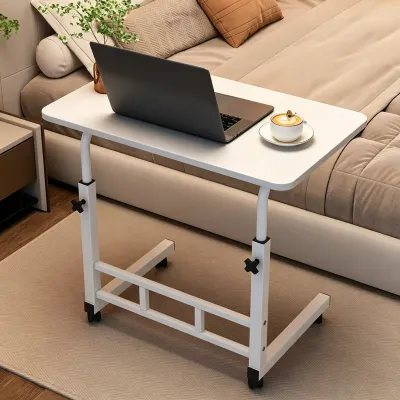
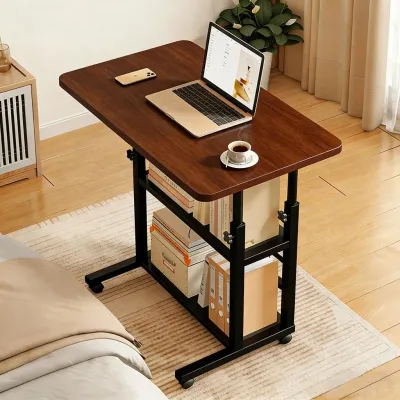
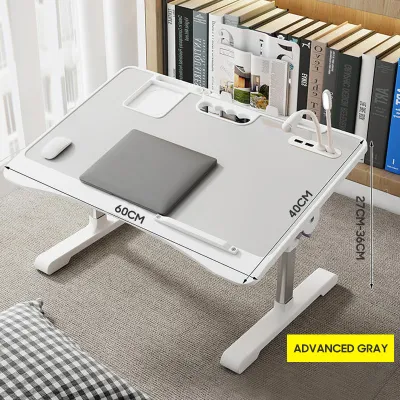
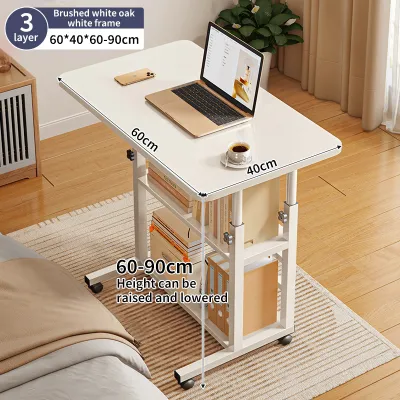
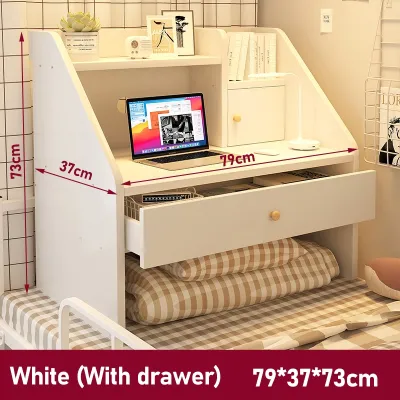
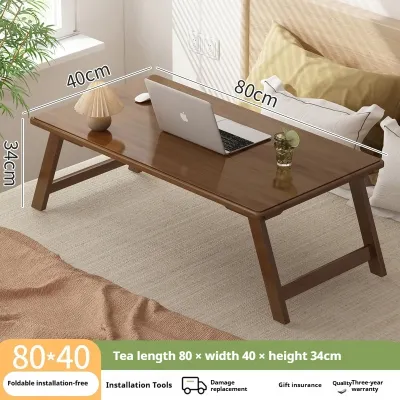
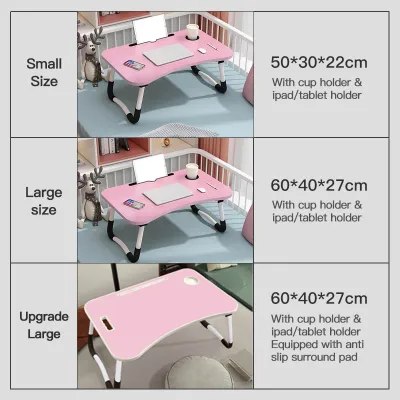
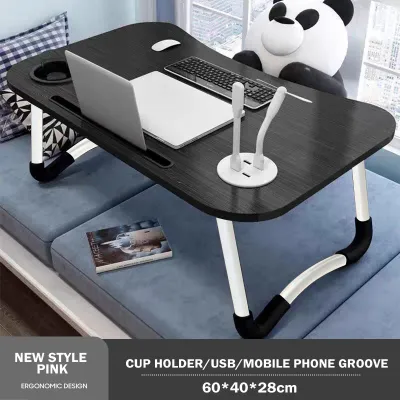
Prices are valid at publication and may change. Please refer to the product page for the latest price.
Your primary study activities should dictate the design of the table you choose. If your workflow consists mainly of typing on a laptop or writing on a tablet, you require a table with a reliable tilting mechanism to keep your wrists at a neutral angle. Conversely, if you spend hours reading heavy physical textbooks and taking handwritten notes, you need a flat, highly stable surface with a generous weight capacity and integrated page holders.
Before browsing online marketplaces, you must take a few essential measurements of your environment and equipment. Measure the width of your hips while seated comfortably in bed, as well as the thickness of your thighs, to ensure the table legs provide enough clearance. Additionally, measure the physical footprint of your laptop and your largest notebook placed side-by-side so you know the minimum surface dimensions required for your daily tasks.
Ergonomic Adjustability: Evaluating Height and Tilt Angles
Maintaining proper posture while sitting in bed requires a table that brings your work to you, rather than forcing you to lean down toward it. When evaluating height ranges, look for models that allow you to adjust the tabletop height so that the top of your laptop screen sits just below eye level when you are seated upright against your headboard. This alignment prevents you from bending your neck forward, which significantly reduces spinal strain over hours of reading.

Tilt angle adjustability is equally critical for maintaining comfortable wrist and neck angles. Look for tables that offer multiple tilt increments, typically ranging from flat to at least 36 degrees. Ensure the locking mechanism consists of physical notches, secure pins, or heavy-duty clamps rather than simple friction dials; physical locks are far less likely to slip or drop suddenly when you apply downward pressure while typing or resting your forearms on the table.
- Single-Panel Tilting Surfaces: These designs tilt the entire tabletop as one unit. They are excellent for dedicated reading or tablet drawing but can be inconvenient if you want to use a separate computer mouse or keep a beverage nearby, as everything on the table will tilt at the same angle.
- Multi-Panel Folding Designs: These tables split the surface into two or more sections. One larger section tilts to support your laptop or book, while a smaller, adjacent section remains flat to hold a mouse, a notepad, or a cup. This layout offers superior versatility for multi-tasking study sessions.
When choosing between these designs, consider your reliance on external peripherals. If you prefer using an external mouse rather than a trackpad, a multi-panel design is almost always the more practical choice. If you primarily use a tablet or read physical books, a single, continuous tilting panel provides a smoother, uninterrupted surface for your hands and writing materials.
Surface Dimensions: Planning Space for Laptops and Notes
To calculate the exact tabletop footprint you need, start with the dimensions of your primary device. A standard 15-inch laptop typically requires a surface width of at least 35 centimeters. If you plan to take notes in a physical notebook alongside your laptop, you will need a total table width of at least 60 to 65 centimeters to prevent your notebook from hanging off the edge or overlapping with your keyboard.
Integrated surface features can greatly enhance your study efficiency if chosen wisely. Edge stops or safety stoppers are non-negotiable on tilting tables, as they prevent your laptop or tablet from sliding off into your lap. Look for removable or adjustable edge stops that can be repositioned so they do not dig into your wrists while you type. Built-in device slots can hold a smartphone or tablet upright, saving valuable surface space, while recessed cup holders help prevent accidental spills on your bedding.
- Thigh Clearance: Measure the distance from the mattress to the top of your thighs while seated. Ensure the table's minimum height setting provides at least 5 to 10 centimeters of clearance above this measurement so you can move your legs without lifting the table.
- Leg Width: The distance between the table legs must be wider than your hips by at least 10 to 15 centimeters on each side. This extra space allows you to shift your position, cross your legs, or adjust your seating without bumping into the table support structure.
- Under-Table Depth: Check that the legs do not taper inward toward the bottom, as this can restrict your knee movement and make the table feel restrictive during long study sessions.
Ensuring generous clearance underneath the table also promotes better blood circulation. If your legs are pinned tightly beneath a low table, you will quickly experience discomfort, forcing you to cut your study session short. Always prioritize models with adjustable leg heights to accommodate different bedding thicknesses and personal seating preferences.
Stability and Bed Compatibility: Preventing Wobble on Soft Mattresses
Soft mattresses present a unique challenge for bed tables, as every movement you make can cause the table to sway or tip. The design of the table legs plays a major role in how well the unit distributes weight across a pliable surface. W-shaped or U-shaped legs are generally the most stable options for beds because they offer a continuous bar of contact with the mattress, distributing the weight over a larger surface area than four individual straight legs.
- W-Shaped Legs: These legs flare outward slightly at the base, providing a wider stance that resists tipping to the side. They are highly recommended for plush memory foam or pillow-top mattresses that compress easily.
- U-Shaped Legs: These feature a flat, continuous bar on the mattress surface, offering excellent front-to-back stability. They work well on medium-firm to firm mattresses.
- Straight Legs: Four independent legs tend to sink unevenly into soft bedding, making the table wobble whenever you shift your weight. Avoid these unless you plan to use the table primarily on a very firm mattress or a solid floor.
To ensure your equipment remains safe, you must verify the table’s structural weight capacity. While a laptop may only weigh a few kilograms, you must also account for the weight of heavy textbooks and the natural downward pressure of your arms as you write or type. Look for tables with reinforced joints and locking leg braces that prevent the legs from folding inward unexpectedly under pressure.
Finally, measure the total width of your bed and compare it to the outer span of the table legs. If you use a single or twin-size bed, a table with an excessively wide leg span might not fit comfortably within the boundaries of the mattress, or it may force the legs to rest dangerously close to the mattress edges. Ensure the legs sit securely on the flat portion of your mattress with several centimeters of clearance from the edge.
Materials and Portability: Balancing Durability with Convenience
In warm, humid tropical environments, material selection directly impacts both the longevity of your bed table and your daily comfort. Many budget-friendly tables use medium-density fiberboard (MDF) for the tabletop. While lightweight, unsealed MDF can absorb moisture from high humidity or sweat, leading to swelling and warping over time. If choosing an MDF table, verify that all edges are fully sealed with a protective PVC band, or opt for water-resistant materials like solid bamboo or high-density plastics.
Heat dissipation is another critical factor for laptop users. Laptops generate significant heat during intensive study sessions, and resting them directly on a solid wood or plastic surface can restrict airflow. Look for tables featuring built-in ventilation slots, a perforated metal mesh section, or integrated USB-powered cooling fans to help draw heat away from your device and prevent performance throttling.
- Foldability: Ensure the legs fold completely flat against the underside of the tabletop. This feature is essential if you need to clear your bed daily or store the table in a tight space, such as under the bed or beside a wardrobe.
- Weight: A table that is too heavy will be difficult to maneuver while sitting in bed, while a table that is too light may feel flimsy. Aim for a balanced weight that you can easily lift with one hand.
- Joint Durability: Examine the hinge materials. Metal hinges and locking pins offer significantly better long-term durability than plastic components, which can become brittle and crack under repeated folding.
While extra features like side storage drawers, reading lights, or built-in bookstands sound convenient, they can add unnecessary bulk and weight to the table. Evaluate whether you will actually use these add-ons daily. If they do not serve your immediate study habits, opt for a simpler, lighter design that is easier to set up, fold down, and store away when your study session is complete.
Building Your Shortlist: Verification Steps for Online Retailers
When shopping on e-commerce platforms, you cannot physically test the table before buying, making careful verification of product listings essential. Start by cross-referencing the seller’s provided dimensions with your actual measurements. Do not rely solely on promotional photos, which often use digital editing to make tables appear larger or more spacious than they are in reality. Check the exact centimeter measurements for height, width, and leg clearance.
User reviews are an invaluable resource for identifying potential design flaws that are not apparent in product descriptions. Search the review section using keywords like “wobble,” “shake,” “lock,” or “joint” to see if other buyers have experienced stability issues or mechanical failures. Pay close attention to feedback regarding the durability of the tilting mechanism, as cheap plastic teeth can wear down quickly, preventing the table from holding its angle.
Finally, always check the seller’s return policy and warranty terms before finalizing your purchase. Because comfort is highly subjective and depends heavily on your specific mattress firmness and body proportions, you may find that a table looks perfect on paper but feels uncomfortable in practice. A flexible return policy ensures you can test the table in your actual study environment and return or exchange it if it does not provide the ergonomic support you need.
Frequently Asked Questions (FAQ)
Can I use a bed table for study if I have a soft mattress?
Yes, you can use a bed table on a soft mattress, but you must select a design specifically built to handle pliable surfaces. Look for tables with wide, continuous U-shaped or W-shaped legs rather than four independent straight legs. These continuous bases distribute the weight of the table and your equipment over a much larger surface area, preventing the legs from sinking unevenly into the foam.
Additionally, keep in mind that your body weight will cause a soft mattress to compress when you sit on it. This compression can lower your seating position relative to the table. To maintain proper ergonomics, choose a table with highly adjustable height settings so you can lower the tabletop to match your compressed seating height, ensuring your arms and wrists remain at a comfortable angle.
How do I prevent my laptop from overheating on a bed table?
To prevent your laptop from overheating, avoid placing it directly on a solid, unventilated surface that traps heat. Choose a bed table that features built-in ventilation slots, a hollowed-out pattern, or an integrated USB-powered cooling fan. These design elements allow air to flow freely beneath the laptop’s intake vents, keeping internal temperatures low during long study sessions.
Never place your bed table directly on top of soft blankets, duvets, or pillows that can block the table’s ventilation paths or wrap around the sides of your laptop. Ensure the area directly beneath the table remains clear of loose bedding, and periodically check that your laptop’s exhaust vents are free from dust and lint, which can accumulate more quickly when working in a bed environment.
Is a bed table a suitable long-term replacement for a standard desk?
A bed table is an excellent supplementary tool for reading, light writing, or short study sessions, but it is not a suitable long-term replacement for a standard study desk. Sitting in bed for extended periods, even with an ergonomic table, lacks the structured spinal and pelvic support provided by a proper office chair and a solid desk. Over time, this can lead to lower back strain, neck fatigue, and restricted leg circulation.
For optimal physical health, limit your bed study sessions to a few hours at a time. Use the bed table for tasks that require comfort and relaxation, such as reviewing notes or reading, and transition to a traditional desk setup for intensive, full-day study sessions. This rotation helps prevent repetitive strain injuries and keeps your body active and supported.

Community discussion
Share your experience or ask a question. Comments are reviewed before publication.