
Selecting a bed side table with built-in charging ports is no longer just about finding a piece of furniture that matches your bedroom decor. In a modern home, this piece of furniture serves as an active hub for your personal devices, requiring a careful balance of physical storage, structural stability, and electrical compatibility. To make a smart purchase, you must prioritize accurate spatial measurements, robust electrical specifications that match your devices, high-quality furniture construction that resists tropical humidity, and certified safety features that protect your home.
By focusing on these key dimensions, you can avoid the common pitfalls of purchasing underpowered charging modules, unstable frames, or furniture that does not fit comfortably next to your mattress. Here is how to evaluate and select the ideal charging bedside table for your bedroom.
Prepare Your Space: Measure Clearances and Bed Height for Your Bed Side Table
Before browsing online marketplaces or visiting local furniture showrooms, you must establish the exact physical boundaries of your bedroom layout. Start by measuring the width and depth of the available floor space directly adjacent to your bed frame. Be sure to account for any baseboards, wall trim, or nearby doorways that could obstruct the table. You should also ensure there is at least 50 to 60 centimeters of clear space in front of the unit so you can comfortably walk past, open drawers fully, and access lower shelves without hitting your shins or blocking your path.
Products mentioned in this guide
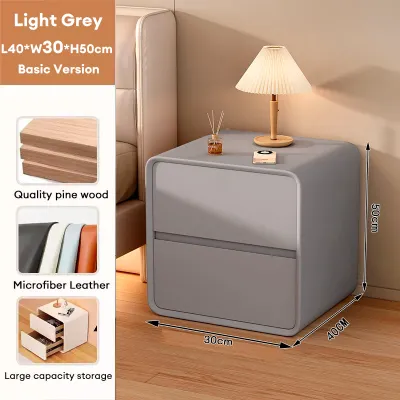
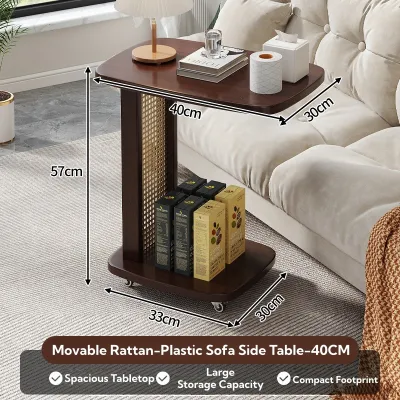
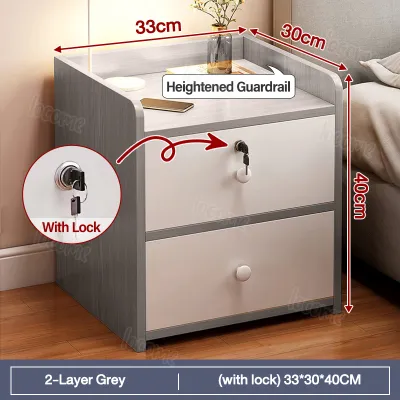
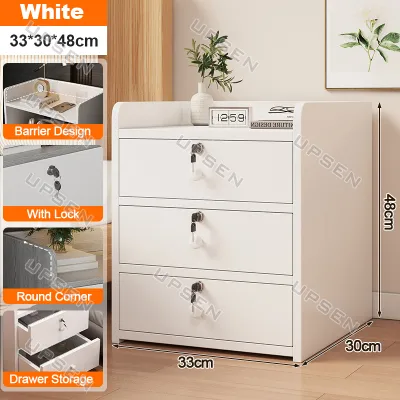
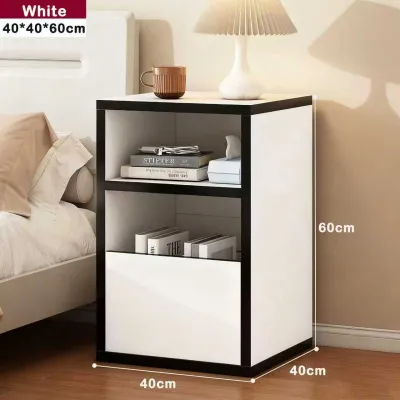
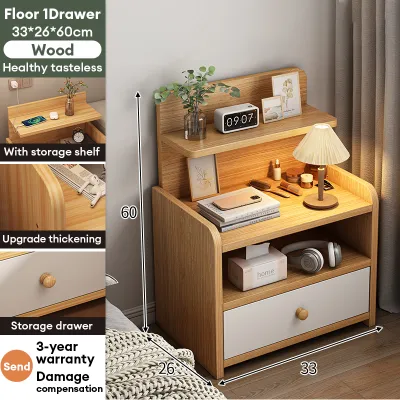
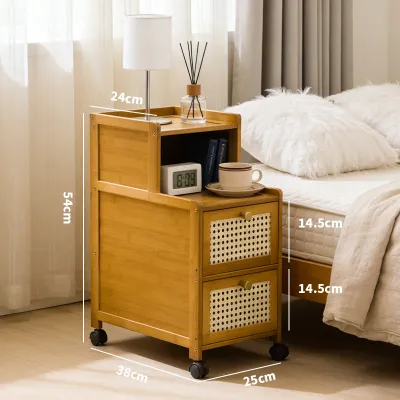
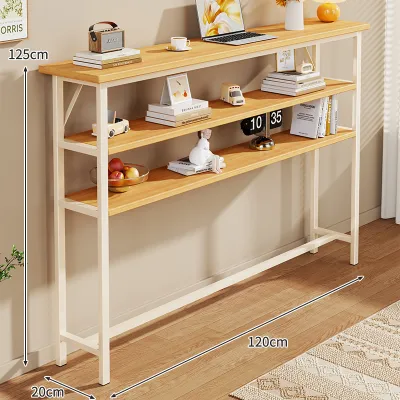
Prices are valid at publication and may change. Please refer to the product page for the latest price.
Matching the height of the bed side table to your mattress is essential for both comfort and ergonomics. Use a tape measure to find the distance from the bedroom floor to the very top of your mattress, including any thick pillow tops, mattress protectors, or memory foam toppers you currently use. Ideally, the top surface of your bedside table should sit level with or up to 5 centimeters lower than the top of your mattress. This alignment allows you to reach for your phone, a glass of water, or a lamp switch naturally from a lying position without straining your shoulders or risking knocking items off the edge.
Another critical spatial factor is the physical path required to deliver and assemble the furniture. If you live in a high-rise condominium or a multi-story home, measure the clearance of your building’s elevators, stairwells, and doorways to ensure the fully assembled unit or its flat-pack box can pass through safely. Additionally, inspect the stability of your flooring; uneven tile grout lines or warped wooden planks can cause a tall, narrow table to wobble, which becomes especially dangerous when the table houses active electrical connections and heavy electronics.
Finally, locate the nearest wall power outlet relative to where the table will stand. Measure the linear distance from the outlet to the back of the intended table placement, keeping in mind that the cord should run flat along the floor or baseboard. Avoid stretching the main power cord tightly across walkways where it can become a tripping hazard or pull the table over. Knowing this distance beforehand ensures you select a model with an integrated power cord of sufficient length, eliminating the need for temporary extension cords.
Evaluate the Charging Specifications and Power Output
When shopping for a bed side table with integrated power, it is easy to focus solely on the number of ports visible on the tabletop or inside the drawer. However, the internal electronics are what determine whether the table is a functional charging station or a slow, frustrating bottleneck for your devices. You should treat the electronic components of the table as a long-term technology investment, ensuring they can safely support your current devices as well as future upgrades.

Rather than relying on vague product descriptions, always look for the detailed electrical specification label printed directly on the power module or within the manufacturer’s manual. This label provides the precise voltage, wattage, and amperage ratings that dictate how quickly and safely your devices will charge. Understanding these specifications prevents you from purchasing a piece of furniture that quickly becomes obsolete as device charging standards continue to evolve.
Port Types and Quantities
The specific mix of ports on your bedside table should align with the devices you charge every night. Standard USB-A ports remain highly useful for low-power accessories such as smartwatches, fitness trackers, wireless earpieces, or basic bedside humidifiers. However, modern smartphones, tablets, and newer laptops rely on USB-C ports to deliver faster charging speeds and handle higher power requirements. Selecting a table that features a combination of both USB-A and USB-C ports offers the greatest flexibility for your current and future tech setup.
While having multiple ports is convenient, you must be cautious of units that offer an excessive number of connections without a corresponding increase in total power. Many budget-friendly tables share a single, limited power source across all available ports. If you plug in a smartphone, a tablet, and a smartwatch simultaneously, the available power is divided among them, which can significantly slow down the charging process for each device. Count the devices you realistically need to charge at your bedside each night and select a table with just enough high-quality ports to accommodate them.
Power Output and Device Compatibility
To ensure your devices charge efficiently, you must check the total wattage (W) or amperage (A) output of the integrated charging module. Standard, low-output USB ports often provide only 5 watts (5V/1A) of power, which results in slow trickle charging that may take several hours to fill a modern smartphone battery. If you want to take advantage of fast-charging capabilities, look for ports that support Power Delivery (PD) or Quick Charge (QC) standards, which typically require a minimum of 18 to 20 watts for smartphones and even higher wattage for tablets or laptops.
Compare the output specifications of the bedside table’s ports with the input requirements listed on your devices’ original charging bricks. If the table’s ports do not supply enough wattage, your devices will charge slowly, or in some cases, power-hungry devices like tablets may not charge at all while in use. To guarantee safety and performance, avoid purchasing furniture that uses unbranded, uncertified power modules that fail to clearly list their maximum output ratings on the product label.
Cable Management and Main Cord Length
A charging bedside table should simplify your space, not create a cluttered tangle of cords. Look for models that feature dedicated cable management solutions, such as built-in routing grommets, hidden cable channels, or recessed compartments that keep long cords organized and out of sight. Some tables include small clips or magnetic holders near the top surface to prevent charging cables from slipping behind the furniture when they are unplugged.
Additionally, verify the specifications of the main power cable that connects the bedside table to your wall outlet. This cord must be heavy-duty, properly insulated, and long enough to reach your wall socket with some slack remaining. Relying on daisy-chained extension cords or cheap adapters to bridge a gap can create electrical resistance, increase the risk of short circuits, and clutter your bedroom floor, defeating the aesthetic and safety benefits of an integrated charging table.
Assess Storage Layout and Build Quality
While the electronic capabilities of a charging bed side table are crucial, the unit must first and foremost function as reliable, durable bedroom furniture. Your storage needs should dictate the physical layout of the table. If you prefer a clean, minimalist look, prioritize models with deep drawers or closed cabinets that can hide personal items, medications, and charging cables from view. If you prefer easy access to reading materials, a glass of water, or a box of tissues, look for designs that combine a smooth top surface with open lower shelves.
The surface material of the table requires careful evaluation, particularly in the tropical climate of the Philippines. High humidity levels can cause low-quality engineered woods, such as standard particleboard or dense fiberboard (MDF) without proper sealing, to absorb moisture from the air, leading to swelling, warping, or mold growth. If you choose an engineered wood table, verify that it features a high-quality, water-resistant laminate or veneer finish. This protective layer is especially important to prevent damage from condensation dripping off a cold glass of water or accidental spills during the night.
Structural integrity is another vital consideration for furniture housing active electrical components. Check the manufacturer’s specifications for the maximum weight capacity of both the top surface and the individual drawers to ensure the table can safely support heavy lamps, books, and your electronics. Look for sturdy leg construction—whether solid wood or powder-coated metal—and ensure the legs are equipped with adjustable levelers to compensate for uneven floors. If the table features drawers, check that they utilize smooth, ball-bearing metal drawer slides rather than plastic runners, as metal slides provide better durability and prevent the drawers from sagging or sticking over time.
Finally, always review the manufacturer’s care and maintenance instructions to understand how the materials will behave in your specific home environment. For instance, solid wood tables may require periodic oiling or specific cleaning agents and should be kept away from direct sunlight or air conditioning vents to prevent cracking. Metal frames should feature rust-resistant coatings to withstand humid coastal air. Evaluating these physical characteristics ensures your bedside table remains structurally sound and visually appealing for years to come.
Verify Electrical Safety and Warranty Coverage
Combining wooden, fabric, or metal furniture with active electrical currents introduces potential safety risks that you must actively mitigate. Because a bedside table sits directly next to your sleeping area, verifying the electrical safety of the integrated charging module is paramount. In the Philippines, the standard household electrical supply operates at 220 volts and 60 hertz. You must ensure that any imported bedside table or integrated power strip is fully compatible with these local electrical parameters to prevent overheating, equipment damage, or electrical fires.
When evaluating a bedside table, look for recognized electrical safety certifications printed on the power module’s label. These may include local marks such as the Philippine Standard (PS) safety mark or the Import Commodity Clearance (ICC) sticker, as well as reputable international certifications like UL (Underwriters Laboratories), CE (Conformité Européenne), or FCC (Federal Communications Commission). The presence of these marks indicates that the electrical components have undergone rigorous testing to meet strict safety and performance standards.
In addition to external certifications, check the product’s technical specifications for built-in safety mechanisms. A high-quality charging module should feature integrated surge protection to shield your expensive electronics from sudden voltage spikes in the local power grid. It should also include overcurrent protection, short-circuit prevention, and thermal shutdown safeguards that automatically cut off power if the unit detects excessive heat build-up. These safety layers provide peace of mind, especially when devices are left to charge unattended.
Before finalizing your purchase, carefully review the manufacturer’s warranty terms, paying close attention to how the coverage is structured. It is common for furniture brands to offer a long warranty on the wooden or metal frame of the table, but a much shorter warranty—or no coverage at all—on the integrated electronic components. Ensure you understand the process for claiming a replacement or repair if the charging module fails within the first year. Lastly, never attempt to modify the integrated wiring, splice the power cord, or perform DIY repairs on the charging module, as doing so will immediately void your warranty and create severe safety hazards.
Inspect and Test the Unit Upon Delivery
Once your new charging bed side table arrives at your home, you should perform a systematic inspection and testing routine before disposing of the packaging or signing the delivery receipt. Start by thoroughly examining the physical frame of the furniture in a well-lit room. Check all surfaces, corners, and edges for scratches, dents, chips, or cracks that may have occurred during transit. Open and close all drawers and cabinet doors several times to verify that they align correctly, glide smoothly, and do not rub against the frame.
Next, inspect the assembly hardware and structural joints. Ensure that all screws, bolts, and dowels are tightly secured and that the table does not wobble when light pressure is applied to the top surface. If the table requires home assembly, follow the manufacturer’s instructions step-by-step, taking care not to over-tighten screws into engineered wood, which can strip the material and permanently weaken the joint.
After confirming the physical integrity of the furniture, move the table to its permanent location and plug the main power cord directly into the wall outlet. Grab a known working device, such as your smartphone, along with its original charging cable, and test every single USB port and power outlet on the table individually. Confirm that each port successfully initiates charging and maintains a stable connection without dropping out when the cable is gently moved.
During the first few hours of active use, monitor the charging module and the wall plug closely. It is normal for power adapters to feel slightly warm to the touch while fast-charging a device, but they should never become hot enough to cause discomfort. Listen carefully for any unusual buzzing, humming, or clicking sounds coming from the electronics, and watch for any sparking when plugging in cables. If you notice excessive heat, strange noises, or any electrical anomalies, unplug the table immediately, cease all use, and contact the manufacturer or seller to arrange for a replacement or professional inspection.
Frequently Asked Questions (FAQ)
Can I replace the charging module if it stops working?
Whether you can replace the integrated charging module depends entirely on the design and construction of your specific bed side table. Some manufacturers design their tables with modularity in mind, utilizing standard-sized, removable power strips or charging blocks that are secured with simple screws or clips. If the electronics fail in these models, you can easily unscrew the module, unplug it from its internal routing, and swap it out for a compatible replacement part provided by the manufacturer or a standard aftermarket equivalent.
Conversely, many budget-friendly or highly integrated designs feature hardwired charging modules that are permanently glued, sealed, or built directly into the wooden or metal frame of the table. In these cases, the electronics cannot be removed or replaced without damaging the structural integrity or finish of the furniture. If a hardwired module stops working, you will need to contact the manufacturer for specialized repair services, or simply use the unit as a traditional bedside table while routing external charging cables to the space.
Is it safe to leave devices charging on the bedside table overnight?
Yes, it is generally safe to charge your devices overnight, provided that both your devices and the bedside table’s charging module are of high quality and equipped with modern safety features. Reputable smartphones, tablets, and smartwatches contain internal battery management systems that automatically stop drawing power once the battery reaches 100 percent, preventing overcharging. Similarly, certified bedside power modules feature automatic shut-off and thermal protection mechanisms to prevent electricity from continually flowing and overheating the components.
To maximize safety during overnight charging, you must ensure proper ventilation around the charging area. Avoid placing your phone under your pillow, beneath heavy blankets, or on top of plush fabrics while it is plugged in, as these materials trap heat and can cause the device’s battery to overheat. Keep the charging ports on the table free of dust, lint, and debris, and always use high-quality, undamaged charging cables that are certified by your device’s manufacturer.

Community discussion
Share your experience or ask a question. Comments are reviewed before publication.