
Selecting a bedside table with integrated charging ports and storage requires balancing electronic utility with structural furniture design. A high-quality nightstand should not only keep your essential items organized and within arm’s reach but also safely power your devices overnight without creating a chaotic tangle of cords. To make an informed purchase, you must evaluate physical dimensions, electrical specifications, storage layouts, material durability, and cable management features.
Measure Your Space and Identify Device Needs
Before browsing online catalogs or visiting furniture showrooms, you must establish the physical boundaries of your bedroom layout. The height of your bedside table is crucial for both comfort and safety. Ideally, the tabletop surface should sit level with or up to two inches below the top of your mattress. This alignment allows you to easily reach for a phone, a book, or a glass of water from a lying position without straining your shoulder or risking knocking items over in the dark.
When calculating mattress height, consider the specific design of your bed frame. A low-profile platform bed sits much closer to the floor than a traditional divan or a frame paired with a thick box spring. Furthermore, if you plan to add a thick mattress topper in the future, this can raise your sleeping surface by several inches. Measuring from the floor to the actual top edge of your current mattress setup—including any toppers or bedding—ensures you select a table height that remains comfortable and ergonomic through any future bedding upgrades.
Products mentioned in this guide


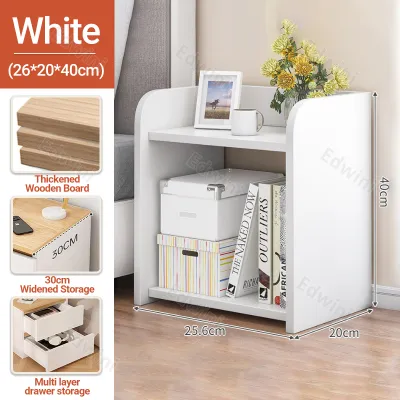
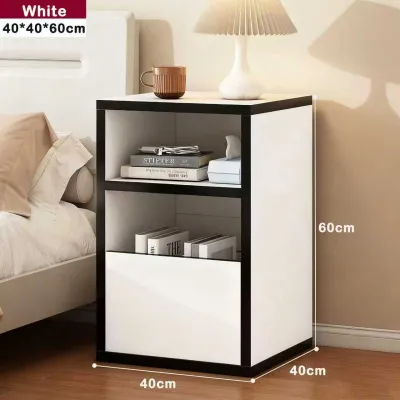

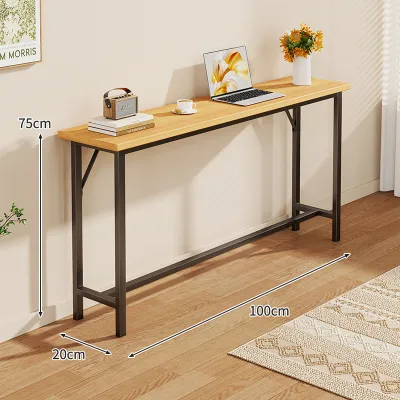

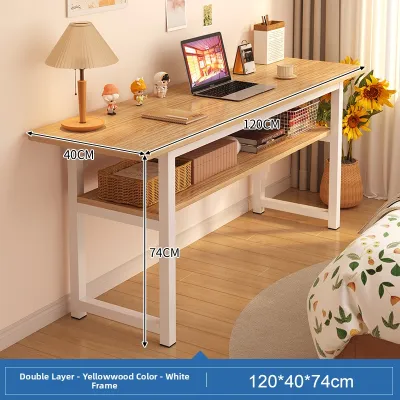
Prices are valid at publication and may change. Please refer to the product page for the latest price.
Width and depth clearance are equally important, especially in compact bedroom layouts. Measure the available floor space on either side of your bed, taking into account the swing radius of wardrobe doors, bedroom entryways, and the path of sliding closet doors. Ensure that when the bedside table’s drawers are fully extended, they do not block walking paths or collide with other furniture. Leaving a few inches of breathing room around the table prevents the space from feeling cramped.
Next, list every device you charge or use by your bedside on a daily basis. This inventory might include your smartphone, smartwatch, tablet, e-reader, wireless earbuds, or even a bedside humidifier. Count the number of devices and note their specific power connections. This list will dictate the exact number and configuration of USB ports, wireless pads, and standard AC outlets your new table must provide to prevent a nightly scramble for power.
Finally, locate the nearest wall outlet relative to your bed. Integrated bedside tables rely on a single main power cord to energize their built-in ports. Measure the distance from the table’s planned position to this outlet. Ideally, the table’s cord should reach the wall plug comfortably with a small amount of slack. Forcing a cord to stretch tightly can damage the internal wiring, while relying on extension cords creates tripping hazards and adds unnecessary clutter to your floor.
Evaluate Charging Specifications and Electrical Safety
The charging features built into modern furniture vary significantly in speed and compatibility. When looking at port configurations, distinguish between older USB-A ports and modern USB-C ports. USB-A ports are suitable for low-power accessories like smartwatches or older e-readers, but they charge modern smartphones slowly. For faster charging, look for tables equipped with USB-C ports that support Power Delivery (PD) and check the manufacturer’s wattage labels; a port offering 18W to 20W is standard for fast-charging phones, while higher wattages (45W or 65W) can power tablets and laptops.

It is also important to understand how multi-port charging modules distribute power. Many bedside tables feature a single internal power supply that shares its total wattage across all available USB ports. For example, a table advertised with a 30W charging capability might split that power when multiple devices are connected simultaneously, reducing the output of individual ports to 15W or less. If you need to fast-charge your phone and tablet at the same time, look for tables that specify dedicated, independent power outputs for each port rather than a shared total wattage.
Wireless charging pads built directly into the tabletop offer a clean, cord-free look. However, you must verify that the pad is Qi-compatible, which is the universal standard for wireless charging across major device brands. Additionally, look for tables that feature clear visual or physical alignment indicators, such as a subtle LED ring, a recessed circle, or a rubberized grip. Because wireless charging requires precise alignment between the device’s internal coil and the charging pad, these indicators prevent you from waking up to an uncharged phone because it nudged out of place during the night.
Standard AC outlets built into the table are highly convenient for plugging in bedside lamps, alarm clocks, or baby monitors. Ensure these outlets feature grounded three-prong configurations to ensure safe operation. Furthermore, check if the manufacturer specifies built-in surge protection. A surge-protected power strip integrated into the table safeguards your expensive smartphones and tablets from unexpected voltage spikes and power fluctuations, which are common in many residential grids.
Electrical safety should never be compromised for aesthetic appeal. Always look for recognized safety certification marks on the product label, packaging, or manufacturer’s documentation. Inspect the build quality of the main power cord; it should be thick, double-insulated, and feature robust strain relief where it connects to the table’s frame. A flimsy, thin cord is highly susceptible to wear, crimping, and overheating, which poses a serious electrical hazard over time.
To maintain a safe sleeping environment, avoid overloading the table’s electrical circuits. Never daisy-chain power strips by plugging a multi-outlet adapter into the bedside table’s built-in outlets. Additionally, keep high-draw appliances—such as space heaters, hair dryers, or high-powered cooling fans—plugged directly into wall outlets rather than the table’s integrated ports. These appliances draw more current than standard furniture wiring is designed to handle, which can lead to tripped circuit breakers or dangerous overheating.
Match Storage Configurations to Your Bedside Habits
Your daily habits should dictate the storage layout of your bedside table. Drawers are the best option for maintaining a tidy, clutter-free look. They allow you to hide personal items, medications, journals, and reading glasses out of sight. When evaluating drawers, test the smoothness of the glides; high-quality metal ball-bearing glides offer a fluid motion and last significantly longer than simple plastic runners or wood-on-wood tracks. Also, check the internal depth of the drawers to ensure they can comfortably accommodate your bulkier items.
The physical assembly of the drawers also speaks volumes about the table’s overall lifespan. Look for drawer boxes assembled with dovetail joints, which interlock the wood pieces for superior strength, rather than those held together by simple staples, nails, or glue. Dovetail construction prevents the drawer front from pulling off after years of daily use. Additionally, check if the drawer bottoms are thick and sturdy; thin, flimsy bottom panels are prone to bowing and breaking if you store heavier items like books or tablets inside.
Open shelves offer a different set of advantages, providing quick, unobstructed access to books, tablets, or decorative items. However, open storage comes with a distinct trade-off: dust accumulation. In dry or windy environments, open shelves require frequent dusting to stay clean. If you prefer a low-maintenance setup, a combination of one top drawer for daily clutter and a single lower shelf for books often strikes the perfect balance between accessibility and neatness.
For specialized storage, look for tables that feature hidden compartments, lift-top surfaces, or dedicated device slots. Some designs include a flip-up top panel that reveals a shallow tray for organizing charging cables and remotes, keeping them completely hidden when not in use. These compartments are excellent for securing small valuables or keeping your tabletop surface entirely clear for a lamp and a glass of water.
Before finalizing your choice, always verify the manufacturer’s specified weight capacity for the table’s surface and individual storage compartments. A heavy ceramic lamp, a stack of hardcover books, and a full carafe of water can easily weigh several kilograms. If the table is constructed from low-density materials without proper reinforcement, overloading can cause the tabletop or shelves to sag, warp, or pull apart at the joints over time.
Finally, consider the noise level of the table’s moving parts. To avoid disturbing your partner when you reach for an item in the middle of the night, prioritize drawers equipped with soft-close mechanisms or rubber bumpers. Drawer stops are another essential safety feature; they prevent the drawer from pulling completely out of the frame and spilling its contents onto your feet if you pull too hard in the dark.
Verify Material Durability and Structural Stability
Because a charging bedside table houses active electrical components, its material composition and structural integrity require close inspection. The tabletop surface is highly vulnerable to liquid spills and condensation from cold drinks. In warm, humid climates like the Philippines, a cold glass of water will sweat profusely, leaving pools of moisture on the surface. Ensure the table’s finish is labeled as water-resistant, scratch-resistant, or easy-clean—such as high-pressure laminates, polyurethane coatings, or treated solid wood—to prevent moisture from warping the wood and seeping into nearby electrical ports.
In tropical environments, the combination of high humidity and temperature fluctuations can cause solid wood to expand and contract. This natural movement can put physical stress on integrated plastic or metal electrical housings, potentially causing them to loosen or warp. To mitigate this, high-quality bedside tables designed with electronics often use premium engineered woods like high-density fiberboard (HDF) with moisture-resistant seals, or they leave slight expansion gaps around the built-in power modules to accommodate the natural shifting of solid wood.
Structural stability is essential for preventing accidental damage to your electronics. A stable bedside table should not wobble or sway when you plug in a cord or open a drawer. Inspect the joint construction; high-quality furniture utilizes dowels, screws, or mortise-and-tenon joints, whereas cheaper models may rely solely on staples and glue. If you are inspecting the table in person, fully extend all drawers to ensure the unit does not tip forward under its own weight, which is a common hazard with front-heavy designs.
Heat management is another critical factor when electronics are integrated into wood or composite furniture. Charging modules, power adapters, and wireless pads naturally generate heat during operation. Check that the table’s design allows for adequate ventilation around these hot spots. Avoid placing devices to charge inside tightly sealed, unventilated wooden compartments, as trapped heat can degrade the battery life of your devices and, in extreme cases, create a fire hazard.
For tables made of engineered wood, such as MDF or particleboard, pay close attention to the quality of the edge banding. The edge banding seal must be tight and seamless, particularly around the back of the table and near the cutouts for the charging ports. If the edge banding is loose or poorly applied, humidity and minor liquid spills can easily penetrate the core material, causing it to swell, crumble, and ruin the structural integrity of the table.
Inspect Cable Management and Aesthetics
A primary reason to buy a bedside table with built-in charging is to eliminate the unsightly mess of tangled cords. Look for thoughtful built-in cable management features, such as pre-drilled rear cord holes, routing channels carved into the underside of the tabletop, under-table clips, or a dedicated compartment designed to house bulky power bricks. These features ensure that only the charging tips of your cables emerge onto the tabletop, keeping the rest of the wire hidden.
The backpanel design plays a major role in how clean your setup looks. A closed back with neat, rubberized grommets offers a polished appearance and prevents dust from settling behind the drawers, but it requires you to route cables carefully during assembly. An open-back design allows for easier access to the wall outlet and faster cable adjustments, but it may expose messy wiring if the table is viewed from an angle. Choose the design that best matches the layout and visibility of your bedside area.
Pay close attention to the visual consistency of the table’s finish, especially around the cutouts for the ports and outlets. In high-quality furniture, these cutouts are cleanly cut, sanded, and finished to match the surrounding material. Mismatched plastic housings, rough edges, or visible glue around the ports are signs of poor craftsmanship and can detract from the overall aesthetic of your bedroom.
Finally, ensure the table’s design, materials, and hardware complement your existing bedroom furniture. Consider the style of the drawer pulls, knobs, and legs. Choosing a bedside table with hardware finishes—such as brushed brass, matte black, or polished chrome—that match your bed frame, wardrobe handles, or light fixtures creates a cohesive, intentional design that elevates the entire room. Investing in a high-quality bedside table with certified electronics typically ranges from mid-range to premium price bands (often starting from ₱3,000 to over ₱12,000 depending on materials), making it essential to verify these specifications before purchasing.
Frequently Asked Questions (FAQ)
Can I replace the charging ports if they stop working?
Built-in USB ports and wireless charging pads are typically hardwired into the furniture’s internal power module and are not designed to be easily user-replaceable. If a port fails, you should first check the manufacturer’s warranty, as many brands offer specific coverage periods for the electrical components of their furniture. For safety reasons, avoid attempting DIY electrical repairs on mains-connected furniture; instead, consult a qualified electrician or contact the manufacturer’s support team for authorized repair options.
Is it safe to leave devices charging on the bedside table overnight?
Yes, it is generally safe because modern smartphones, tablets, and wearables are equipped with built-in battery management systems that automatically stop drawing power once they reach a full charge. However, this safety relies on using a furniture charging module that carries recognized safety certifications. To prevent heat buildup, always keep the charging area clear of flammable materials such as pillows, heavy blankets, or loose papers, ensuring proper air circulation around your devices while they charge.
How do I clean a bedside table with built-in electronics?
To clean a bedside table with integrated electronics safely, always unplug the main power cord from the wall outlet before starting. Use a slightly damp, lint-free microfiber cloth to wipe down the wooden or laminated surfaces, taking care not to let moisture get near the ports or outlets. Avoid using harsh chemical cleaners, abrasive pads, or liquid sprays directly on the table, as they can degrade the protective finish and damage the electrical contacts. To remove dust from inside the USB ports or AC outlets, use compressed air or a dry, soft-bristled brush.

Community discussion
Share your experience or ask a question. Comments are reviewed before publication.