
Finding a reliable office chair leather option between ₱3,000 and ₱15,000 in the Philippines requires balancing aesthetic desires with structural realities. At this price point, you can secure a highly functional, supportive seat, but you must navigate the trade-offs of synthetic materials and varying mechanical features. Knowing how to distribute your budget ensures you invest in long-term posture support rather than a temporary, peeling cosmetic piece.
Setting Realistic Expectations for the ₱3K to ₱15K Range
When shopping for a leather ergonomic chair within this price bracket, the first and most important realization is that “leather” almost exclusively refers to synthetic alternatives. Genuine top-grain or full-grain leather chairs require complex tanning processes and expensive raw hides, pushing their retail prices far beyond the ₱15,000 limit. Instead, options in this segment utilize polyurethane (PU), polyvinyl chloride (PVC), or bonded leather. These materials successfully mimic the premium look and smooth texture of genuine leather while remaining highly affordable.
Your budget within this range dictates the level of mechanical sophistication and structural durability you can expect. In the lower tier, spanning ₱3,000 to ₱7,000, chairs generally offer basic ergonomic adjustments. You will find standard pneumatic height adjustments, simple tilt-and-lock mechanisms, and fixed armrests. The structural bases are typically made of reinforced nylon plastic, and the padding consists of standard cut foam, which may compress over years of continuous use.
Products mentioned in this guide
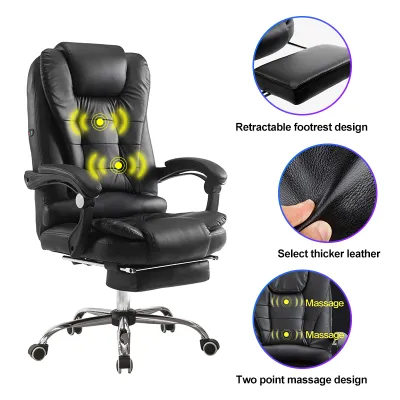
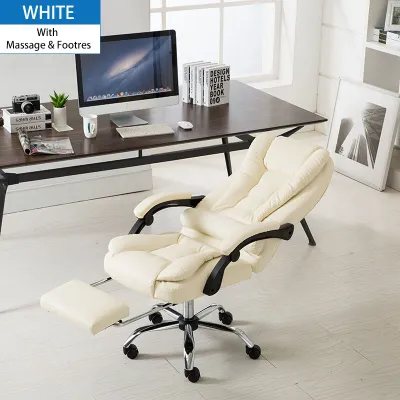
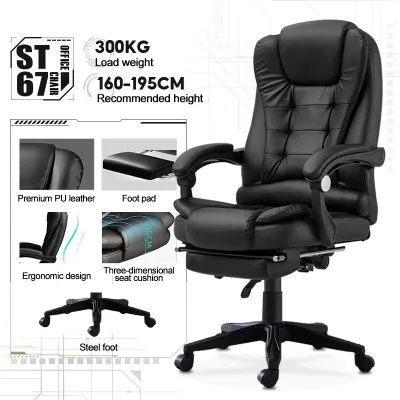
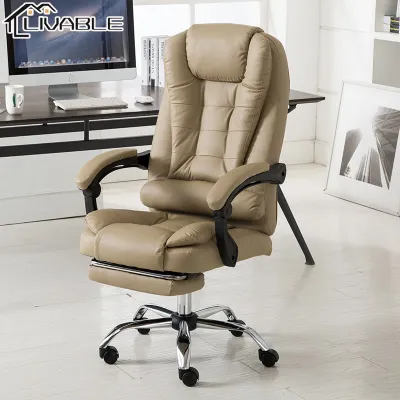
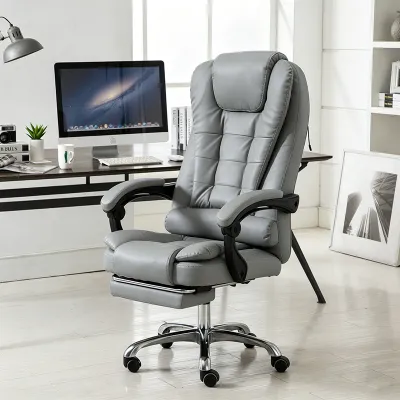
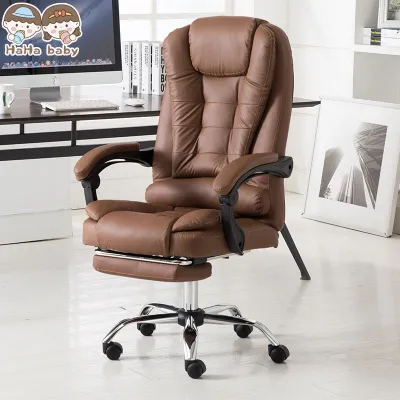
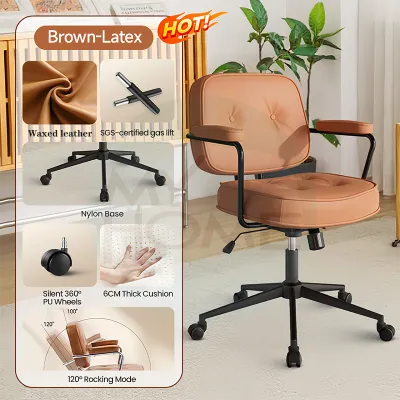
Prices are valid at publication and may change. Please refer to the product page for the latest price.
As you move into the premium tier of ₱10,000 to ₱15,000, the build quality and adjustability improve significantly. Chairs in this bracket often feature high-density molded foam that retains its shape over long periods. You will also see heavy-duty steel or aluminum alloy bases, multi-directional adjustable armrests, and advanced synchro-tilt mechanisms that allow the backrest and seat to tilt at different angles. The synthetic leather used here is also thicker, often featuring protective coatings that resist early wear.
To allocate your budget effectively, establish a decision framework based on your daily usage patterns. If your chair is intended for short, casual tasks—such as checking emails or studying for two hours or less per day—a lower-tier chair between ₱3,000 and ₱7,000 will comfortably meet your needs. However, if you are a remote professional or gamer spending eight or more hours a day at your desk, investing closer to the ₱15,000 limit is highly recommended. The advanced ergonomic mechanisms at the higher price point are essential for preventing chronic back strain and fatigue during extended sitting sessions.
Prioritizing Ergonomic Features on a Budget
When working with a set budget, it is easy to get distracted by plush padding or executive styling. However, your primary focus must always be on the mechanical features that support your body. A beautifully upholstered chair that lacks proper adjustability will quickly lead to discomfort and poor posture.

Essential Adjustments You Should Not Compromise On
Regardless of where your choice falls on the ₱3,000 to ₱15,000 spectrum, certain baseline adjustments are non-negotiable for physical health. First, verify that the chair features a reliable pneumatic height adjustment, commonly known as a gas lift. The gas lift must operate smoothly without sudden drops. To ensure safety and longevity, check the product specifications to confirm the gas lift is certified, preferably Class 3 or Class 4, which are rated for higher weight capacities.
Next, look for basic tilt tension control. This mechanism, usually controlled by a large knob under the seat, adjusts the resistance of the backrest when you lean back. It allows you to recline comfortably without feeling like you are falling backward, or lock the chair in an upright position for focused work.
Structural stability is equally vital. Always check the manufacturer’s specified weight capacity and verify the construction of the base. A standard five-point star base is essential for preventing tip-overs. Ensure the base diameter is wide enough to provide a stable center of gravity when you recline. Finally, prioritize a chair with dedicated lumbar support. Even a fixed lumbar curve built into the backrest frame is infinitely better for your lower back than a flat backrest paired with thick, unsupportive cushioning.
Premium Adjustments to Look for Near the ₱15K Limit
If your budget allows you to shop closer to the ₱15,000 ceiling, look for advanced ergonomic adjustments that customize the chair to your unique body dimensions. One of the most valuable upgrades is adjustable lumbar support, which allows you to change either the height or the depth of the lower-back cushion. This ensures the support sits precisely in the curve of your lumbar spine.
Multi-directional armrests, often labeled as 2D or 3D armrests, are another hallmark of this price tier. Unlike fixed armrests that can force your shoulders into a shrugged position, adjustable armrests move up and down, forward and backward, or pivot inward. This flexibility allows you to rest your elbows comfortably while keeping your shoulders relaxed and your wrists aligned with your keyboard.
At this higher range, look for a synchro-tilt mechanism rather than a simple tilt-lock. A synchro-tilt mechanism reclines the backrest and the seat at a ratio of 2:1. This means as you lean back, your feet remain flat on the floor, reducing pressure on the back of your thighs and maintaining proper blood circulation. When deciding how to spend your ₱15,000, prioritize these mechanical upgrades over purely cosmetic features like extra-thick padding or contrast stitching.
Understanding "Leather" Labels and Material Specifications
Understanding the exact terminology used in product listings is crucial when buying an online office chair. Sellers frequently use the word “leather” loosely, making it necessary to look past the product title and examine the detailed specifications.
Polyurethane (PU) leather is the most common synthetic material in this price range. It is created by applying a polyurethane coating to a fibrous base layer. PU leather is highly popular because it is soft, flexible, and closely mimics the texture of genuine leather. However, because it is a polymer, it has limited breathability. In a tropical climate like the Philippines, where indoor humidity levels are consistently high, PU leather can trap body heat, leading to perspiration during long working hours.
Polyvinyl Chloride (PVC) leather is another common synthetic option, particularly in lower-priced chairs. PVC is highly durable, exceptionally scratch-resistant, and very easy to wipe clean. However, it is significantly stiffer than PU leather and has virtually no breathability. Sitting on a PVC chair in a warm room can quickly become uncomfortable due to heat buildup.
Microfiber leather represents the highest tier of synthetic options, occasionally found in chairs approaching the ₱15,000 mark. It utilizes a high-grade polyurethane base reinforced with ultra-fine microfibers. This construction gives it superior tensile strength, excellent scratch resistance, and slightly better breathability than standard PU.
When shopping, always check the detailed specifications or directly ask the seller for the exact material composition. Do not rely solely on vague marketing terms like “eco-leather” or “breathable leather.”
In the high humidity of the Philippines, synthetic leathers face a specific challenge called hydrolysis—the chemical breakdown of the polyurethane layer caused by moisture and sweat, which eventually leads to cracking and peeling. No budget synthetic leather is entirely “sweat-proof” or “peel-proof.” To maximize comfort and extend the life of the material, ensure your workspace has consistent air conditioning or good air circulation via electric fans. If you sweat heavily or work in a non-air-conditioned room, consider placing a breathable fabric or mesh seat cover over the chair to act as a barrier.
Navigating Hidden Costs and Pre-Purchase Checks
When buying furniture online, the price tag on the listing page rarely represents your final investment. To keep your total expenditure strictly within your ₱3,000 to ₱15,000 budget, you must account for several logistical factors before clicking the buy button.
Shipping fees for bulky items can be surprisingly high in the Philippines. Because office chairs are heavy and packaged in large boxes, shipping costs can add anywhere from ₱500 to over ₱2,000 to your total bill, especially if you reside outside major metropolitan hubs. Always add the item to your digital cart and input your delivery address to see the final checkout price before making your decision.
Assembly is another factor to consider. Most budget office chairs are shipped flat-packed to reduce shipping volume. While basic assembly tools like Allen keys and screws are usually included in the box, putting the chair together requires time and physical effort. If you are not comfortable with DIY assembly, check if the seller offers a pre-assembled delivery option or a professional assembly service. Be aware that these services often incur an additional fee that must be factored into your budget.
Before completing your purchase on any online marketplace, perform these essential quality checks:
- Verify the Return Policy: Ensure the seller offers a clear return policy for large furniture. If the chair arrives damaged or with missing parts, clarify who covers the return shipping costs, as returning a heavy box can be prohibitively expensive.
- Check the Warranty Terms: Look for a warranty that specifically covers the gas lift, tilt mechanism, and structural base for at least 12 months. Avoid sellers that do not offer a clear warranty.
- Analyze User Reviews: Look for reviews from verified buyers in the Philippines. Pay close attention to reviews written after several months of use, searching for mentions of the gas lift sinking, the frame squeaking, or the synthetic leather peeling prematurely.
If the total cost of the chair, shipping, and assembly exceeds your ₱15,000 limit, or if the seller’s return and warranty policies are vague, pause the purchase and look for a more transparent alternative.
Routine Care and Maintenance for Synthetic Leather
To ensure your budget-friendly synthetic leather chair lasts for years without peeling or structural failure, establish a regular care routine. Because synthetic materials do not absorb moisture like genuine leather, they require different maintenance steps.
For routine cleaning, wipe the chair down weekly using a slightly damp microfiber cloth. This removes dust, body oils, and sweat before they can degrade the synthetic coating. Avoid using harsh chemical solvents, alcohol-based sanitizers, or abrasive household bleach, as these chemicals strip away the protective topcoat of PU and PVC, causing the material to dry out, stiffen, and crack.
Your chair’s physical environment plays a massive role in its lifespan. Position your workstation away from windows that receive direct afternoon sunlight. Prolonged exposure to ultraviolet (UV) rays heats up the synthetic leather, causing the plasticizers in the material to break down rapidly, which leads to premature cracking.
Additionally, maintain the structural integrity of the chair by checking the hardware every three to six months. The vibrations from rolling and reclining can gradually loosen the bolts underneath the seat pan and around the armrests. Use the included hex key to gently tighten these screws. Loose bolts cause the frame to wobble, placing uneven stress on the joints and accelerating mechanical wear.
Always prioritize the specific care label and manufacturer guidelines that come with your chair. If the manufacturer advises against certain cleaning agents or weight limits, follow those instructions strictly to preserve your warranty coverage.
Frequently Asked Questions (FAQ)
Is a budget leather chair suitable for long hours in a humid climate?
Synthetic leather chairs tend to trap body heat, which can cause discomfort and sweating during long working hours in a humid climate. If you do not have consistent air conditioning in your workspace, synthetic leather may feel sticky against your skin. To make the chair suitable for extended use, you can place a breathable, slip-resistant mesh or fabric seat cushion over the seat pan. This simple modification provides a ventilation barrier while allowing you to enjoy the executive look of a leather backrest.
What should I inspect immediately after the chair is delivered?
As soon as your chair arrives, unbox it carefully and conduct a thorough visual and mechanical inspection before discarding the packaging. First, check the synthetic leather surfaces for any tears, deep scratches, or peeling seams that may have occurred during transit. Next, count all screws, washers, and assembly tools against the parts list in the manual. Once assembled, test the gas lift by sitting on the chair and adjusting the height multiple times; ensure it holds your weight without slowly sinking. Finally, test the tilt tension and lock mechanisms to confirm the backrest secures firmly in place.

Community discussion
Share your experience or ask a question. Comments are reviewed before publication.