
Finding the right small office chair for a compact workspace requires balancing physical dimensions with ergonomic adjustability. In tight setups, such as a study corner in a Metro Manila condominium or a small home office carved out of a bedroom, a standard-sized executive chair can quickly overwhelm the room and restrict movement. To choose the ideal chair, you must look beyond generic “compact” labels and focus on specific measurements: a base diameter that fits between your desk legs, a seat depth that supports your thighs without hitting the back of your knees, and adjustable or flip-up armrests that slide easily under your desk surface. By matching these dimensions to your workspace clearances, you can maintain a healthy sitting posture while keeping your room functional and clutter-free.
Measuring Your Workspace and Chair Clearances
Before browsing online catalogs or visiting local showrooms, you must establish the exact boundaries of your workspace. Start by measuring your desk’s opening width, depth, and under-desk height. The under-desk height is particularly critical because it determines whether your chair can be tucked away completely when not in use. If you use a wooden study desk with a thick support beam or a built-in drawer, measure from the floor to the lowest point of that obstacle rather than the top of the desk surface. This ensures that the armrests or the seat cushion itself will not get stuck when you try to push the chair in.
Next, account for the movement clearance behind your desk. You need sufficient space to roll the chair back comfortably to stand up or sit down without bumping into concrete walls, built-in wardrobes, or delicate glass shelves. A good rule of thumb is to allow at least 75 to 90 centimeters of clear floor space behind the desk edge. In tropical climates like the Philippines, where rooms are often cooled by standing fans or wall-mounted air conditioners, you must also ensure that your chair’s movement path does not block the airflow or collide with appliance cords and pedestal fan bases.
Products mentioned in this guide
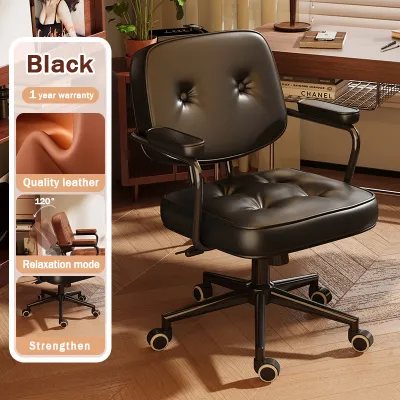
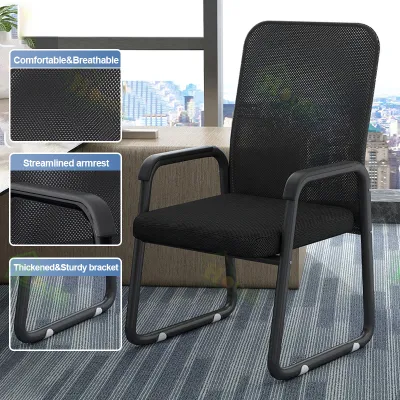
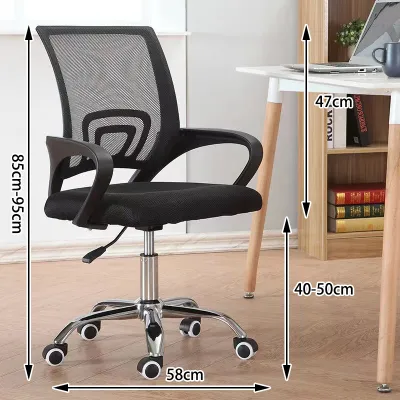
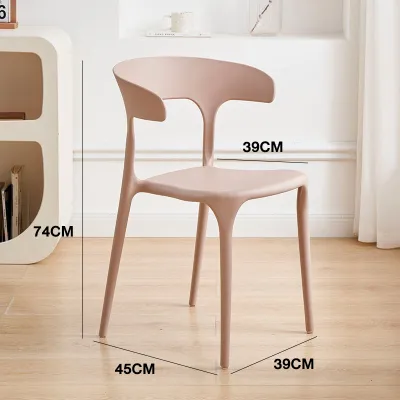
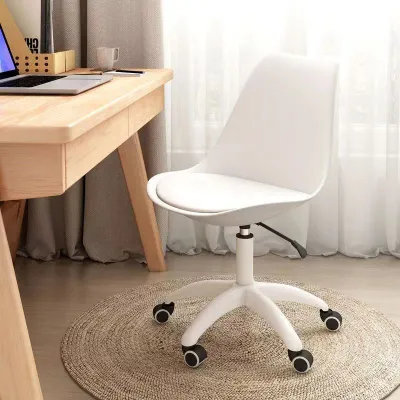
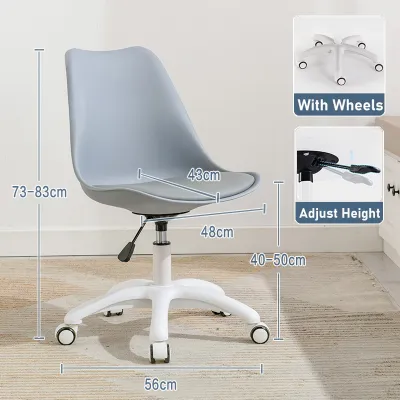
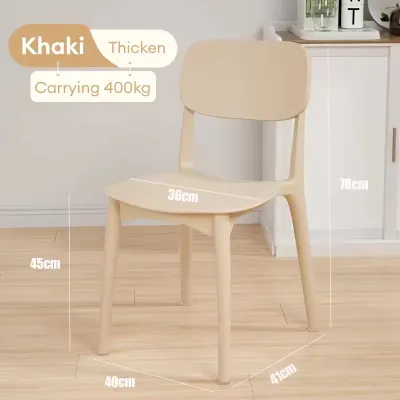
Prices are valid at publication and may change. Please refer to the product page for the latest price.
Finally, do not forget to check the width of your doorways, hallways, and any tight corners leading to your workspace. If you live in a high-rise condominium, consider the elevator door clearance and narrow stairwells. A fully assembled office chair can be surprisingly awkward to transport. Knowing these dimensions beforehand helps you decide whether to assemble the chair inside your designated room or verify that the completed unit can easily pass through your home’s entryways if you ever need to rearrange your layout.
Key Dimensions to Check Before Buying
When evaluating a small office chair, the product specification sheet is your most reliable tool. The first dimension to verify is the chair’s overall footprint, which is determined by the diameter of its five-star wheeled base. Many buyers assume the seat width represents the widest part of the chair, but the base often extends several centimeters wider to maintain stability. Compare this base diameter directly with the distance between your desk legs to ensure the chair can glide smoothly underneath without scraping the furniture.

Seat depth and width are the next critical specifications to check. For a compact workspace, a seat depth of 40 to 48 centimeters is generally ideal for average body types. If the seat is too deep, you will be forced to lean forward, losing the support of the backrest, or sit back and experience uncomfortable pressure behind your knees. A seat that is too wide might make the chair feel bulky in a small room, while a seat that is too narrow will restrict your natural movement. Look for models that offer a seat slide adjustment, allowing you to customize the depth to your thighs.
Armrest dimensions require careful scrutiny, especially if you prefer to sit close to your keyboard. Check both the outer width of the armrests and their height range from the floor. If the armrests are fixed and sit higher than your desk drawer or tabletop, you will be forced to sit far back from your work, straining your neck and shoulders. Adjustable armrests that can lower significantly or slide inward are highly beneficial for tight spaces, as they allow you to customize your support during work hours and tuck the chair away afterward.
Lastly, review the backrest height and overall profile. High-back executive chairs with large headrests can block natural light from windows, make a small room feel visually cramped, and bump into low shelves or window sills. A mid-back or low-back chair with a slim profile provides essential lumbar support while maintaining an open, airy feel in your room. This visual lightness is especially welcome in small apartments where the workspace is integrated into the living room or bedroom.
Space-Saving Features and Design Adjustments
To maximize the usability of a limited workspace, look for specific design features engineered for tight areas. Armless designs are the ultimate space-savers, eliminating any risk of the chair colliding with the desk frame. However, if you require arm support for long typing sessions, chairs with flip-up armrests offer an excellent compromise. These armrests can be rotated upward and out of the way when you finish your workday, allowing the chair to slide completely under the desk, saving valuable floor space in your walkway.
When shopping within the popular ₱3,000 to ₱15,000 price range in the Philippines, you will find a variety of mid-range ergonomic chairs that offer these space-saving features without compromising on build quality. The design of the chair’s base and casters also plays a major role in a compact setup. A compact base with a slightly smaller diameter can save precious centimeters of floor space. When choosing casters, consider your flooring material. Hard nylon casters are standard, but if your home office has delicate vinyl planks, laminate, or polished hardwood floors common in modern Philippine homes, look for polyurethane (PU) coated casters. These softer wheels roll quietly, reduce the rolling footprint by preventing slipping, and protect your floors from scratches without requiring a bulky plastic chair mat that takes up extra visual space.
Adjustable seat depth and height ranges are essential for accommodating different desk heights and user proportions. In the Philippines, home office setups are often improvised using dining tables, console tables, or custom built-in counters. A chair with a wide pneumatic lift range ensures you can align your elbows comfortably with whatever surface you are using. Furthermore, a responsive tilt tension control and a lockable upright position are crucial. In a tight space, you want to manage how far the chair reclines so you do not accidentally tilt back into a wall, a window, or a nearby bookshelf.
Swivel radius is another factor that influences how you interact with your surroundings. A chair that rotates smoothly 360 degrees allows you to turn and exit the desk laterally, which is incredibly helpful when there is very little clearance directly behind you. Look for mechanisms that operate quietly and smoothly, ensuring that your movements remain controlled and do not cause the chair to wobble or drift in a confined area.
Common Sizing Mistakes to Avoid
One of the most frequent errors when shopping for a small office chair is relying solely on vague marketing terms like “compact,” “mini,” or “space-saving.” These labels are subjective and are not standardized across manufacturers. A chair marketed as compact might still feature a wide base or high armrests that do not fit your specific desk. Always locate the detailed technical drawing or specification list and compare the exact numerical measurements against your physical workspace.
Another common oversight is ignoring the base diameter in relation to desk pedestals and legs. Many modern desks feature built-in drawer units or diagonal support bars that narrow the opening near the floor. Even if your desk top is wide enough, a wide five-star chair base might collide with these lower obstacles, preventing you from sitting close to your work. Always measure the clearance at the floor level, not just at the desktop level.
Overlooking the fully reclined depth of the chair can also lead to frustration. While a chair might fit perfectly under your desk when upright, reclining even slightly shifts the backrest and headrest backward and downward. If your desk is placed close to a wall or a wardrobe, reclining could cause the back of the chair to scrape against the wall, damaging the paint or the chair’s upholstery. Ensure you calculate this extra depth if you plan to use the tilt function regularly.
Finally, remember to account for the thickness of your desk surface and any under-desk accessories. Keyboard trays, drawer slides, and structural metal frames can reduce the available height under your desk by several centimeters. If you measure only from the floor to the top of the desk, you might buy a chair with armrests that are just a few millimeters too high to slide underneath. Taking a few extra minutes to measure these hidden obstacles will save you the hassle of returning an incompatible chair.
Frequently Asked Questions (FAQ)
Can I use a standard office chair in a small space if I remove the armrests?
Removing the armrests from a standard office chair can indeed reduce its overall width, making it easier to tuck under a narrow desk. However, you must check the manufacturer’s assembly instructions before doing this. On many standard chairs, the armrests serve as structural connectors that secure the backrest to the seat pan; removing them could compromise the chair’s stability and safety, or void your warranty. Additionally, losing arm support can increase strain on your neck and shoulders during long working hours, so this modification should only be considered if the chair is structurally independent of its arms and your daily usage is relatively short.
Are armless chairs better for small workspaces than chairs with flip-up arms?
The choice between an armless chair and one with flip-up arms depends on your ergonomic needs and how much space you have. Armless chairs offer the absolute minimum footprint, allowing you to slide the chair completely under almost any desk and move in and out of your workspace with ease. However, they provide no forearm support, which can lead to fatigue during extended typing sessions. Chairs with flip-up arms offer the best of both worlds: you can lower the arms for ergonomic support while working, and flip them up to tuck the chair away when your workday is done. If you work long hours, a chair with flip-up arms is generally the better choice for your physical comfort.

Community discussion
Share your experience or ask a question. Comments are reviewed before publication.