
Transitioning to a dedicated home office setup in the Philippines requires furniture that supports both long-term productivity and physical well-being. An electric height adjustable desk is an excellent investment for this transition, allowing you to alternate between sitting and standing throughout the day to reduce physical fatigue and improve posture. However, selecting the right motorized desk involves evaluating more than just surface aesthetics. Because our local climate brings high humidity and unique spatial challenges, you must carefully assess the mechanical specifications, frame stability, and material durability of any desk before making a purchase.
In the Philippines, many home offices are integrated into existing bedrooms or shared spaces where floor area is at a premium. Additionally, the tropical climate can accelerate the wear of low-quality materials, making structural integrity and protective finishes critical considerations. By understanding the core engineering features of these desks—such as motor configurations, lifting capacities, and frame designs—you can select a model that fits your physical workspace and stands up to years of daily adjustment. This guide outlines the essential factors to analyze so you can make an informed decision that enhances your daily workflow.
Key Features to Evaluate Before Buying
The mechanical heart of any electric height adjustable desk is its motor system, which dictates how smoothly, quickly, and quietly the desk transitions between heights. When browsing available models, you will primarily choose between single-motor and dual-motor configurations. Single-motor desks utilize a single motor, often driving one leg directly while transferring power to the other leg via a rotating hex rod. While these models are generally more budget-friendly, they typically offer slower lifting speeds, lower weight capacities, and slightly higher noise levels during operation.
Products mentioned in this guide
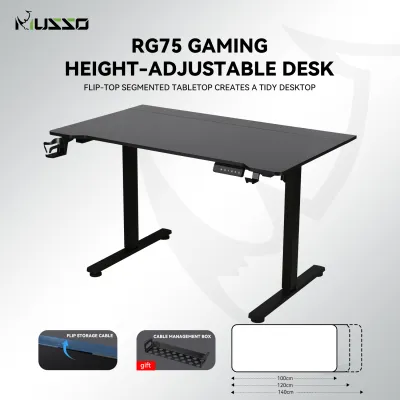
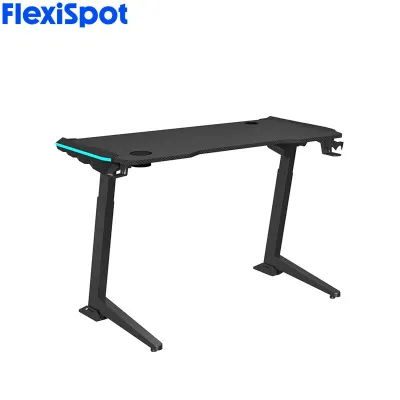
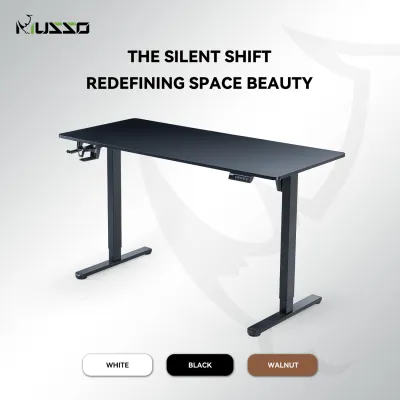
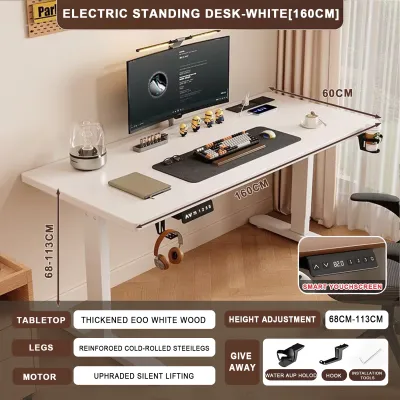
![[COD] 47-55-63 inch electric standing desk single motor desk height adjustable standing desk laptop desk adjustable desk 120cm/140cm/160cm rectangular electric desk with wheels](https://img.lazcdn.com/g/p/f75ff46eb098402e8759157dd53b3966.png_400x400q80.png_.webp)
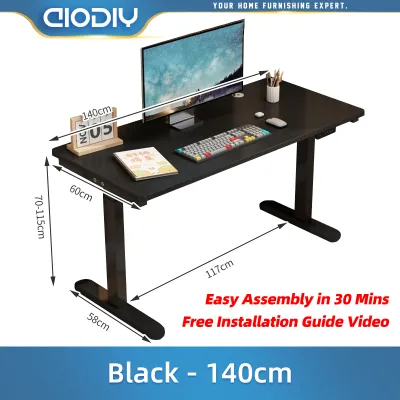
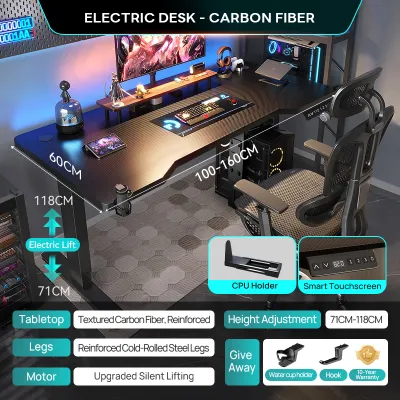
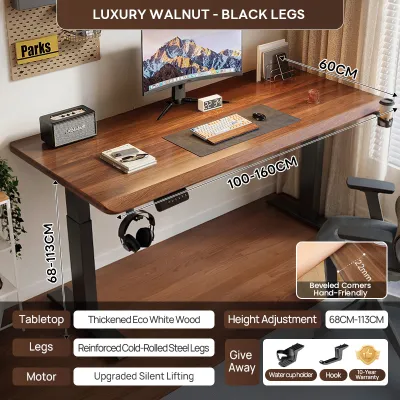
Prices are valid at publication and may change. Please refer to the product page for the latest price.
In contrast, dual-motor systems feature an independent motor housed within each leg column. This configuration provides synchronized lifting, resulting in faster transitions, quieter operation, and a significantly higher weight capacity. If your workstation includes heavy equipment, such as multiple monitors, a desktop tower, or studio speakers, a dual-motor system is highly recommended to ensure the motors are not strained during height adjustments. When evaluating these systems, check the manufacturer’s specifications for the lifting speed and the decibel rating to ensure the desk operates quietly enough for your working environment.
Beyond the motors, frame stability is paramount, especially when the desk is fully extended to standing height. Look for desks constructed with heavy-duty steel frames and telescopic leg columns. Leg columns are typically categorized as two-stage or three-stage. Two-stage columns consist of two telescoping segments and generally offer a standard height range suitable for average height users. Three-stage columns feature three telescoping segments, providing a wider range of motion—allowing the desk to go both lower and higher—and offering superior stability at maximum height because of the greater overlap between the steel segments.
To further prevent wobbling or shaking while typing or writing, examine the frame’s structural design. High-quality desks often include a solid crossbar connecting the legs or feature reinforced top plates where the frame meets the desktop. Additionally, adjustable leveling feet are essential for home offices in the Philippines, where tiled or concrete floors may not be perfectly level. These small, screw-in feet allow you to compensate for uneven flooring, ensuring the desk remains perfectly horizontal and stable.
Finally, the control panel serves as your primary interface with the desk’s motorized features. Basic controllers feature simple up-and-down buttons, requiring you to hold the button until you reach the desired height. Advanced control panels offer programmable memory presets, allowing you to save your preferred sitting and standing heights and transition between them with a single touch. For safety, look for control panels equipped with anti-collision detection, which automatically stops and reverses the motor if the desktop encounters an obstacle, and a child-lock mechanism to prevent accidental operation by children or pets.
Measuring Your Space and Checking Accessibility
Before finalizing your purchase, you must conduct precise measurements of your intended workspace to ensure the desk can operate without obstruction. Start by measuring the available floor area, keeping in mind that you need sufficient clearance not just for the desktop itself, but also for your office chair to glide backward comfortably. Vertical clearance is equally critical; you must ensure that when the desk is raised to its maximum standing height, it will not collide with wall-mounted shelves, air conditioning units, window frames, or hanging light fixtures.

Accessibility during delivery and assembly is another vital factor that is easily overlooked. Many high-quality electric desks feature heavy steel frames and solid wood or dense fiberboard desktops, which are shipped in large, heavy packages. If you reside in a high-rise condominium or a multi-story townhouse, you must verify that these packages can physically reach your room. Measure the height and width of elevator doors, the interior dimensions of the elevator cabin, the clearance of tight stairwell turns, and the width of your front door and hallway frames. Ensuring the packaged desk can be safely transported to your workspace prevents logistical complications on delivery day.
Cable management is another essential element of a safe and functional motorized workspace. Because the desk moves vertically, any cables running from your computer, monitors, and accessories to wall outlets must have enough slack to accommodate the maximum height without tension. Plan to install a robust cable management tray beneath the desktop to house power strips and excess cords. Using flexible cable spines or braided sleeves can bundle your cables neatly, preventing them from catching on nearby furniture or becoming tripping hazards as the desk moves up and down.
Furthermore, consider the placement of your power outlets relative to the desk. Since the desk requires a continuous power source to operate, it should be positioned close to a wall outlet or a high-quality extension cord with surge protection. In the humid tropical climate of the Philippines, it is also wise to position your desk away from damp walls or areas prone to direct rainwater splash from open windows. Protecting the electronic control box and power adapter from moisture is crucial for preventing short circuits and extending the lifespan of the desk’s electrical components.
Matching Desk Configurations to Your Workflow
The shape and size of your desk should directly align with your daily tasks and the equipment you use. Standard rectangular desks are the most common and versatile option, fitting easily against walls or in the center of a room. When choosing a rectangular desk, pay close attention to the depth of the desktop. A depth of 60 cm is suitable for compact spaces and basic laptop setups, but if you use a dedicated monitor on a stand or a dual-screen array, a depth of 70 cm or 80 cm is highly recommended. This extra depth ensures a comfortable viewing distance, reducing eye strain and leaving ample room for a keyboard, mouse, and physical documents.
For professionals who require an expansive workspace or manage multiple distinct setups—such as a work laptop alongside a personal gaming PC—an L-shaped electric desk is an excellent configuration. L-shaped desks maximize corner spaces and provide two distinct work surfaces within arm’s reach. However, because of their asymmetrical design, L-shaped standing desks require highly stable frames, often utilizing three legs and a triple-motor system to distribute the lifting force evenly. When selecting an L-shaped model, verify the structural integrity of the joint where the two desktop sections meet, ensuring it is reinforced with steel brackets to prevent sagging over time.
If you live in a studio apartment or a shared household where space is extremely limited, compact or mobile variants offer a practical compromise. Some smaller standing desks feature footprints as compact as 90 cm or 100 cm in width, allowing them to tuck into small alcoves. Others are equipped with lockable casters, enabling you to roll the desk to different areas of your home depending on your needs. While these mobile options offer excellent flexibility, keep in mind that smaller, lighter frames may have a slightly higher center of gravity, which can make them more prone to minor vibrations when extended to their maximum standing heights.
Regardless of the configuration you choose, pay close attention to the desktop material. Common options include medium-density fiberboard (MDF), particleboard, and solid wood. While solid wood offers exceptional durability and a premium feel, it is heavier and more susceptible to warping in high-humidity environments if not properly sealed. MDF with a high-quality laminate or PVC wrap is often the most practical choice for the Philippine climate, as it resists moisture absorption, is easy to wipe clean, and provides a smooth, uniform surface for writing and mouse tracking.
Navigating Purchases and Verifying Seller Claims
Purchasing an electric standing desk online requires a diligent approach to verify that the product you receive matches your expectations. When browsing local e-commerce platforms and digital storefronts, you will encounter a wide variety of listings with varying price points. To protect your investment, always cross-reference the seller’s product descriptions with the official manufacturer specifications. Look closely at the listed dimensions, motor details, and frame materials, as some lower-priced listings may use generic photos of high-end desks while delivering a lighter, less stable model.
One of the most critical aspects of buying motorized furniture is confirming the local warranty coverage. Because electric desks rely on control boxes, hand controllers, and motors, having a reliable local warranty is essential. Prioritize sellers who offer a comprehensive warranty of at least two to five years on both the frame and the electronic components. Ensure that the warranty is serviced locally within the Philippines, meaning the seller has a physical office or service center that can supply replacement parts or handle repairs without requiring you to ship the heavy desk frame back internationally at your own expense.
Be on the lookout for common listing red flags that may indicate compromised build quality. A major red flag is the absence of clear weight capacity specifications; a reputable manufacturer will always state the maximum dynamic lifting capacity of the desk. Other warning signs include vague material descriptions—such as labeling a desktop simply as “wood” without specifying if it is solid timber, MDF, or particleboard—and unrealistically low prices. If a dual-motor desk is priced significantly lower than the market average, it may feature refurbished motors, thinner steel tubing in the legs, or lack essential safety certifications like CE, UL, or RoHS.
Before finalizing your order, read through customer reviews, paying specific attention to feedback regarding assembly difficulty, packaging quality, and long-term stability. Look for reviews from buyers who have used the desk for several months, as these often provide valuable insights into how the motors perform under daily load and whether the desktop finish resists scratches and moisture. If possible, contact the seller directly before purchasing to ask about their return policy, delivery options, and whether they offer professional assembly services if you prefer not to assemble the desk yourself.
Frequently Asked Questions (FAQ)
How much weight can a typical electric height adjustable desk support?
The weight capacity of an electric standing desk varies depending on its motor configuration and frame design. Standard single-motor desks typically support between 50 kg and 80 kg, while dual-motor desks can lift between 100 kg and 125 kg. It is important to distinguish between the dynamic lifting capacity—the maximum weight the motors can safely raise and lower—and the static load capacity, which is the weight the frame can support when stationary. To determine your needs, calculate the total weight of your equipment, including monitors, mounts, and computer towers, and choose a desk with a dynamic capacity that exceeds this total by at least 20 percent to avoid straining the motors.
Is it safe to assemble an electric desk without professional help?
Yes, it is safe to assemble an electric standing desk yourself, provided you follow the manufacturer’s instructions carefully. Because the steel frames and solid desktops are heavy, it is highly recommended to have a second person assist you, especially when flipping the fully assembled desk upright. Use a soft surface, such as a rug or cardboard packaging, to prevent scratching the desktop during assembly. Ensure all electrical connections between the motors, control box, and hand controller are securely plugged in before connecting the power cord to the wall, and never operate the desk if any wiring appears damaged.
Do electric standing desks consume a lot of electricity?
Electric standing desks are highly energy-efficient and consume very little electricity under normal daily use. The motors only draw significant power during active height transitions, which typically take less than 15 to 20 seconds per adjustment. During these brief active periods, the power draw is comparable to a standard household appliance, but because it is used so briefly, the impact on your monthly electricity bill is negligible. When the desk is stationary, it enters a standby mode that consumes minimal phantom power, usually under 1 to 2 watts. You can plug the desk into a switchable power strip to turn it off completely when your workday is complete.

Community discussion
Share your experience or ask a question. Comments are reviewed before publication.