
Choosing the right workspace setup is one of the most impactful decisions you can make for your productivity and physical comfort, especially when working or gaming from home. An L-shaped computer desk, often referred to as a corner table, is an excellent solution for maximizing underutilized corner spaces while providing a generous amount of surface area. By wrapping around your seating position, these desks keep your essential devices, documents, and accessories within arm’s reach without making your room feel cluttered. However, finding an option that fits both your physical room dimensions and your financial limits requires a strategic approach.
In the Philippine market, the variety of available desks can be overwhelming, ranging from budget-friendly minimalist frames to premium wooden setups. Navigating these choices involves more than just picking a style that looks appealing online. You must carefully evaluate how the desk will handle the local tropical climate, support your specific computer hardware, and fit into your daily routine. This guide will walk you through the essential steps to define your budget, measure your room accurately, prioritize key features, and inspect build quality so you can make an informed purchase that lasts for years.
Defining Your Budget and Measuring Your Workspace
Before you begin browsing online marketplaces or visiting local furniture showrooms, you must establish a clear understanding of your physical space. Start by using a metal tape measure to map out the exact corner or wall area where you plan to position the desk. Do not rely on visual estimates, as furniture often appears smaller in large showrooms or promotional photos than it does in a typical residential room. Measure the length of both walls forming the corner, and note any potential obstructions such as wall outlets, light switches, window sills, or baseboards that might prevent the desk from sitting flush against the wall.
Products mentioned in this guide
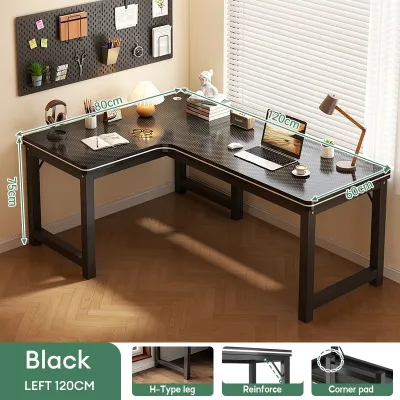
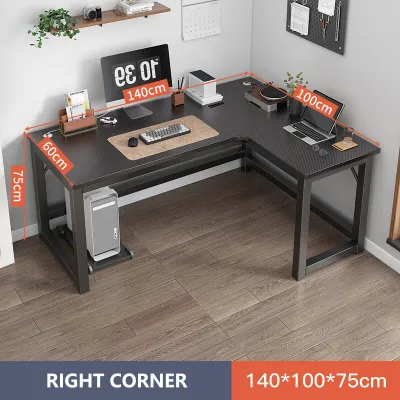
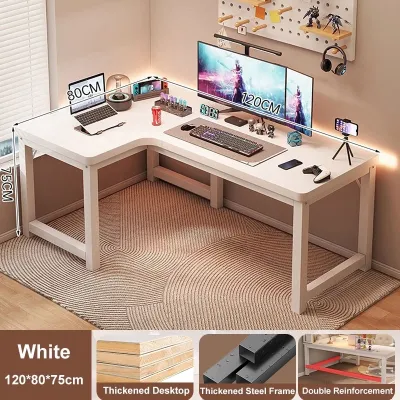
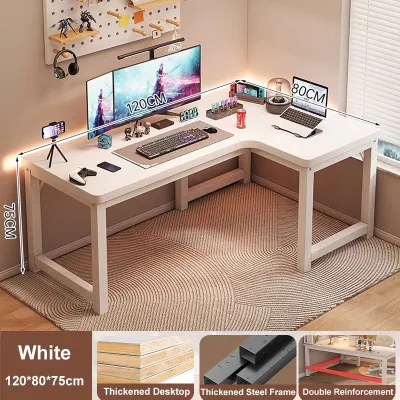
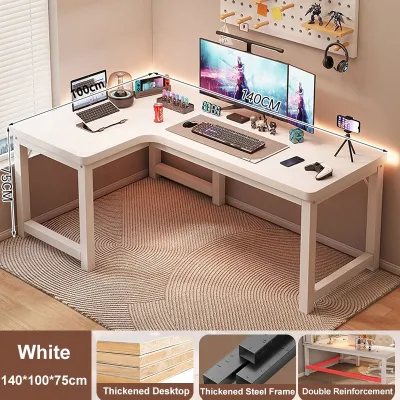
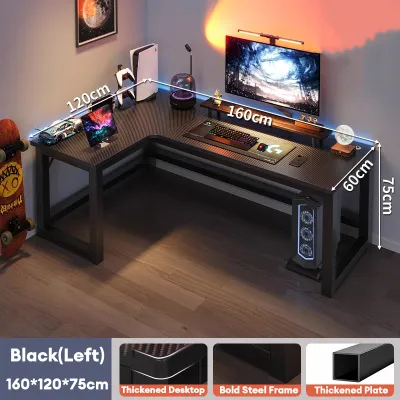
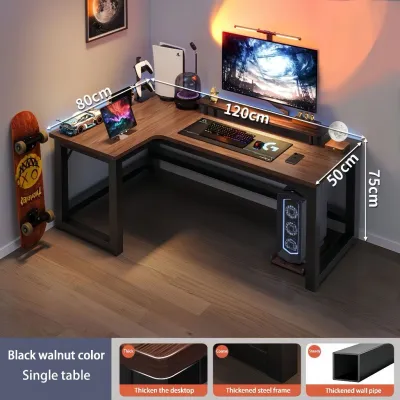
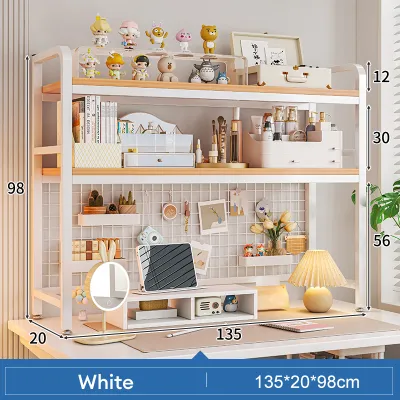
Prices are valid at publication and may change. Please refer to the product page for the latest price.
Equally important is measuring the clearance required for your daily movement and seating. An L-shaped desk requires a significant amount of floor space, not just for the desk itself, but for your office chair to roll back and turn comfortably. Ensure you leave at least 75 to 90 centimeters of open space behind the desk to prevent your chair from hitting walls, doors, or other furniture. If the desk you are considering includes built-in drawers or lower shelves, verify that they will not obstruct your legs or limit your ability to slide your chair fully under the desktop when not in use.
Once you have mapped out the physical dimensions, establish a strict maximum budget in Philippine Pesos (₱). Having a firm spending limit helps narrow down your options and prevents impulsive overspending on unnecessary aesthetic features. When setting this budget, remember to account for potential hidden costs that can quickly add up. Bulky furniture items often incur substantial shipping fees, particularly if you reside outside major urban centers like Metro Manila, Metro Cebu, or Metro Davao. Additionally, factor in the cost of basic assembly tools, potential professional assembly services, or safety hardware like wall-anchoring brackets if you live in an area prone to seismic activity.
To make the most of your budget, separate your non-negotiable needs from your nice-to-have features. If you use a heavy desktop computer tower and multiple large monitors, a thick desktop and a robust metal frame are absolute necessities. On the other hand, features like integrated LED lighting, built-in USB hubs, or elaborate storage cabinets are secondary elements that you can compromise on if funds are limited. By focusing your budget on structural integrity and surface area first, you ensure that your investment goes toward a durable foundation rather than superficial add-ons.
Prioritizing Essential Features When Funds Are Limited
When shopping on a restricted budget, you must make practical trade-offs to get the best possible value. The first specification to evaluate is the depth and width of the desktop surfaces. For comfortable computer use, a desktop depth of at least 50 to 60 centimeters is highly recommended. This depth ensures that your computer monitor sits at a safe, comfortable viewing distance from your eyes, reducing strain during long working hours. It also leaves sufficient space in front of the screen for a full-sized keyboard, a mouse pad, and comfortable wrist support, preventing your forearms from hanging off the edge.

Next, pay close attention to the manufacturer’s stated weight capacity and the overall structural stability of the desk. A standard work-from-home setup consisting of a laptop, an external monitor, a keyboard, and basic office supplies can easily weigh between 10 and 15 kilograms. If you plan to mount multiple screens using clamp-on monitor arms or place a heavy desktop tower directly on the desk surface, the load increases significantly. Look for desks that explicitly state their weight limits, and prioritize designs that distribute weight evenly across the frame to prevent the center of the desktop from sagging or bending over time.
Another critical decision is choosing between a desk with built-in storage and a minimalist, flat-surface design. Budget-friendly L-shaped desks that feature integrated drawers, shelves, or keyboard trays often compromise on the quality of the primary materials to keep costs low. You might end up with thinner wood panels or a flimsier metal frame. Conversely, choosing a minimalist flat-surface desk allows the manufacturer to allocate more of the production cost toward a thicker desktop and a sturdier frame. A simple, well-built flat desk offers superior long-term durability, and you can easily add modular storage solutions, such as rolling plastic drawer units or under-desk organizer trays, later as your budget allows.
Evaluating Materials and Build Quality Before You Buy
The materials used in your desk’s construction directly determine how well it will withstand daily wear and tear, especially under the unique environmental conditions of the Philippines. Most budget-friendly L-shaped desks are constructed from engineered wood, such as particle board, medium-density fiberboard (MDF), or plywood. Because these materials are susceptible to damage from high humidity and moisture, you must inspect the surface treatments carefully. Look for desks with a melamine or high-pressure laminate (HPL) finish. These synthetic coatings provide excellent resistance against scratches, minor impacts, and moisture from spilled drinks or humid air.
Equally important is the quality of the edge banding, which is the protective strip sealed around the edges of the wooden panels. In humid tropical climates, poorly sealed edges can allow moisture to penetrate the inner engineered wood, causing it to swell, warp, or peel over time. When inspecting a desk in person or reviewing detailed product photos online, look for smooth, tightly sealed edges without any visible gaps, glue residue, or lifting corners. If the edge banding appears thin or unevenly applied, the desk is highly likely to deteriorate quickly under daily use.
The stability of an L-shaped desk relies heavily on its frame structure and joint connections. Prioritize desks that feature powder-coated steel frames, which offer superior resistance to rust and corrosion compared to basic painted metal. Examine how the legs and support beams connect; desks that utilize thick metal mounting plates, triangular reinforcement brackets at the corners, or horizontal support bars along the back of the frame are significantly more stable. Avoid designs that rely solely on thin screws driven directly into the underside of the wooden panels, as these connections can loosen over time and cause the desk to wobble whenever you type or move your mouse.
Before finalizing your purchase, leverage the power of user reviews to identify potential quality traps. When browsing online marketplaces, filter the reviews to read feedback from buyers who have used the desk for several months. Look specifically for mentions of structural issues, peeling surfaces, misaligned screw holes, or missing assembly hardware. Pay close attention to user-uploaded photos, as these provide a realistic view of the desk’s actual appearance, color accuracy, and material thickness under normal lighting, helping you look past polished marketing graphics.
Smart Shopping Strategies for E-Commerce and Retail Stores
Navigating e-commerce platforms and physical retail stores in the Philippines requires a strategic approach to ensure you get a reliable product at a fair price. When shopping online, always verify the credibility of the seller before making a decision. Prioritize official brand stores, authorized distributors, or highly rated local sellers with a consistent track record of positive feedback. Carefully read the seller’s return and refund policies, particularly regarding bulky furniture items. If a component arrives damaged, cracked, or with missing parts, you want to ensure the seller offers a straightforward replacement process without requiring you to pay high return shipping fees.
To maximize the value of your purchase, look for listings that offer bundle deals or include practical accessories. Some L-shaped desks come packaged with useful add-ons such as detachable monitor stands, under-desk CPU holders, headphone hooks, or basic cable management trays. Purchasing these items as a bundle is often significantly cheaper than buying them individually later. However, always verify that the inclusion of these accessories does not mean the manufacturer has compromised on the thickness of the desktop or the stability of the metal frame.
Timing your purchase can also lead to substantial savings if your need for a new desk is not immediate. Major monthly double-day sales events on local e-commerce platforms, such as 9.9, 11.11, and 12.12, as well as mid-year and year-end clearance sales, are excellent opportunities to secure discounts. During these events, you can often combine store discounts with platform vouchers and free shipping promotions to lower the overall cost significantly. However, if you are currently experiencing physical discomfort or back strain from working on an unsuitable table, it is better to invest in a reliable, mid-range desk immediately to protect your health rather than waiting several months for a minor discount.
Frequently Asked Questions (FAQ)
Can I assemble an L-shaped desk by myself?
Assembling an L-shaped desk on your own is entirely achievable, but it requires careful preparation and patience. Before you begin, check the total package weight listed in the product specifications. Bulky L-shaped desks can weigh anywhere from 20 to 40 kilograms, making the shipping box difficult to carry or maneuver into your room without assistance. Ensure you have a clear, flat workspace on the floor, preferably covered with a soft blanket or the cardboard packaging box, to prevent scratching the desktop panels during the assembly process. Gather your tools beforehand; while most desks include a basic hex key, using a manual screwdriver with a comfortable grip or a low-torque power drill can make the process much faster and easier on your hands.
While one person can complete most of the assembly steps, having a second person assist you during key stages is highly recommended. Specifically, aligning the two main desktop sections and securing them tightly to the metal frame can be challenging to execute alone. A helper can support the weight of the wooden panels and keep them perfectly flush while you align the pre-drilled screw holes and tighten the bolts from underneath. This collaborative effort prevents the wood from cracking under uneven stress, ensures a seamless joint between the two desktop pieces, and reduces the risk of accidental injury or damage to your new furniture.
How do I manage cables on an L-shaped desk without built-in grommets?
If your budget-friendly L-shaped desk does not feature built-in cable grommets, you can still maintain a clean, organized, and professional workspace using affordable, aftermarket accessories. Adhesive cable clips and silicone wire organizers are excellent, low-cost tools that can be stuck directly to the underside or the back edge of the desktop to keep charging cables and peripheral wires from slipping behind the desk. For larger power strips and bulky power adapters, consider mounting an under-desk wire basket or a mesh cable management tray. These can be attached using non-invasive clamps or small wood screws, keeping heavy cables completely off the floor and out of sight.
To achieve the cleanest look, plan your cable routing along the existing metal frame of the desk. Run your monitor, keyboard, and mouse cables toward the inner corner of the L-shape, where they are naturally hidden from view. Use reusable Velcro ties or spiral cable wraps to bundle the wires together neatly, and secure the bundle along the back of one of the desk legs down to the wall outlet. This method keeps your legroom completely clear of dangling wires, prevents accidental kicks that could unplug your devices, and protects your cables from being chewed by pets or damaged during routine floor cleaning.

Community discussion
Share your experience or ask a question. Comments are reviewed before publication.