
Working from bed has transitioned from an occasional luxury to a daily reality for many remote professionals, freelancers, and students in the Philippines. While the comfort of your mattress is unmatched, typing for hours without proper support can quickly lead to physical strain, poor posture, and device damage. Finding the right foldable bed table is not just about choosing a flat surface; it requires evaluating how the table interacts with your bed, your body, and your laptop.
The ideal bed table must keep your laptop stable on uneven, soft surfaces while elevating the screen to an ergonomic viewing height. In a tropical climate where ambient temperatures and humidity are naturally high, the table must also facilitate proper airflow to prevent your device from throttling or overheating. By focusing on structural integrity, material durability, and physical dimensions, you can transform your bed into a highly productive, comfortable workspace.
Quick Guide: What Makes a Reliable Bed Table for Laptops?
To identify a reliable bed table without getting lost in endless product listings, you must focus on three non-negotiable pillars: stability, ergonomics, and portability. A stable table prevents your expensive laptop from wobbling or sliding off when you shift your weight on the mattress. This stability is primarily determined by the leg design and the presence of high-friction grip materials on the base.
Products mentioned in this guide


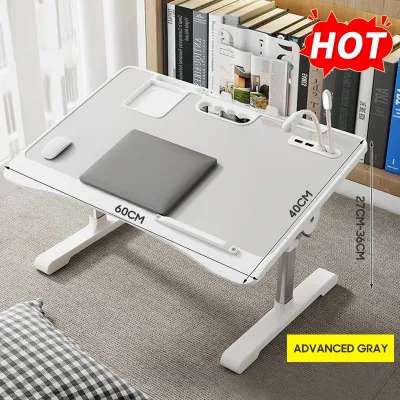
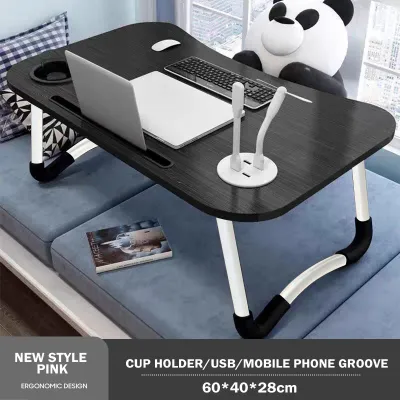
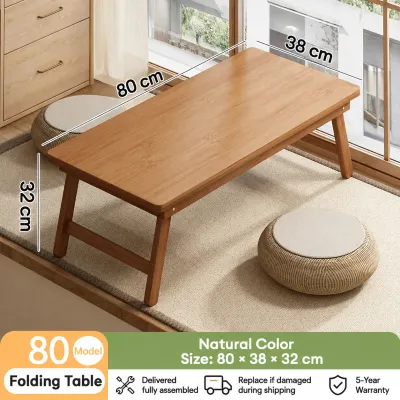
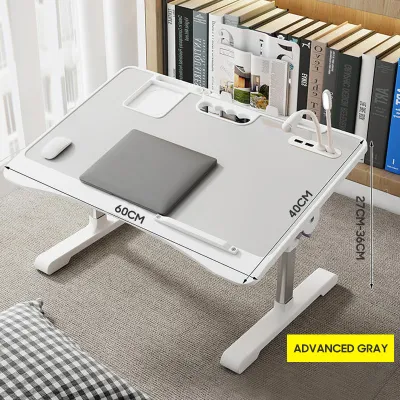
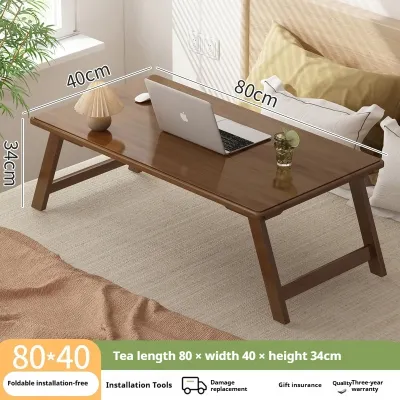
Prices are valid at publication and may change. Please refer to the product page for the latest price.
Ergonomically, the table must allow you to maintain a neutral spine. This means the surface should either tilt to keep your wrists at a comfortable typing angle or elevate high enough so that you do not have to hunch your neck to see the screen. Without these adjustments, prolonged use can lead to chronic strain in your upper back, shoulders, and neck.
Finally, you must consider the trade-offs between lightweight portability and heavy-duty structural stability. Lightweight tables made of plastic or thin aluminum are incredibly easy to fold and store, making them ideal for small bedrooms or shared living spaces. However, they are more prone to shaking during intense typing sessions. Heavy-duty tables with steel frames and solid engineered wood tops offer a rock-solid workspace but are bulkier, heavier to lift, and require more dedicated storage space.
Essential Features for Stability and Ergonomic Comfort
When evaluating different foldable bed tables, the physical construction of the legs is the most critical factor for stability on a soft mattress. Straight, independent legs tend to sink unevenly into foam or spring mattresses, causing the table to tilt unpredictably. U-shaped legs, also known as sled-style legs, are far superior because they distribute the weight of the table and your laptop across a wider surface area. For the absolute best stability, look for dual-leg frames that feature a low-profile crossbar connecting the left and right sides. This crossbar prevents the legs from splaying outward or collapsing inward when you move around on the bed.

The surface of the table should offer adjustable features that cater to both your comfort and your laptop’s safety. Tilt mechanisms are essential for achieving the perfect typing and viewing angle. Look for tables that use secure locking pins, notched slots, or heavy-duty friction clamps to hold the tilted surface in place. Avoid cheap models with loose plastic hinges that can slip under the weight of your hands. To prevent your laptop, mouse, and pens from sliding off the tilted surface, the table must feature a sturdy edge stopper or a raised wrist rest. Additionally, because laptops generate significant heat, look for surfaces with built-in cooling vents, perforated mesh patterns, or integrated USB-powered fans to facilitate continuous airflow.
Height and width parameters are equally vital for physical comfort. The table must provide sufficient clearance height so that it does not rest directly on your thighs. Measure the space you need when sitting cross-legged or with your legs extended straight out. The width between the table legs must be wide enough to span your hips comfortably with a few inches of clearance on either side. A table that is too narrow will restrict your leg movement, leading to stiffness and discomfort over time, while a table that is too wide may not sit securely on smaller mattresses, such as single or semi-double beds commonly found in Philippine homes.
Matching Table Designs to Your Specific Work-from-Bed Needs
Different work styles and device setups require distinct table designs. If you use a heavy 15-inch to 17-inch workstation laptop, an external keyboard, or a secondary portable monitor, you need a heavy-duty bed table. These setups demand a table with reinforced steel joints, a thick medium-density fiberboard (MDF) or solid wood top, and a wide, stable footprint. The table must have a high load capacity to support the weight of your equipment without bowing or shaking. Look for models that feature locking leg braces to ensure the table remains rigid even under heavy loads.
For casual browsing, virtual meetings, or tablet use, a lightweight and highly portable table is often the most practical choice. These tables are designed for quick setup and easy storage. They typically feature a simple folding mechanism without complex height adjustments, making them incredibly lightweight. Many of these models include a built-in slot or groove to hold your tablet or smartphone upright, allowing you to view multiple screens simultaneously. While they may not offer the extreme stability required for heavy typing, they are perfect for relaxed reading, watching videos, or taking notes.
If you plan to use your bed table for multiple activities, such as writing, drawing, or enjoying meals and drinks, prioritize surface durability and spill resistance. In the humid Philippine climate, cold drinks sweat rapidly, leaving pools of condensation on your workspace. A table with a water-resistant melamine coating or treated bamboo surface is essential to prevent moisture from warping the wood or peeling the edges. Look for tables with integrated cup holders to secure your morning coffee or iced tea, and ensure the edges of the table are sealed with a protective rubber or plastic band to prevent liquid from seeping into the core material.
Pre-Purchase Checklist: Measuring Your Space and Bed Setup
Before purchasing a foldable bed table, taking precise measurements of your bed and sleeping posture is crucial to avoid compatibility issues. Start by measuring your bed clearance. Sit on your mattress in your typical working position—whether that is sitting upright against a headboard, propped up by pillows, or sitting cross-legged. Use a tape measure to find the distance from the top of the mattress to the top of your thighs. Add at least three to five inches to this measurement to determine the minimum clearance height your table needs. If you prefer to change positions throughout the day, look for a table with adjustable legs that can accommodate different heights.
Next, evaluate the physical constraints of your bed frame and bedroom layout. If you have a platform bed with raised wooden borders or a recessed mattress, ensure the table legs can rest flat on the mattress without being obstructed by the frame. If your bed is pushed tightly against a wall or a bedside table, check if there is enough clearance for the table legs to extend fully. Some bed tables have legs that flare outward for stability, which requires a wider flat surface area on the mattress than the actual width of the table top.
Finally, consider the storage footprint of the table. In compact living spaces, such as studio apartments or condominiums, finding a place to store your workspace when it is not in use is essential. Measure the folded thickness of the table. A table that folds down to a thickness of two inches or less can easily slide under most bed frames, behind a wardrobe, or inside a closet. If you plan to travel with your table or move it between different rooms, check the overall weight and look for models with integrated carrying handles for added convenience.
Safe Setup and Daily Maintenance Practices
To ensure the longevity of your foldable bed table and protect your expensive electronic devices, practicing safe setup and regular maintenance is essential. Always unfold the legs completely until they click or lock into place before placing your laptop on the surface. If your table features adjustable height or tilt settings, double-check that the locking pins, clamps, or notches are fully engaged. Never attempt to adjust the height or angle of the table while your laptop, mouse, or drinks are still on it, as a sudden slip can lead to costly accidents.
Understanding and respecting the manufacturer’s weight limits is critical for preventing structural failure. While a table may feel sturdy, leaning your forearms heavily on the front edge while typing can exceed the weight capacity and cause the legs to collapse or the table to tip forward. Distribute the weight of your devices evenly across the surface, keeping heavier items like your laptop toward the center and lighter items like notebooks or a mouse toward the sides.
The high humidity levels in the Philippines can accelerate the wear and tear of metal hinges, screws, and wooden surfaces. Establish a basic maintenance routine to keep your table in optimal condition. Periodically inspect the folding joints and tighten any loose screws with a screwdriver to maintain structural rigidity. Wipe down the surface and legs with a dry or slightly damp microfiber cloth after each use to remove dust, sweat, and condensation from cold drinks. Avoid using harsh chemical cleaners that can strip away protective water-resistant coatings, and always dry metal parts thoroughly to prevent rust and corrosion.
Frequently Asked Questions (FAQ)
Can a foldable bed table cause my laptop to overheat?
Yes, if the table lacks proper ventilation or if you place the laptop directly on a soft bedding surface that blocks the intake vents. Mattresses, blankets, and sheets act as thermal insulators, trapping heat around your laptop’s chassis and forcing the internal fans to work harder. A dedicated bed table elevates your laptop off these soft surfaces, allowing air to circulate freely underneath. To maximize cooling efficiency, especially in warm tropical climates, choose a table with built-in ventilation slots, a perforated mesh surface, or integrated USB-powered cooling fans that actively draw heat away from your device.
Are bed tables with wheels safe to use on soft mattresses?
Generally, bed tables with wheels or casters are not safe to use directly on top of a soft mattress. The wheels can easily sink into the plush foam or spring mattress, causing the table to tilt, wobble, or tip over when you shift your weight or type. Wheeled tables are designed for flat, hard floors and are best suited as overbed tables that roll under the bed frame from the side. If you need a table to place directly on top of your mattress, opt for models with wide, flat, U-shaped legs or sled-style bases equipped with non-slip rubber or foam pads, which distribute weight evenly and remain stable on soft surfaces.

Community discussion
Share your experience or ask a question. Comments are reviewed before publication.