
Finding the best foldable table for a small home office in the Philippines requires balancing space efficiency with structural stability. In compact condominiums or shared family rooms, a workspace must often disappear at the end of the day. The ideal choice depends on your specific spatial limits, your daily workflow, and how well the table’s materials withstand local humidity.
Assessing Your Space and Workflow Needs
Before browsing online marketplaces, grab a tape measure to assess your physical environment. You must measure the exact floor area where the table will stand when fully extended. Do not forget to measure the clearance around the desk to ensure you can walk past it without bumping into corners.
Consider the path the package must take to reach your room. Measure your doorways, narrow hallways, and condominium lift doors. A pre-assembled folding table might save setup time, but it can be difficult to maneuver through tight corners if the folded dimensions are too large.
Products mentioned in this guide
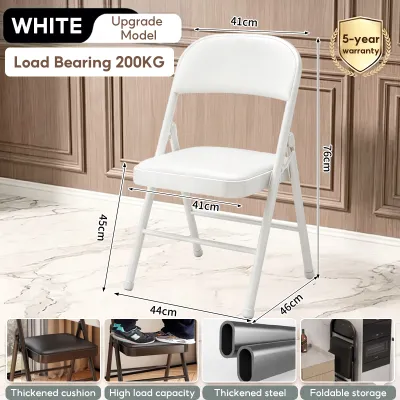

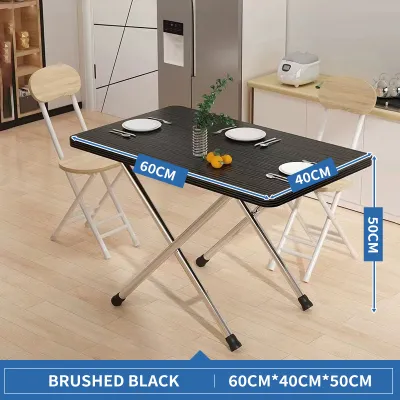

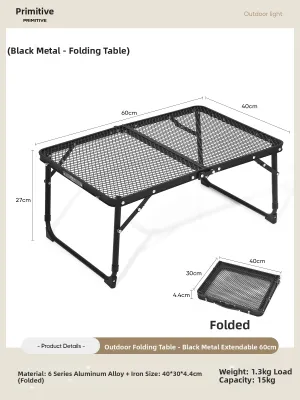
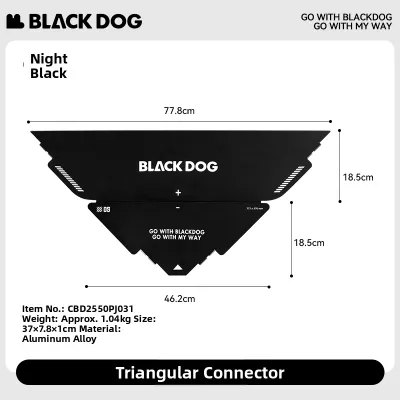

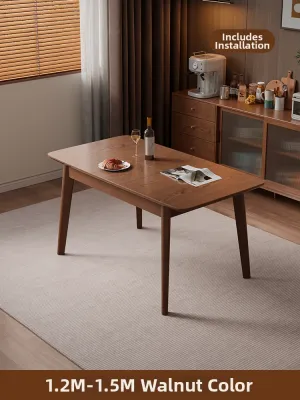
Prices are valid at publication and may change. Please refer to the product page for the latest price.
Your daily workflow dictates the minimum surface area you need. A professional who only uses a lightweight laptop can easily work on a narrow, minimalist ledge. If your job requires a laptop, an external keyboard, a mouse, and printed documents, you will need a deeper surface to avoid physical clutter and wrist strain.
Power access is another critical factor in small rooms. Identify the nearest wall outlets before deciding on your table’s placement. Running extension cords across high-traffic walkways creates tripping hazards, so look for tables that allow you to route cables neatly along the frame or choose a spot directly adjacent to a power source.
Matching Table Dimensions to Your Room Layout
Standard compact desks typically range from 80 to 100 centimeters in width and 40 to 60 centimeters in depth. A depth of 40 centimeters is highly space-efficient for narrow alcoves but leaves very little room for your forearms. A depth of 60 centimeters offers a much more comfortable typing posture but requires a larger footprint.

The shape of your foldable table should match your room’s traffic patterns. Rectangular tables are highly versatile and fit neatly against any flat wall. Square tables can double as dining surfaces or side tables when not in use for work, making them excellent multi-purpose investments for studio apartments.
Corner-shaped foldable tables utilize underused corner spaces, keeping the center of the room clear. However, they often require more complex folding mechanisms and might not fold completely flat against a wall when stored.
Standard desk height is typically around 70 to 75 centimeters. When choosing a foldable table, verify that the height aligns with your existing office chair. If your chair does not have adjustable height controls, a table that is too high or too low can lead to shoulder tension and poor posture during long working hours.
Do not overlook the space required for your office chair. A standard ergonomic chair requires at least 60 to 75 centimeters of clearance behind the desk to pull out and push in comfortably. Ensure there is enough legroom underneath the table, especially if the folding mechanism includes low-hanging crossbars or support brackets that might restrict your knees.
Evaluating Folding Mechanisms and Structural Stability
Foldable tables generally rely on three main mechanisms: folding legs, drop-leaf panels, or wall-mounted brackets. Folding legs are highly portable and allow the entire table to be tucked under a bed or behind a wardrobe. However, setting them up daily requires lifting the entire weight of the unit.
Drop-leaf tables feature hinged panels that fold down when not in use, leaving a small central console standing. This design is highly stable and does not require complete storage, but the folded leaves still occupy some visual and physical space in the room.
Wall-mounted folding desks offer the ultimate floor-space savings because they float entirely off the ground. When folded down, they lie virtually flat against the wall. The trade-off is that they are completely stationary and require secure installation into wall studs or solid concrete.
Consider where the table will go when it is folded. If you plan to slide it under a bed, measure the vertical clearance of your bed frame first. Some folding tables have bulky leg brackets that require up to 10 centimeters of clearance even when fully collapsed, which might prevent them from sliding under low-profile furniture.
To prevent annoying desk wobble during heavy typing, inspect the table’s structural design. Look for models that feature triangular cross-bracing or reinforced metal frames. Check the manufacturer’s stated weight capacity to ensure it can safely support your computer, monitors, and desk accessories without bowing.
Safety depends heavily on the quality of the locking mechanisms. High-quality folding tables feature spring-loaded locks or safety pins that prevent the legs from accidentally collapsing if bumped. Examine the hinges to ensure they are made of thick, rust-resistant metal that can handle repeated folding cycles.
Checking Materials, Surfaces, and Daily Durability
The tropical climate in the Philippines introduces high humidity, which can severely affect furniture materials. Engineered wood, such as medium-density fiberboard (MDF) or particleboard, is common in budget-friendly folding tables. However, if the protective laminate finish is chipped or poorly sealed, moisture can seep in, causing the wood to swell and warp.
Look for surfaces with high-pressure laminate (HPL) or melamine coatings, which offer better resistance to moisture and scratches. Always check the manufacturer’s care instructions regarding cleaning. Avoid using harsh chemical cleaners that can degrade the protective surface layer over time; a simple wipe with a damp microfiber cloth is usually sufficient.
Pay close attention to the edge banding of the tabletop. In humid environments, the edges are often the first areas where moisture penetrates and causes the laminate to peel. Look for tables with seamless edge bands or rounded, impact-resistant plastic edges that protect the core material from bumps and moisture.
The frame material is just as important as the tabletop. Powder-coated steel frames are highly durable and resist rust, making them ideal for humid environments. Inspect the joint connections where the metal frame meets the tabletop; screws should be threaded into metal inserts rather than directly into raw engineered wood to prevent stripping over time.
Keep your folding table in a well-ventilated area away from direct sunlight. Prolonged exposure to intense heat and UV rays can fade the surface finish and weaken plastic components or adhesives used in the folding joints.
Installation, Safety, and Maintenance Guidelines
When your table arrives, carefully follow the manufacturer’s assembly instructions. Do not skip any steps or leave out washers and screws, as every component contributes to the overall structural integrity. Verify that all hardware is fully tightened before placing any expensive electronics on the surface.
If you choose a wall-mounted folding desk, proper anchoring is non-negotiable. Never mount these desks directly into hollow drywall or plaster without locating the wall studs. In Philippine homes with concrete or hollow-block walls, use heavy-duty masonry wall plugs and appropriate screws to ensure the desk remains securely anchored under load.
Establish a simple routine to maintain your table’s safety and longevity. Every few months, check the tightness of the hinges, brackets, and structural bolts. Daily folding and unfolding can gradually loosen these connections, leading to increased wobble or mechanical failure.
Only lubricate moving parts if specifically recommended by the manufacturer’s manual. If lubrication is advised, use the exact type of lubricant specified, such as silicone spray, and apply it sparingly to avoid attracting dust and grit, which can grind down the hinges over time.
Frequently Asked Questions (FAQ)
Can I use a foldable table for a dual-monitor setup?
Yes, but you must carefully calculate the combined weight of your monitors, mounting arms, and other desktop peripherals. Compare this total weight against the manufacturer’s stated weight capacity for the table. Keep in mind that clamp-on monitor arms concentrate a large amount of force on a very small section of the desk edge.
If your folding table has a thin engineered wood top or a hollow-core design, a clamp-on arm can crack or crush the material. In these cases, it is much safer to use freestanding monitor stands that distribute the weight across a wider surface area. Additionally, ensure the desk has a depth of at least 60 centimeters to maintain a comfortable and ergonomic viewing distance from dual screens.
How do I prevent a foldable table from wobbling?
Wobbling is often caused by uneven flooring, which is common in many homes. To compensate for minor floor irregularities, choose a foldable table equipped with adjustable screw-in foot pads or levelers. Adjusting these pads individually can quickly stabilize the frame on uneven tiles or wood planks.
Regular maintenance is also key to stability. Periodically check and tighten all structural bolts, leg hinges, and cross-braces using the tools provided in the original assembly kit. Finally, positioning your foldable table directly against a solid wall can significantly reduce lateral movement and vibration while you type.

Community discussion
Share your experience or ask a question. Comments are reviewed before publication.