
Transitioning to a hybrid or fully remote work setup requires a workspace that supports long hours of focused attention. An adjustable standing desk is one of the most impactful upgrades you can make, allowing you to seamlessly transition between sitting and standing throughout the day. However, choosing the right desk involves more than simply selecting a popular model online. You must evaluate physical space constraints, mechanical specifications, material durability under local environmental conditions, and your personal ergonomic requirements to make an informed investment.
Measure Your Space and Ergonomic Requirements
Before browsing online catalogs, you must accurately assess the physical limits of your home office. Begin by measuring the available floor area where the desk will stand. Be sure to account for chair clearance, especially if you use a bulky ergonomic chair with a wide five-star base. You must also factor in door swings, wardrobe doors, and walkway traffic to ensure the desk does not obstruct daily movement through the room. In compact urban apartments or shared bedrooms, even a few centimeters of miscalculation can make a space feel cramped and difficult to navigate.
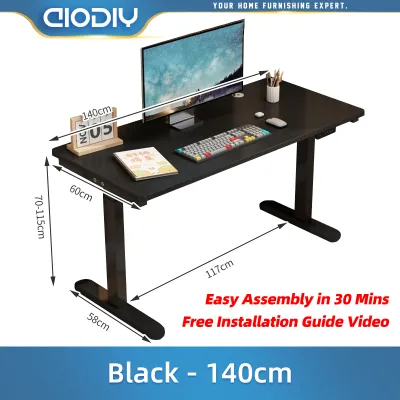
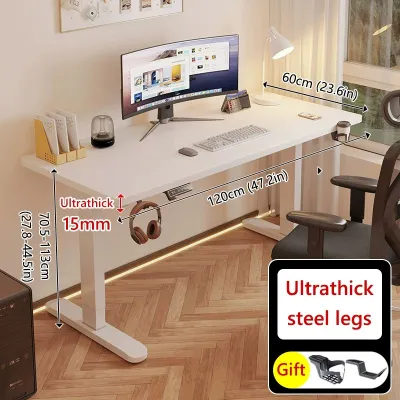
Next, determine the necessary depth and width of the desktop based on your daily workflow and equipment. A standard desktop width of 120 cm is generally sufficient for a laptop, an external monitor, and basic peripherals. If you utilize dual monitors, a dedicated desktop computer tower, or physical documents, you will likely require a width of 140 cm or 160 cm. Desktop depth is equally critical for eye health and comfort. A depth of 60 cm is common for tight spaces, but a 75 cm or 80 cm depth is highly recommended for multi-monitor setups to maintain a safe viewing distance of approximately an arm’s length from your screens.
Products mentioned in this guide
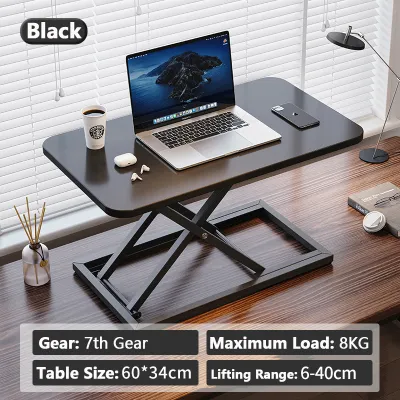
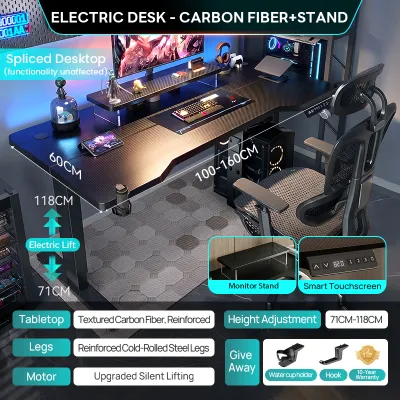
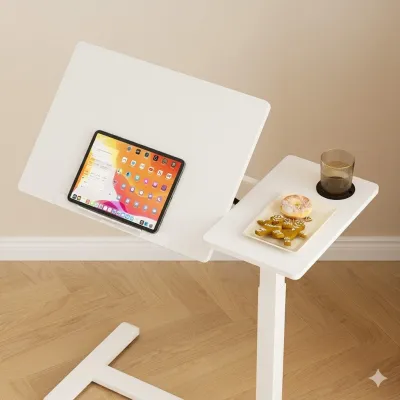
![[NEW] TTRacing Tacto Portable Standing Desk Ergonomic Height Adjustable Table](https://img.lazcdn.com/g/p/d212247077fd8c96aa340eee125211c1.jpg_400x400q80.jpg_.webp)
Prices are valid at publication and may change. Please refer to the product page for the latest price.
Calculating your personal ergonomic height range is the next essential step. To find your ideal sitting height, sit comfortably in your office chair with your feet flat on the floor and your knees bent at a 90-degree angle. Relax your shoulders, bend your elbows at a 90-degree angle, and measure the distance from the floor to the underside of your elbows. This measurement represents your ideal seated desk height. Repeat this process while standing in your typical working footwear to find your ideal standing height. When comparing desk specifications, ensure the desk’s minimum and maximum height limits fully accommodate both of these measurements. Remember to account for the thickness of the desktop itself and any additional accessories, such as an anti-fatigue mat, which can add several centimeters to your standing height.
In tropical climates characterized by high humidity, the choice of desktop material is a critical factor that directly impacts longevity. Standard particle board or low-grade Medium Density Fiberboard (MDF) can absorb moisture from the air over time, leading to swelling, warping, or sagging under the weight of heavy monitor mounts. When selecting a desktop, look for materials with fully sealed edges, high-pressure laminates (HPL), or solid wood options treated with moisture-resistant polyurethane coatings. These materials are far better suited to withstand humid conditions and resist the sweat and moisture transfer that naturally occurs during long working hours.
Evaluate Core Motor and Stability Features
The mechanical heart of an adjustable standing desk is its motor system, which dictates how smoothly, quickly, and quietly the desk transitions between heights. Motorized desks generally fall into two categories: single-motor and dual-motor systems. Single-motor desks utilize a single motor connected to a hex rod that drives both legs simultaneously. While these models are typically more budget-friendly, they tend to have slower lifting speeds, higher noise levels, and lower weight capacities. Over time, the mechanical transfer of power can also lead to uneven wear on the legs.

In contrast, dual-motor systems feature a dedicated motor housed inside each leg column. This configuration offers significantly smoother transitions, faster lifting speeds, and quieter operation, making them ideal for shared households or quiet work environments. Dual-motor desks also boast substantially higher weight capacities, allowing them to lift heavy multi-monitor setups, studio speakers, and desktop towers without straining the motors. If your budget permits, investing in a dual-motor system generally yields greater long-term reliability and a more seamless daily user experience.
Frame construction and stability are paramount, particularly when the desk is extended to its maximum standing height. As a desk rises, its center of gravity shifts upward, making it more susceptible to front-to-back and lateral wobble. To minimize this movement, look for frames constructed from heavy-duty steel with wide, substantial feet. Some frames feature a traditional crossbar connecting the legs, which greatly enhances lateral stability but can restrict legroom or under-desk storage. Alternatively, high-quality desks utilize thicker, multi-stage lifting columns to maintain rigidity without a crossbar.
Lifting columns are typically categorized as 2-stage or 3-stage. A 2-stage column consists of two telescoping segments, while a 3-stage column features three segments. Desks with 3-stage columns not only offer a wider overall height range—allowing them to go both lower and higher than 2-stage models—but they also provide superior stability at maximum extension because there is more overlap between the metal segments. Additionally, ensure the frame features adjustable leveling glides on the feet to compensate for uneven tiled or concrete floors, which are common in many residential structures.
Control panel features also play a significant role in how easily you integrate standing into your daily routine. Basic up-and-down button controllers require you to manually hold the button until you reach the desired height, which can make transitions tedious. Programmable memory keypads allow you to save your exact sitting and standing heights, enabling you to transition between positions with a single touch of a button. Furthermore, prioritize desks equipped with anti-collision safety mechanisms. These sensors detect physical resistance if the desk encounters an obstacle—such as a chair armrest, a drawer unit, or a windowsill—and immediately stop and reverse the motor, preventing damage to your equipment and the desk itself.
Match the Desk Shape to Your Workflow
The shape of your standing desk should align with your specific daily tasks and the layout of your room. Standard rectangular desks are the most popular and versatile option. Their straightforward design fits easily against flat walls, inside closets, or in narrow room layouts. Rectangular desks are highly compatible with standard accessories, such as clamp-on monitor arms, under-desk keyboard trays, and cable management organizers. They are ideal for focused computer work where your primary tools are a screen, keyboard, and mouse.
For professionals who require extensive surface area, L-shaped or corner standing desks offer an excellent solution. These desks provide two distinct working zones, allowing you to dedicate one side to your computer setup and the other to physical paperwork, sketching, or secondary devices. L-shaped desks are also highly effective at maximizing corner space in larger home offices that might otherwise go unused. However, keep in mind that L-shaped standing desks require more complex assembly, utilize multiple motors, and have a significantly larger physical footprint, making them difficult to relocate or fit into smaller rooms.
If you are renting your home, have highly restricted space, or wish to keep your existing traditional desk, a compact standing desk converter is a practical alternative. These units sit directly on top of your current table and feature a manual gas-spring or electric mechanism to raise and lower your monitor and keyboard. While converters offer a flexible, non-permanent ergonomic solution, they do have notable trade-offs. They significantly reduce the usable surface area of your desk, add substantial weight to your existing furniture, and often require physical effort to lift and lower, which may discourage frequent transitions throughout the day.
Balance Your Budget and Feature Priorities
When shopping for an adjustable standing desk, it is easy to get caught up in premium features and high-end aesthetics. To allocate your budget effectively, focus first on securing a high-quality frame and motor system, as these components determine the desk’s safety and longevity. A sturdy, reliable frame can easily outlast multiple desktop replacements, allowing you to upgrade the surface material in the future if your style or space requirements change.
Evaluate the manufacturer’s warranty terms carefully before making a purchase. A comprehensive warranty that covers the motor, control box, and frame for three to five years is a strong indicator of manufacturing quality and long-term value. Be cautious of budget models that offer short warranties or exclude electrical components entirely, as replacing a failed motor or control box out-of-pocket can quickly equal the cost of a new desk. Investing slightly more upfront for a reputable brand with reliable customer support and warranty coverage often saves money and frustration in the long run.
If a motorized standing desk is outside your current budget, manual hand-crank desks represent an excellent, cost-effective alternative. These desks utilize a mechanical hand crank to raise and lower the surface, eliminating the need for electrical components entirely. Manual desks are highly reliable, require virtually no maintenance, and are completely unaffected by power outages or voltage fluctuations. This makes them particularly advantageous in areas prone to frequent power surges, which can damage sensitive electronic control boards if not protected by a high-quality surge protector.
Finalize Your Choice and Prepare for Assembly
Once you have selected a desk that fits your space, workflow, and budget, perform a final verification before placing your order. Re-measure your designated floor space and compare it against the desk’s finished dimensions. Confirm the location of the nearest wall outlet and plan your cable management strategy. A standing desk requires sufficient slack in all connected cables—including monitor cords, power strips, and charger cables—to ensure they do not pull tight, unplug, or damage your ports when the desk rises to its maximum height.
Next, review the delivery policies and logistics of your purchase. Standing desk packages are exceptionally heavy and bulky, often split into multiple boxes containing the steel frame and the desktop. Verify whether the delivery service includes doorstep delivery, especially if you reside in a multi-story condominium or apartment building without an elevator. If the package will be left at a ground-floor lobby or gate, ensure you have arranged assistance to safely transport the heavy boxes up to your unit to avoid physical strain or damage to the product.
Finally, prepare your workspace for assembly. Most adjustable standing desks are delivered flat-packed and require self-assembly. Download the assembly manual from the manufacturer’s website beforehand to identify any required tools, such as a level, a tape measure, or a power drill for securing the desktop to the frame. Clear a large, flat area on your floor and lay down a soft blanket or cardboard to protect the desktop surface from scratches during assembly. Taking the time to carefully align the frame, tighten all joints securely, and verify that the desk is perfectly level will ensure smooth, quiet, and stable operation for years to come.
Frequently Asked Questions (FAQ)
Is a standing desk worth the investment for a home office?
An adjustable standing desk is a highly valuable ergonomic tool for individuals who spend long hours working from home. Alternating between sitting and standing throughout the day helps reduce the physical fatigue, muscle stiffness, and discomfort associated with prolonged static postures. By encouraging movement, a standing desk can help you maintain energy levels and focus during extended work sessions. However, it is important to understand that a standing desk is not a medical cure or a substitute for regular physical exercise. To maximize the return on your investment, use the desk to transition between sitting and standing every 30 to 60 minutes, and combine its use with supportive footwear or an anti-fatigue mat for optimal comfort.
How much weight can a typical adjustable desk support?
The weight capacity of an adjustable standing desk varies significantly based on the frame design, motor configuration, and manufacturer specifications. Entry-level single-motor desks typically support between 70 kg and 80 kg, while heavy-duty dual-motor systems can easily lift 100 kg to 125 kg or more. To determine your specific weight requirements, calculate the total weight of all equipment that will sit on the desk, including monitors, heavy-duty monitor arms, laptop stands, keyboard, mouse, desk pads, and personal accessories. If you plan to mount your desktop computer tower directly to the underside of the frame, include its weight in your calculations as well. Always leave a safety margin of at least 15% to 20% below the manufacturer’s stated maximum weight limit to ensure smooth, quiet operation and prevent premature wear on the motor system.

Community discussion
Share your experience or ask a question. Comments are reviewed before publication.