
Finding the best foldable study table for a compact condominium or bedroom in the Philippines requires balancing space constraints with structural stability. The ideal choice is not a one-size-fits-all product, but rather a design that aligns with your specific room layout, daily work habits, and building rules. Whether you are dealing with a studio unit in a high-rise building or a shared bedroom, selecting the right table involves evaluating how the furniture folds, where it will be stored, and how well it resists the local tropical humidity.
Assessing Your Space and Workflow Needs
Before browsing online marketplaces or visiting local furniture showrooms, you must establish the physical boundaries of your room. Start by measuring the clear floor space where you intend to set up the desk. It is crucial to measure not just the footprint of the table itself, but also the clearance needed for your chair and your own movement. Ensure there is a clear walkway pathway of at least 60 to 70 centimeters behind the chair when you are seated, allowing other household members to pass without disruption.
Your daily workflow dictates the size and strength of the table surface you require. A professional who only uses a lightweight laptop and a smartphone needs far less surface area and weight capacity than someone who uses dual monitors, heavy textbooks, or drawing tablets. If your work involves extensive writing or sketching, you will need a deeper surface to support your forearms comfortably.
Products mentioned in this guide
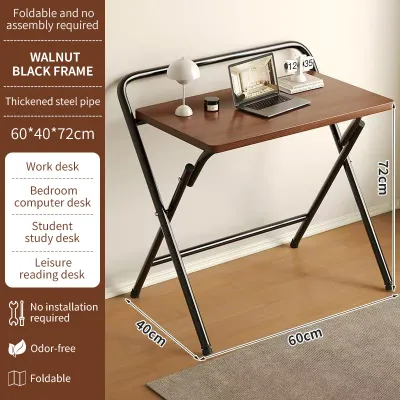

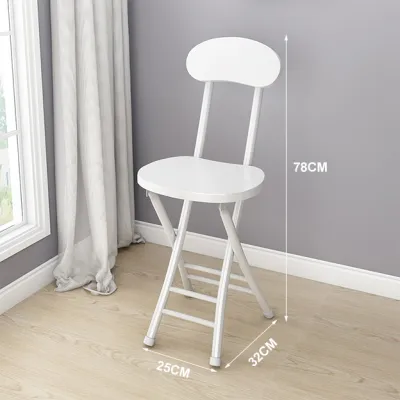

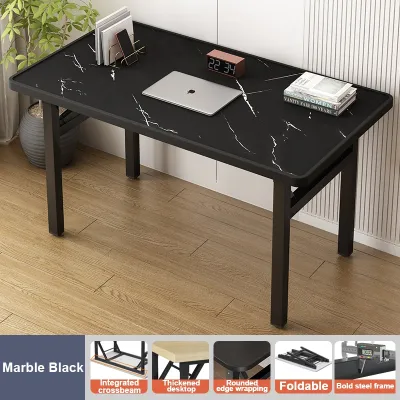
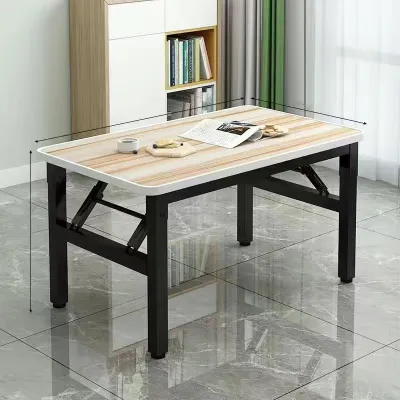
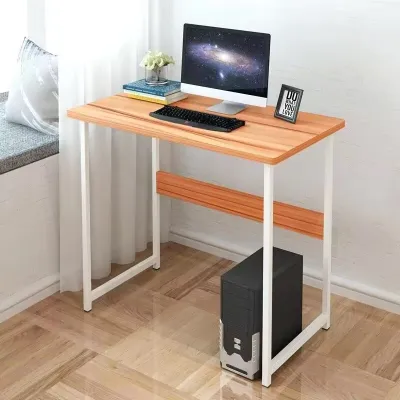
Prices are valid at publication and may change. Please refer to the product page for the latest price.
Storage is another critical factor when the table is not in active use. Think about where the desk will go when folded flat. If you plan to slide it under a bed, measure the vertical clearance between the floor and the bed frame. If you intend to store it inside a closet or behind a door, check those dimensions as well. Additionally, consider where your laptop, chargers, and office supplies will live when the desk is tucked away, as a folding table rarely offers built-in storage.
Key Design Types for Compact Spaces
Foldable study tables generally fall into two main structural categories: wall-mounted fixtures and freestanding movable furniture. Choosing between them depends on your living arrangements, wall availability, and whether you own or rent your home. Each configuration offers distinct trade-offs in terms of stability, portability, and installation effort.

Wall-Mounted and Drop-Leaf Tables
Wall-mounted and drop-leaf tables are excellent space-saving solutions because they completely clear up floor space when folded down. These units are permanently anchored to the wall, with a tabletop that swings up and locks into place for work, then drops flat against the wall when finished.
Before choosing this option, you must verify the structural integrity of your walls. In many Philippine condominiums, interior walls are made of lightweight gypsum board or hollow concrete blocks rather than solid concrete. You must locate the wall studs or use specialized anchors designed for the specific wall material to prevent the table from pulling out under load. Always check the manufacturer’s weight-bearing specifications and avoid overloading the surface.
The hinge mechanisms and locking supports are the most critical components of a drop-leaf table. Look for heavy-duty metal brackets or locking struts that click securely into place. If the hinges feel loose or are made of thin, flexible metal, the table will likely sag or shake during use.
Keep in mind that wall-mounted tables represent a permanent loss of that specific wall space. Furthermore, if you are renting your condo, drilling multiple deep holes into the walls may violate your lease agreement. Always check your tenancy contract or consult your landlord before purchasing a wall-mounted unit.
Freestanding Folding and Z-Desks
Freestanding folding tables and Z-desks offer maximum flexibility because they require no installation and can be moved from room to room. These tables typically feature metal legs that fold flat against the underside of the tabletop, allowing you to store the entire unit out of sight when your workday ends.
When evaluating freestanding options, pay close attention to the folded dimensions. A truly compact folding desk should fold down to a thickness of less than 10 centimeters, making it easy to slide behind a wardrobe, under a sofa, or inside a utility closet.
The primary challenge with freestanding folding tables is lateral stability. Because the legs must pivot to fold, any play in the joints can cause the desk to wobble when you type or write. Look for models that feature robust leg locking mechanisms, such as spring-loaded pins or manual locking rings, along with crossbar supports or diagonal bracing between the legs.
The overall weight of the table is also a key consideration. While a heavier desk often feels more stable, it must still be light enough for you to lift and carry comfortably. A desk weighing between 8 and 12 kilograms usually strikes a good balance between structural sturdiness and easy portability.
Evaluating Stability, Materials, and Ergonomics
To ensure your foldable study table lasts for years, you must look past marketing claims and inspect the physical construction details.
- Joint and Hinge Quality: Examine the connection points where the legs meet the tabletop. Metal-to-metal connections using bolts and threaded inserts are far more durable than wood screws driven directly into engineered wood, which can strip over time with repeated folding.
- Material Finishes: In the humid tropical climate of the Philippines, moisture resistance is vital. If the table is made of medium-density fiberboard (MDF) or particleboard, ensure all edges are fully sealed with a thick PVC or ABS edge banding. Unsealed edges can absorb moisture from the air or accidental spills, causing the wood fibers to swell and crumble. For metal frames, look for powder-coated finishes that protect against rust and corrosion.
- Ergonomic Alignment: A standard study desk should have a height of approximately 72 to 76 centimeters from the floor. Since most foldable tables do not offer height adjustment, you must pair the desk with an adjustable office chair to maintain proper posture. When seated, your elbows should rest at a 90-degree angle on the tabletop, and your feet should be flat on the floor.
Measuring and Installation Checklist
To avoid delivery headaches and safety hazards, follow this practical checklist before making your purchase:
- Delivery Access: Measure the width and height of your condo building's elevator door, the interior elevator cabin, stairwell turns, and your unit's front doorway. Ensure the packaged box can clear these spaces without damage.
- Operational Clearance: Calculate the swing radius of any folding leaves or drop-down panels. Ensure that when the table is fully extended, it does not block access to electrical outlets, light switches, air conditioning units, or closet doors.
- Chair Space: Allow at least 60 centimeters of width and 50 centimeters of depth under the desk for your legs and chair base to slide in comfortably.
- Professional Installation: For wall-mounted desks, if you do not own a hammer drill, a stud finder, or a spirit level, stop the DIY process. Consult your condo's property management office or hire a qualified local handyman to ensure the unit is anchored safely into the wall structure.
Frequently Asked Questions (FAQ)
Can a foldable table support dual monitors?
Whether a foldable table can support dual monitors depends entirely on the manufacturer’s rated load capacity and the structural design of the desk. Most standard freestanding folding tables are rated for loads between 15 and 30 kilograms, which is technically sufficient for two modern monitors and a laptop. However, you must distribute this weight evenly across the surface rather than concentrating it at the back edge.
If you plan to use monitor arms that clamp to the edge of the desk, exercise extreme caution. Clamps concentrate a high amount of torque and pressure on a very small area. If the tabletop is made of thin hollow-core board or low-density particleboard, the clamp can crush the material or cause the desk to tip backward. Standard desktop bases are generally safer for folding tables as they distribute the weight over a larger surface area.
Regularly inspect your desk for signs of structural stress. If you notice any bowing or sagging in the center of the tabletop, or if the folding joints begin to slip or creak, remove the extra monitors immediately to prevent a sudden collapse.
How do I prevent a freestanding folding table from wobbling?
Wobbling is a common issue with portable furniture, but it can often be minimized with a few simple adjustments. Start by checking all visible screws, bolts, and hinge connections. Over time, the vibrations from typing and moving the desk can loosen these fasteners. Use a screwdriver or hex key to tighten them securely, but avoid overtightening, which can strip the threads.
Uneven flooring is another frequent cause of instability, especially in older buildings or units with tiled floors. Look for folding tables that feature adjustable screw-in foot pads or levelers on the bottom of the legs. You can turn these pads clockwise or counterclockwise to compensate for floor imperfections and stabilize the desk.
If you have tightened all connections and leveled the feet, but the desk still sways significantly when you apply light lateral pressure, the issue is likely a structural design flaw. Persistent wobbling usually indicates weak welds, thin metal tubing, or poorly designed folding joints. In such cases, it is best to return or replace the unit rather than risking damage to your computer equipment.

Community discussion
Share your experience or ask a question. Comments are reviewed before publication.