
Finding the right pillow for ergonomic chair setups is often the final step in achieving a truly pain-free workspace. While ergonomic chairs are engineered to support a neutral sitting posture, manufacturers design them using standardized body templates. In reality, individual body proportions vary wildly. A backrest that perfectly cradles one person’s spine might leave another person with a hollow gap in their lower back or a headrest that pushes their neck uncomfortably forward.
Instead of replacing an expensive office chair, adding a targeted ergonomic accessory can bridge the gap between the chair’s default frame and your unique skeletal structure. However, buying a full set of cushions without analyzing your specific physical needs can do more harm than good. Over-accessorizing can push your body out of the chair’s engineered support zones, creating new alignment issues. To find the ideal configuration, you must diagnose your specific discomfort areas, evaluate your chair’s physical compatibility, and select materials suited to your local environment.
Identify Your Discomfort Zone: Which Pillow Type Do You Need?
Before purchasing any chair accessory, monitor your body during a typical working session. Sit in your usual position and set a timer for one to two hours. When the timer goes off, take note of where you feel muscle fatigue, dull aches, or pressure points. Ergonomic accessories are corrective tools designed to solve specific physical mismatches, not decorative additions. Identifying your primary discomfort zone ensures you only invest in the exact support your body requires.
Products mentioned in this guide
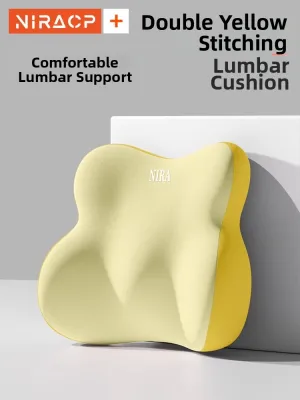
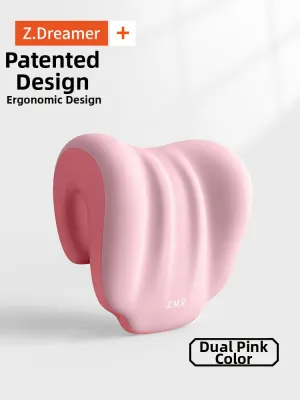
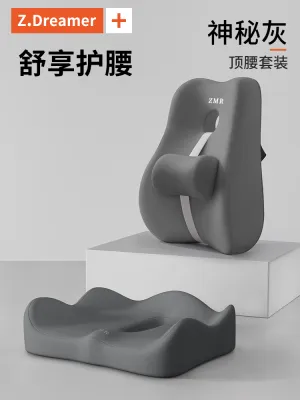
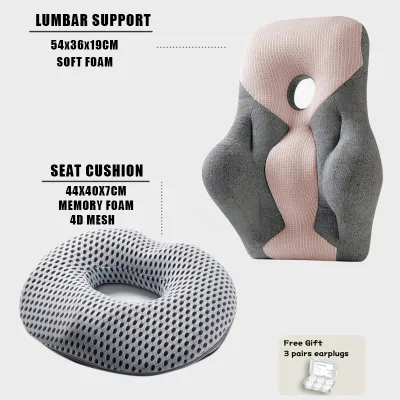
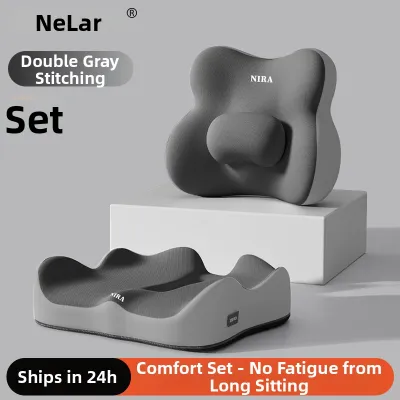
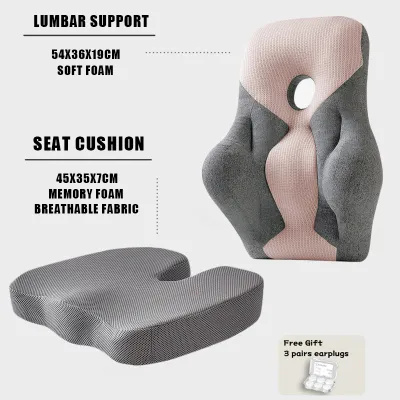
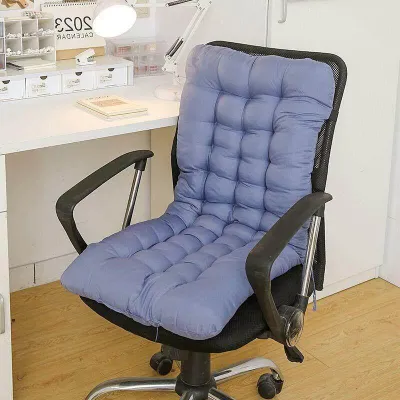

Prices are valid at publication and may change. Please refer to the product page for the latest price.
Lower Back Strain: Lumbar Support Pillows
A persistent, dull ache in the lower back or a subconscious tendency to slouch forward indicates that your chair’s built-in lumbar support is inadequate for your spinal shape. The human lumbar spine has a natural inward curve, known as lordosis. When sitting for extended periods, the muscles supporting this curve tire, causing the pelvis to tilt backward and the lower spine to flatten against the backrest.
A dedicated lumbar support pillow fills this physical gap, taking the mechanical load off your lower back muscles. However, thickness and placement are critical. An overly thick or rigid lumbar pillow will push your entire torso too far forward, forcing your upper back away from the backrest and leaving your thighs unsupported at the front of the seat. Look for a contoured design that mimics the natural slope of your spine and settles comfortably against your lower back without forcing you to sit on the very edge of your seat.
Neck and Shoulder Tension: Headrest Pillows
If you finish your workday with stiff neck muscles, tension headaches, or tight shoulders, your cervical spine likely lacks proper support. This discomfort often stems from a forward head posture, where the neck juts forward toward the monitor, placing immense strain on the upper trapezius and neck muscles.
A headrest pillow is designed to support the cervical curve of your neck, but its role is highly situational. During active typing, writing, or data entry, your body naturally leans slightly forward or remains upright, meaning your head should not constantly press against a headrest. Instead, headrests provide essential support during phone calls, video meetings, or brief periods of reclining. If a headrest pillow is too thick or positioned too low, it will push your head forward during upright tasks, severely worsening neck strain and shoulder tension.
Hip, Tailbone, or Thigh Pressure: Seat Cushions
Feeling a sharp pain at the base of your spine, experiencing numbness in your thighs, or constantly shifting your weight from side to side suggests that your chair’s seat pan is either too firm or poorly contoured. Tailbone discomfort (coccyx pain) and sciatica are common results of sitting on a seat that concentrates your body weight onto a small surface area rather than distributing it evenly across your glutes and thighs.
To resolve this pressure, you must choose between two primary seat cushion shapes:
- U-Shaped Cushions: These feature a cutout at the rear to suspend your tailbone in the air, preventing direct contact with the seat pan and relieving pressure on the coccyx.
- Wedge Cushions: These slope slightly downward from back to front, tilting your pelvis forward to encourage a natural spinal curve and reduce pressure on the undersides of your thighs.
Using a seat cushion introduces a significant ergonomic trade-off: it raises your overall sitting height by several centimeters. This height change requires you to readjust your entire workstation. You must ensure your desk, armrests, and monitor can be adjusted upward, or use a footrest to keep your knees at a comfortable 90-degree angle with your feet flat on the floor.
Compatibility Check: Will the Pillow Fit Your Specific Chair?
Even the most technologically advanced ergonomic pillow will fail to provide relief if it cannot be securely attached to your existing office chair. Before buying, you must analyze the physical dimensions and structural limitations of your current setup to avoid purchasing incompatible accessories.

Backrest Height and Frame Limits Office chairs generally fall into low-back, mid-back, or high-back categories. If you have a mid-back chair, attempting to install an aftermarket headrest pillow is almost always unsuccessful. Headrests require a stable, high-reaching frame or dedicated mounting holes to stay in position. Attaching a headrest to a mid-back chair usually results in the pillow hanging too low, pushing your shoulder blades forward rather than supporting your neck. Make sure your backrest extends high enough to support the physical attachment of a cervical pillow.
Attachment Mechanisms and Strap Placement Most lumbar and headrest pillows rely on elastic straps, tension clips, or friction-bound backings to stay in place. If your ergonomic chair features a thick, solid plastic outer shell, standard wrap-around elastic straps may slip downward or fail to stretch around the frame entirely. Conversely, if your chair has a delicate, high-tension mesh backrest, using tight, heavy-duty straps can overstretch the mesh material, causing it to sag prematurely and ruining the chair’s built-in support. Always measure the circumference of your backrest and check if the pillow’s strap design is compatible with your chair’s frame shape.
Clearance and Mechanical Interference Many mid-range and premium ergonomic chairs feature active, adjustable lumbar pads that slide up and down on a track behind the backrest. Adding a thick aftermarket lumbar pillow can crush these built-in mechanisms or prevent them from functioning. Furthermore, check the clearance between the bottom of the backrest and the seat pan. If your chair has a highly contoured seat that curves upward at the back, a flat-bottomed lumbar pillow may not sit flush against the backrest, causing it to tilt forward and push your hips out of alignment.
Warranty Considerations Before attaching aftermarket accessories that require clipping, clamping, or screwing directly into the frame of your ergonomic chair, consult the manufacturer’s warranty terms. Some premium brands explicitly state that attaching third-party hardware or modifying the frame voids the structural warranty. If your chair is still under warranty, stick to non-invasive, strap-based, or friction-based pillows that do not require mechanical alterations to the chair.
Material and Climate Considerations for Tropical Environments
In hot and humid tropical climates, such as the Philippines, material selection is just as important as ergonomic shape. A pillow that feels incredibly comfortable in a cold, air-conditioned showroom can quickly become swampy, hot, and unhygienic when used for eight hours in a home office without continuous air conditioning.
Memory Foam and Heat Retention Traditional memory foam is highly valued for its deep contouring and pressure-relieving properties, as it softens in response to body heat. However, this dense structure naturally traps heat, creating a warm microclimate against your skin. If you work in a room without air conditioning, look for advanced memory foam formulations, such as gel-infused memory foam or open-cell ventilated foam. These designs incorporate physical airflow channels or heat-conductive gel particles to help dissipate warmth away from your body.
Breathable Cover Fabrics Avoid pillow covers made from dense synthetic fabrics like standard polyester, velvet, or faux leather, which trap sweat and humidity against your skin. Instead, prioritize covers made from 3D spacer mesh, breathable knit fabrics, or moisture-wicking materials. A high-quality 3D mesh cover features a double-layered knit construction with a middle layer of micro-filaments, allowing air to circulate freely beneath your body even when compressed.
Density, Firmness, and Support Foam density determines how well a pillow maintains its shape under your body weight. Low-density foam feels incredibly plush at first touch, but it will quickly bottom out under the weight of your torso or hips, leaving you with zero ergonomic support. High-density foam offers a firmer initial feel but provides consistent, resilient support that keeps your spine aligned over hours of use. For seat cushions, choose a high-density foam that can support your full body weight without flattening completely against the hard seat pan.
Hygiene and Long-Term Maintenance High humidity environments promote the growth of mold, mildew, and odor-causing bacteria in foam cores. To maintain a hygienic workspace, ensure any pillow you purchase features a completely removable, zippered cover that is machine washable.
- Washing the Cover: Wash the fabric cover regularly using a gentle cycle to remove sweat, oils, and dust.
- Caring for the Foam Core: Never submerge a memory foam core in water, as this destroys the delicate cell structure. Instead, spot-clean stains with a damp cloth and air out the foam core in a well-ventilated, shaded indoor area. Avoid placing memory foam in direct sunlight, as ultraviolet rays degrade the material and cause it to crumble.
Quick Decision Matrix: Matching Pillow Types to Your Setup
Use this matrix to identify the correct pillow type based on your primary area of discomfort, your current chair design, and the necessary fitting requirements.
| Primary Discomfort | Recommended Pillow Type | Best Chair Compatibility | Key Fitting Requirement |
|---|---|---|---|
| Lower back ache, slouching | Contoured Lumbar Support Pillow | Mid-back or high-back chairs with a flat or shallow lower frame | Adjustable elastic strap or non-slip backing to prevent sliding |
| Neck stiffness, shoulder tension | Cervical Headrest Pillow | High-back chairs with a distinct upper frame or pre-drilled mounting holes | Secure clip-on mount or height-adjustable strap system |
| Tailbone pain, thigh numbness | U-shaped or Wedge Seat Cushion | Any chair with adjustable seat height and adjustable armrests | Non-slip rubberized bottom surface to prevent shifting on the seat pan |
| General body heat, sweating | Ventilated Gel Memory Foam with 3D Mesh | Any chair style, particularly mesh-backed models | Removable, machine-washable cover with high airflow properties |
Installation and Adjustment Tips for Optimal Support
Once you have selected the correct pillow, proper installation and adjustment are vital to achieving the intended ergonomic benefits. Even the best pillow will cause discomfort if it is positioned incorrectly.
Lumbar Pillow Positioning Do not simply throw your lumbar pillow onto the seat and sit down. To position it correctly, sit all the way back in your chair so your hips touch the backrest. Slide the lumbar pillow up or down until the thickest, most prominent part of the cushion sits directly against your belt line. This corresponds to the natural inward curve of your lower spine. If the pillow is placed too low, it will push your pelvis forward; if it is placed too high, it will force your mid-back away from the chair, causing you to slouch.
Headrest Alignment Adjust your headrest pillow so that it cradles the natural curve of your neck (the cervical spine) and the very base of your skull. The pillow should fill the gap behind your neck without pushing your head forward. When you sit upright and look straight ahead at your monitor, your head should be in a neutral position, with your ears aligned directly over your shoulders. If you feel your chin being pushed down toward your chest, the headrest is too thick or positioned too high.
Seat Cushion Integration Place your seat cushion flat on the seat pan, ensuring the non-slip side faces downward. If you are using a U-shaped cushion, make sure the cutout is positioned at the very back of the seat to suspend your tailbone. Sit all the way back so your hips are nestled into the rear of the cushion. Because the cushion raises your sitting height, immediately adjust your chair’s cylinder downward until your feet rest flat on the floor. If your desk is now too low, raise the desk height or use a footrest to keep your knees bent at a comfortable 90-degree angle.
The 3-Day Adaptation Rule When you introduce a corrective ergonomic accessory, your body may feel slight muscle stiffness or mild discomfort during the first three days. This is a normal reaction as your muscles adapt to a corrected, neutral posture after months or years of slouching. However, if you experience sharp pain, shooting nerve sensations, or numbness in your legs or arms, stop using the accessory immediately. These symptoms indicate that the pillow is either positioned incorrectly or is the wrong shape for your body type.
Frequently Asked Questions (FAQ)
Can I use a regular bed pillow instead of a dedicated ergonomic chair pillow?
Using a regular bed pillow for your office chair is not recommended for long-term use. Bed pillows are typically filled with polyester fiberfill, down, or shredded foam, which are designed to support the head during sleep but lack the structural density required to support your full body weight when sitting upright. A bed pillow will quickly flatten out under pressure, providing little to no actual ergonomic support. Additionally, bed pillows lack attachment straps, causing them to slide, shift, and fall down constantly. This forces you to make continuous physical adjustments, which breaks your focus and disrupts your sitting posture.
Do I need all three types of pillows for a complete ergonomic setup?
No, you do not need all three pillow types, and using them all simultaneously can actually ruin your chair’s ergonomics. Ergonomic chairs are carefully engineered systems designed to support your body through their built-in curves. Adding unnecessary pillows can push your body completely out of these engineered support zones, leaving your spine in an unnatural, misaligned position. You should only add a pillow to address a specific, diagnosed area of discomfort. Start by identifying your single greatest pain point, install the corresponding pillow, and allow your body to adapt before deciding if any further adjustments are necessary.

Community discussion
Share your experience or ask a question. Comments are reviewed before publication.