
Finding the ideal balance between a productive work-from-home setup and a clutter-free living area is a common challenge in compact urban homes. In typical metropolitan condominiums and studio apartments, every square meter of floor space must serve multiple purposes. An adjustable foldable laptop table offers a flexible solution, allowing you to set up an ergonomic workstation anywhere and tuck it away when the workday ends. However, choosing the wrong size can lead to cramped typing angles, blocked walkways, or a table that simply does not fit into your designated storage spot.
To make the right choice, you must evaluate how the table’s physical dimensions interact with your specific devices, your existing furniture, and the layout of your room. Selecting the ideal model requires looking beyond the tabletop surface to consider folded thickness, base clearance, and height ranges. By taking precise measurements and matching them to your daily workflow, you can secure a stable, comfortable workspace that preserves the openness of your home.
Measure Your Available Space and Storage Limits
Before browsing online marketplaces, define the physical boundaries of your workspace. Measure the exact floor area where you plan to use the table, whether beside your bed, over a sofa, or in a narrow hallway. Remember to account for the space your body will occupy while working. You need sufficient clearance behind and around your seating area to pull out a chair, stretch your legs, or walk past the setup without bumping into other furniture.
Products mentioned in this guide
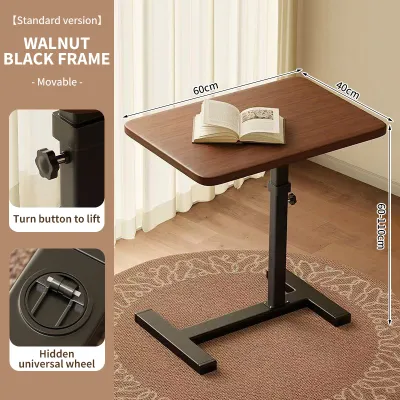
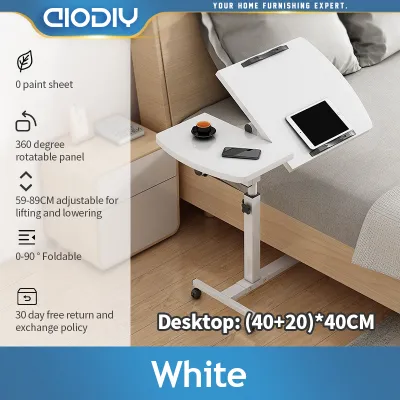
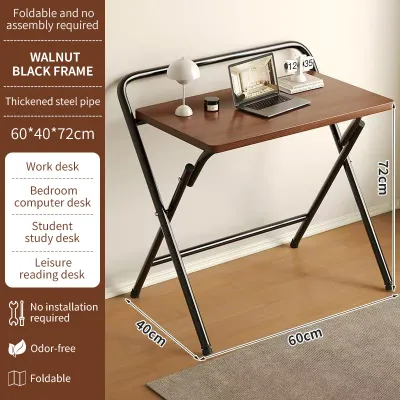
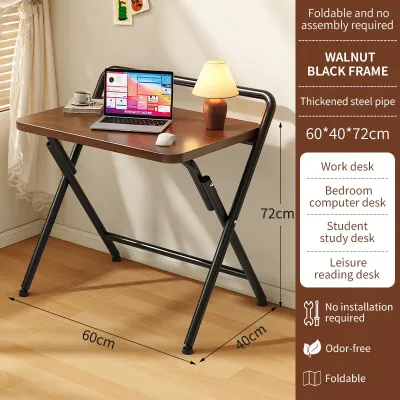
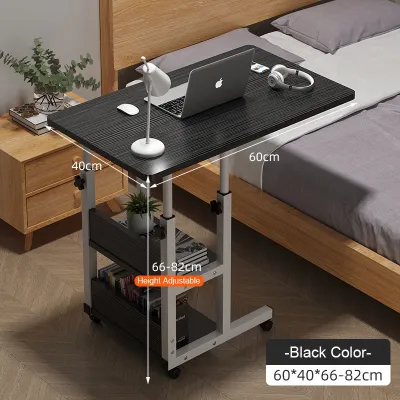
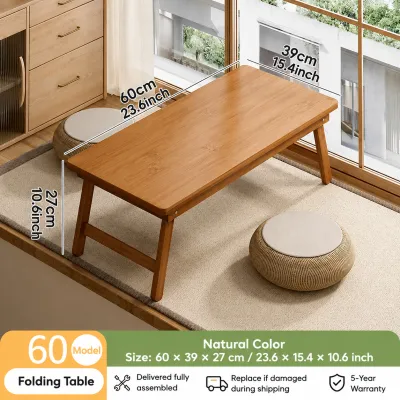
Prices are valid at publication and may change. Please refer to the product page for the latest price.
If your chosen table features wheels or a wide base, check the floor clearance under your sofa or bed frame. Many compact apartments in the Philippines feature low-profile furniture, which can prevent a table’s base from sliding underneath. Measure the vertical gap between the floor and the bottom edge of your couch or bed to ensure the table’s support legs can glide in smoothly. This simple check prevents you from having to lean forward awkwardly while working.
Finally, identify the exact spot where you plan to store the table when it is folded flat. Whether you intend to slide it under a bed, slip it behind a wardrobe, or keep it inside a utility closet, measure the maximum allowable thickness, width, and height of that storage gap. Some foldable tables still retain a thickness of ten centimeters or more when collapsed, which might be too wide for tight gaps between heavy furniture and concrete walls.
Match the Tabletop Size to Your Device and Workflow
The dimensions of your tabletop directly dictate your daily comfort and productivity. Begin by measuring the physical footprint of your primary work device, whether you use a compact thirteen-inch ultrabook or a larger fifteen-inch workstation laptop. If you rely on an external mouse, you will need to add at least fifteen to twenty centimeters of horizontal clearance to one side of the laptop. Working solely with a trackpad requires less surface width, allowing you to opt for a more compact tabletop.

Consider the additional items you must keep within arm’s reach during a typical working session. If you frequently refer to a physical notebook, keep a smartphone on a stand, or enjoy a warm beverage, these items will quickly crowd a basic, minimalist tabletop. For setups that require an external keyboard and a laptop stand, look for a deeper tabletop surface. A depth of forty to fifty centimeters is generally sufficient to keep your wrists supported and your screen at a comfortable viewing distance.
Be cautious of built-in design features that can unintentionally reduce your usable flat workspace. Many modern adjustable tables come equipped with integrated cup holders, tablet slots, or raised anti-slip lips. While these features can prevent items from sliding off when the table is tilted, they also restrict where you can place larger items. If you use a non-standard mouse or a wide wrist rest, these molded cutouts might interfere with your natural hand placement and limit your overall flexibility.
Check the Height Adjustment Range for Your Setup
An adjustable table must align precisely with your existing seating and standing preferences to provide true ergonomic benefits. Determine where you will use the table most frequently, as working from a low, plush sofa requires a much lower minimum height than working from a standard dining chair. If you plan to use the table as a standing desk converter on top of an existing counter, or as a standalone standing desk, verify that the maximum height extension matches your elbow height when standing upright.
The mechanism used to adjust the table’s height plays a significant role in how easily you can transition between different setups. Manual knob systems are highly reliable and cost-effective, but they require you to loosen and tighten screws on both legs, which can be tedious if you change heights multiple times a day. Pneumatic or gas-spring mechanisms allow for smooth, single-handed adjustments with a simple lever, making them ideal for dynamic workspaces, though they may require slightly more vertical clearance when fully collapsed.
For tables designed to slide over a bed or sofa, pay close attention to the shape of the base. A C-shaped frame is highly efficient for small spaces because the vertical support column is offset to one side, allowing the tabletop to hover directly over your lap. However, this design requires the base to slide completely under your furniture. If your sofa sits flush against the floor with no clearance, a C-frame table cannot slide forward, rendering the over-lap feature unusable.
Evaluate the Folding Mechanism and Stability
A space-saving table is only useful if it is easy to fold and sturdy enough to support your expensive electronics. Examine the folding mechanism closely to understand how the unit transitions from an active desk to a flat storage profile. Some models feature legs that fold flat against the underside of the tabletop, while others require you to remove pins or fold down the entire top surface. Avoid designs that require specialized tools or excessive physical force to collapse, as this will discourage you from putting the table away.
Structural stability is paramount when supporting a laptop, an external monitor, or a hot beverage. Check the manufacturer’s specified weight capacity to ensure the frame can handle your equipment without bowing or wobbling. Keep in mind that typing applies continuous downward pressure and vibration to the tabletop. A table with a flimsy single-post design may shake noticeably with every keystroke, which can cause eye strain and make video calls highly distracting.
For homes with smooth flooring like polished concrete, hardwood, or vinyl tiles, look for tables equipped with non-slip rubber pads on the base. These pads prevent the table from sliding when you apply pressure and protect your floors from scratches. If you live in a humid tropical climate, check that the metal joints and folding hinges are treated with rust-resistant coatings, as moisture can cause untreated moving parts to stiffen and degrade over time.
Common Sizing Mistakes to Avoid
One of the most frequent errors when buying furniture for a small apartment is ignoring the folded dimensions. Many buyers focus entirely on the open tabletop size and assume the table will easily slide under a bed or fit behind a door. However, folded legs, protruding adjustment knobs, and wheel casters can add significant thickness to the collapsed unit, making it too bulky for tight storage gaps. Always verify the maximum thickness of the table when it is fully folded.
Another common mistake is overestimating the usable surface area by failing to account for angled legs. Some tables feature legs that flare outward for stability, which means the floor footprint is actually wider than the tabletop itself. If you place such a table in a tight corner, the legs might hit the baseboards or adjacent furniture, preventing the tabletop from sitting flush against the wall and leaving an awkward, unusable gap.
Finally, avoid choosing a table that is too heavy or cumbersome to move and store on a daily basis. While a heavy steel frame offers excellent stability, it can become a physical chore to lift, fold, and carry across your apartment every evening. If the process of putting the table away is too difficult, you will likely leave it permanently set up, defeating the space-saving purpose of buying a foldable model.
Frequently Asked Questions (FAQ)
Can I use a foldable laptop table on a soft mattress?
Using a foldable laptop table on a soft mattress requires a wide, stable base to prevent the table from sinking or tipping over. Standard vertical-leg tables tend to wobble on uneven bedding, which can cause your laptop to slide off or block its cooling vents. If you plan to work from bed, look for models specifically designed with sled-style legs or a broad, continuous base frame that distributes weight evenly across the soft surface. Always check the manufacturer’s guidelines to confirm if the model is rated for safe use on beds and mattresses.
How much weight can a typical adjustable foldable table hold?
The weight capacity of an adjustable foldable table varies significantly depending on its materials, frame design, and adjustment mechanism. Most standard compact models are designed to support between ten to fifteen kilograms of weight, which is more than enough for a typical laptop, charger, and accessories. To find the exact limit for your specific model, always check the product specifications or the user manual. Remember to factor in the temporary downward pressure you apply when resting your forearms or typing heavily, as this adds to the static weight of your devices.

Community discussion
Share your experience or ask a question. Comments are reviewed before publication.