
Quick Guide to Sizing Your Desk Extension
To find the right size table extension board for a small condo WFH desk, you must balance your physical workspace needs with the strict spatial limits of your room. In a compact condominium where every square meter counts, an oversized extension can block essential walkways or cause your desk to tip, while an undersized one won’t fit your daily work tools.
The primary decision variables include your existing desk’s depth and width, the clearance available in your room, and your primary work-from-home tasks. To calculate the maximum safe extension dimensions, measure the distance from your desk edge to the nearest obstruction, such as a wall, bed, or closet door. Subtract the space needed to comfortably pull out your office chair and walk past the desk. The remaining clearance represents the absolute maximum depth your extension board can occupy when fully deployed.
How to Measure Your Existing Desk and Room Clearance
Before purchasing any table extension board, verify that your current desk can physically support it. Measure the thickness of your tabletop using a tape measure. Most clamp-on boards require a specific tabletop thickness to secure properly, which you can find on the manufacturer’s specification label.
Products mentioned in this guide
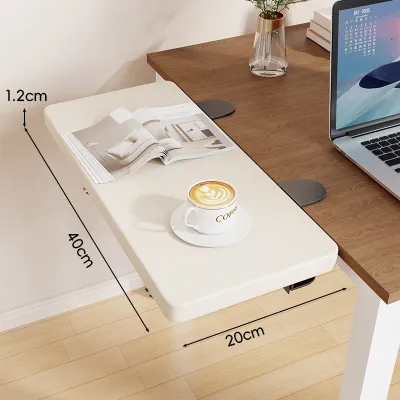
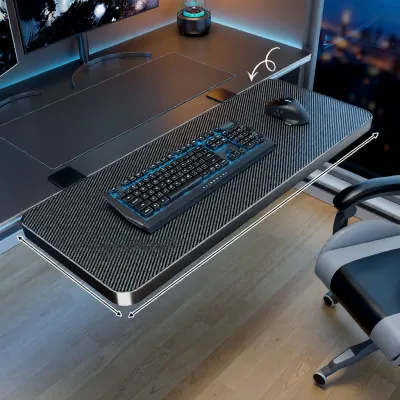
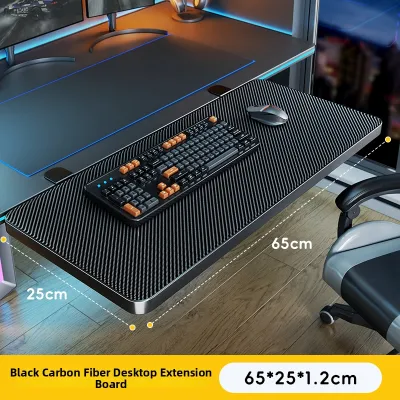
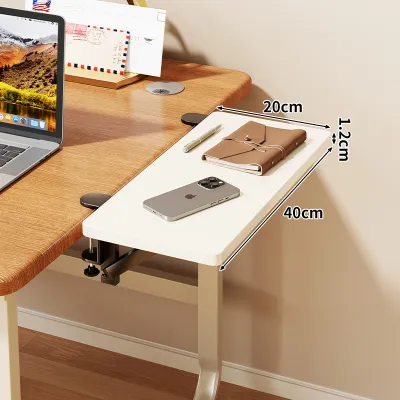
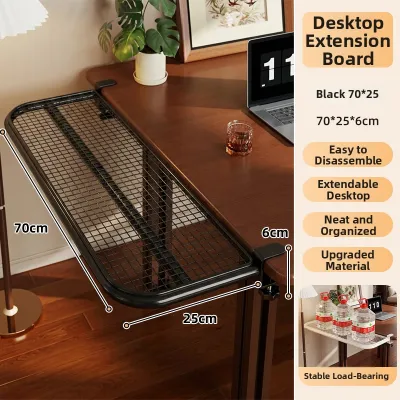
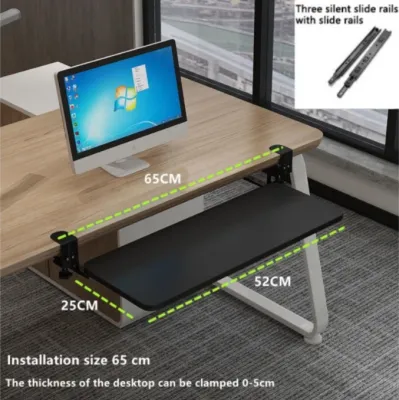
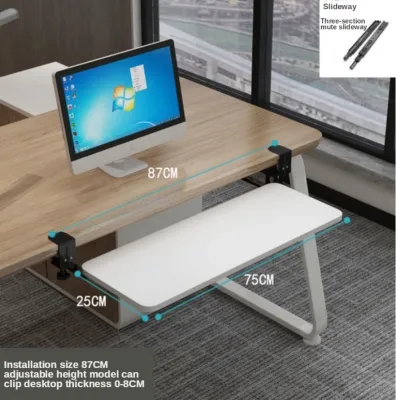
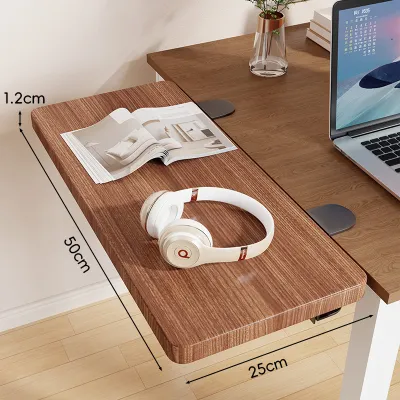
Prices are valid at publication and may change. Please refer to the product page for the latest price.

Next, inspect the edge profile. A flat, square edge provides the most secure grip. If your desk has a beveled, rounded, or chamfered edge, clamps may slip or fail to tighten evenly. Check the underside for structural metal frames, support beams, or drawers that sit close to the edge, as these obstructions can prevent clamps from sliding all the way in.
Room clearance is equally critical in a compact condo. Measure the distance from the desk edge to the wall behind your chair. A standard office chair requires at least 60 to 75 centimeters of clear space to roll back. If your extension board extends outward toward your seating area, subtract that depth from your available chair clearance.
Do not forget to account for other physical obstructions. Check if the board will block access to wall outlets or light switches. In tropical climates like the Philippines, ensure the board does not obstruct airflow from a floor fan or split-type air conditioning unit, and verify that nearby wardrobe doors or window sills can still open fully.
Matching Extension Dimensions to Your WFH Workflow
Your daily work habits dictate the ideal surface area. If your setup is laptop-only, a compact extension measuring 50 to 60 centimeters in width is usually sufficient to hold an external mouse, a notepad, and a cup of coffee. This keeps your primary device on the main desk while freeing up valuable hand space.
For dual-monitor setups, prioritize width over depth. A wider board allows you to position your keyboard and mouse laterally, keeping your wrists aligned and preventing you from sitting too close to large screens. If you frequently reference physical documents, books, or tablets, look for an extension offering at least 20 to 25 centimeters of depth to accommodate these items flat.
When deciding between depth and width, consider whether you prefer reaching forward or spreading out laterally. Deep extensions extend toward your body, which can push you further away from your monitor. Lateral extensions, which attach to the side of your desk, expand horizontal workspace but require more side-to-side room clearance in your condo.
Finally, adjust size expectations based on peripheral storage and cable management. If you plan to route cables for a wired keyboard or mouse, ensure the board has a built-in cable slot or leaves a small gap near the mounting brackets. This prevents cables from getting pinched or pulling on your equipment when adjusting the board.
Choosing the Right Mounting Style for Limited Spaces
The mounting mechanism directly influences how much space the board occupies when not in use. Clamp-on extensions are popular because they require no drilling and can be uninstalled without damaging furniture. When selecting a clamp-on model, verify the manufacturer’s specified lip clearance—the flat space required on the underside of your desk for the clamp plates to rest securely.
Foldable or drop-leaf boards are excellent space-saving solutions for tight condo units. These boards use folding brackets that allow the surface to drop down parallel to the desk legs when your workday ends. Before choosing this style, measure the vertical clearance under your desk to ensure the folded board does not hit your knees or block your chair.
Slide-out or drawer-mounted trays offer a clean, hidden aesthetic but require careful internal measurements. If you are installing a slide-out tray under your desk, measure the distance between the desk legs to ensure the mounting tracks fit. You must also check the height clearance under the desk to ensure your knees do not rub against the tray while typing.
Regardless of the style, always check the material composition of your existing desk. Solid wood and thick plywood desks handle the concentrated pressure of clamp-on and screw-in mounts exceptionally well. If your desk is made of hollow-core particle board or thin MDF, the localized stress from a heavily loaded board can cause the desk material to crush or crack over time.
Common Sizing Mistakes and Stability Checks
One of the most common mistakes is overextending your workspace beyond the physical limits of your desk’s base. An excessively large extension board acts as a lever, multiplying the downward force applied to the edge of your desk. If the board is too large or heavily loaded, it can cause a lightweight desk to tip forward, risking damage to your equipment.
To prevent stability issues, always check the weight capacity labels and manufacturer specifications for both the extension board and your existing desk. Do not assume a larger board holds more weight; the load limit is often restricted by the strength of the mounting brackets and the structural integrity of the desk edge. Keep your heaviest equipment on the main desk surface, using the extension primarily for lightweight input devices.
Perform a physical stability check once the board is installed. Gently press down on the outer edge of the extension to observe if the main desk lifts, wobbles, or flexes. If you notice any movement, you may need to reduce the weight on the extension, tighten the mounting hardware, or reposition the board closer to a desk leg where the structure is most stable.
Lastly, ensure the extension size does not compromise your ergonomic seating posture. The height of the extension should allow your elbows to rest at a comfortable 90-degree angle while typing, with your shoulders relaxed. If the extension forces you to sit too far back, stretch your arms excessively, or slouch, it is too deep for your current configuration.
Frequently Asked Questions (FAQ)
Can I use a table extension board on a glass desk?
Mounting a table extension board on a glass desk is generally not recommended due to the high risk of structural failure. Glass tabletops, even those made of tempered glass, are highly susceptible to localized stress concentration. The clamping force required to secure an extension board, combined with the downward leverage of your arms, can easily cause the glass to shatter or crack.
If you must use an extension on a glass surface, verify the desk manufacturer’s specifications to see if clamp-on accessories are explicitly permitted. If allowed, always use thick, non-slip rubber or silicone protective padding between the metal clamps and the glass to distribute pressure evenly. Avoid overtightening the clamps, and never lean your body weight on the extended surface. For safety, consider replacing the glass top or using a freestanding floor-mounted side table instead.
How much weight can a typical clamp-on extension hold?
The weight capacity of a clamp-on extension board varies significantly depending on its design, materials, and mounting hardware. Rather than relying on generic estimates, check the specific product’s load rating label, instruction manual, or official e-commerce platform listing before purchasing. Most standard models are designed to support light office accessories such as keyboards, mice, and small tablets.
Keep in mind that the effective weight capacity is often lower than the maximum rated limit due to real-world factors. Leverage plays a major role; placing heavy items at the very edge of the board exerts much more stress on the clamps than placing them close to the mounting brackets. Additionally, soft desk materials like low-density particle board can compress under pressure, reducing the grip of the clamps and lowering the safe weight threshold. When budgeting for your home office setup, you can find various extension boards on local e-commerce platforms, with prices typically ranging in ₱ depending on the materials used.

Community discussion
Share your experience or ask a question. Comments are reviewed before publication.