
Finding the right balance between a functional workspace and a comfortable living area is a common challenge when setting up a home office in a compact space. A small table with a width of 80 to 100 centimeters and a depth of 50 to 60 centimeters generally offers the ideal footprint for a standard work-from-home setup. This size provides sufficient surface area for a laptop, an external monitor, and essential accessories without dominating the room or restricting your movement.
To ensure your new desk fits seamlessly, you must evaluate both the physical dimensions of the furniture and the clearance required for daily activities. A desk that looks perfectly sized online can easily overwhelm a bedroom or living room if you do not account for the space needed to pull out a chair or walk past the setup. By taking precise measurements and choosing a style tailored to your specific workflow, you can create an efficient, ergonomic workspace that keeps your home feeling open and organized.
Assessing Your Available Space and Clearance Needs
Before browsing online marketplaces for a small table, you must accurately map out the physical boundaries of your designated work area. Use a metal measuring tape rather than relying on visual estimates, as even a discrepancy of a few centimeters can prevent a desk from fitting into a tight alcove. Begin by measuring the width and depth of the floor space where you plan to position the desk, noting any architectural features like columns or recessed walls.
Products mentioned in this guide
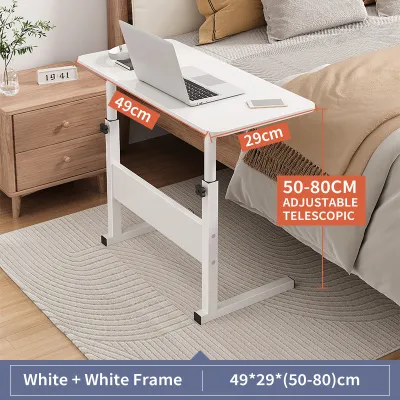

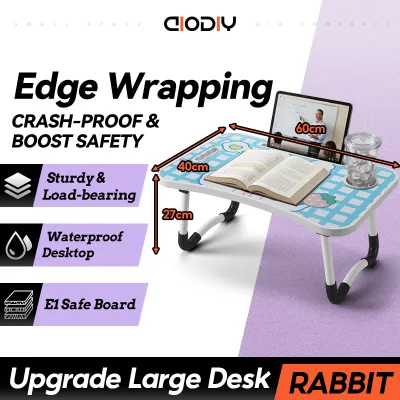
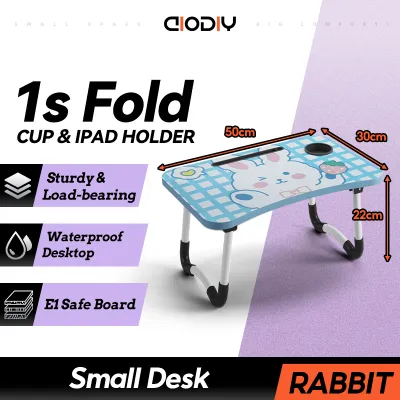
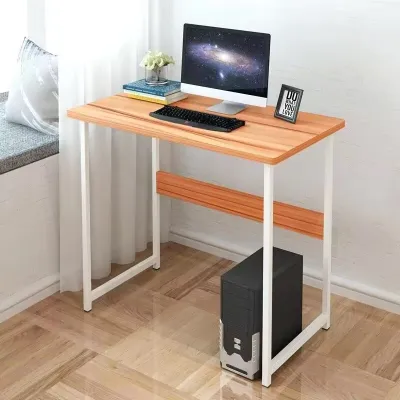
Prices are valid at publication and may change. Please refer to the product page for the latest price.
Clearance behind the desk is just as critical as the footprint of the table itself. A standard office chair requires a minimum of 75 to 90 centimeters of unobstructed space behind the desk to allow you to push back, stand up, and sit down comfortably. If the desk is placed in a high-traffic area, such as a hallway or a shared living room, you must also ensure there is at least 60 centimeters of remaining walkway space behind the chair so family members can pass by without disruption.
Do not forget to calculate the swing radius of nearby doors, wardrobe panels, and cabinet drawers. A desk placed too close to a bedroom door can block entry or lead to accidental collisions when someone enters the room. Open all doors and drawers fully to verify that they clear the proposed desk location with at least a few centimeters of safety margin.
Vertical clearance is another frequently overlooked factor in compact rooms. Measure the height of window sills, wall-mounted air conditioning units, electrical outlets, and existing wall shelves. Standard study desks typically stand around 75 centimeters high, so you must ensure the tabletop will not block low-hanging window frames or obstruct access to wall outlets. In humid tropical climates, keeping the desk slightly away from windows also helps protect your electronic equipment from sudden rain showers and intense afternoon sun.
Matching Table Dimensions to Your WFH Tasks
Your daily work habits and the specific equipment you use should dictate the ultimate size of your small table. A writer who only uses a compact laptop needs far less surface area than a professional who relies on multiple screens, a graphic tablet, and external hard drives. Assessing your gear beforehand prevents you from buying a table that is either too cramped for your tools or unnecessarily large for your needs.

If your setup consists solely of a laptop, a compact table measuring 80 centimeters in width and 50 centimeters in depth is highly efficient. For setups that include a single external monitor alongside a laptop, you will need a table width of at least 100 centimeters to place them side-by-side without their screens overlapping or hanging over the edges of the desk. If you use a dual-monitor setup, a width of 120 centimeters is generally required, though you can save valuable surface space by using a dual-arm monitor mount clamped to the back of the desk.
Table depth is the most critical dimension for physical comfort and long-term health. Ergonomic guidelines suggest that your eyes should be positioned approximately an arm’s length away from your computer screen to prevent eye strain. A table depth of 60 centimeters is ideal because it provides the necessary distance while leaving ample space for a full-sized keyboard, a wrist rest, and a mouse pad. A depth of 50 centimeters is the absolute limit for comfortable screen viewing; anything shallower will force you to sit too close to the monitor.
Finally, consider the weight capacity of the table, especially if you plan to use heavy equipment like a desktop PC tower, a large printer, or multiple monitor arms. Compact tables made from thin particleboard or lightweight plastics can sag or wobble under heavy loads. Look for tables with reinforced steel frames or solid wood tops that specify a safe weight capacity, ensuring your expensive work equipment remains stable and secure throughout the day.
Space-Saving Table Styles for Small Rooms
When floor space is at a premium, traditional rectangular desks may not be the most efficient option. Fortunately, several innovative table designs are engineered specifically to maximize utility while minimizing their physical footprint when not in use. Choosing the right style depends on whether your workspace needs to be permanent or temporary.
Foldable and drop-leaf tables are highly versatile solutions for multi-purpose rooms, such as a combined bedroom and living area. These tables feature hinged tops that can be folded down flat against the wall or collapsed into a slim console when your workday ends. This allows you to reclaim valuable floor space for evening relaxation or exercise. When selecting a foldable table, pay close attention to the quality of the hinges and locking brackets to ensure the surface does not shake while you type.
Wall-mounted and floating desks are excellent for narrow spaces, hallways, or tight corners because they eliminate the need for floor legs entirely. By mounting the desk directly to the wall, you create an open, airy look that makes a small room feel significantly larger. The empty space beneath the desk can be used to store a small trash bin or to tuck your office chair completely out of sight. Keep in mind that floating desks must be securely anchored into concrete walls or solid wall studs; they are not suitable for thin drywall partitions.
Corner and L-shaped tables are designed to turn awkward, underutilized room angles into highly productive workspaces. An L-shaped desk fits snugly into a corner, providing two distinct surface areas—one for your computer and another for writing or paperwork—without extending far into the center of the room. This layout keeps all your work essentials within arm’s reach while keeping the rest of the room clear for movement.
Common Sizing Mistakes to Avoid
Many homeowners make the mistake of choosing a small table based solely on its aesthetic appeal or its ability to fit into a specific gap, ignoring the practical realities of daily use. One of the most common errors is failing to check the clearance of your office chair. Even if a desk fits perfectly between two walls, a wide ergonomic chair with fixed armrests or a wide five-star wheelbase may not slide underneath the tabletop, forcing you to sit too far back and strain your arms to reach the keyboard.
Another frequent mistake is selecting a table that is too shallow in an effort to save floor space. While a 40-centimeter-deep console table might look sleek and minimalist, it offers virtually no wrist support and places your monitor dangerously close to your eyes. This setup quickly leads to shoulder tension, wrist fatigue, and eye strain after only a few hours of work.
Lastly, buyers often overlook the impact of baseboards, skirting boards, and uneven walls when measuring their space. Most homes have baseboards running along the bottom of the walls, which prevent the legs of a rectangular desk from sitting completely flush against the wall. This creates an annoying gap of one to two centimeters where cables, pens, and papers can easily fall. To avoid this, look for small tables with slightly recessed legs or a tabletop that overhangs the frame at the back, allowing the surface to sit flush against the wall despite the baseboards.
Frequently Asked Questions (FAQ)
What is the minimum depth for a comfortable WFH table?
The absolute minimum depth for a comfortable work-from-home table is 50 centimeters if you are using a laptop alone. If your setup includes an external monitor and a separate keyboard, a minimum depth of 60 centimeters is highly recommended. This depth provides the necessary physical distance to prevent eye strain while leaving enough room for your wrists to rest comfortably on the desk surface during typing.
How do I measure a room for a corner small table?
To measure a room for a corner table, start at the corner apex where the two walls meet and measure outward along both walls to the maximum distance the desk can extend. Next, measure diagonally across the corner to determine the total depth of the desk’s footprint. Be sure to check for any obstructions along both walls, such as electrical outlets, internet ports, baseboards, window trims, or light switches, to ensure the desk does not block access to essential utilities.

Community discussion
Share your experience or ask a question. Comments are reviewed before publication.