
Selecting a bed side table with integrated charging and storage requires balancing furniture design with electrical safety. In a modern bedroom, this piece of furniture serves as both a structural anchor for your mattress and a functional hub for your daily devices. To make an informed purchase, you must evaluate physical dimensions, storage configurations, electrical specifications, and material durability.
By focusing on how the table integrates with your existing room layout and daily habits, you can find a model that keeps your essentials organized and your devices powered. This guide outlines the essential features to look for, helping you choose a unit that fits your space, protects your electronics, and withstands daily use.
Measure Your Space and Power Layout Before Shopping
Before browsing online marketplaces or visiting local showrooms, you must establish the physical and electrical boundaries of your bedroom. Start by measuring the available floor space next to your bed frame. You need to ensure there is sufficient clearance to walk comfortably past the table and to open drawers or cabinet doors fully without obstruction. If your bedroom layout is tight, a table with a sliding door or an open shelf design might be more practical than one with deep drawers.
Products mentioned in this guide

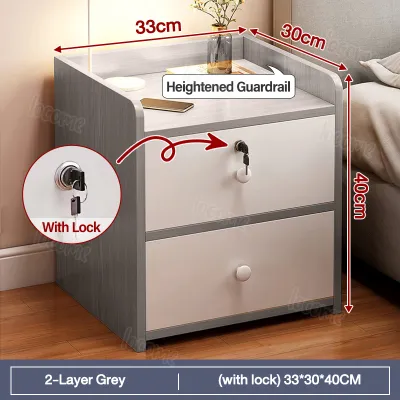
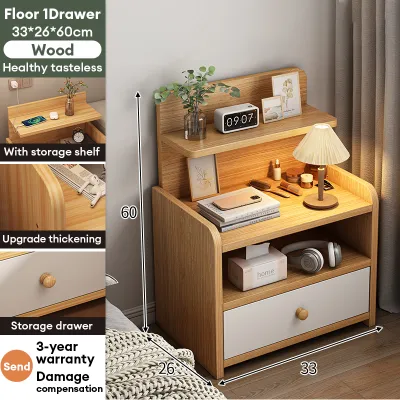
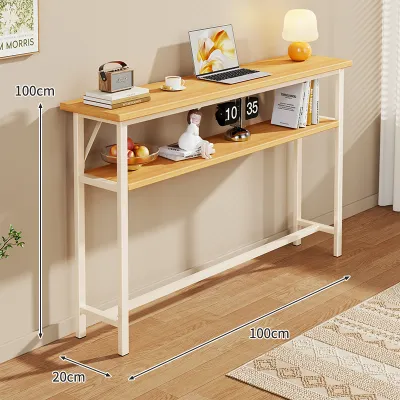
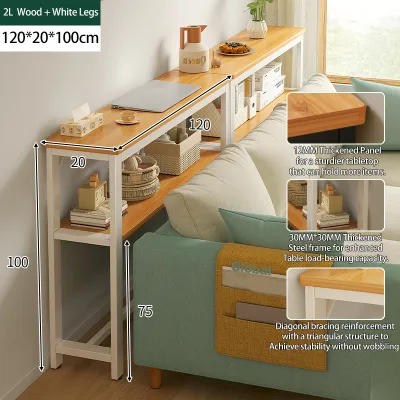

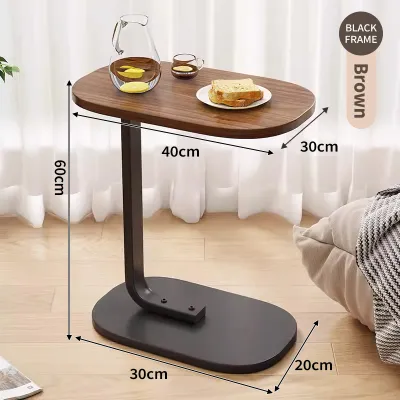
Prices are valid at publication and may change. Please refer to the product page for the latest price.
Next, locate the nearest wall outlets in your room. Measure the exact distance from the outlet to the spot where you plan to position your bed side table. Relying on temporary extension cords or daisy-chained power strips is a safety hazard, especially in households with children or pets. The table’s integrated power cord must be long enough to reach the wall outlet directly and slack enough to prevent tension on the plug.
Finally, consider your cable management needs. A well-designed charging table should feature dedicated channels, grommets, or recessed compartments to route cables cleanly. This prevents a tangled mess of wires from cluttering your tabletop or spilling onto the floor, where they can accumulate dust or become tripping hazards.
Match Storage Configurations to Your Nightly Routine
Your bedside table should accommodate your specific evening habits and storage preferences. Begin by comparing open shelves, enclosed drawers, and hidden compartments. Open shelves are ideal for items you need to access quickly, such as a glass of water, a book, or an eye mask. Enclosed drawers, on the other hand, are perfect for keeping personal items, medications, or valuable electronics out of sight and protected from dust.

When evaluating drawers, pay close attention to the glide mechanisms and internal depth. High-quality ball-bearing glides ensure that drawers open and close smoothly, even when loaded with heavier items like tablets, e-readers, or thick books. Check the manufacturer’s specifications for the maximum weight capacity of individual drawers to prevent overloading, which can cause the tracks to warp or jam over time.
The height of the table is another critical factor for both comfort and aesthetics. To ensure an ergonomic reach, the top surface of the bed side table should align closely with the top of your mattress. A table that is too high or too low makes reaching for your phone or a glass of water awkward and increases the risk of knocking items over in the dark. Aim for a height that is level with or up to ten centimeters higher than your mattress surface.
Verify Charging Specifications and Electrical Safety
An integrated charging station is only as useful as its electrical capabilities and safety features. Start by identifying the types of ports provided on the table’s power strip. A versatile unit should offer a combination of standard AC outlets, USB-A ports, and modern USB-C ports. Check the manufacturer’s power output labels, usually measured in watts (W) or amperes (A). Ensure the ports deliver sufficient power to charge your specific devices; for instance, fast-charging smartphones and tablets often require higher wattage USB-C ports.
Electrical safety is paramount for furniture that remains plugged in continuously. Look for physical safety shutters on the AC outlets to prevent dust, lint, or accidental finger contact from causing short circuits. Additionally, verify if the power strip includes built-in surge protection. In regions prone to power fluctuations or tropical storms, a surge protector is essential to shield your expensive smartphones, tablets, and laptops from sudden voltage spikes.
Before finalizing your purchase, plan to verify the manufacturer’s electrical safety certifications. Look for recognized compliance marks on the product packaging, user manual, or the power module itself. These marks indicate that the electrical components have undergone rigorous testing for fire and shock resistance, giving you peace of mind as you sleep nearby.
Assess Build Quality and Assembly Requirements
The materials and construction of your bed side table determine its longevity, especially when subjected to the weight of electronics and the moisture of a nightly glass of water. Review the surface finishes for scratch and moisture resistance by checking the manufacturer’s care labels. In humid tropical climates, engineered wood or MDF must be thoroughly sealed with a water-resistant laminate or veneer to prevent swelling, warping, or mold growth.
Examine the joint types and overall base stability. A sturdy frame with reinforced joints prevents the table from wobbling when you open drawers or plug in devices. Check the manufacturer’s specified weight capacity limits for the top surface to ensure it can safely support heavy bedside lamps, books, and multiple electronic devices without bowing.
Lastly, understand the assembly requirements before buying. Some tables arrive fully assembled with plug-and-play electrical modules, while others require complete flat-pack assembly. Ensure that the assembly instructions clearly outline how to route and secure the internal wiring safely. If the setup requires structural modifications to your home’s electrical outlets or walls, stop immediately and consult a qualified electrician to avoid fire or shock hazards. When budgeting your ₱ for bedroom upgrades, prioritizing safety features over aesthetics is a wise investment.
Inspect and Test the Unit Upon Delivery
Once your new bed side table arrives, conduct a thorough inspection before integrating it into your bedroom. First, cross-reference the delivered product’s physical dimensions and finish with your initial room measurements and order details to ensure you received the correct model.
Next, test the electrical functionality. Plug the table’s main power cord into the wall outlet and connect your devices to each charging port and AC outlet. Verify that power delivery is stable and that the connections do not feel loose or insecure. If you notice any flickering, unusual heat generation, or buzzing sounds, unplug the unit immediately.
Finally, inspect the structural integrity of the furniture. Check for any loose wiring, structural wobble, or misaligned drawers. Ensure all screws and joints are tight, and verify that the table sits flat on your floor. Taking these steps before placing heavy items or expensive electronics on the table ensures a safe and reliable setup.
Frequently Asked Questions (FAQ)
What should I do if the built-in charging ports stop working?
If the integrated charging ports fail to deliver power, first check the manufacturer’s warranty terms and troubleshooting guide. Some units feature a resettable circuit breaker or a simple fuse that can be replaced according to the manual. Avoid attempting any DIY electrical repairs or opening the sealed wiring housing yourself, as this can void your warranty and expose you to dangerous electrical shock risks. If the troubleshooting steps do not resolve the issue, contact the seller or a qualified technician to inquire about modular replacement parts or safe disposal options.
How can I safely clean the surface near the charging ports?
To clean your bed side table safely, always unplug the main power cord from the wall outlet before applying any cleaning agents. Use a dry or slightly damp microfiber cloth to wipe down the wooden or metal surfaces, taking care to avoid the electrical ports entirely. Never use harsh chemical cleaners, abrasive pads, or excessive water, as moisture can seep into the port openings and cause short circuits or corrosion. Allow the table to dry completely before plugging the main power cord back into the wall.

Community discussion
Share your experience or ask a question. Comments are reviewed before publication.