
An L-shaped gaming table is highly worth the investment if you run a multi-monitor setup and need to separate your professional work from your gaming sessions. By utilizing the corner of your room, this desk configuration provides two distinct desktop wings, allowing you to transition between tasks without cluttering your screens. However, its value depends heavily on your room’s physical layout, your monitor mounting preferences, and the structural limits of the desk itself.
For users with limited floor space or those who prefer a single, seamless ultra-wide viewing arc, a traditional straight desk might still be the more practical choice. Deciding whether to make the switch requires looking closely at how you position your screens, how you route your cables, and how much weight your floor and walls can accommodate.
Quick Answer: Is an L-Shaped Gaming Table Worth It?
To determine if an L-shaped gaming table is worth your money, you must evaluate your daily workflow and room constraints. This desk shape is exceptionally beneficial if you regularly multitask, such as hosting live streams on one side while gaming on the other, or working a remote job during the day and gaming at night. It allows you to place your primary monitor directly in front of you on one wing, while secondary and tertiary screens sit on the adjacent wing, keeping your field of view organized.
Products mentioned in this guide
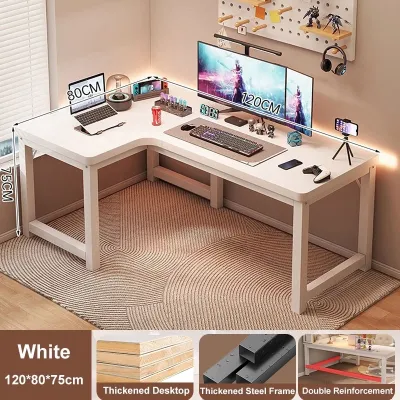
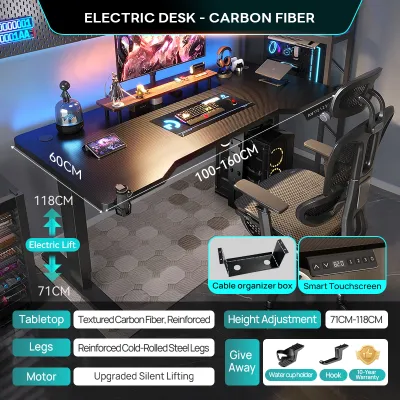
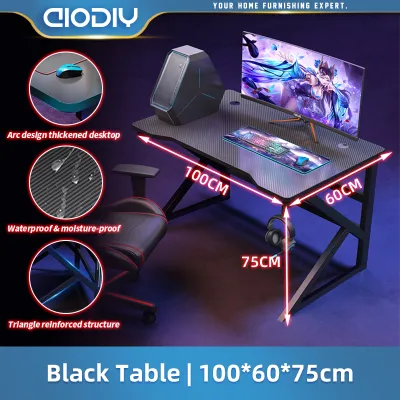
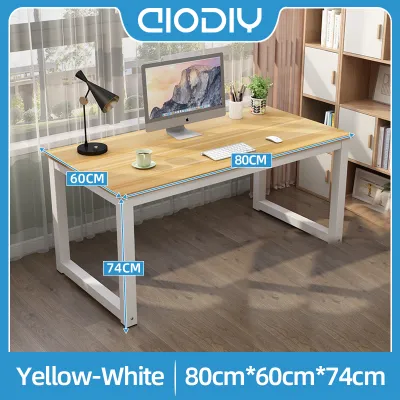
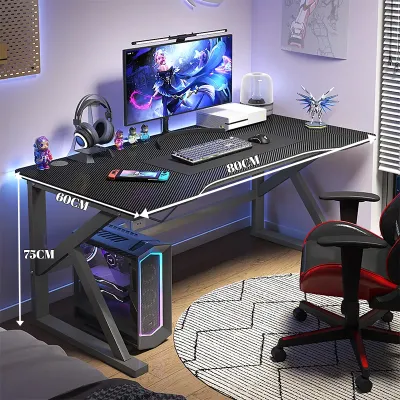
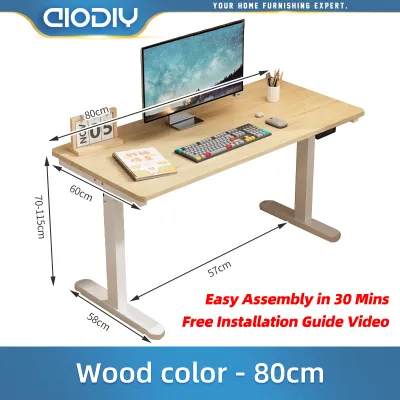
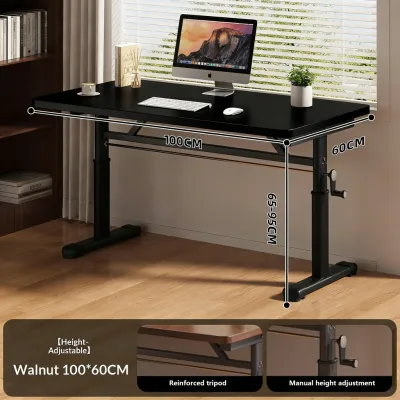
Prices are valid at publication and may change. Please refer to the product page for the latest price.
The primary trade-off of this design is its large physical footprint and its dependency on corner placement. Unlike straight desks that can slide easily along any flat wall, an L-shaped model demands a dedicated corner and can make a small room feel cramped if not measured correctly. If you are willing to trade some floor space for a massive increase in desktop real estate, and if your budget allows for a sturdy frame, the L-shaped configuration offers unparalleled utility for multi-monitor users.
Space and Layout: Measuring Footprint for Multi-Monitor Arrays
Before purchasing a large L-shaped gaming table, you must carefully measure your room’s available floor space and compare it against the desk’s outer dimensions. In tropical climates like the Philippines, where residential rooms and condo units often feature compact layouts, a massive desk can easily block pathways or interfere with air conditioning airflow. Use painter’s tape to outline the desk’s exact footprint on your floor, ensuring you leave at least 80 to 90 centimeters of clearance behind the desk for your gaming chair to slide back and rotate freely.

Transporting a heavy, multi-piece desk into your home presents its own set of challenges. You should measure the width of your doorways, elevator doors, and tight stairway corners to ensure the flat-packed boxes can actually reach your room. Because L-shaped desks feature long desktop panels, they are significantly harder to maneuver through narrow corridors than standard straight desks.
Once the desk is in place, you need to evaluate the usable depth of the desktop surface. The corner joint where the two wings meet often provides the deepest point of the desk, making it an attractive spot for a large primary monitor. However, if the wings themselves are too shallow—less than 60 centimeters—your secondary monitors will sit too close to your face, leading to eye strain.
Finally, always verify the manufacturer’s weight capacity label before loading the desk with multiple monitors, heavy articulating arms, and a high-end PC tower. A multi-monitor setup can easily exceed 30 to 40 kilograms of concentrated weight. Look for a desk supported by a heavy-duty steel frame, preferably with powder-coating to resist rust in humid environments, and check that the desktop material is thick enough to distribute this load without sagging over time.
Ergonomics: Viewing Angles and Monitor Arm Compatibility
The physical shape of an L-shaped desk fundamentally changes how you interact with your screens. On a traditional straight desk, a triple-monitor array requires you to angle the side monitors inward to maintain a consistent viewing distance, which can eat up valuable desk depth. An L-shaped desk naturally facilitates a curved viewing experience, as you can mount screens along both wings to create a semi-enclosed cockpit that keeps every display within your peripheral vision.
However, achieving this ergonomic layout depends heavily on how you mount your monitors. If you plan to use clamp-on monitor arms to free up desk space, you must inspect the desk’s edge profile and thickness. Many L-shaped gaming desks feature decorative plastic bevels, curved chamfers, or thin metal reinforcement bars running directly underneath the edge, which can prevent a standard C-clamp from securing tightly.
Before buying, check the underside of the desktop to ensure there is a flat, unobstructed zone of at least 5 to 8 centimeters near the edge for the clamp to grip. If the desktop is made of thin engineered wood or hollow-core particleboard, the concentrated pressure from a dual or triple monitor arm can crack the surface. In these cases, you may need to reinforce the clamp area with a steel reinforcement plate or opt for a grommet-mount system that bolts directly through the desk.
You should also verify the maximum reach and weight limits specified by your monitor arm manufacturer. Because the corner of an L-shaped desk is deeper than the wings, a standard monitor arm mounted at the back corner might not have enough reach to bring your primary screen forward to an ergonomically comfortable viewing distance.
Cable Management and Peripheral Clearance
Managing the cables for multiple monitors, a gaming PC, speakers, and various peripherals can quickly turn an L-shaped desk into a cluttered mess. The corner joint is the most common bottleneck for cable routing, as cords from both wings naturally converge in this central area. When shopping for a desk, check if the model includes built-in cable grommets at the corner or a dedicated under-desk tray to keep power strips and cables off the floor.
In high-humidity environments, keeping your power strips and cables elevated is not just about aesthetics; it also protects your electronics from dust accumulation and moisture near the floor. Look for desks that feature integrated steel mesh trays or wire management channels running along the underside of both wings. This allows you to route cables cleanly from one end of the desk to the other without having them hang down in your legroom.
Another critical factor is the continuous flat space available for your keyboard and mouse. If you use an extra-large extended mousepad, check the dimensions of the desk’s primary wing to ensure the pad does not overlap the corner seam or any built-in control panels. Some L-shaped desks feature a split-top design where the two wings are separate pieces of wood; a prominent seam can disrupt smooth mouse movements if your mousepad sits directly over the joint.
Lastly, consider where you will place your PC tower. Mounting a heavy tower on the desk itself takes away valuable screen real estate, but placing it on the floor can expose it to dust and restrict airflow. If you plan to mount your PC under the desk, check the underside clearance to ensure the tower does not block your knees or prevent you from sliding your chair smoothly from one wing of the desk to the other.
Decision Framework: Which Desk Shape Fits Your Setup?
To help you finalize your decision, use this practical framework to compare your options and choose the desk shape that best aligns with your space, budget, and daily habits.
Choose an L-shaped gaming table if:
- You manage distinct workflows: You need to separate your professional work setup (like a company laptop and secondary screen) from your personal gaming rig without constantly unplugging cables.
- You have an unused corner: Your room has a clear, unoccupied corner that can accommodate a large piece of furniture without blocking doors, windows, or built-in closets.
- You want an immersive cockpit feel: You prefer wrapping your secondary screens around your sides rather than looking at a single, flat line of monitors.
- You need extra desktop storage: You require extra surface area for physical notebooks, streaming mixers, microphones, or console gaming setups alongside your PC.
Choose a straight or curved gaming table if:
- Your room layout is flexible: You want the freedom to rearrange your room layout in the future without being locked into a specific corner configuration.
- You use a single ultra-wide monitor: Your setup relies on one massive curved screen or a seamless dual-monitor array that does not benefit from a split-wing layout.
- Your budget is focused on materials: You want to maximize your budget (whether it is ₱5,000 or ₱15,000) on high-quality solid wood or a motorized standing frame rather than paying for the complex joint mechanics of an L-shaped frame.
- Your access points are tight: Your home has narrow stairwells, small elevators, or tight doorways that make moving a large L-shaped desktop highly impractical.
Before making any final purchase, always double-check the manufacturer’s specifications for material thickness, frame weight limits, and assembly requirements. Taking these precautions ensures your new gaming table will safely support your multi-monitor setup for years to come.
Frequently Asked Questions (FAQ)
Can I use a monitor arm on the corner joint of an L-shaped desk?
Yes, but you must carefully inspect the structural design of the corner joint before installation. Many L-shaped desks use a two-piece desktop design where the seam runs directly through the corner, making it a weak point for supporting heavy, clamped loads. Clamping a heavy dual-monitor arm directly over this seam can cause the wood panels to separate or warp.
To safely mount an arm in this area, look for a desk with a single-piece corner section or reinforce the underside of the joint with a solid wood block or a steel reinforcement plate. Always consult the desk manufacturer’s guidelines to verify the maximum weight capacity specifically designated for the corner joint, as it may differ from the weight limits of the individual wings.
Do L-shaped gaming tables fit well in small bedrooms?
L-shaped gaming tables can fit in small bedrooms, but they require precise planning to avoid overcrowding the space. Because these desks occupy two walls simultaneously, they can severely limit where you place your bed, wardrobe, or door. Measure your room’s dimensions carefully, paying close attention to the swing radius of your bedroom door and closet doors.
If you are working with a compact room, look for small-scale or reversible L-shaped models that allow you to install the longer wing on either the left or right side. This flexibility helps you adapt the desk to your room’s specific layout and ensures you still have enough space to move your gaming chair without hitting other furniture.

Community discussion
Share your experience or ask a question. Comments are reviewed before publication.