
Choosing the right desk layout is one of the most critical decisions when building a functional, comfortable, and visually appealing setup. The choice between an L-shaped and a straight gaming table depends primarily on your room’s physical layout, the complexity of your hardware configuration, and how you plan to divide your screen time. If you are working with a compact room, a single or dual monitor setup, and a straightforward linear workflow, a straight gaming table is the most efficient and versatile choice. Conversely, if you have an underutilized corner, a triple-monitor array, or a dual-purpose setup for streaming and professional work, an L-shaped gaming table offers the structural separation and surface area you need. Neither layout is universally superior; the ideal choice requires balancing your room’s dimensions against your peripheral footprint.
Before committing to a purchase, you must evaluate the physical constraints of your room and the logistics of getting the furniture inside. A desk that looks perfect online can quickly become a headache if it blocks a doorway, covers a wall outlet, or cannot fit through your home’s entry points. Taking precise measurements and planning your layout beforehand will save you time, money, and frustration.
Space and Room Layout: Measuring Your Available Floor Area
Before browsing for a new gaming table, you must establish the physical boundaries of your gaming area. Begin by measuring the length and depth of the walls where you plan to position the desk. Do not rely on visual estimation; use a physical tape measure to map out the exact footprint on your floor. It is highly recommended to use painter’s tape to outline the prospective desk’s dimensions directly on the floor. This simple step helps you visualize how much physical space will remain for your chair, walking paths, and other furniture pieces in the room.
Products mentioned in this guide
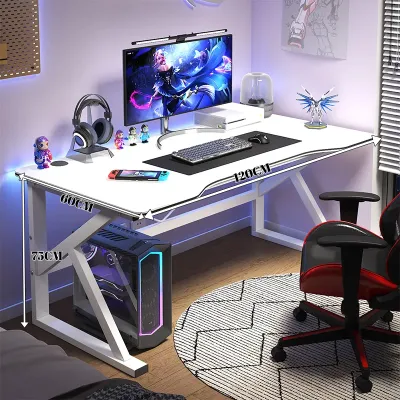
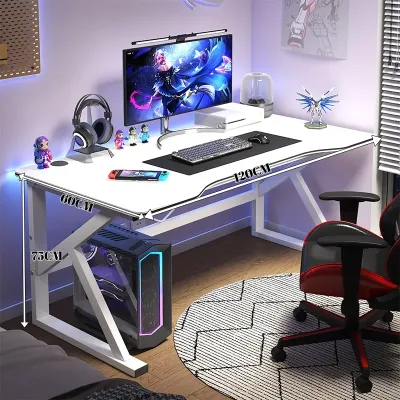
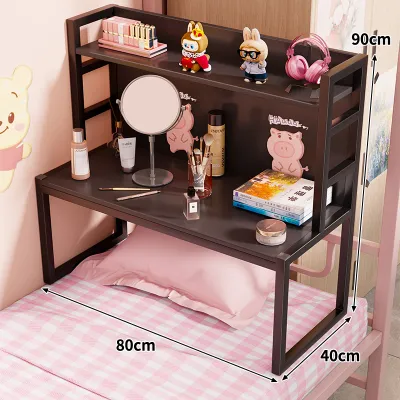
Prices are valid at publication and may change. Please refer to the product page for the latest price.
Logistical constraints are just as important as the final resting place of the desk. You must measure the width and height of all doorways, hallway turns, and stairwells the desk packaging must pass through during delivery. For those living in high-rise condominiums or apartments with tight passenger lifts, check the elevator cabin dimensions. Many L-shaped desks ship in large, heavy, single-box flatpacks that can be incredibly difficult to maneuver around tight corners or up narrow staircases. If your access routes are restricted, a straight desk or an L-shaped model that ships in multiple smaller boxes is generally much easier to transport.
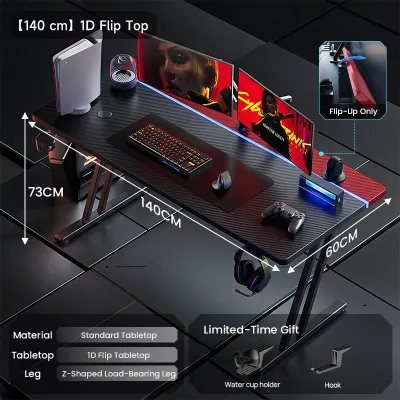
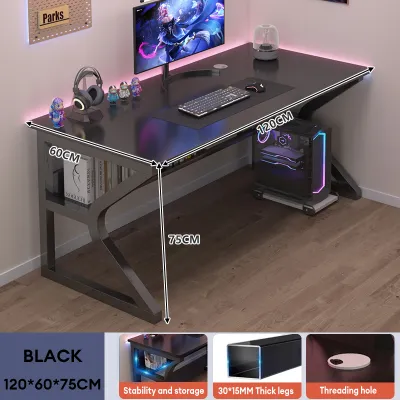
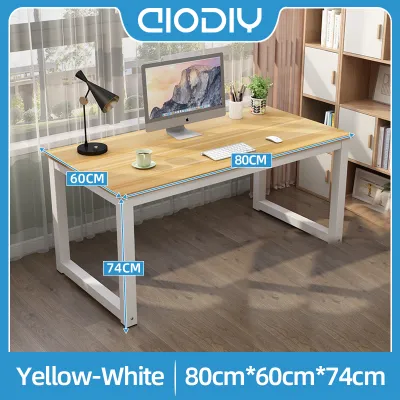
Straight desks offer maximum placement flexibility because they fit naturally against any flat wall. They can easily sit directly in front of a window, run parallel to a bed, or even float in the center of a room if you prefer an open-concept layout. This linear profile makes them exceptionally well-suited for rectangular, narrow, or multi-purpose rooms where floor space is at a premium. Because they only occupy a single wall dimension, they leave the rest of the room open for other functional zones.
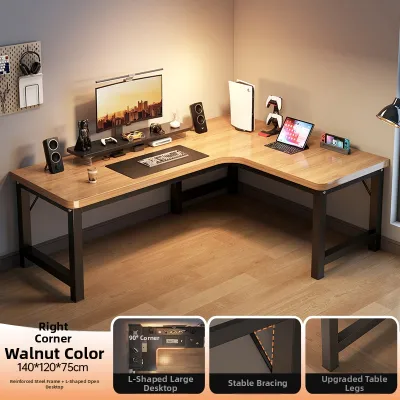
L-shaped desks, on the other hand, are specifically engineered to maximize corner spaces that otherwise go unused. By nesting into a 90-degree corner, they provide a massive amount of tabletop surface area without extending too far into the center of the room. However, this layout requires two clear, intersecting walls free of obstructions. You must carefully check for architectural features such as low window sills, protruding baseboards, wall-mounted air conditioning units, and light switches. A flush fit is essential for structural stability, so any wall irregularity can prevent the desk from sitting securely in the corner.
In tropical environments with high relative humidity, wall placement requires extra caution. Placing any desk completely flush against a concrete wall can trap moisture, leading to mold growth on both the wall and the back of the desk panel. When planning your layout, aim to leave a gap of at least 2 to 5 centimeters between the desk frame and the wall. This small gap promotes continuous airflow, which is vital for protecting wood composites, fiberboard, and delicate computer components from moisture-related degradation.
Monitor Setups and Peripheral Space: Matching Your Gear
Your choice of desk shape directly dictates how you arrange your screens, input devices, and audio gear. Different hardware configurations require different physical depths and structural support systems to remain stable and comfortable during long sessions.

Single or Dual Monitor Setups
For users with a single monitor or a standard dual-screen configuration, a straight gaming table provides a highly efficient and uniform viewing distance. Because the front edge of a straight desk is completely linear, you can position your monitors side-by-side without any awkward angles. This makes it straightforward to align dual monitors symmetrically, ensuring that your eyes transition smoothly from one screen to the other without constant refocusing.
Mounting monitor arms is also incredibly simple on a straight desk. Most standard C-clamp or grommet-hole monitor mounts are designed for flat, straight edges, allowing you to secure them anywhere along the back of the desk. You do not have to worry about structural corner joints or angled support bars interfering with the clamp mechanism underneath. Furthermore, a straight desk ensures that your main keyboard, mousepad, and screens sit on a single, continuous plane, which supports a highly focused and traditional gaming posture.
Triple Monitor and Streaming Setups
If your setup involves three monitors, an ultra-wide display, or dedicated streaming hardware, an L-shaped desk offers distinct geometric advantages. Placing three large monitors in a straight line on a linear desk forces the outer screens too far into your peripheral vision, requiring you to turn your neck constantly to see the edges. The 90-degree bend of an L-shaped desk allows you to angle the side monitors inward, creating a natural “cockpit” curve that keeps all screens within your immediate field of view.
For content creators, streamers, and remote professionals, the secondary wing of an L-shaped desk acts as a dedicated auxiliary workspace. You can place your primary gaming monitor and peripherals on one side, while the adjacent wing holds your streaming deck, microphone arm, audio mixer, secondary chat monitor, or even a work laptop. This physical separation prevents your main gaming surface from becoming cluttered with cables and gear. It also allows you to transition between different tasks without having to constantly move your keyboard and mouse out of the way.
Ergonomics and Workflow: How You Sit and Move
Ergonomic comfort is determined by how easily you can reach your gear and how naturally your body moves within the workspace. Your desk shape influences your seating position, reach zones, and the physical strain placed on your neck, shoulders, and back.
Every desk setup has a primary “reach zone,” which is the semi-circular area your hands can easily access without bending your back or stretching your shoulders. On a straight desk, this reach zone is strictly linear. Your keyboard, mouse, and immediate accessories must sit directly in front of you. While this layout is excellent for maintaining a highly focused, forward-facing posture during intense gaming, it limits how much gear you can keep close at hand. Anything placed toward the far left or right ends of a long straight desk will require you to lean forward or slide your chair side-to-side to reach.
An L-shaped desk dramatically expands your immediate reach zone by curving around your body. By placing your chair at the inner corner of the “L,” you position yourself within arm’s reach of both the left and right desktop wings. Instead of sliding your chair across the floor, you can simply swivel 45 to 90 degrees to access a completely different set of equipment. This makes transitioning from a gaming session to a study or work task incredibly smooth, as you can keep your school books or work computer on one wing and your gaming peripherals on the other.
Regardless of the desk shape you choose, you must verify the desk’s depth—the distance from the front edge to the back wall. A desk that is too shallow (less than 60 centimeters) will force your monitor too close to your eyes, leading to eye strain and headaches, especially if you use screens larger than 24 inches. A depth of 70 to 80 centimeters is highly recommended for straight desks to ensure adequate space for your keyboard, wrist rest, and monitor stand. For L-shaped desks, ensure that the corner section offers sufficient depth, as the diagonal distance in the corner is often deeper than the individual side wings.
Cable Management and Under-Desk Clearance
Managing a web of power cables, display cords, and peripheral wires is essential for maintaining a clean aesthetic and preventing hardware damage. The structural design of your desk frame plays a massive role in how easily you can route and hide these cables.
Straight desks generally feature a very simple, open under-desk area. With only four legs or a basic T-frame structure, there are few physical obstructions beneath the tabletop. This open space makes it incredibly easy to mount aftermarket cable management trays, power strips, and under-desk PC mounts. You can run cables horizontally along the underside of the desk without encountering structural barriers, resulting in a clean, floating look. The unobstructed floor space also means you have maximum legroom and can easily slide a mobile drawer unit or trash can underneath.
L-shaped desks present more complex cable routing challenges. Because they are constructed from multiple desktop panels joined together, they require additional structural support. This often includes corner legs, diagonal crossbars, and heavy steel reinforcement plates directly beneath the seam. These structural elements can block the path of cable trays and limit where you can safely drill or clamp accessories. Routing cables from one end of the “L” to the other often requires longer cords and creative routing paths around the central corner support.
Under-desk clearance is another critical factor to consider with L-shaped models. The presence of a central support leg in the inner corner can restrict your leg movement when swiveling between the two wings. If you plan to mount your PC tower beneath the desk to keep it off a dusty floor, you must carefully verify that the frame’s crossbars leave enough vertical and horizontal clearance. In humid climates, keeping the PC tower off the floor is highly recommended to prevent dust and moisture from accumulating in the intake filters, so ensuring adequate under-desk mounting space is a key consideration.
Quick Comparison: L-Shaped vs Straight Gaming Tables
To help you visualize the practical differences between these two layouts, the table below compares their core characteristics based on standard design and structural principles.
| Feature | Straight Gaming Table | L-Shaped Gaming Table |
|---|---|---|
| Ideal Room Shape | Rectangular, narrow, or open-concept spaces | Square rooms or rooms with clear, unused 90-degree corners |
| Best Monitor Setup | Single or symmetrical dual-monitor configurations | Triple-monitor arrays, ultra-wides, or dual-purpose screens |
| Workflow Style | Linear, single-task focused, and minimalist | Multi-tasking, streaming, or split work-and-play zones |
| Cable Management Ease | High; open under-desk area with minimal structural barriers | Moderate to Low; complex joints and structural crossbars |
| Space Efficiency | High floor space preservation; easy to place anywhere | High corner utilization; occupies more total floor area |
| Legroom & Clearance | Unobstructed; maximum space for legs and storage | Can be restricted near the corner joint and inner support legs |
| Assembly Complexity | Simple; fewer parts and straightforward frame designs | Complex; requires precise alignment of multiple tabletop panels |
Final Decision Framework: Choose Based on Your Needs
To make your final decision, evaluate your specific room conditions, hardware requirements, and daily habits against these clear, condition-based guidelines.
Choose a straight gaming table if:
- You are working with a compact, narrow, or rectangular room where preserving floor space and walking paths is your top priority.
- Your hardware setup consists of a single monitor, a simple dual-monitor layout, or a single ultra-wide screen.
- You prefer a minimalist aesthetic and want an easy, uncomplicated process for routing cables and mounting under-desk accessories.
- You rent your home or move frequently, requiring furniture that is easy to disassemble, transport, and fit into various room shapes.
Choose an L-shaped gaming table if:
- You have a spacious square room with an empty, unobstructed 90-degree corner that you want to utilize efficiently.
- You use a triple-monitor setup or require a dedicated secondary surface for streaming gear, a work laptop, or school materials.
- You want to create distinct physical zones for different activities (such as gaming on one side and productivity on the other) without buying two separate desks.
- You prefer a "cockpit" feel where all your gear, accessories, and screens are wrapped around you within arm's reach.
Before making any final purchase, verify these critical details:
- Material Finish: If you live in a high-humidity area, check the manufacturer's care instructions and verify if the tabletop has a moisture-resistant melamine, laminate, or powder-coated finish to prevent warping.
- Frame Stability: Check the manufacturer's stated weight capacity, especially if you plan to mount heavy multi-monitor arms or place a heavy PC tower directly on the desk.
- Access and Assembly: Double-check that the packaged dimensions can easily pass through your doorways, hallways, and elevator doors before ordering.
- Wall Obstructions: Ensure that the walls behind your prospective desk location do not have protruding outlets, baseboards, or window sills that will prevent the desk from sitting stable and flush.
Frequently Asked Questions (FAQ)
Can I put an L-shaped gaming table in the middle of the room?
While L-shaped desks are designed to sit flush in a corner, you can place them in the middle of a room if you have sufficient space. This placement can act as a functional room divider in large, open-plan spaces, separating your gaming zone from the rest of the room. However, this layout exposes the back and sides of the desk, making meticulous cable management essential. You will need to use routing sleeves, under-desk trays, and floor cord protectors to prevent unsightly wires from dangling in plain sight and creating tripping hazards.
Are L-shaped desks stable enough for heavy gaming PCs and monitor arms?
An L-shaped desk’s stability depends entirely on its frame material, leg thickness, and joint design rather than its shape. High-quality L-shaped desks utilize steel frames with reinforcing plates under the desktop seams to prevent sagging. Before purchasing, check the manufacturer’s specified load capacity to ensure it can support your PC tower and monitor mounts. Additionally, verify that the tabletop material is thick and solid enough to handle the concentrated clamping force of a heavy-duty monitor arm, especially near the corner joint.

Community discussion
Share your experience or ask a question. Comments are reviewed before publication.