
Finding the ideal small folding table for a work-from-home (WFH) setup in the Philippines requires balancing limited floor space with the physical demands of daily computer work. In many urban condominiums and shared apartments, a permanent, full-sized office desk is simply not practical. A collapsible or foldable desk offers a flexible alternative, allowing you to establish a dedicated workspace during office hours and reclaim your living area once the laptop is closed. However, not all folding tables are built to withstand the repetitive vibrations of typing or the weight of multiple devices.
To choose a table that supports your productivity without shaking or sagging, you must look beyond aesthetic appeal. The right choice depends on verifying structural stability, checking how the materials handle local humidity, and ensuring the dimensions align with your physical comfort. By focusing on observable build quality, precise spatial measurements, and reliable locking mechanisms, you can secure a highly functional workspace that fits seamlessly into a compact home.
Core Features to Look for in a WFH Folding Table
When evaluating a small folding table for daily professional use, the primary consideration is how well it handles the physical load of your equipment. A standard laptop setup might only require a modest weight capacity, but adding an external monitor, a keyboard, a mouse, and desk accessories quickly increases the demand on the frame. Before purchasing, check the manufacturer’s specifications for the static weight limit. A reliable WFH desk should support at least 15 to 20 kilograms of evenly distributed weight to prevent bowing or structural failure over time.
Products mentioned in this guide
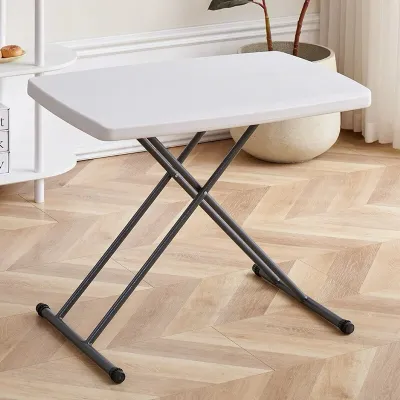
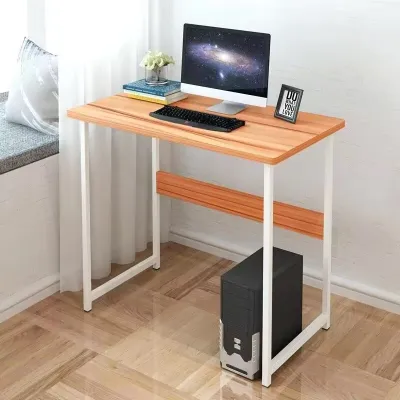
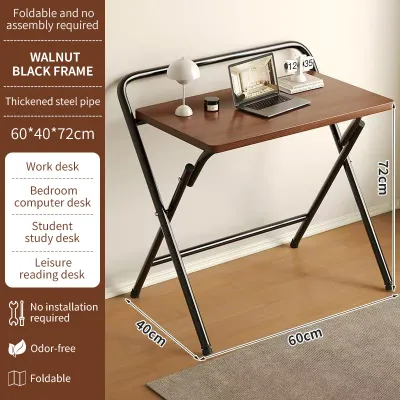
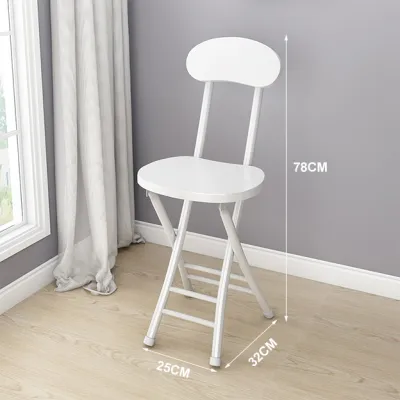


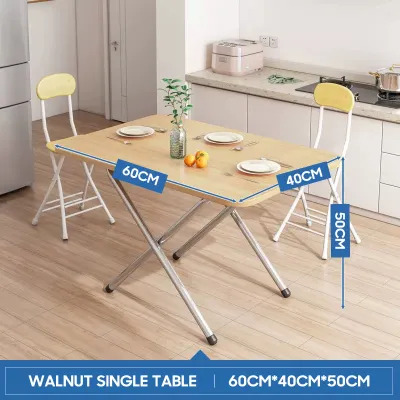
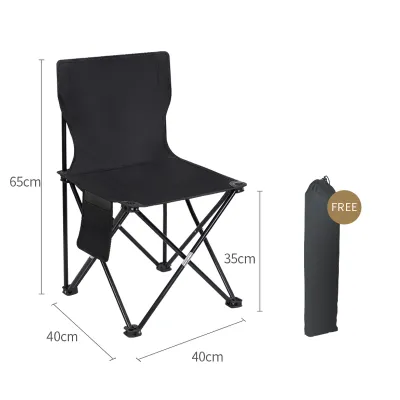
Prices are valid at publication and may change. Please refer to the product page for the latest price.
The design of the folding mechanism directly impacts both the ease of daily setup and the long-term durability of the table. Fully collapsible legs that fold flat against the underside of the tabletop are highly common and allow the desk to be slid under a bed or behind a sofa when not in use. Drop-leaf tables, which feature a hinged surface that folds down while the main frame remains stationary, offer a semi-permanent solution that can double as a small dining area or console table. Wall-mounted folding desks save the most floor space by folding completely flat against the wall, but they require secure anchoring and cannot be moved around the room.
Surface area and depth are critical for maintaining a comfortable and organized workspace. For a basic setup consisting solely of a laptop, a surface depth of 40 to 50 centimeters is generally sufficient. However, if you plan to use an external monitor or a separate keyboard, a minimum depth of 60 centimeters is highly recommended. This extra depth ensures that your screen is positioned at a comfortable viewing distance, reducing eye strain, while leaving enough room to rest your forearms on the desk surface to prevent wrist fatigue.
Measuring Your Space and Ergonomic Requirements
Before ordering any folding table, you must measure your designated work area in both its active and stored states. It is easy to overlook the physical footprint of the desk when it is fully unfolded. Ensure there is at least 80 to 90 centimeters of clear space behind the desk to accommodate your office chair and allow you to sit down and stand up comfortably. Additionally, map out the surrounding walkways to ensure that family members or housemates can move through the room without bumping into your workspace during the day.

Ergonomics should never be sacrificed for portability. The standard height for an office desk is approximately 73 to 75 centimeters, which suits most adults when paired with an adjustable office chair. When testing a folding table, verify that your elbows can rest at a 90-degree angle while typing and that your thighs have sufficient clearance underneath the tabletop frame. If you prefer a standing setup or want to alternate postures, look for height-adjustable folding models that feature secure locking pins or manual crank systems to safely alter the elevation.
Logistical planning is equally important, especially for residents of high-rise condominiums or tight apartment complexes in urban areas. Before finalizing a purchase, measure the widths of your doorways, hallways, stairwells, and elevator doors. Even though a folding table is designed to be compact, it often ships in a large, flat box that can be difficult to maneuver through narrow corners or low ceilings. Confirming these dimensions beforehand prevents the frustration of receiving a package that cannot easily reach your unit.
Inspecting Build Quality and Stability
The tropical climate in the Philippines, characterized by high humidity and seasonal temperature shifts, makes material selection a vital factor in the longevity of your folding table. Engineered wood, such as medium-density fiberboard (MDF) or particle board, is widely used for budget-friendly tabletops. If you select an engineered wood desk, inspect the edges to ensure they are fully sealed with high-quality edge banding. Unsealed edges allow moisture from the air or accidental spills to penetrate the core, leading to swelling, warping, and eventual peeling of the laminate surface.
For greater resistance to humidity and wear, consider alternative materials like high-density polyethylene (HDPE) plastic or powder-coated metal. HDPE tables are highly durable, easy to clean, and virtually immune to moisture damage, though they may lack the professional aesthetic of wood. If you prefer a wooden look, solid wood or high-pressure laminate (HPL) surfaces offer superior moisture resistance and scratch protection, provided they are cared for according to the manufacturer’s instructions. Avoid placing hot coffee mugs directly on unshielded surfaces to prevent heat rings and finish degradation.
A folding table’s stability depends entirely on its joints, hinges, and locking mechanisms. When inspecting a desk in person or reviewing detailed product photos, look for heavy-duty steel hinges and robust locking bars that click securely into place when the table is unfolded. Avoid models that rely solely on friction fits or thin plastic clips, as these components tend to wear down quickly under the stress of daily typing. Cross-bracing between the table legs significantly reduces lateral wobble, ensuring that your monitor does not shake every time you type or move your mouse.
The design of the table legs and feet also plays a crucial role in maintaining a stable workspace, particularly on uneven flooring like ceramic tiles or older hardwood. Look for folding tables equipped with adjustable leveling feet or non-slip rubber pads. These components allow you to compensate for minor floor imperfections, preventing the table from rocking. Rubber pads also protect your flooring from scratches and help absorb the vibrations generated by active typing, contributing to a quieter and more focused working environment.
Pre-Purchase Checks and Delivery Inspection
To ensure a smooth purchasing experience, establish a thorough verification routine before checking out your online shopping cart or leaving a physical retail store. Always cross-reference the dimensions listed in the product description with your physical measurements. Do not rely on promotional images, which often use digital rendering to make furniture appear larger or more spacious than it actually is. If the seller’s listing does not clearly state the weight capacity or the materials used, reach out to customer service to request the official product manual or specification sheet.
When your folding table is delivered, conduct an immediate inspection before discarding the packaging or attempting full assembly. Carefully unbox the item and check the tabletop for any signs of transit damage, such as cracked corners, deep scratches, or peeling edge bands. Test the folding mechanism several times to ensure that the hinges move smoothly without catching and that the locking pins engage securely. If you notice any structural defects, loose joints, or missing hardware, document the issues with clear photographs and contact the seller immediately to initiate a replacement.
Finally, familiarize yourself with the return policies, warranty terms, and shipping fees associated with your purchase. Bulky items like desks can incur significant return shipping costs if you simply change your mind, so verifying the seller’s policy on defective items is essential. Look for retailers that offer a clear warranty period on structural components like hinges and frames. Understanding these terms beforehand protects your investment and ensures that you can resolve any delivery or manufacturing issues without unexpected financial loss.
Frequently Asked Questions (FAQ)
Can a folding table support a dual-monitor setup?
A folding table can support a dual-monitor setup, provided the combined weight of your monitors, stands, and mounting brackets does not exceed the manufacturer’s rated weight capacity. Most standard dual-monitor configurations weigh between 8 and 15 kilograms, which fits within the limits of heavy-duty folding desks. However, you must also consider the depth of the table. A dual-monitor setup typically requires a desk depth of at least 60 to 70 centimeters to allow for proper screen positioning and to prevent the monitors from being too close to your eyes. Additionally, ensure the tabletop material is strong enough to handle the concentrated clamping force of a dual-monitor arm if you plan to use one.
How do I prevent a lightweight folding desk from wobbling?
To minimize wobble on a lightweight folding desk, start by placing the table on a completely level surface. If your floor is uneven, use adjustable leveling feet or place non-slip rubber pads under the legs to absorb vibrations and balance the frame. Positioning the desk directly against a solid wall or tucking it into a corner can also provide significant lateral support, reducing side-to-side movement while you type. For tables with collapsible legs, double-check that all locking pins, cross-braces, and hinges are fully engaged and tightened. Placing heavier items, like a desktop tower or books, on a lower shelf or near the legs can also lower the center of gravity and improve overall stability.
Are wall-mounted folding desks safe for rental apartments?
Wall-mounted folding desks can be safe for rental apartments, but their suitability depends heavily on your lease agreement and the construction of your walls. Installing a wall-mounted desk requires drilling multiple deep holes to secure heavy-duty mounting brackets, which may violate standard rental contracts regarding wall alterations. Furthermore, these desks must be anchored into solid concrete, brick, or structural wall studs to safely support the weight of the desk and your computer equipment. Mounting a folding desk solely into hollow drywall without proper anchors can lead to structural failure and severe wall damage. Always consult your landlord and verify your wall type before proceeding with installation.

Community discussion
Share your experience or ask a question. Comments are reviewed before publication.