
In a compact bedroom, every square centimeter of floor and surface space must earn its keep. A smart nightstand can be a highly efficient space-saver by consolidating multiple bedside gadgets—such as chargers, lamps, and power strips—into a single, streamlined piece of furniture. However, not all integrated features are worth the premium price or the physical footprint they occupy. High-value features like built-in wireless charging pads and flush LED lighting eliminate surface clutter, while bulky additions like integrated speakers or refrigeration drawers often add unnecessary depth and noise. Deciding whether to invest in a smart nightstand comes down to balancing the convenience of integrated technology against the flexibility and lower cost of standard furniture paired with standalone accessories.
Assessing Smart Features for Small Bedroom Layouts
When floor space is limited, a nightstand must function as more than just a flat surface to hold a glass of water. Evaluating smart features based on your daily routine and existing device ecosystem ensures you do not pay for technology that complicates your space.
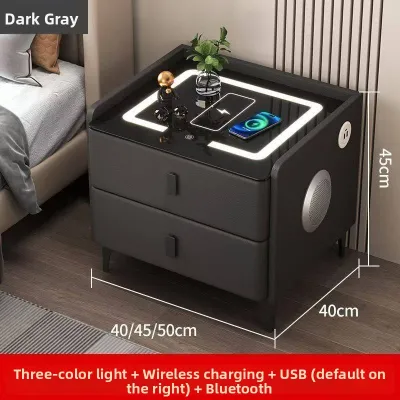
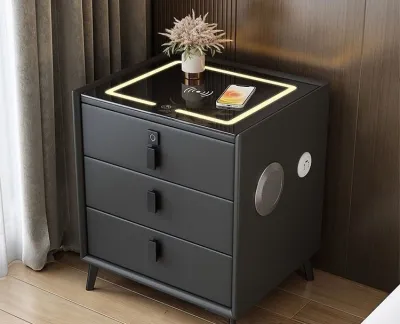
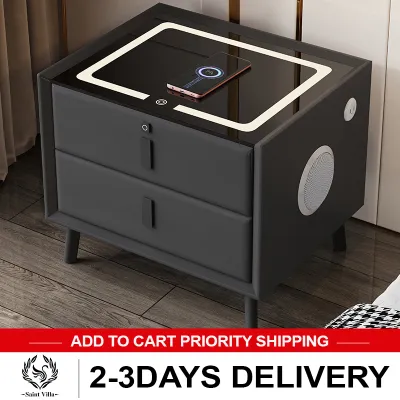
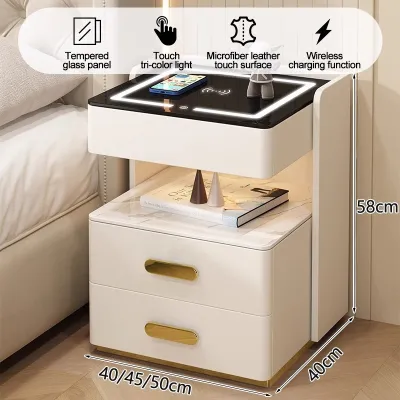
Wireless Charging and USB Hubs Dangling cords and tangled power strips are major visual and physical hazards in tight bedrooms. Built-in wireless charging pads embedded directly into the tabletop surface allow you to power up compatible smartphones without occupying valuable surface area with bulky charging blocks. Integrated USB-A and USB-C ports on the side or front of the unit keep charging cables organized and prevent them from spilling onto the floor, keeping walkways clear. Before purchasing, verify that the wireless charging pad’s wattage matches your phone’s fast-charging specifications to ensure optimal performance.
Products mentioned in this guide


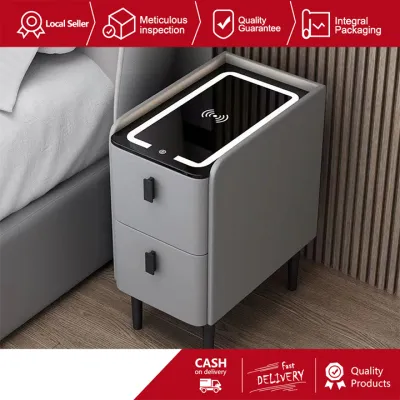
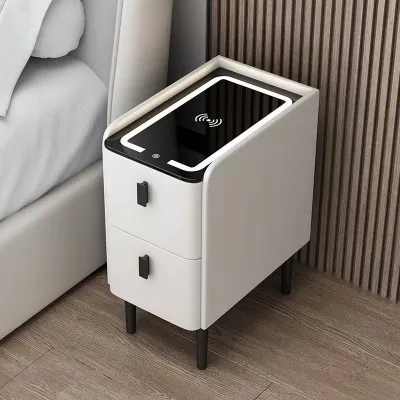
Prices are valid at publication and may change. Please refer to the product page for the latest price.
Integrated LED Lighting A traditional table lamp requires a significant portion of a nightstand’s top surface, leaving little room for books, glasses, or personal items. Smart nightstands with integrated LED lighting—often installed as flush under-cabinet ambient lights or slim, adjustable reading bars—completely free up this surface area. Many of these systems feature motion sensors that gently illuminate the floor when you step out of bed at night, preventing trips in the dark without waking a sleeping partner. Ensure the lighting system offers adjustable brightness levels and a warm color temperature to maintain a relaxing sleep environment.
Audio and Extra Tech Some premium smart nightstands come equipped with built-in Bluetooth speakers, touch-control panels, or even small cooling drawers for beverages. While these features sound appealing, they often require a much deeper and heavier cabinet frame, which can quickly overwhelm a small bedroom layout. Built-in speakers can also cause unwanted vibrations against the wall or transfer noise directly through the bed frame, disrupting your sleep. Cooling drawers require active ventilation, which can generate constant ambient heat and fan noise—two things you want to avoid next to your pillow in a warm, tropical climate.
Feature Redundant Before committing to a high-tech furniture piece, audit your current bedroom setup to avoid paying for redundant capabilities. If you already use smart light bulbs controlled by your phone or a voice assistant, an integrated LED light strip on your nightstand might be unnecessary. Similarly, if you have a centralized charging station on a nearby desk, paying a premium for multiple high-speed ports on your bedside table may not offer enough daily utility to justify the extra cost.
Space Planning and Clearance Checks
Physical dimensions are the most critical factor when introducing any new furniture piece into a compact room. A smart nightstand that looks perfectly proportioned online can easily block essential pathways or storage access once placed in your actual bedroom.

Start by measuring the exact clearance between your bed and the adjacent walls, wardrobe doors, or closet entryways. If the smart nightstand features pull-out drawers or swing-open cabinet doors, you must ensure these can extend fully without striking the mattress or restricting your movement. In tight layouts, even a few centimeters of overlap can make accessing stored items a daily frustration.
Walkway clearance is equally vital for maintaining a safe and comfortable bedroom flow. Measure the distance from the edge of the proposed nightstand to the opposite wall or nearest piece of furniture; a clear path is generally recommended for comfortable movement. Choosing a unit that is too deep can restrict access to balcony doors, block sliding closet tracks, or make the simple task of making your bed a physical struggle.
Do not forget to account for the hidden depth added by power plugs and adapters at the back of the unit. Many smart nightstands require a constant connection to a wall outlet, meaning the furniture cannot sit completely flush against the wall. Standard plugs can add several centimeters of required clearance, which can push the nightstand forward into your walking path. Look for units designed with recessed back panels or utilize right-angle flat plugs to minimize this gap.
Power Access and Cable Management
Because a smart nightstand is an active electronic device, its placement is entirely dependent on your room’s electrical layout. Managing this power connection safely is crucial in small spaces where outlets are often limited or awkwardly positioned.
Begin by locating your existing wall outlets and measuring the exact distance to where the nightstand will sit. Most smart nightstands come with a fixed power cord, so you must ensure the cord can reach the outlet without being stretched tight or suspended in mid-air. Running cords across walkways creates a severe tripping hazard and can damage both the nightstand’s internal wiring and your wall outlet over time.
If your bedroom has limited outlets, you might be tempted to use extension cords or daisy-chain multiple power strips to keep all your devices running. However, smart nightstands that act as centralized hubs for charging laptops, phones, and running built-in lights draw a continuous current. Overloading a single wall outlet or using low-quality extension cords can lead to overheating, particularly in humid tropical climates where ambient temperatures are already high.
Always review the manufacturer’s specific instructions regarding power supply and surge protection. If your bedroom’s wiring is outdated, or if installing the nightstand requires running cords through walls or making structural modifications, stop and consult a qualified electrician. Ensuring your electrical setup can safely handle the continuous load of smart furniture is essential for long-term safety.
Your Pre-Purchase Verification Checklist
Before finalizing your purchase from an online marketplace or local furniture retailer, run through these essential checks to ensure the unit fits your space, budget, and lifestyle:
- Physical Dimensions: Verify the exact width, depth, and height against your measured bedside clearance, ensuring drawers can open fully and walkways remain unobstructed.
- Plug and Socket Compatibility: Confirm that the nightstand's power plug matches your local wall sockets (such as Type A or B sockets) without requiring bulky, unstable adapters.
- Device Compatibility: Check the specifications of the built-in wireless charging pad to ensure it is compatible with your specific smartphone model and case thickness.
- Value Comparison: Evaluate whether the ₱ price premium of integrated technology justifies the physical space saved compared to buying a standard side table and separate accessories.
- Warranty Terms: Read the manufacturer's warranty carefully to confirm that the electronic components (LEDs, charging coils, ports) are covered under a dedicated policy, rather than just the wooden frame.
Frequently Asked Questions (FAQ)
Do smart nightstands require special electrical wiring?
No, the vast majority of smart nightstands are designed to plug directly into standard household wall outlets. They do not require professional hardwiring or specialized electrical installations. However, because they house multiple electronic components, you must ensure the wall outlet you use is in good condition and not overloaded with other high-draw appliances.
Can smart nightstand features interfere with medical devices?
Wireless charging pads and Bluetooth transmitters emit electromagnetic fields (EMF) and radiofrequency signals. If you use a medical device, such as a pacemaker or a continuous glucose monitor, you should consult your medical device manufacturer’s guidelines regarding safe proximity distances. Placing these active transmitters directly next to your head while sleeping requires careful consideration of these safety recommendations.
Is it better to buy a smart nightstand or add smart accessories to a regular table?
An integrated smart nightstand offers a clean, minimalist aesthetic with hidden internal wiring, which is excellent for reducing visual clutter in a small room. However, a standard table paired with modular accessories—like a smart plug, a clip-on reading light, and a multi-port desktop charger—is often much cheaper, easier to upgrade when technology changes, and simpler to repair if a single component stops working.

Community discussion
Share your experience or ask a question. Comments are reviewed before publication.