
Choosing between a standing desk converter and a foldable table is a pivotal decision when setting up a compact work-from-home space. Both options serve as practical countertop table solutions, yet they solve entirely different spatial and physical challenges. If you already have a solid base surface and want the flexibility to alternate between sitting and standing, a converter elevates your existing setup. If you need to reclaim every square inch of your room at the end of the day, a collapsible table offers a clean slate. Understanding how each option fits into your daily routine is the first step toward creating a comfortable, productive home office.
Understanding the Core Differences
A standing desk converter is an adjustable, multi-tiered platform designed to sit directly on top of an existing desk, dining table, or sturdy counter. It features a top surface for your monitor or laptop and often a lower tier for your keyboard and mouse. The primary mechanism allows you to raise or lower the entire platform, transitioning your workspace from a sitting height to a standing height without moving your equipment.
In contrast, a foldable table is a standalone, freestanding piece of furniture with legs that collapse flat against the underside of the tabletop. It requires no host surface to function and can be set up anywhere you have open floor space. Once your workday ends, the entire unit folds down for storage, leaving your living area completely free of office clutter.
Products mentioned in this guide
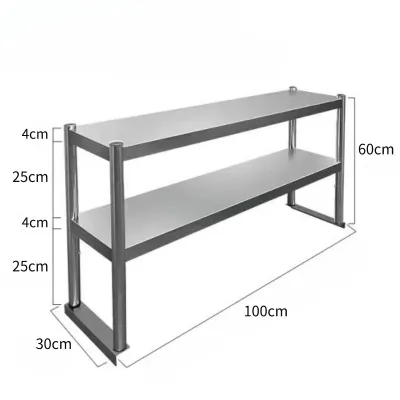
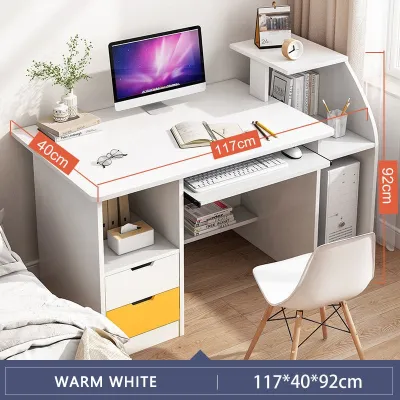
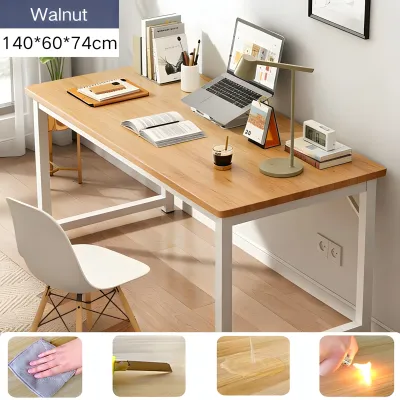
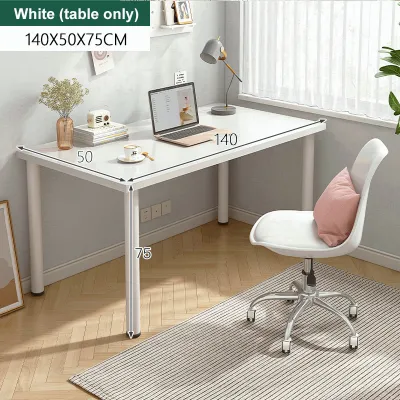
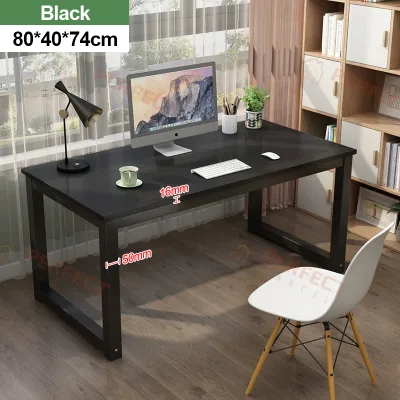
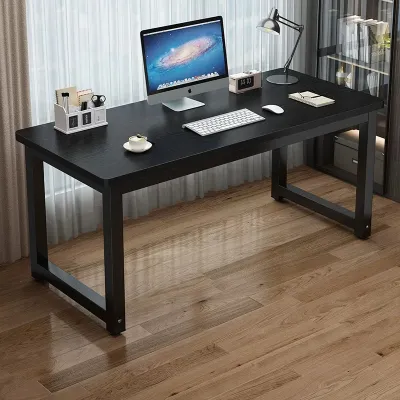
Prices are valid at publication and may change. Please refer to the product page for the latest price.
In the context of small-space living, both of these solutions function as a temporary or adaptable countertop table. The converter acts as an adjustable secondary countertop table on top of your primary furniture, while the foldable table provides an instant, independent work surface that you can deploy and remove at will.
Space and Storage: Evaluating Small-Space Constraints
When floor space is at a premium, analyzing the physical footprint of your furniture is essential. A standing desk converter does not save floor space on its own; it relies entirely on a host desk that already occupies a permanent footprint in your room. If you live in a compact studio apartment or a shared condominium, you must already have a sturdy table or console to support the converter.

A foldable table, however, requires zero permanent floor space. It only occupies room when it is actively unfolded and in use. This makes it highly suitable for multi-purpose rooms where your bedroom or living room must transition from an office during the day to a relaxation space at night.
Storage requirements also differ significantly between the two options. Because a converter is heavy and holds your active computer setup, it typically remains on your host desk permanently. A foldable table must be stored away when collapsed, which requires finding a suitable spot behind a door, inside a closet, or under a bed.
In humid tropical climates, storing a folded table requires careful consideration. You should regularly check storage areas for adequate ventilation to prevent moisture buildup and mold on the tabletop material. Before purchasing either option, measure your available floor clearance for a foldable table, or measure the exact depth and width of your existing desk to ensure a converter’s base will sit securely without overhanging the edges.
Ergonomics and Working Posture
Maintaining physical comfort during long working hours requires a setup that supports natural body alignment. The standout benefit of a standing desk converter is its active ergonomic support. By allowing you to alternate between sitting and standing throughout the day, a converter helps reduce physical fatigue and encourages movement during long virtual meetings.
Standard foldable tables, on the other hand, generally feature a fixed height. This fixed height is often designed for general use and may not align perfectly with your specific elbow height when seated. Working at a table that is too high or too low can lead to shoulder strain and wrist discomfort over time.
To counter the fixed-height limitations of a foldable table, you will need to pair it with a highly adjustable office chair. This allows you to raise or lower your seating position to achieve a neutral typing angle, though you may also need a footrest to keep your feet flat on the floor.
Before choosing a converter, check the manufacturer’s height adjustment range to ensure it can elevate your screen to eye level when you are standing. Additionally, verify if the converter includes a dedicated keyboard tray, as keeping your keyboard lower than your monitor is crucial for preventing wrist extension and neck strain.
Stability, Setup, and Daily Convenience
The daily practicalities of setting up and using your desk can greatly impact your productivity and comfort. Standing desk converters are typically constructed with heavy steel frames and weighted bases to prevent tipping when fully extended. This substantial weight provides a highly stable, wobble-free typing experience, even when supporting multiple monitors.
Foldable tables are designed for portability, which often means they are constructed from lightweight materials. While this makes them easy to carry, it can also result in a less stable work surface. You may notice a slight wobble or monitor shake during active typing, especially on carpeted floors or uneven surfaces.
The effort required for daily setup is another key differentiator. A foldable table demands a daily routine of unfolding the legs, carrying it to your workspace, and setting up your laptop, cables, and accessories every morning, followed by the reverse process in the evening. A converter requires almost no daily setup; you simply squeeze a hand lever to adjust the height in a matter of seconds.
Before placing a heavy converter on your existing furniture, always check the host desk’s weight capacity label. Combining a heavy mechanical converter with monitors, a laptop, and desk accessories can easily exceed the structural limits of lightweight, hollow-core, or glass-topped tables, risking damage to your furniture and equipment.
Decision Framework: Which Compact Desk Fits Your Needs?
To finalize your decision, evaluate your current home layout, existing furniture, and daily work habits. Your choice should align with how you plan to manage your space and physical comfort over the long term.
You should choose a standing desk converter if you already own a sturdy, permanent desk or dining table, want the ergonomic benefits of transitioning between sitting and standing, and do not mind your work setup remaining visible after office hours. This option is ideal for those who prioritize posture variety and have a dedicated corner for work.
You should choose a foldable table if you lack a dedicated desk, need to completely reclaim your floor space for family or leisure activities after work, or move frequently between rental properties. This option is best for those who value spatial flexibility and are willing to trade sit-stand adjustability for a clear, work-free living area at the end of the day.
Before making any purchase, verify that your current chair height, your host desk’s depth, and your room’s physical layout do not conflict with the dimensions of your chosen product. Allocating your ₱ budget toward a solution that matches your specific spatial constraints will ensure a comfortable and sustainable work-from-home experience.
Frequently Asked Questions (FAQ)
Can I use a foldable table on top of a bed or sofa?
Using a standard foldable table on soft, uneven surfaces like a bed or sofa poses significant stability and ergonomic risks. The legs of the table can easily sink or tilt, which increases the risk of your laptop or monitors tipping over. Additionally, sitting on a bed without structured back support often leads to poor posture and spinal strain. If you must work from a bed or sofa, check the table’s leg design and weight distribution specifications to ensure it is rated for soft surfaces, or consider using a dedicated lap desk designed specifically for those environments.
Do standing desk converters require complex assembly?
Most standing desk converters are designed for quick and straightforward setup. Many models arrive fully assembled in the box, requiring you only to unpack the unit and place it on your desk, while others may require minimal assembly, such as attaching the keyboard tray using a few included screws. Because converters are heavy and weighted for stability, lifting the unit onto your host desk may require two people. Always check the product manual for specific tool requirements, weight limits, and safety locking mechanisms before attempting to adjust the height for the first time.

Community discussion
Share your experience or ask a question. Comments are reviewed before publication.