
Choosing between a standing drafting desk and a traditional tilt-top drafting table is not a matter of finding a single superior option. Instead, the decision hinges on the specific nature of your daily architectural workflow. If your hours are filled with physical tasks—such as sketching schematic designs, overlaying tracing paper, or assembling physical scale models—the traditional tilt-top table provides the specialized angled support your hands and eyes require.
Conversely, if your practice has transitioned primarily to digital production, involving hours of CAD modeling, BIM coordination, and multi-monitor multitasking, a height-adjustable standing desk offers the ergonomic flexibility needed to sustain focus and physical comfort.
In tropical environments where high humidity can cause large-format paper to warp or buckle, the choice of workspace also dictates how you manage your physical media. A traditional table allows you to secure delicate tracing sheets flat against a tilted board using drafting tape, while a standing desk keeps digital peripherals safe from the dust and moisture that can accumulate in less ventilated home studios. By analyzing how you work, how much space you have, and how your body responds to long hours at the board or screen, you can design a workspace that enhances both your productivity and your physical well-being.
Products mentioned in this guide

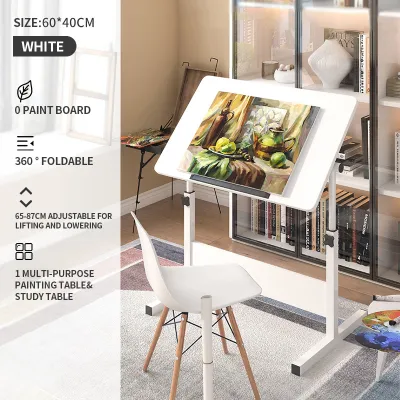
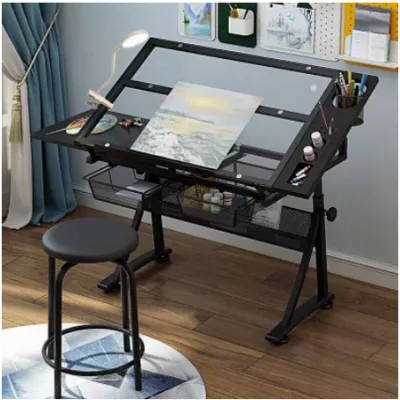
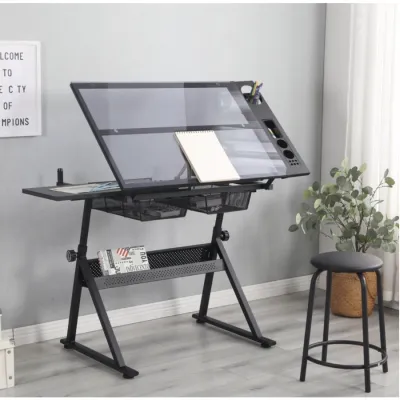
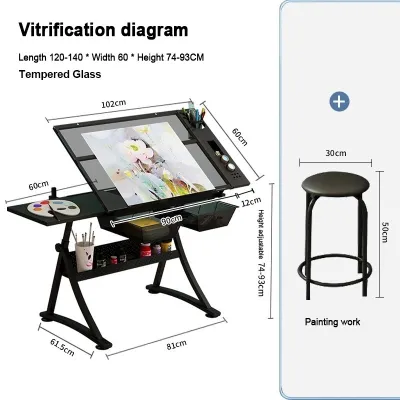
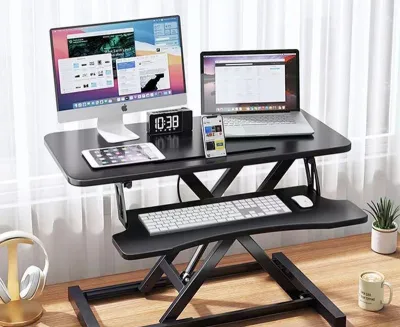
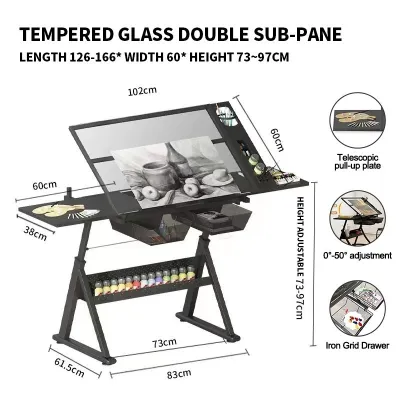
Prices are valid at publication and may change. Please refer to the product page for the latest price.
Core Differences in Design and Architectural Workflow
Traditional tilt-top tables are engineered specifically for manual drafting. The defining feature of these tables is a top that can tilt from a completely flat position to near-vertical angles, often up to 70 or 90 degrees. This tilt brings the upper sections of a large blueprint or tracing sheet within easy arm’s reach, eliminating the need to stretch awkwardly over a wide surface.
A built-in lip or pencil ledge at the bottom edge is essential; it prevents parallel rulers, scale guards, triangles, and pencils from sliding onto the floor when the surface is inclined. This setup is ideal for architects who still produce hand-drawn renderings, review physical construction documents, or work extensively with yellow trace.
Standing drafting desks, by contrast, are designed to accommodate the modern, digitally-driven architectural office. These desks typically feature a flat, motorized or manual lifting mechanism that raises the entire work surface vertically while keeping it completely horizontal. This design is optimized for supporting heavy computer towers, multiple large monitors, keyboards, and digitizing tablets.
Because the surface remains flat, digital peripherals remain secure without the risk of sliding. While some hybrid standing desks offer a small tilting section within a larger flat frame, the primary mechanical focus of a standing desk is to facilitate seamless transitions between sitting and standing positions throughout the workday.
The choice between these designs directly impacts how you organize your tools. On a tilted surface, every loose item must be secured or stored in side trays, as gravity will pull down anything not taped or wedged in place. On a flat standing desk, you have the freedom to spread out reference books, coffee mugs, and digital devices across the entire surface.
Ergonomics and Posture for Long Drafting Sessions
Extended hours at a drafting table or desk can take a toll on your neck, shoulders, and lower back. When working on a traditional tilt-top table, the angled surface aligns the drawing plane with your line of sight. This alignment reduces the need to bend your neck forward, which significantly lowers the strain on your cervical spine during long sketching sessions.

However, because these tables are typically paired with high drafting stools, your lower body remains relatively static. To maintain comfort, you must invest in a highly adjustable drafting stool with a foot ring, allowing you to keep your knees at a comfortable angle and your feet supported even when elevated.
Standing drafting desks address ergonomics through movement rather than surface angle. By allowing you to transition from sitting to standing at the press of a button, these desks encourage active posture and help prevent the muscle stiffness associated with prolonged sitting. When standing, your spine naturally maintains a more neutral alignment, and your circulation improves.
However, looking down at a flat desk surface while standing can still strain your neck. To optimize a standing setup for digital architecture work, you must position your monitors at eye level using adjustable monitor arms, ensuring your neck remains straight while your hands rest comfortably on the keyboard or mouse.
The physical environment of your workspace also plays a role in ergonomic comfort. In warm, tropical climates where home studios may rely on tile or concrete floors, standing for long periods on a hard surface can cause fatigue in your feet, knees, and lower back. If you choose a standing desk, pairing it with a high-quality anti-fatigue mat is highly recommended to cushion your feet and encourage micro-movements that support circulation.
Space, Stability, and Setup Verification
Before purchasing any large piece of studio furniture, you must verify that your workspace can physically accommodate its footprint and movement. Traditional tilt-top tables often require a larger operational clearance than their static dimensions suggest. When the top is tilted or rotated, the corners of the board swing outward, requiring empty space around the perimeter to prevent the table from hitting walls or adjacent shelving.
Standing desks require vertical clearance and a stable power source. You must ensure that as the desk rises, it will not clear shelves, window sills, or wall-mounted air conditioning units. Cable management is another critical factor; because the desk moves up and down, all monitor, computer, and lamp cables must have enough slack to stretch to their maximum height without pulling on outlets or tensioning the wires.
Stability is paramount for both manual drawing and digital work. When you are erasing vigorously on a tracing sheet or leaning on the edge of the table to reach the top of a drawing, a flimsy frame will wobble, disrupting your precision. Look for heavy steel frames with wide floor levelers that can compensate for uneven tile or terrazzo floors.
Additionally, consider the delivery and assembly process. Large drafting tables and motorized standing desks often arrive in heavy, flat-packed boxes. Verify the dimensions of your doorways, stairwells, and elevators to ensure you can safely transport the components to your studio, and use floor protectors under the metal feet to prevent scratching delicate wood or tile finishes.
Drafting Table Feature Comparison Matrix
| Feature | Traditional Tilt-Top Table | Standing Drafting Desk |
|---|---|---|
| Tilt Angle Range | Typically 0° to 70°+ (highly adjustable) | Typically flat (0°), some hybrid models tilt up to 15° |
| Height Adjustability | Manual adjustment via knobs or pins (semi-permanent) | Motorized or crank vertical adjustment (frequent changes) |
| Primary Surface Material | Smooth laminate, tempered glass, or solid wood | Heavy-duty laminate, veneer, or solid wood |
| Ideal Workflow | Manual sketching, tracing, physical model assembly | CAD/BIM modeling, multi-monitor setups, digital rendering |
| Peripherals Support | Requires edge stops; limited space for monitors | Excellent for monitor arms, keyboards, and heavy hardware |
When reviewing these specifications, always treat the listed dimensions and weight capacities as maximum limits. Verify the exact clearance requirements and assembly instructions in the manufacturer’s manual before finalizing your purchase to ensure the desk fits your specific hardware configuration.
Decision Framework: Choosing the Right Drafting Table
To finalize your decision, evaluate your daily tasks against these clear guidelines. Choose a traditional tilt-top table if your architectural practice is deeply rooted in physical media. If you spend more than half of your day sketching schematic designs on tracing paper, reviewing large-format printed blueprints, or using manual drafting tools like parallel rulers and scale guards, the angled surface is indispensable.
Choose a standing drafting desk if your workflow is almost entirely digital. If your primary tools are Revit, AutoCAD, SketchUp, or Rhino, and you rely on two or more monitors to coordinate construction documents, a flat, height-adjustable standing desk is the superior choice. It provides the stability needed for heavy monitor mounts, keeps your digital tools secure, and allows you to alternate between sitting and standing to maintain energy and focus during long production runs.
If your work is a true hybrid of both worlds, consider a combined solution. You can purchase a high-quality, flat standing desk to serve as your primary digital workstation, and pair it with a portable, desktop tilting drafting board. This allows you to raise the standing desk to a comfortable height, place the portable board on top for sketching sessions, and then store the board away when you need to return to full-screen digital modeling.
Frequently Asked Questions (FAQ)
How do I clean and maintain the drafting surface without damaging it?
Maintaining a clean, smooth surface is essential for both drawing precision and digital tracking. For laminate or wood surfaces, wipe them down regularly with a soft microfiber cloth slightly dampened with water and a mild, non-abrasive soap. Avoid harsh chemical solvents or abrasive scrubbing pads, which can create micro-scratches that trap graphite, ink, or dust.
If you have a glass-top drafting table, use a standard glass cleaner, but apply it to the cloth first rather than spraying it directly onto the table to prevent liquid from seeping into the metal frame or under the drawing edges. In humid environments, ensure the surface is dried completely to prevent moisture from warping wood edges or degrading laminate adhesives.
What accessories are essential for a standing drafting desk setup?
To make a standing desk fully functional for architectural work, several accessories are highly recommended. First, heavy-duty monitor arms are crucial for positioning your screens at the correct ergonomic height, freeing up valuable desktop space for physical reference prints. Second, an anti-fatigue mat is essential for cushioning your feet on hard studio floors during long standing sessions.
Third, a robust under-desk cable management tray keeps power strips and cords organized and safe from tension during height adjustments. Finally, a weighted desktop document holder or a small side cart can keep physical reference drawings or code books within sight without cluttering your main digital workspace.

Community discussion
Share your experience or ask a question. Comments are reviewed before publication.