
Finding the right adjustable table for your work-from-home (WFH) setup comes down to balancing your physical space, your daily equipment load, and your physical comfort. While a motorized standing desk might seem like the ultimate upgrade, it may not suit a compact studio condo or a workflow that requires spreading out physical documents. By evaluating your room’s layout, your daily tasks, and your ergonomic habits, you can easily choose between a standard straight standing desk, a space-saving foldable model, or a spacious L-shaped configuration.
Measure Your Space and Layout Constraints
In many urban homes, especially apartments and shared family spaces, floor area is at a premium. Before browsing online marketplaces, grab a tape measure to map out your available footprint. For an L-shaped desk, you must measure both walls meeting at the corner, ensuring the desk’s depth and width won’t block doorways, built-in closets, or window access. Consider the high humidity in tropical climates; placing a desk too close to an open window might expose the frame and tabletop to moisture, which can warp certain wood finishes or cause rust on low-grade metal parts over time.
For foldable desks, measure not just the active footprint but also the storage area. Check the folding radius to ensure you can easily collapse and store the unit without scraping walls or bumping into other furniture. If you are considering a wall-mounted folding option, verify the wall type; concrete or solid brick walls offer secure anchoring, whereas hollow drywall requires locating studs and verifying load limits.
Products mentioned in this guide
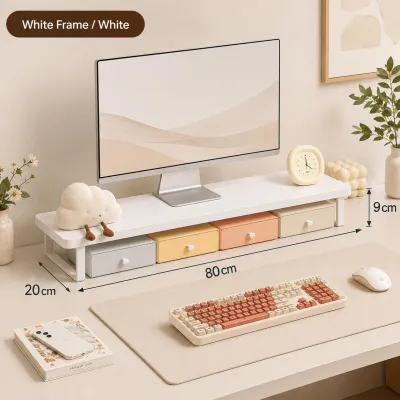
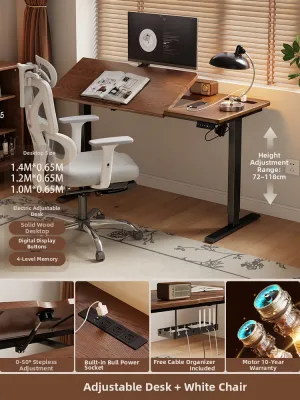
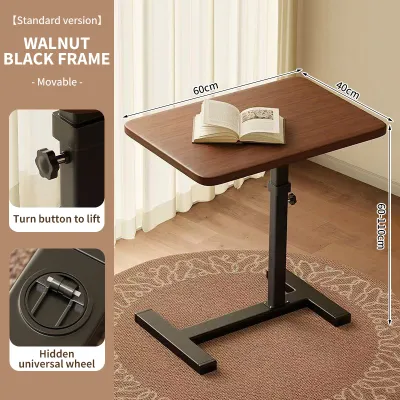
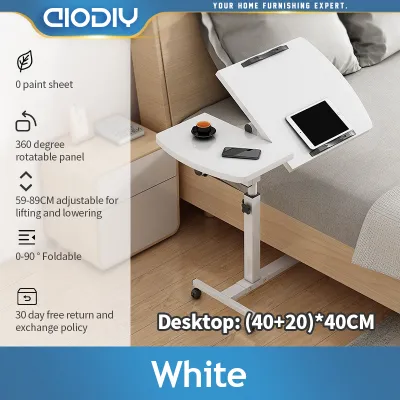
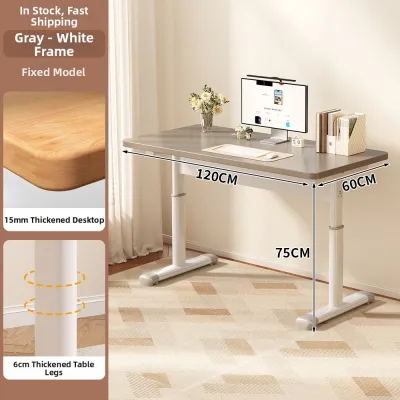
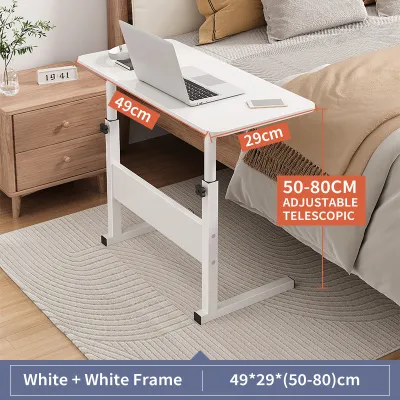

Prices are valid at publication and may change. Please refer to the product page for the latest price.
Lastly, account for operational clearance. Motorized and manual adjustable tables require a clear vertical path. Ensure there are no wall-mounted shelves, air conditioning units, or light fixtures directly above the desk that could obstruct its upward movement. Leave enough clearance behind your chair so you can push back safely without hitting walls or blocking household traffic.
Audit Your Daily Workflow and Equipment Footprint
Your desk is your primary tool, and its surface must accommodate your specific device setup. If you use dual monitors on articulated arms, a standard straight desk or an L-shaped desk with a sturdy grommet or clamp mount is essential. Check the desktop material and thickness specifications to ensure it can withstand the concentrated pressure of a monitor clamp without cracking.

If your job requires multitasking—such as toggling between a laptop, physical ledgers, reference books, or sketching pads—an L-shaped desk provides distinct work zones. You can dedicate one wing to digital tasks and the other to analog work, keeping your workspace organized and reducing mental clutter. This configuration is particularly helpful for creative professionals and remote administrators who handle physical paperwork alongside digital files.
Cable management is another critical factor, especially when dealing with frequent height adjustments. Motorized tables require careful routing to prevent cords from tensioning or unplugging when the desk rises. Look for integrated cable trays or verify if you need to install aftermarket adhesive clips and spine organizers. Ensure your power strip is securely mounted to the underside of the desk frame so that only one main power cable needs to stretch to the wall outlet, minimizing the risk of accidental cord pulls.
Define Your Ergonomic and Movement Needs
Transitioning between sitting and standing throughout the workday can help reduce fatigue and improve posture, but only if your desk supports these changes seamlessly. If you plan to change positions multiple times a day, a motorized adjustable table offers the most convenient transition. However, if you only need to adjust the height occasionally or prefer to pack your workspace away at the end of the day, a manual or foldable adjustable table may be more practical.
Stability is a major consideration, particularly at maximum standing height. Some frames can experience minor lateral wobble when extended fully, which can cause monitor shake during vigorous typing. Check the leg design and frame material; heavy-duty steel frames with wide T-style or C-style feet generally offer better stability. Reading user reviews regarding stability at full extension can help you gauge real-world performance.
Always verify the manufacturer’s weight capacity limits before purchasing. Your setup—including monitors, mounts, speakers, and personal items—can add up quickly. Overloading a motorized desk can strain the motor, leading to premature wear or failure, while overloading a manual desk can make height adjustments physically difficult and unsafe. If you use heavy equipment, prioritize desks with dual-motor systems for smoother, more reliable lifting.
Choose the Right Adjustable Table Type for Your Profile
A foldable adjustable table is the ideal match if you work in a multi-purpose room, such as a shared living room or bedroom, where the desk must disappear after office hours. These models allow you to reclaim your living space, making them perfect for compact homes. They are also highly suitable for those with minimal equipment setups, such as a single laptop and a notepad.
An L-shaped adjustable table is best suited for professionals who manage heavy multitasking, require expansive surface area, and have a dedicated corner to accommodate the larger frame. This setup provides the ultimate zoning capability, though it requires a more permanent footprint and a larger assembly effort. It is an excellent investment if you spend long hours at your desk and need to keep multiple projects within arm’s reach.
A standard straight standing desk remains the most versatile option for focused, single-zone work. It offers straightforward ergonomic transitions, fits neatly against flat walls, and is widely compatible with standard accessories like keyboard trays and monitor arms. This type is highly customizable and fits well within a wide range of home office budgets.
Before finalizing your purchase, carefully review the assembly conditions and manufacturer specifications. Some motorized desks arrive in multiple heavy boxes and require two people for safe assembly. Check the warranty terms, particularly for electrical components like motors and controllers, to ensure long-term reliability in your home office.
Frequently Asked Questions (FAQ)
Can I convert my existing fixed desk into an adjustable one?
Yes, you can use a sit-stand desk converter as a practical, budget-friendly alternative to replacing your entire desk. These units sit directly on top of your existing fixed surface and use manual or gas-spring mechanisms to raise your monitor and keyboard. However, keep in mind that converters have limited surface area and lower weight capacities compared to full adjustable tables. They also add significant weight to your existing desk, so you must verify that your current table can safely support both the converter and your equipment without bowing or tipping.
What should I check before assembling a motorized adjustable table?
Before assembling your motorized desk, locate a nearby electrical outlet and plan your cable routing. Because local power grids can experience voltage fluctuations, using a high-quality surge protector is highly recommended to safeguard the desk’s control box and motor. Check that your floor is level; most adjustable tables include leveling glides on the feet to compensate for uneven surfaces. Finally, follow the manufacturer’s installation instructions closely, ensuring all frame bolts are tightened evenly to prevent structural instability or uneven lifting.

Community discussion
Share your experience or ask a question. Comments are reviewed before publication.