
Finding the right movable desk table for your work-from-home (WFH) setup is a balancing act between your physical workspace, daily tasks, and ergonomic needs. In many urban homes, where a single room often serves multiple purposes, a desk on wheels offers the flexibility to adapt your environment at a moment’s notice. Whether you are setting up in a breezy corner of a condo or rearranging a shared family living room, the right mobile desk keeps your workflow fluid and your posture supported.
Choosing among standing, foldable, and L-shaped movable desks requires looking beyond aesthetics to evaluate structural stability, weight limits, and spatial footprints. A standing model encourages movement throughout the day, while a foldable desk can be tucked away to reclaim precious floor space when the workday ends. Meanwhile, an L-shaped configuration provides the expansive surface area needed for complex multi-monitor setups but demands a more permanent footprint. This guide breaks down the practical considerations for each type to help you match the right desk structure to your specific workflow and physical layout.
Assessing Your Space and Work Habits
Before browsing online marketplaces, you must accurately assess the physical constraints of your home. Start by measuring the exact floor area where you plan to work, keeping in mind the clearance needed for your office chair and your own movement. It is equally important to measure the width of your doorways, hallways, and any elevator or stairwell access points. A desk that cannot navigate the tight corners of a condominium corridor or a narrow staircase will present immediate delivery and installation challenges.
Products mentioned in this guide
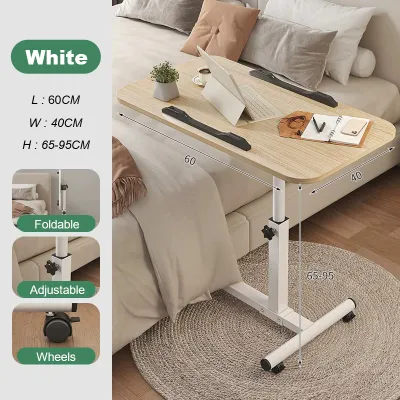
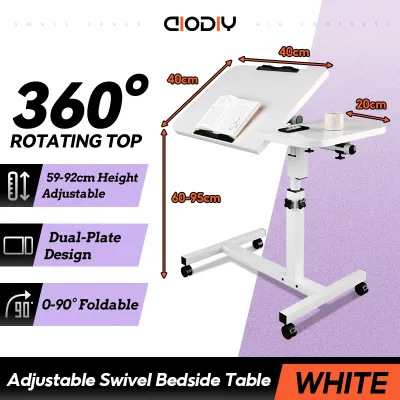
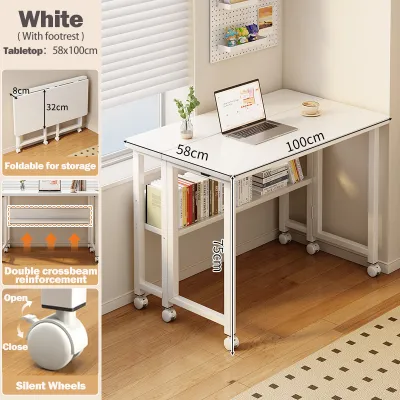
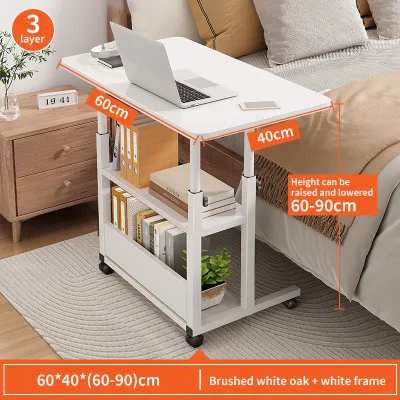
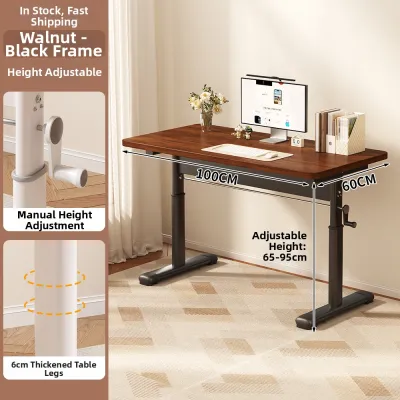
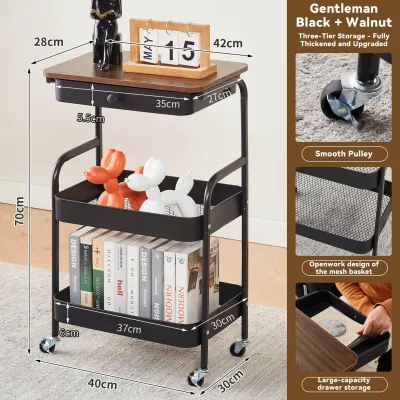
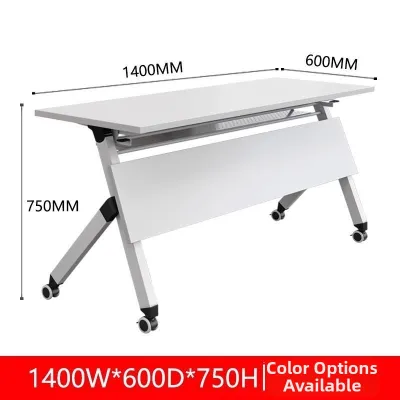
Prices are valid at publication and may change. Please refer to the product page for the latest price.
Your daily workflow should dictate the desk’s structural requirements. If your job involves simple laptop tasks, a compact surface is sufficient; however, if you manage multiple monitors, external keyboards, and reference documents, you will need a larger, more robust tabletop. Consider how often you will actually move the desk. If you need to clear the room every evening for family activities, quick mobility and easy storage are paramount. If you only plan to shift the desk occasionally for cleaning or to catch better natural light, a heavier, semi-permanent model with locking casters is more appropriate.
Environmental factors also play a role in your selection, especially in tropical climates. High humidity can affect certain materials over time, making it essential to check for moisture-resistant finishes on engineered wood or rust-resistant coatings on steel frames. Ensuring your workspace has adequate ventilation and access to power outlets will also influence where your desk can be positioned.
Standing Movable Desks for Active Workflows
A standing movable desk table is designed for professionals who want to combat the sedentary nature of remote work by transitioning between sitting and standing. When evaluating these models, check the manufacturer’s specifications for the exact height adjustment range to ensure it accommodates your height in both positions. Pay close attention to the maximum weight capacity, as the lifting mechanism must smoothly support your computer, monitors, and accessories without straining.

Stability is a critical safety factor, particularly when the desk is fully extended to its maximum height. Look for a wide, heavy base design that lowers the center of gravity and prevents the tabletop from wobbling while you type. The casters must be robust and feature secure locking mechanisms to keep the desk from drifting on smooth tile or wooden floors. Inspect the wheel material; soft polyurethane or rubber-coated casters are generally preferred to prevent scratching delicate floor surfaces.
You must also choose between manual and motorized adjustment systems. Motorized desks offer effortless transitions at the push of a button, but they require constant access to a power outlet, which can limit where you position the desk. Managing the power cords is essential to prevent tripping hazards and ensure the cables do not pull tight when the desk rises. Manual crank or pneumatic models do not require electricity, offering greater placement freedom, though they require more physical effort to adjust.
Foldable Movable Desks for Compact Spaces
For those living in compact apartments or shared spaces, a foldable movable desk table offers an excellent way to maintain a clear boundary between work and personal life. These desks are engineered to collapse into a slim profile, allowing you to slide them behind a door, under a bed, or inside a narrow closet when your shift ends. When shopping, always verify the folded dimensions against your intended storage space to ensure a perfect fit.
The folding mechanism itself requires careful inspection. Look for designs with intuitive, secure locking hinges that prevent accidental collapsing during use. Check for potential pinch points in the frame and ensure that the tabletop remains completely level and rigid when fully unfolded. A flimsy mechanism can lead to annoying vibrations while typing, which can disrupt your focus and potentially damage your equipment over time.
While highly convenient, foldable desks come with clear trade-offs in terms of surface area and weight capacity. They are typically designed for lightweight setups, such as a single laptop and a notepad, rather than heavy desktop computers or dual-monitor mounts. If your workflow requires extensive hardware, a foldable model may not provide the structural integrity or space you need. However, for minimalist setups, the portability and space-saving benefits are unmatched.
L-Shaped Movable Desks for Multitasking
An L-shaped movable desk table is the ultimate solution for power users, gamers, and remote professionals who require an expansive workspace. The corner design naturally divides your desk into distinct zones, allowing you to dedicate one side to your computer screens and the other to paperwork, drawing tablets, or reference materials. This layout maximizes corner spaces that might otherwise go unused in your room.
Because of their size, L-shaped desks require careful structural evaluation. Verify the connection points between the two main desk segments; high-quality brackets and reinforced joints are necessary to prevent sagging or misalignment. Check the total weight limit specified by the manufacturer, especially if you plan to mount multiple heavy monitors on clamp-on arms or place a heavy desktop tower directly on the surface.
Mobility for an L-shaped desk is different from smaller models. While the inclusion of casters allows you to shift the desk for cleaning or to rearrange your room, moving such a large piece of furniture requires significant clearance and effort. It is highly recommended to treat an L-shaped mobile desk as a semi-permanent fixture. Ensure your doorways are wide enough to accommodate the desk’s depth if you ever need to move it to another room, as partial disassembly is often required for transport.
Key Specifications and Verification Checklist
To make an objective comparison, it is helpful to look at the verifiable technical specifications of each desk type. Rather than relying on vague marketing claims of durability, focus on measurable factors like load limits, frame materials, and caster designs. The table below outlines the typical specifications you should verify with the manufacturer before making a purchase.
| Desk Type | Typical Weight Capacity | Best Suited For | Key Mobility Feature | Primary Spatial Requirement |
|---|---|---|---|---|
| Standing Movable | 50 kg – 100 kg | Ergonomic transitions, single/dual monitors | Locking casters, motorized/manual lift | Clear vertical path, nearby power outlet |
| Foldable Movable | 15 kg – 30 kg | Minimalist setups, daily storage | Quick-collapse frame, light casters | Dedicated storage gap (closet, behind door) |
| L-Shaped Movable | 80 kg – 150 kg | Multi-monitor setups, heavy equipment | Multi-wheel base, reinforced joints | Wide corner space, clear turning radius |
Before finalizing your order, complete this pre-purchase checklist to ensure compatibility with your home:
- Measure the pathways: Confirm the desk can pass through your front door, room doors, and hallway corners.
- Check floor compatibility: Ensure the caster wheels are suitable for your flooring (e.g., soft rubber for hardwood or tile, larger hard wheels for low-pile carpets).
- Verify power access: For motorized standing desks, check that the power cord is long enough to reach your outlet at maximum desk height without tension.
- Review the warranty: Look for specific coverage on moving parts, hydraulic or motorized lifts, and structural joints.
Final Decision Framework for Your WFH Setup
Your final choice should align with your primary daily challenge: space, physical comfort, or screen real estate. If your main goal is to reduce back strain and stay active, choose a standing movable desk table. This option works best if you have a dedicated spot with vertical clearance and easy access to power outlets for motorized models.
If your home office must disappear at the end of the day to keep your living area tidy, a foldable movable desk is your best option. It provides a functional workspace during office hours and folds away quickly, making it ideal for small apartments or shared rooms. Ensure you have a safe storage spot where the folded desk will not pose a tripping hazard.
If you manage a complex workflow with multiple screens, a printer, or heavy creative gear, choose an L-shaped movable desk. It offers the surface area you need while allowing you to occasionally roll the setup aside for cleaning. Whichever style you select, always verify that the caster wheels are compatible with your flooring type to protect your home and ensure smooth, safe movement.
Frequently Asked Questions (FAQ)
Can I use a movable desk on thick carpets?
Standard small casters often struggle to roll on thick carpets, which can cause the desk to feel unstable or tip when pushed. If your home has carpeted flooring, check the manufacturer’s specifications to see if the wheels are rated for soft surfaces. You may need to look for models that accept larger, heavy-duty caster wheels, or consider placing a rigid chair mat under the desk’s path to provide a smooth, stable rolling surface.
How do I prevent a tall movable desk from tipping?
To maintain stability, especially with standing desks at their highest settings, always adhere strictly to the manufacturer’s weight limits. Distribute the weight evenly across the tabletop, and place heavier items like computer towers or UPS units on lower shelves or closer to the center of the desk. Always ensure that all caster locks are fully engaged before you begin working, and avoid leaning heavily on the edges of the desk when it is extended.

Community discussion
Share your experience or ask a question. Comments are reviewed before publication.