
Choosing the right office table extension for your work-from-home (WFH) setup is not about finding a single “best” product, but rather matching the accessory to your physical environment and daily tasks. Whether you are working from a compact apartment in Metro Manila or a dedicated study in a suburban home, your desk needs to adapt to your space. A standing extension offers ergonomic movement, a foldable extension saves precious floor space in tight rooms, and an L-shaped extension maximizes corner areas for heavy multitasking. The ideal choice depends entirely on your existing desk’s structural strength, your available room layout, and how you manage your daily workflow.
Assessing Your Workspace and Work Habits
Before purchasing any office table extension, you must take precise measurements of your current setup. Start by measuring the depth, width, and thickness of your existing desk surface. Many clamp-on extensions require a minimum flat edge clearance underneath the desk to secure the brackets properly. If your desk has a decorative beveled edge, a metal support frame running close to the border, or a modesty panel, standard clamps might not fit securely.
Next, evaluate the physical space surrounding your desk. Consider the clearance needed for your office chair to glide backward and sideways without hitting walls, cabinets, or doorways. In smaller tropical homes where rooms often serve multiple purposes, an extension that permanently protrudes into a high-traffic walkway can become a constant physical hazard.
Products mentioned in this guide
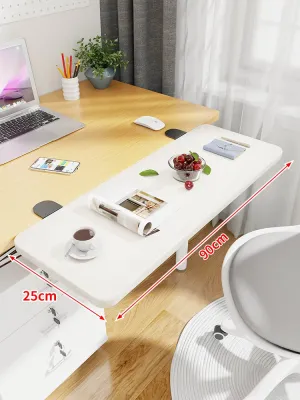
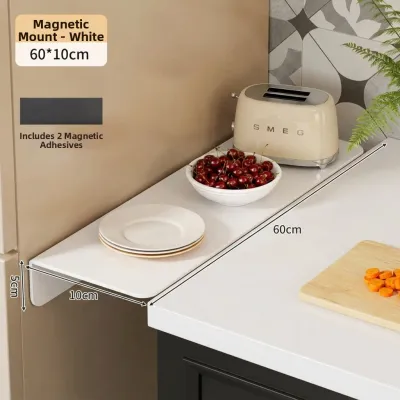
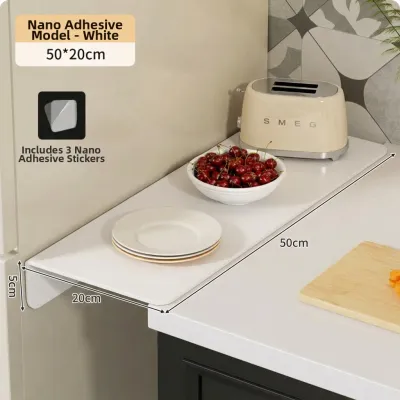
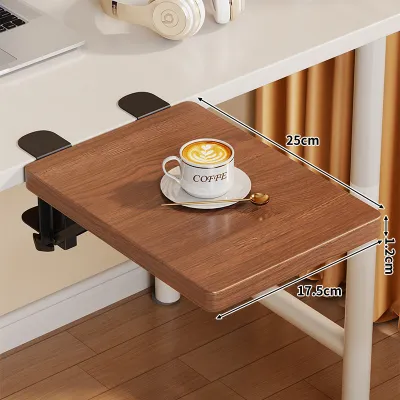
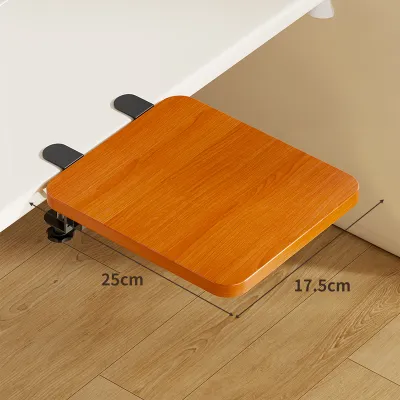
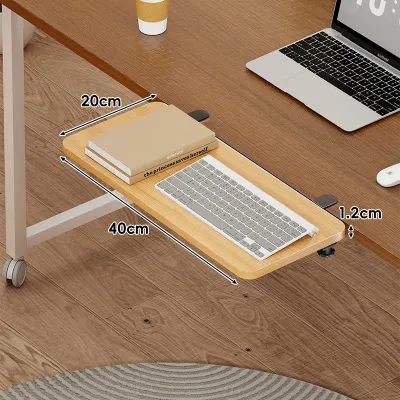
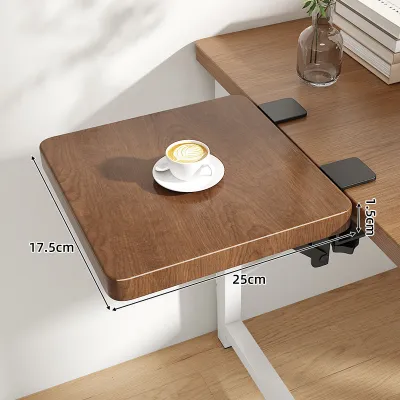
Prices are valid at publication and may change. Please refer to the product page for the latest price.
Take note of your flooring as well. Uneven tile floors or thick rugs can cause a desk to wobble, which is amplified once you add an extension. Furthermore, high humidity levels can cause certain wood materials to expand or contract slightly, meaning clamp adjustments might need periodic tightening to maintain a secure grip.
Finally, analyze your daily work habits. If your job involves switching between typing on a laptop, writing in a physical notebook, and reviewing printed documents, you need a multi-zone setup. If you primarily focus on a single screen with minimal physical paperwork, a compact, single-zone extension will suffice. Understanding these spatial and behavioral baselines prevents costly purchasing mistakes.
Standing Desk Extensions: For Active and Ergonomic Workflows
Standing desk extensions, often called desktop converters, are designed for professionals who want the health benefits of alternating between sitting and standing but do not want to discard their existing writing desk. These units sit directly on top of your current table and feature a gas-spring or electric lifting mechanism to raise your monitor, keyboard, and mouse to standing height.

When selecting a standing extension, verifying the weight capacity is your most critical safety step. Check the manufacturer’s specifications to ensure the unit can support the combined weight of your monitors, laptop, keyboard, and any desk accessories. Overloading a converter can strain the lifting mechanism, leading to sudden drops or permanent structural damage.
You must also evaluate the stability of your main desk. A standing converter shifts the center of gravity upward when elevated, which can amplify any inherent wobble in a lightweight or poorly constructed table. Ensure your main desk has sturdy, wide-set legs and is positioned on a level floor.
Cable management is another vital consideration for standing setups. When the extension is raised to its maximum height, your monitor and power cables must have enough slack to stretch without pulling plugs out of wall outlets or damaging device ports. Grouping cables with hook-and-loop straps can prevent them from getting caught in the lifting joints during transitions.
If you live in a humid coastal area, check that the metal components of the lifting mechanism have a rust-resistant powder coating. Moisture in the air can cause untreated steel joints to stiffen or squeak, making height adjustments difficult over time.
Foldable Desk Extensions: For Flexible and Compact Spaces
Foldable desk extensions, such as drop-leaf attachments or clamp-on folding trays, are excellent solutions for shared living spaces, studio apartments, or temporary WFH setups. These extensions allow you to expand your workspace during working hours and fold the surface flat against the desk side when the day is done, reclaiming valuable floor space.
Because these extensions rely on hinges and folding brackets, hardware quality is paramount. Inspect the bracket design to ensure it features a secure locking mechanism that prevents the tray from collapsing unexpectedly under pressure. Look for heavy-duty steel hinges that lock tightly at a 90-degree angle to minimize vertical play or bouncing while you type.
Additionally, consider the folded profile of the extension. When collapsed, the tray hangs downward along the side or front of your desk. Ensure this hanging panel does not block your knees, restrict your legroom, or interfere with the armrests of your office chair when you slide it under the desk.
In tropical climates, high humidity can accelerate rust on cheap metal hardware. Opt for extensions that utilize stainless steel or powder-coated brackets, and apply a light lubricant to the hinges annually to keep the folding action smooth and silent.
A foldable extension should make your space more flexible, not restrict your physical comfort during non-working hours. If the folded tray forces you to sit in an awkward position, it defeats the ergonomic purpose of your home office setup.
L-Shaped Desk Extensions: For Multitasking and Corner Setups
L-shaped desk extensions are designed for power users who require an expansive, permanent surface area to manage multiple monitors, reference materials, or specialized equipment like printers and drawing tablets. By wrapping around your seating position, an L-shaped extension creates a highly efficient corner workstation where everything remains within arm’s reach.
When integrating an L-shaped add-on, pay close attention to the leg placement and under-desk clearance. Some extensions use independent support legs that can obstruct your chair’s swivel path or limit your legroom if positioned poorly. Ensure the support structure allows you to transition smoothly between the main desk and the extended wing without bumping your knees on metal crossbars.
Surface alignment is another critical factor to verify. Even a minor height difference of a few millimeters between your main desk and the extension can create an annoying ridge that catches your mouse pad or disrupts your writing. Look for extensions with adjustable leveling feet that allow you to fine-tune the height to match your main desk perfectly, and check that the seam gap is minimal to prevent small items from falling through.
Consider the placement of wall outlets and air conditioning units when planning an L-shaped setup. Because these extensions occupy a larger footprint, they can easily block access to wall sockets or redirect the airflow from a low-mounted room cooler. Ensure your power strips are safely mounted under the desk surface to keep cables organized and off the floor.
Decision Matrix: Matching Extensions to Your Needs
To help you visualize the practical differences between these three configurations, the table below outlines their key spatial footprints, installation complexities, and primary trade-offs. Use these verifiable criteria to match each extension type with your specific home office limitations.
| Extension Type | Space Footprint | Installation Complexity | Primary Benefit | Key Trade-off |
|---|---|---|---|---|
| Standing Extension | Medium (vertical expansion) | Low to Medium (freestanding or clamp) | Ergonomic posture transitions | Increases top-heavy weight on main desk |
| Foldable Extension | Low (collapsible design) | Medium (requires secure edge clamping) | Reclaims floor space when idle | Lower weight capacity; potential typing bounce |
| L-Shaped Extension | High (requires dedicated corner space) | High (requires precise alignment and legs) | Maximizes permanent surface area | Obstructs walkways; difficult to relocate |
When reviewing these options, consider the long-term flexibility of your home. If you plan to move to a different apartment or rearrange your room layout within the next year, a highly portable foldable extension or a freestanding standing converter may be more practical than a semi-permanent L-shaped configuration that requires specific corner geometry.
Installation, Stability, and Safety Checks
Before mounting any extension, you must assess the material and structural integrity of your primary desk. Solid wood, thick plywood, and heavy-duty steel-framed desks are ideal candidates for clamp-on or bolt-on extensions because they can withstand localized clamping pressure and torsional stress.
Avoid mounting heavy, cantilevered extensions to the edges of lightweight desks, especially those made of thin particleboard or hollow-core construction. The concentrated leverage of an extended tray or a heavy standing converter can cause the wood fibers to crush, tear, or sag over time. Always distribute weight evenly and avoid leaning your full body weight on the extended portion of the desk.
During installation, tighten all screws and clamps gradually and evenly. Over-tightening a single clamp can warp the mounting bracket or crack the desk surface, while under-tightening can lead to sudden slippage during use. Check the tightness of all hardware after the first week of use, as the materials may settle under load.
Once installation is complete, perform a manual stability check. Gently shake the extension to observe how the main desk reacts. If you notice significant swaying, structural creaking, or lifting of the desk’s opposite legs, immediately remove the extension. In such cases, you may need to reinforce the main desk’s joints, add stabilizing crossbars, or consult a professional furniture installer to ensure the setup is safe for daily use.
Final Decision Framework: Which Extension Should You Choose?
To finalize your purchase plan, evaluate your setup against these three clear scenarios. If your primary goal is to reduce sedentary fatigue and improve your posture throughout the day, invest in a standing desk extension, provided your main desk is heavy and stable enough to support the elevated center of gravity.
If you work in a multi-use room, such as a bedroom or living room, and need to restore the space for family activities in the evening, choose a foldable desk extension. This option keeps your home looking tidy and spacious while still providing a comfortable typing platform during working hours.
If your daily tasks require you to spread out physical documents, manage three or more screens, or operate multiple devices simultaneously, the L-shaped extension is your best choice. Ensure you have a dedicated corner with sufficient clearance for your chair to rotate freely. Whichever path you choose, always prioritize verifying your existing desk’s load limits and edge profiles before spending your hard-earned ₱5,000 or more on a new workspace accessory.
Frequently Asked Questions (FAQ)
Can I attach a desk extension to a glass or hollow-core desk?
No, you should avoid attaching clamp-on extensions to glass or hollow-core desks. Glass tops are highly susceptible to shattering under the concentrated pressure of metal clamps, while hollow-core desks (which often feature a paper honeycomb interior between thin veneer sheets) can easily crush or puncture. If you must use an extension on these materials, look for freestanding models that distribute weight across a wide, non-clamping base, and always check your desk manufacturer’s warranty guidelines first.
How do I prevent a desk extension from scratching my main table?
To protect your primary desk’s finish from scratches and indentations, always place a protective barrier between the extension’s hardware and the table surface. You can use adhesive felt pads, thin rubber gaskets, or silicone sheets under clamps, brackets, and contact feet. Before tightening any hardware, inspect the metal edges of the extension for sharp burrs or manufacturing defects, and sand them down or cover them with tape if necessary to preserve your desk’s wood or laminate surface.

Community discussion
Share your experience or ask a question. Comments are reviewed before publication.