
Choosing the right mini desk for your work-from-home (WFH) setup requires matching your physical space constraints with your daily operational needs. Rather than picking a style based solely on aesthetics, this guide helps you diagnose your room layout, evaluate your equipment requirements, and compare the functional trade-offs of standing, foldable, and L-shaped configurations to find the most practical fit for your environment.
In compact living environments, such as urban condominiums or shared family homes in the Philippines, every square inch of floor space is valuable. A poorly chosen desk can quickly turn a cozy room into a cramped, frustrating obstacle course. By understanding how each desk type utilizes space and supports your body, you can create a highly productive workspace that integrates seamlessly into your daily life.
Assess Your Available Space and Room Layout
Before browsing online marketplaces, grab a physical tape measure to map out your designated work area. Measure the exact floor width and depth where the desk will sit, but do not stop there. You must also measure the wall clearance, taking into account baseboards, wall outlets, window sills, and the swing radius of nearby doors or wardrobe cabinets.
Products mentioned in this guide

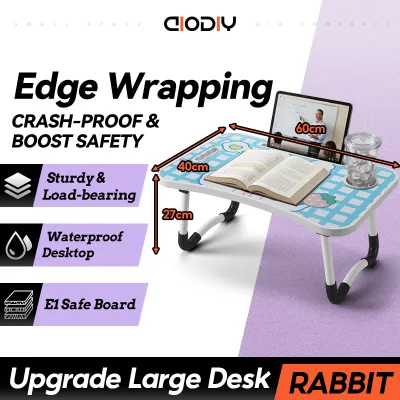
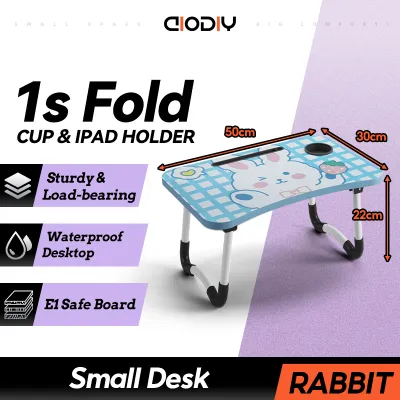

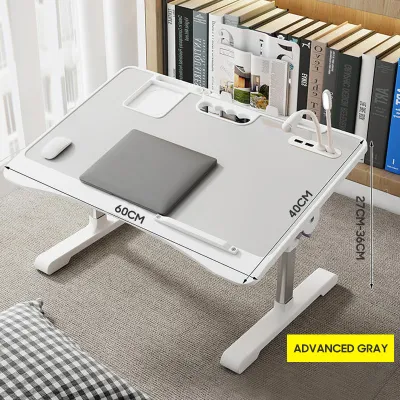
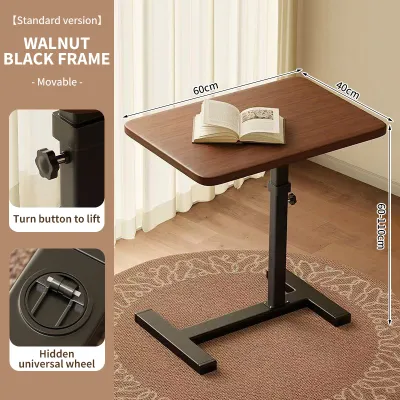
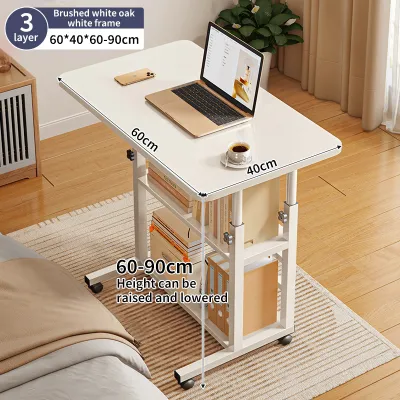
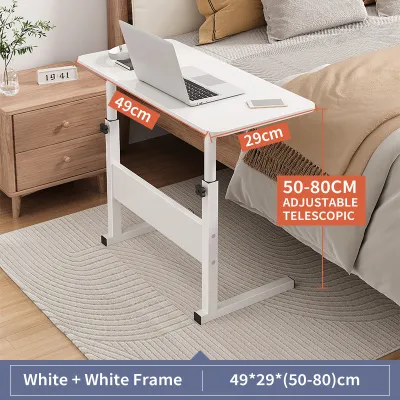
Prices are valid at publication and may change. Please refer to the product page for the latest price.
Consider the path the desk must take to reach its final position. If you live in a high-rise building, verify the dimensions of the service elevator, narrow hallways, and your front doorway to ensure the packaged box can actually be delivered. A desk that fits perfectly in your bedroom is of little use if it cannot clear the tight turns of your stairwell during delivery.
Traffic flow within the room is another critical safety factor. Ensure the desk’s footprint does not block main pathways, emergency exit routes, or access to built-in storage. If you have to squeeze past your chair or bump into the desk corner every time you move around the room, the layout will quickly become a daily source of frustration.
Finally, map out your electrical infrastructure. Identify the nearest power outlets and plan how you will route cables safely. In tropical climates where electric fans or air conditioning units are constantly running alongside your computer, overloading a single outlet or stretching cords across walkways creates both tripping hazards and electrical risks.
Evaluate Your Daily Work Habits and Equipment Needs
Your desk must comfortably accommodate all the tools you need to perform your job efficiently. Start by listing your essential daily equipment, such as your laptop, secondary monitors, external keyboard, mouse, and any physical documents or notebooks. Calculate the combined footprint of these items to determine the absolute minimum surface area your new desk must provide.

Next, analyze your typical work duration and physical comfort throughout the day. If you sit for eight to ten hours a day, ergonomic adjustments become vital for preventing back strain and fatigue. A desk that forces you into a static, uncomfortable posture in a warm, humid room can severely impact your focus and long-term physical health.
You must also decide if your workspace is a permanent fixture or a temporary setup. If you work in a dedicated home office, a permanent, heavy-duty desk is highly practical. However, if you share your workspace with a dining area or a living room, you may need a flexible solution that can be quickly cleared away to restore the room’s original household function.
Compare Standing, Foldable, and L-Shaped Mini Desks
To find the right balance, it helps to compare these three popular mini desk configurations side by side. Each design approaches space efficiency, physical flexibility, and ergonomic support differently. By evaluating how each type handles these three pillars, you can narrow down your choices to the one that aligns with your daily routine.
Standing Mini Desks: Best for Posture and Active Work
Standing mini desks are ideal for remote professionals who want to avoid the physical toll of prolonged sitting. These desks allow you to alternate between sitting and standing positions throughout the day, promoting better circulation and reducing spinal compression. They are particularly suited for rooms with limited floor space but plenty of vertical clearance.
When shopping for a standing mini desk, always verify the manufacturer’s specified weight capacity. Motorized or manual lifting mechanisms must be strong enough to raise your monitors, laptop, and accessories smoothly without straining. A weak mechanism can lead to premature motor failure or a frustratingly slow adjustment process.
Stability is another crucial factor to check, especially when the desk is fully extended to its maximum height. Look for models with wide, heavy steel bases or stabilizing crossbars to prevent the work surface from wobbling while you type. A shaky desk not only disrupts your concentration but also risks damaging expensive electronic equipment.
Lastly, compare the desk’s height range against your own body measurements. When standing, your elbows should rest comfortably on the desktop at a 90-degree angle, and your eyes should align with the top third of your monitor screen. Ensure the desk can adjust low enough for comfortable sitting and high enough for your standing height.
Foldable Mini Desks: Best for Tight Spaces and Flexibility
Foldable mini desks are the ultimate space-saving solution for shared rooms, studio apartments, or multi-functional living areas. These desks can be set up in seconds to create a temporary workstation and then folded flat when the workday ends. This physical transition also helps establish a clear mental boundary between professional hours and personal time.
Because these desks are designed to be moved frequently, you must carefully inspect the durability of the hinges, leg braces, and locking mechanisms. Look for robust metal hardware that locks securely into place to prevent the desk from accidentally collapsing under the weight of your laptop. Avoid flimsy plastic latches that can degrade quickly under daily use.
Before purchasing, check the manufacturer’s folded dimensions to ensure the desk will fit into your designated storage spot. Measure the clearance under your bed, inside your closet, or behind your door to confirm the folded frame can be tucked away completely out of sight. A foldable desk that is too bulky to store defeats its primary purpose.
Keep in mind that foldable desks generally offer less surface area and lower weight capacities than permanent alternatives. They are best suited for minimalist setups consisting of a single laptop, a mouse, and a notepad. If you require multiple heavy monitors or bulky desktop accessories, a foldable model may not provide the structural support you need.
L-Shaped Mini Desks: Best for Multitasking and Corner Setups
L-Shaped mini desks are designed to maximize utility by turning underutilized corner space into a highly functional workstation. This configuration is perfect for multitaskers who need to divide their desktop into distinct zones. For example, you can place your computer on one wing of the desk while keeping the other wing clear for paperwork, sketching, or tablet use.
To ensure a proper fit, verify the exact lengths of both wings and the depth of the corner joint. Remember that residential walls are rarely perfectly square, and thick baseboards or wall trim can prevent the desk from sitting completely flush against the corner. Measure your alcove carefully to avoid buying a desk that overlaps door frames or windows.
Knee clearance and leg placement are critical comfort factors for L-shaped designs. Inspect the product photos and specifications to ensure the support legs or diagonal crossbars do not block your legs when you swivel your chair from one side of the desk to the other. Adequate legroom is essential for maintaining comfortable, ergonomic seating positions.
Additionally, consider the orientation of the desk. Some L-shaped desks have a fixed left-hand or right-hand configuration, while others offer a reversible design that allows you to assemble the longer wing on either side. A reversible model provides greater flexibility if you decide to rearrange your room layout in the future.
Final Verification Checklist Before You Buy
Before finalizing your purchase on any online marketplace or at a local furniture retailer, run through a final verification checklist to avoid common sizing and assembly mistakes. First, cross-reference the product’s exact exterior dimensions with your measured room space. Do not rely on generic size labels like “small” or “compact”; look for the precise millimeter or centimeter measurements.
Next, review the manufacturer’s assembly requirements. Check if the package includes all necessary tools, such as Allen keys or specialized wrenches, or if you will need to provide your own screwdriver or drill. Reading customer feedback regarding the clarity of the instruction manual can help you prepare for the setup process and estimate how much time it will take.
If you live in a humid tropical environment, pay close attention to the desk’s materials and finishes. Check if the engineered wood panels have high-quality edge banding or water-resistant coatings to prevent moisture from seeping into the joints and causing the material to swell or warp over time.
Finally, confirm the retailer’s return policy and warranty terms. Ensure you can return or exchange the desk if it arrives with manufacturing defects, missing hardware, or if it proves unstable once assembled in your home. A reliable warranty provides peace of mind, especially when investing in mechanical or motorized standing desks.
Frequently Asked Questions (FAQ)
Can I use a foldable mini desk as my primary daily workstation? (FAQ)
Yes, you can use a foldable mini desk daily, but you must be mindful of its structural and ergonomic limits. Because foldable models lack height adjustments and have lower weight capacities, they are best suited for shorter work sessions or minimalist laptop setups. Always check the manufacturer’s weight limits and ensure the locking hinges are fully engaged before starting your workday to prevent premature wear or accidental collapse.
How do I manage cables on an L-shaped or standing mini desk? (FAQ)
Effective cable management is essential for keeping a mini desk organized and safe. Look for desks with built-in cable grommets, under-desk wire baskets, or adhesive clips to route cords neatly along the frame. For standing desks, it is crucial to leave enough slack in your cables so that devices do not pull, stretch, or disconnect when the desk transitions to its maximum height.

Community discussion
Share your experience or ask a question. Comments are reviewed before publication.