
Finding the ideal study table for room setups can feel like a balancing act between physical space, daily productivity goals, and aesthetic preferences. Whether you are setting up a dedicated home office in a suburban house or carving out a study corner in a compact Metro Manila condominium, the type of desk you choose directly impacts your comfort and focus. The market offers three primary configurations—standing, foldable, and L-shaped—each designed to solve distinct spatial and ergonomic challenges.
To make an investment that supports your daily routine without overcrowding your living space, you must look beyond surface aesthetics. Evaluating your room dimensions, the structural capacity of your walls and floors, and your specific equipment setup will point you toward the most practical choice. This guide breaks down the essential diagnostics to help you select the exact desk type that aligns with your environment and daily workflow.
Quick Answer: Which Study Table Fits Your Room?
Choosing the right study table for room layouts depends heavily on your primary spatial constraints and how you intend to use the workspace. Each of the three main desk types serves a specific room profile and user behavior, making it easy to narrow down your options once you identify your main priority.
Products mentioned in this guide
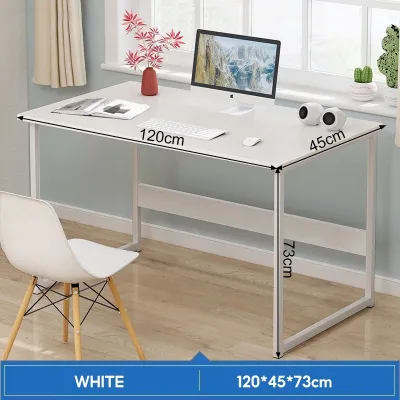



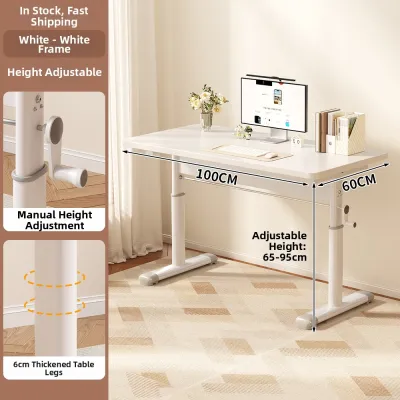
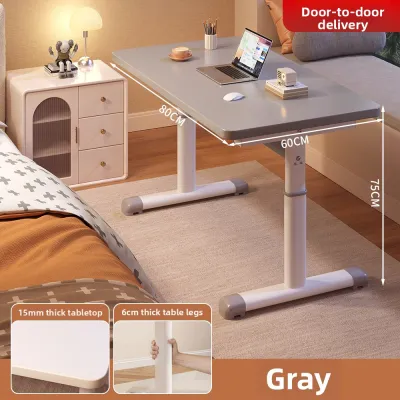
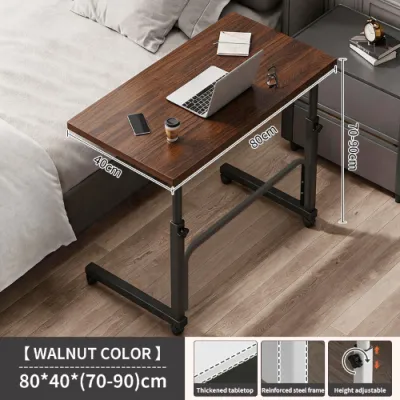
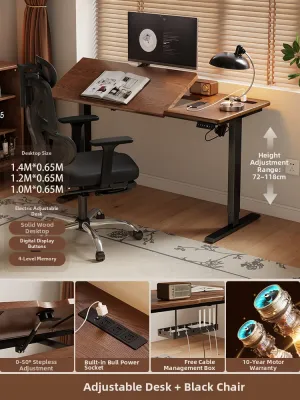
Prices are valid at publication and may change. Please refer to the product page for the latest price.
Foldable desks are the ultimate choice for multi-purpose rooms, shared bedrooms, or studio apartments where floor space must be reclaimed at the end of the day. These tables fold flat against a wall or tuck into a closet, allowing your room to transition easily from a workspace to a living area.
Standing desks are ideal for dedicated workspaces where the user prioritizes physical wellness, posture changes, and ergonomic comfort. They require a permanent floor footprint and sufficient vertical clearance, making them best suited for users who spend long hours at their computers and want to combat the health risks of prolonged sitting.
L-shaped desks are designed to maximize underutilized corners in medium to large rooms. If your daily tasks require a dual-monitor setup, heavy textbooks, or distinct zones for computer work and physical writing, an L-shaped configuration provides the expansive surface area you need without extending into the center of the room.
Step 1: Measure Your Room and Check Delivery Clearances
Before browsing online catalogs or visiting local showrooms, you must obtain precise measurements of your physical space. Relying on visual estimates often leads to layout mistakes, such as blocking doorways or restricting traffic flow. Start by measuring the total available floor space where the desk will sit, noting the length of the walls and any architectural features like electrical outlets, windows, or baseboards.

Do not limit your measurements to the static footprint of the desk itself. You must account for the clearance required to pull out an office chair and sit down comfortably, which typically requires an additional 60 to 90 centimeters of unobstructed space behind the desk. Make sure the desk placement does not interfere with door swing paths, wardrobe doors, or the general walking paths through the room.
Logistical clearances are just as critical as the final room layout. Large L-shaped desks and heavy, motorized standing desk frames often arrive in bulky packaging that can be difficult to maneuver through tight spaces. Measure the width of your room doorways, hallway corners, stairwells, and elevator doors to ensure the boxed components can safely reach your room for assembly.
Step 2: Diagnose Your Daily Workflow and Equipment Needs
Your daily habits and the physical items you use for work or study dictate the desk surface area and structural support you require. A workspace designed for a single lightweight laptop looks and functions very differently from one built to support multiple monitors, external hard drives, and heavy reference books.
Begin by listing every piece of equipment you use on a daily basis. If you work with a standard laptop, a shallow desk depth of 50 to 60 centimeters is usually sufficient to keep your screen at a comfortable viewing distance. However, if you use a desktop computer with a large external monitor, a depth of 70 to 80 centimeters is necessary to prevent eye strain and leave room for a keyboard and mouse.
Consider the duration of your study or work sessions to determine if ergonomic adjustments are a necessity. Sitting continuously for eight hours or more can lead to physical fatigue and back discomfort, making adjustable-height features highly beneficial. If your sessions are short and intermittent, a standard fixed-height table will easily suffice, allowing you to focus your budget on premium materials or built-in storage instead.
Step 3: Check if a Standing Desk Fits Your Space and Goals
Standing desks have gained immense popularity for their ergonomic benefits, but they require specific environmental conditions to function safely. If you are considering a motorized sit-stand model, your first step is to evaluate the proximity of electrical outlets. Running extension cords across the floor to power your desk creates a serious tripping hazard and ruins the clean aesthetic of your workspace.
Vertical clearance is another critical factor that is easily overlooked in standard bedrooms. Measure the height of your ceiling and check for any overhead obstructions, such as wall-mounted air conditioning units, floating shelves, window valences, or hanging picture frames. A motorized desk must be able to reach its maximum height—often up to 125 centimeters—without colliding with these items or pinching power cables.
Because standing desks require heavy steel frames and motor mechanisms to remain stable at high elevations, they carry significant visual and physical weight. In a small room, this structural bulk can make the space feel cramped. Additionally, you must plan for comprehensive cable management; because the desktop moves up and down, all power cords must have enough slack and organization to prevent them from pulling loose or getting caught in the lifting mechanism.
Step 4: Determine if a Foldable Table Solves Your Space Constraints
When living in a compact apartment or a shared family home, preserving open floor space is often the highest priority. Foldable tables offer a practical solution by providing a functional work surface that can be tucked away when not in use. These desks come in two primary styles: freestanding folding tables and wall-mounted drop-leaf desks.
If you choose a wall-mounted foldable desk, you must carefully assess your wall construction. In many homes, particularly in concrete-block structures common in the Philippines, mounting a desk requires drilling into solid concrete or hollow concrete blocks (CHB) using a masonry drill bit and heavy-duty expansion plugs. If your room has drywall or plasterboard walls, you must locate the structural wooden or metal studs; mounting a heavy desk directly into unsupported drywall will eventually lead to wall damage and structural failure.
While foldable desks are exceptional space-savers, they require clear trade-offs in terms of stability and weight capacity. Because they rely on hinges, brackets, or folding legs, they generally have lower weight limits than fixed tables and may wobble slightly during vigorous typing. You must also check the folded dimensions of the unit to ensure that, when stored, it does not block narrow walkways or create visual clutter in your living area.
Step 5: Verify if an L-Shaped Desk Maximizes Your Corner Space Maximize Your Corner Space
An L-shaped desk is the ultimate configuration for maximizing corner efficiency, turning an underutilized part of your room into a highly productive workstation. This setup is particularly beneficial if you manage multiple distinct tasks, such as computer-based work on one wing and physical paperwork, drawing, or textbook studying on the other.
To ensure an L-shaped desk fits your room, measure both walls forming the corner where the desk will sit. Look closely for baseboards, floor molding, wall columns, or electrical outlets that might prevent the desk from sitting completely flush against the wall. Any gap between the desk and the wall can cause items to fall behind and reduces the overall stability of the setup.
Ergonomics should play a central role in how you utilize an L-shaped surface. The inner corner of the desk creates a deep “dead space” that is difficult to reach during normal sitting positions, making it the perfect spot to place a large computer monitor or a desk lamp. Keep your most frequently used items, like your keyboard, mouse, and notepad, within your immediate reach zone to avoid repetitive stretching and back strain.
Final Checklist: Verify Stability, Clearances, and Assembly Requirements
Before finalizing your purchase, take a moment to verify the technical specifications of your chosen desk rather than relying on general assumptions. A material name like “wood” or “metal” does not automatically guarantee durability or performance. In warm, humid tropical environments, poorly sealed particle board can absorb moisture and swell over time; look for desks with moisture-resistant melamine finishes or powder-coated steel frames.
Always check the manufacturer’s stated weight capacity to ensure the desk can safely support your setup, including monitors, monitor arms, and heavy books. If you are purchasing a wall-mounted desk, confirm that the package includes high-quality mounting hardware suitable for your specific wall type, or prepare to purchase appropriate masonry anchors separately.
Finally, review the assembly instructions and tool requirements. Some desks require specialized tools like a hammer drill for concrete walls, while others can be assembled with a simple screwdriver. Understanding the assembly complexity, warranty conditions, and return policies beforehand will save you time and prevent installation headaches, ensuring your new study table serves as a reliable, comfortable workspace for years to come.
Frequently Asked Questions (FAQ)
Can I use a standing desk on uneven tile floors?
You can use a standing desk on uneven tile floors, provided the desk frame includes adjustable leveling feet. These small, screw-in glides on the bottom of the legs allow you to compensate for minor floor variations to keep the desktop perfectly level. To protect your tiles from scratches and improve overall stability, place a firm, heavy-duty floor mat under the desk, and avoid raising the desk to its maximum height if you detect any wobbling.
How much weight can a typical wall-mounted foldable desk hold?
The weight capacity of a wall-mounted foldable desk varies strictly by the manufacturer’s design and the quality of the wall anchors used. Generally, these desks can support between 15 to 30 kilograms when installed correctly. To achieve the maximum rated weight limit, you must anchor the desk into solid concrete walls using masonry plugs or directly into wall studs if mounting on drywall; never rely on the desk material or basic drywall screws alone.
Is an L-shaped desk better for gaming and studying?
An L-shaped desk is highly effective for dual-purpose setups because it provides excellent physical zone separation. You can dedicate one wing of the desk to your gaming console, monitors, and accessories, while keeping the other wing completely clear for textbooks, writing, or laptop study. However, this setup requires a significant corner footprint and is not recommended if you need to maximize open floor space in a small room.

Community discussion
Share your experience or ask a question. Comments are reviewed before publication.